
Introduction
This manual provides essential information for the safe and proper operation, setup, and maintenance of your LEXIBOOK Disney Stitch Electronic Table Pinball. Please read this manual thoroughly before use and retain it for future reference.

Image: The LEXIBOOK Disney Stitch Electronic Table Pinball machine, shown from an angled perspective. The blue base features a playfield with various Stitch characters, bumpers, and flippers. The upright LCD screen displays a score and features Stitch in a tropical setting.
Safety Information
WARNING!
- Not suitable for children under 3 years.
- Choking Hazard – Small parts.
- This toy produces flashes that may trigger epilepsy in sensitised individuals.
Always supervise children during play. Ensure all components are securely assembled before use.
What's in the Box
Upon opening the package, please verify that all the following items are included:
- 1 x Electronic Table Pinball Machine
- 1 x Instruction Manual (this document)
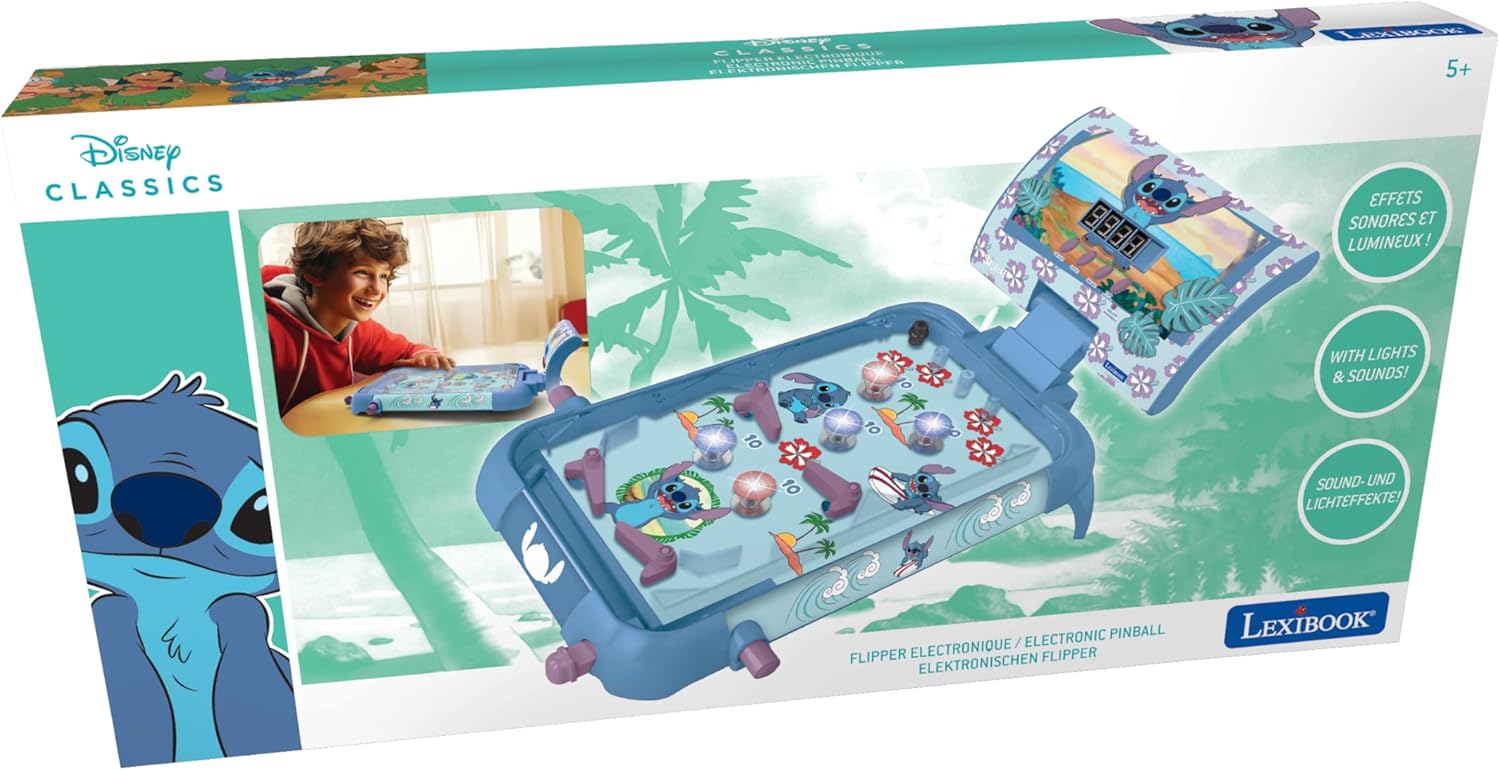
Image: The LEXIBOOK Disney Stitch Electronic Table Pinball machine shown in its retail packaging. The box features product imagery and branding, with a child visible in the background playing the game.
Setup
1. Battery Installation
The pinball machine requires 3 "C" size batteries (not included) for operation.
- Locate the battery compartment on the underside of the pinball machine.
- Using a Phillips head screwdriver, unscrew the battery compartment cover.
- Insert 3 "C" batteries, ensuring the correct polarity (+/-) as indicated inside the compartment.
- Replace the battery compartment cover and secure it with the screw.
2. Adjusting the Stands
The pinball machine features adjustable stands to optimize the playing angle.
- Gently pull out the stands located at the rear of the unit.
- Position the stands to achieve a comfortable and stable playing angle.
- Ensure the machine is placed on a flat, stable surface before playing.
Operating Instructions
1. Powering On/Off
- Locate the ON/OFF switch, typically found near the base of the LCD screen.
- Slide the switch to the "ON" position to power on the unit. The LCD screen will illuminate, and sound effects may play.
- To power off, slide the switch to the "OFF" position.
2. Gameplay Basics

Image: A top-down view of the pinball machine's playfield, highlighting the layout of the flippers, bumpers, and various Stitch-themed graphics. The digital display is visible at the top.
- Launch the Ball: Use the spring-loaded plunger on the side of the machine to launch the pinball onto the playfield.
- Control the Flippers: The machine features four flippers. Use the buttons on the sides of the machine to activate the corresponding flippers and keep the ball in play.
- Score Points: Hit the various bumpers and targets on the playfield to earn points. The LCD screen will display your current score.
- Lights and Sounds: The game features dynamic light and sound effects that activate as you hit targets and score points, enhancing the arcade experience.
- Game Over: The game ends when the ball falls into the drain at the bottom of the playfield. The highest score will be displayed.

Image: A child is shown from a side angle, actively engaged in playing the LEXIBOOK Disney Stitch Electronic Table Pinball. The child's hands are positioned to operate the flipper buttons, demonstrating the interactive nature of the game.

Image: A close-up view of a child playing the pinball machine, focusing on their hands operating the flipper buttons and their gaze fixed on the playfield. The vibrant colors of the game are visible.

Image: A child is shown reacting with excitement while playing the LEXIBOOK Disney Stitch Electronic Table Pinball. Their mouth is open in a cheer, and their hands are raised, indicating an engaging and thrilling gameplay experience.
Maintenance
Cleaning
- To clean the surface of the pinball machine, use a soft, dry cloth.
- Do not use abrasive cleaners, solvents, or strong chemicals, as these may damage the finish or electronic components.
- Keep the playfield free of dust and debris to ensure smooth ball movement.
Storage
- When not in use for extended periods, store the pinball machine in a cool, dry place, away from direct sunlight and extreme temperatures.
- Remove the batteries if the unit will not be used for several weeks or months to prevent battery leakage and potential damage.
Troubleshooting
If you encounter any issues with your pinball machine, please refer to the following common problems and solutions:
| Problem | Possible Cause | Solution |
|---|---|---|
| Machine does not turn on. | Batteries are dead or incorrectly inserted. | Check battery polarity and replace with fresh "C" batteries. Ensure the ON/OFF switch is in the "ON" position. |
| Lights or sounds are not working. | Low batteries or a loose connection. | Replace batteries. Ensure no visible damage to wiring or components. |
| Flippers are unresponsive. | Batteries are low or mechanical obstruction. | Replace batteries. Check for any foreign objects obstructing flipper movement. |
| Score display is not working correctly. | Low batteries or internal electronic issue. | Replace batteries. If the problem persists, contact customer support. |
Specifications
| Product Model Number | JG610D |
| Product Dimensions (L x W x H) | 20.47 x 10.24 x 1.97 inches |
| Item Weight | 1.59 pounds |
| Power Source | 3 x "C" batteries (not included) |
| Manufacturer Recommended Age | 5 years and up |
| Manufacturer | Lexibook |
| Release Date | March 15, 2024 |
Warranty and Support
Specific warranty details for this product were not provided in the available information. For warranty claims, technical support, or further inquiries, please contact the manufacturer directly.
You can typically find contact information on the manufacturer's official website or on the product packaging.
Manufacturer: Lexibook
For more information, you may visit the LEXiBOOK Store on Amazon.