
BAOFENG UV-20R
BAOFENG UV-20R Two-Way Radio User Manual
Model: UV-20R
Brand: BAOFENG
Introduction
Welcome to the user manual for your BAOFENG UV-20R Two-Way Radio. This manual provides essential information for the safe and efficient operation of your device. Please read it thoroughly before use.
The BAOFENG UV-20R is a feature-packed handheld transceiver designed for reliable communication in various environments, from outdoor adventures to professional settings. It boasts a large 1.77" LCD screen, a full keyboard, and a comprehensive menu system for easy navigation.
What's in the Box
Your BAOFENG UV-20R package should contain the following items:
- Radio Unit
- Antenna
- Lithium-Ion Battery
- USB-C Charging Cable
- US Power Adapter
- Hand Strap
- User's Manual
- Programming Cable
- Earpiece
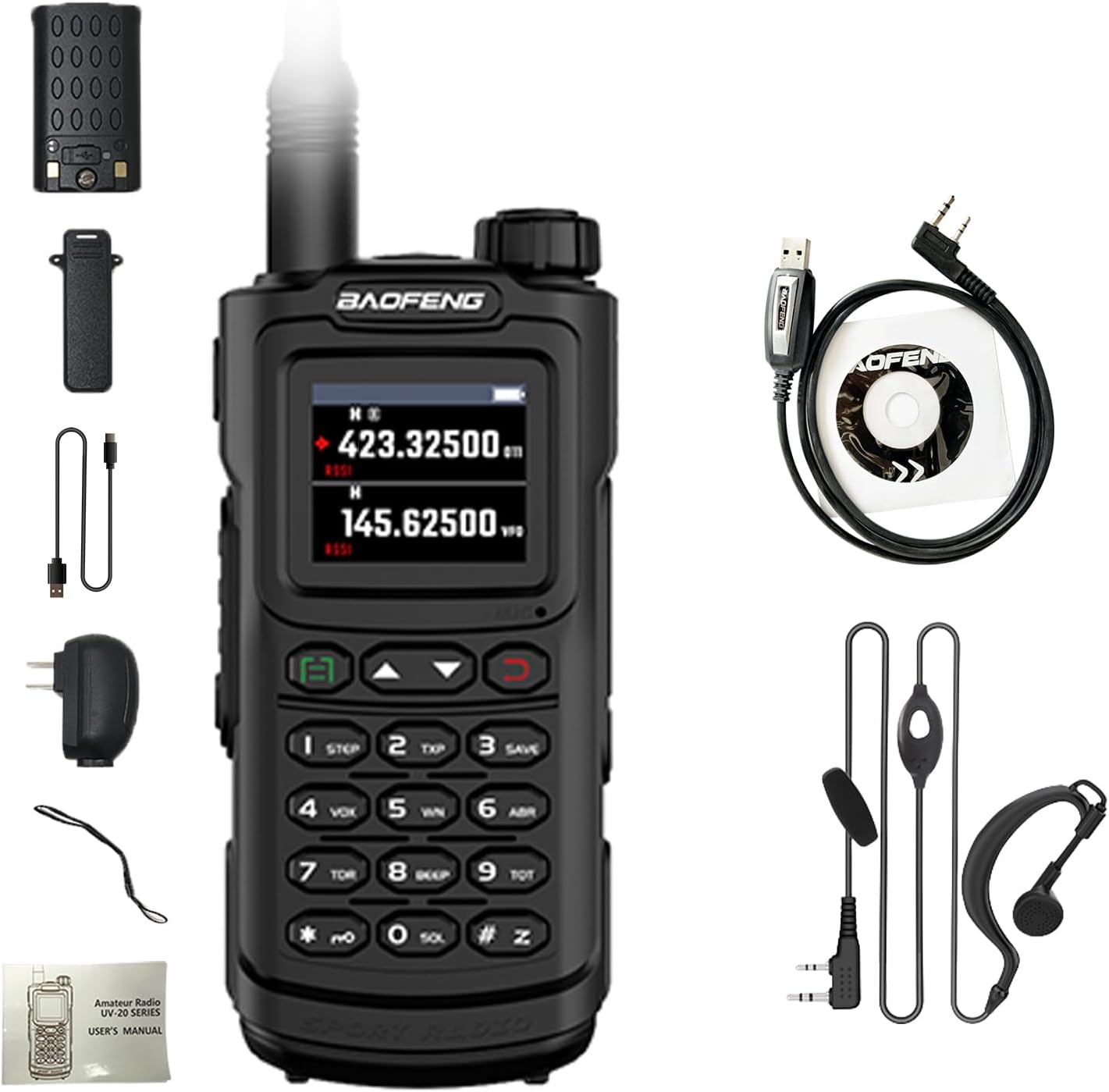
Image: Contents of the BAOFENG UV-20R package, including the radio, antenna, battery, charging accessories, and earpiece.
Key Features
The BAOFENG UV-20R is equipped with a variety of features to enhance your communication experience:
- 1.77" LCD Large Screen: Full keyboard and fully open menu operation for intuitive control.
- Wireless Frequency Copy: Conveniently copy frequencies from other radios.
- 999 Channel Capacity: Store up to 999 named memory channels across 10 zones.
- 4 Band Operation: Supports 1.25M, FM, 144-148MHz, and 420-450MHz frequency ranges.
- NOAA Weather Radio: Receive essential weather alerts.
- USB-C Direct Charging: Charge directly via USB-C cable from various power sources, in addition to the charging stand.
- Dual-Band Handheld Transceiver: Versatile communication across two frequency bands.
- DTMF Encoder: Includes DTMF encoder and manual dial for advanced functions.
- High Capacity Lithium-Ion Battery: Ensures extended operation time.
- Broadcast FM Radio Receiver: Enjoy local FM radio broadcasts.
- CTCSS/DCS Codes: 50 CTCSS tones and 105 DCS codes for private communication.
- Alarm Function: For emergency situations.
- Selectable Power: Choose between high or low power output.
- Programmable Display: Display illumination programmable via keypad.
- Scan Modes: VFO scan, channel scan, CTC/DCS scan, with various recovery methods.
- Built-in LED Flashlight: For illumination in low-light conditions.
- PC Programmable: Customize settings via computer.
- Roger Beep: End of transmission tone.
- Keypad Lock: Prevents accidental key presses.
- IP54 Life Waterproof: Provides splash waterproof protection.
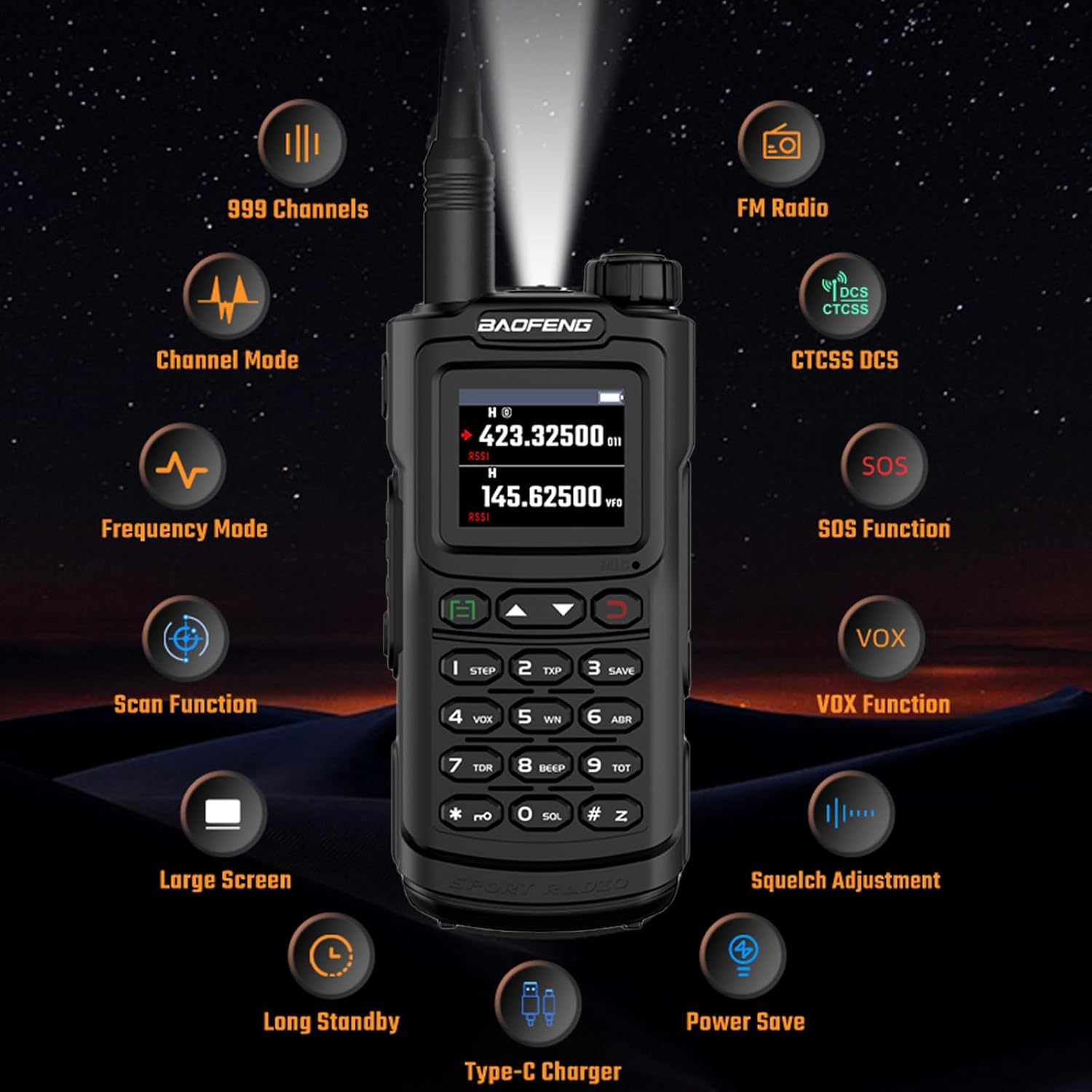
Image: Overview of the BAOFENG UV-20R's extensive features.
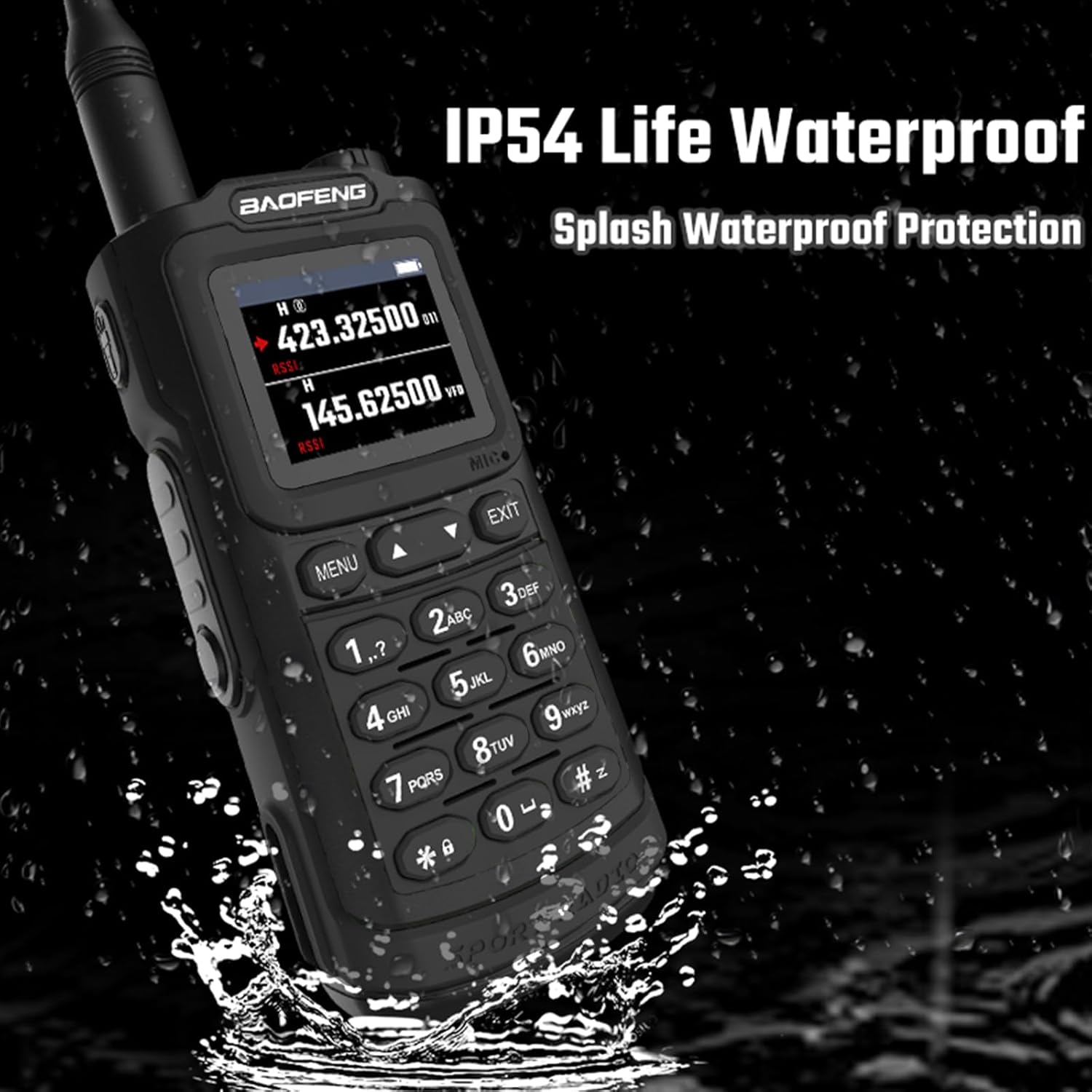
Image: The UV-20R's IP54 splash waterproof protection.

Image: The large 1.77" color screen display of the UV-20R.
Components Overview
Familiarize yourself with the main components and controls of your UV-20R radio:

Image: Labeled diagram of the BAOFENG UV-20R radio components.
- Antenna: For transmitting and receiving radio signals.
- Power/Volume Knob: Turns the radio on/off and adjusts audio volume.
- Pilot Lamp: Indicates radio status (e.g., transmission, reception).
- Color LCD: 1.77" TFT HD LCD for displaying frequency, channel, and menu information.
- MENU Key: Accesses the radio's menu system.
- EXIT Key: Exits menu or cancels current operation.
- Keypad: For entering frequencies, channel numbers, and navigating menus.
- Speaker: Outputs received audio.
- MIC/SP Jack: For connecting external microphone/speaker or earpiece.
- Lamp Switch: Activates the built-in LED flashlight.
- PTT Key (Push-to-Talk): Activates transmission when pressed and held.
Initial Setup
Battery Installation and Charging
The BAOFENG UV-20R uses a high-capacity Lithium-Ion battery. Follow these steps for installation and charging:
- Align the battery with the grooves on the back of the radio and slide it upwards until it clicks securely into place.
- To remove the battery, press the battery release latch (usually located at the bottom of the battery) and slide the battery downwards.
Charging
The UV-20R supports two convenient charging methods:
- USB-C Direct Charging: Connect the provided USB-C cable to the radio's USB-C port and a compatible power source such as a wall adapter, power bank, PC, or car USB port.
- Charging Stand: Place the radio in the charging stand, ensuring the charging contacts on the radio align with those on the stand. Connect the charging stand to the power adapter.
The charging indicator light on the radio or charging stand will show the charging status. A full charge typically takes several hours.

Image: USB-C direct charging options for the UV-20R.
Antenna Installation
Screw the antenna clockwise onto the antenna connector located on the top of the radio. Tighten it until it is finger-tight. Avoid overtightening to prevent damage.
Basic Operation
Power On/Off and Volume
To power on the radio, rotate the Power/Volume knob clockwise until you hear a click. To power off, rotate it counter-clockwise until it clicks. Adjust the audio volume by rotating the same knob.
Channel and Frequency Mode
The radio operates in two primary modes:
- Frequency Mode (VFO): Allows direct entry of frequencies for transmission and reception.
- Channel Mode: Uses pre-programmed channels for quick selection.
Switch between these modes using the dedicated "VFO/MR" or "MODE" button on the keypad, or through the menu system.
Transmitting and Receiving
To transmit, press and hold the PTT (Push-to-Talk) button located on the side of the radio. Speak clearly into the microphone. Release the PTT button to return to receive mode.
Keypad Lock
To prevent accidental key presses, you can activate the keypad lock. This function is typically accessed by a long press of the '#' key or a dedicated 'LOCK' button, or through the radio's menu settings.
Advanced Functions
Wireless Frequency Copy
This feature allows the radio to quickly copy frequencies from another radio. Activate this function via the menu and follow the on-screen prompts to initiate the copying process.
Scanning Functions
The UV-20R supports various scanning modes to monitor frequencies and channels:
- VFO Scan: Scans within a defined frequency range.
- Channel Scan: Scans through programmed channels.
- CTCSS/DCS Scan: Scans for sub-audible tones/codes.
Access scanning options through the radio's menu system.
NOAA Weather Radio
The radio includes NOAA weather radio functionality, allowing you to receive important weather alerts. Tune to the designated NOAA frequencies or activate the NOAA feature in the menu.
DTMF Encoder
The DTMF encoder enables sending Dual-Tone Multi-Frequency tones, which are useful for repeater access or remote control functions. Tones can be manually dialed using the keypad.
VOX Function
Voice Operated eXchange (VOX) allows for hands-free transmission. When VOX is enabled, the radio will automatically transmit when it detects your voice. Adjust VOX sensitivity in the menu to suit your environment.
CTCSS/DCS Tones
Continuous Tone-Coded Squelch System (CTCSS) and Digital-Coded Squelch (DCS) are used to filter out unwanted signals and allow you to hear only transmissions from radios using the same tone/code. Set the desired tone/code in the channel or frequency settings.
Care and Maintenance
Cleaning
Use a soft, damp cloth to clean the radio's exterior. Do not use harsh chemicals, solvents, or abrasive cleaners, as these can damage the radio's finish and internal components.
Battery Care
To prolong the life of your Lithium-Ion battery, avoid frequent overcharging or fully discharging the battery. Store the radio and battery in a cool, dry place when not in use for extended periods.
Water Resistance
The UV-20R features IP54 splash waterproof protection, meaning it can withstand splashes of water. However, it is not designed for submersion. Ensure all ports and covers are securely closed when the radio is exposed to moisture.
Troubleshooting
If you encounter issues with your BAOFENG UV-20R, refer to the table below for common problems and their solutions:
| Problem | Possible Cause | Solution |
|---|---|---|
| Radio won't turn on | Battery is low or not installed correctly. | Charge the battery or re-install it securely. |
| Cannot transmit or receive | Incorrect frequency/channel; Antenna not connected; Low battery; Out of range. | Verify frequency/channel settings; Check antenna connection; Charge battery; Move closer to the other radio. |
| Poor audio quality | Low signal strength; Incorrect squelch setting; Damaged speaker/microphone. | Adjust squelch level; Move to a location with better signal; Contact support if hardware issue is suspected. |
| Keypad is unresponsive | Keypad lock is active. | Deactivate keypad lock (e.g., long press of '#' key). |
| Radio is not charging | Charging cable or adapter issue; Battery not seated correctly. | Check cable/adapter for damage; Re-seat battery; Try a different charging method (USB-C or charging stand). |
For issues not listed here, please refer to the full user manual or contact customer support.
Technical Specifications
Below are the key technical specifications for the BAOFENG UV-20R Two-Way Radio:
| Feature | Specification |
|---|---|
| Model | UV-20R |
| Dimensions (D x W x H) | 1.37" x 2.24" x 4.8" |
| Display | 1.77" TFT HD LCD |
| Number of Channels | 999 |
| Frequency Range | 1.25M, FM, 144-148MHz, 420-450MHz |
| Talking Range (Maximum) | 3.1 Miles |
| Battery | 1 Lithium Ion battery required |
| Voltage | 7.4 Volts (DC) |
| Water Resistance Level | Water Repellent (IP54) |
| Tuner Technology | UHF/VHF |
| Charging | USB-C Direct Charging, Charging Stand |
| Special Features | NOAA, Wireless Frequency Copy, DTMF, VOX, CTCSS/DCS, LED Flashlight |
| Country of Origin | China |
Note: Specifications are subject to change without notice.

Image: Product dimensions of the BAOFENG UV-20R.
Warranty and Support
Warranty: A 1-year warranty is provided only through "Shiqun Electronics Co., Ltd." for this product. Please retain your proof of purchase for all warranty claims.
Customer Support: For technical assistance, troubleshooting, or warranty inquiries, please contact your retailer or the authorized service center. Refer to the contact information provided with your purchase for specific details.
Related documentsUV-20R


Ask a question about this manual
Ask about setup, troubleshooting, compatibility, parts, safety, or missing instructions. Manuals+ will review the question and use this page’s manual context to help answer it.