
1. Introduction
Thank you for purchasing the Nikko 1:18 Street Racers remote control vehicle, Model 10462. This manual provides essential information for the safe and efficient operation, maintenance, and troubleshooting of your new RC car. Please retain this manual for future reference.
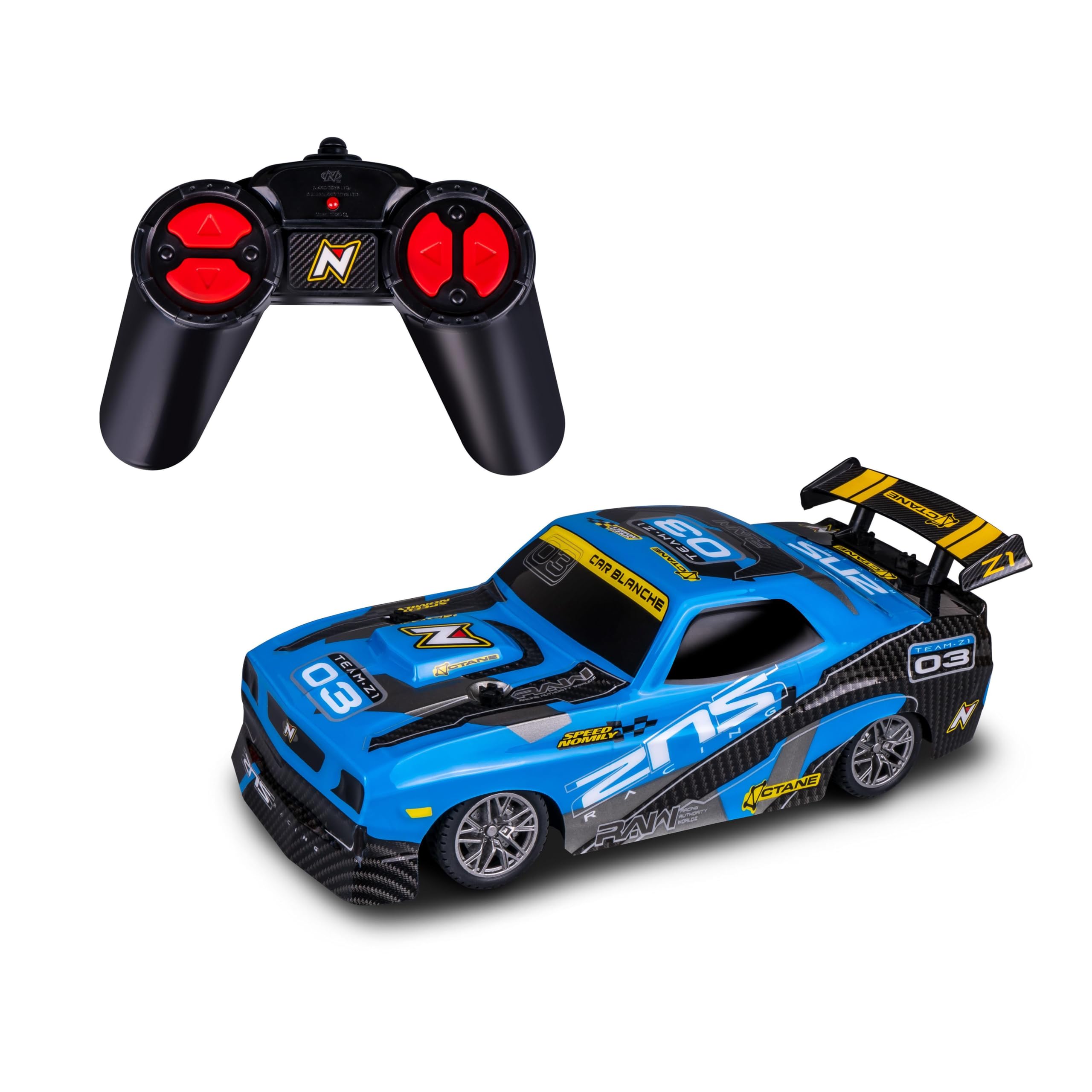
Image 1.1: The Nikko 1:18 Street Racers Model 10462 vehicle, showcasing its blue and black design.
2. Package Contents
Ensure all items listed below are present in your package:
- Nikko 1:18 Street Racers Vehicle (Model 10462)
- Remote Controller
- Instruction Manual (this document)
- Note: Batteries are typically sold separately unless specified on the packaging.
3. Safety Information
Important Safety Warnings:
- This product is not suitable for children under 3 years due to small parts.
- Adult supervision is recommended during operation.
- Do not operate the vehicle near people, pets, or obstacles.
- Keep hands, hair, and loose clothing away from moving parts.
- Do not operate in wet conditions or near water to prevent electrical damage.
- Use only the recommended batteries and follow battery safety guidelines.
- Do not modify the vehicle or remote control.
4. Setup
4.1 Battery Installation
For the Vehicle:
- Locate the battery compartment on the underside of the vehicle.
- Using a screwdriver, open the battery compartment cover.
- Insert the required batteries (e.g., 4 x AA batteries, not included) according to the polarity indicators (+/-).
- Replace the cover and secure it with the screw.
For the Remote Controller:
- Locate the battery compartment on the back of the remote controller.
- Open the battery compartment cover.
- Insert the required batteries (e.g., 2 x AAA batteries, not included) according to the polarity indicators (+/-).
- Replace the cover.
Always use fresh batteries of the same type and brand. Do not mix old and new batteries.
4.2 Pairing the Vehicle and Controller
Most Nikko vehicles automatically pair with their controllers upon first use. Follow these steps:
- Ensure both the vehicle and the remote controller have fresh batteries installed.
- Turn on the vehicle using the ON/OFF switch located on its underside.
- Turn on the remote controller using its ON/OFF switch.
- The indicator light on the controller should blink and then become solid, indicating a successful connection. If not, turn both off and repeat the process.
5. Operating Instructions
5.1 Basic Controls
- Forward/Backward: Push the left joystick/trigger forward to move the vehicle forward. Pull it backward to move the vehicle backward.
- Steering (Left/Right): Push the right joystick/wheel left to turn the vehicle left. Push it right to turn the vehicle right.
Familiarize yourself with the controls in an open, safe area before attempting complex maneuvers.
5.2 Driving Tips
- Operate on smooth, flat surfaces for best performance.
- Avoid driving on sand, thick carpet, or wet surfaces.
- Keep the vehicle within the recommended operating range of the remote control.
- When the vehicle's speed or responsiveness decreases, it's time to replace the batteries.
6. Maintenance
6.1 Cleaning
- Wipe the vehicle with a soft, dry cloth after each use to remove dust and dirt.
- Do not use chemical cleaners or water directly on the vehicle.
- Remove any debris from the wheels and axles to ensure smooth operation.
6.2 Battery Care and Storage
- Always remove batteries from both the vehicle and the remote control when not in use for extended periods.
- Store the vehicle and remote control in a cool, dry place, away from direct sunlight and extreme temperatures.
- Dispose of used batteries responsibly according to local regulations.
7. Troubleshooting
| Problem | Possible Cause | Solution |
|---|---|---|
| Vehicle does not move or respond. |
|
|
| Short operating range. |
|
|
| Vehicle pulls to one side. |
|
|
8. Specifications
| Feature | Detail |
|---|---|
| Model Number | 10462 |
| Scale | 1:18 |
| Item Weight | 15.1 ounces |
| Manufacturer | NIKKO |
| ASIN | B0CX9BG5R6 |
| Release Date | January 1, 2023 |
| Theme | Sport |
9. Warranty and Support
Nikko Toys products are manufactured to high-quality standards. For information regarding warranty coverage, please refer to the warranty card included with your purchase or visit the official Nikko Toys website. For technical support or inquiries, please contact Nikko Toys customer service through their official channels.
Official Nikko Toys Website: www.nikkotoys.com (Note: This is a placeholder URL, please refer to your product packaging for the exact support contact information.)