
Kuulaa B0CX92DV2M
Kuulaa 10000mAh Magsafe Portable Charger User Manual
Model: B0CX92DV2M
Introduction
This user manual provides detailed instructions for the safe and efficient operation of your Kuulaa 10000mAh Magsafe Portable Charger. Please read this manual thoroughly before using the product and retain it for future reference.
Safety Information
- Do not expose the power bank to extreme temperatures, direct sunlight, or fire.
- Do not disassemble, modify, or repair the device yourself.
- Keep out of reach of children.
- Avoid dropping or subjecting the device to strong impacts.
- Do not use the power bank if it is damaged or shows signs of swelling.
- Ensure proper ventilation during charging and use.
- This device is airplane-approved for travel.
Package Contents
- 1 x Kuulaa 10000mAh Portable Wireless Charger
- 1 x Charging Cable (USB-C)
- 1 x User Manual
Product Overview
Familiarize yourself with the components of your Kuulaa Magsafe Portable Charger.

Image: The Kuulaa 10000mAh Magsafe Portable Charger connected to an iPhone via a USB-C cable, illustrating the USB-C input/output port, battery indicator lights, wireless charging indicator light, and power button.
- Power Button: Activates the power bank and initiates magnetic charging.
- Battery Indicator Lights: Displays the remaining battery level.
- Wireless Charging Indicator Light: Illuminates when wireless charging is active.
- USB-C Input/Output Port: Used for recharging the power bank and for wired charging of devices.
Setup
1. Charging the Power Bank
Before first use, fully charge your Kuulaa Magsafe Portable Charger.
- Connect the provided USB-C charging cable to the USB-C port on the power bank.
- Connect the other end of the USB-C cable to a compatible USB-C power adapter (not included).
- The battery indicator lights will illuminate to show the charging progress. All lights will be solid when fully charged.

Image: The Kuulaa Magsafe Portable Charger is shown connected to a wall outlet via its USB-C cable, indicating it is being recharged. An iPhone is positioned nearby, demonstrating the power bank's primary function.
2. Attaching to Your Device (Magnetic Charging)
The power bank features strong magnets for secure attachment to compatible devices.
- Align the power bank with the back of your iPhone 12/13/14/15/16 series device or a MagSafe-compatible case.
- The magnets will snap the power bank securely into place.
- Magnetic charging will automatically activate. If not, press the power button twice to activate.
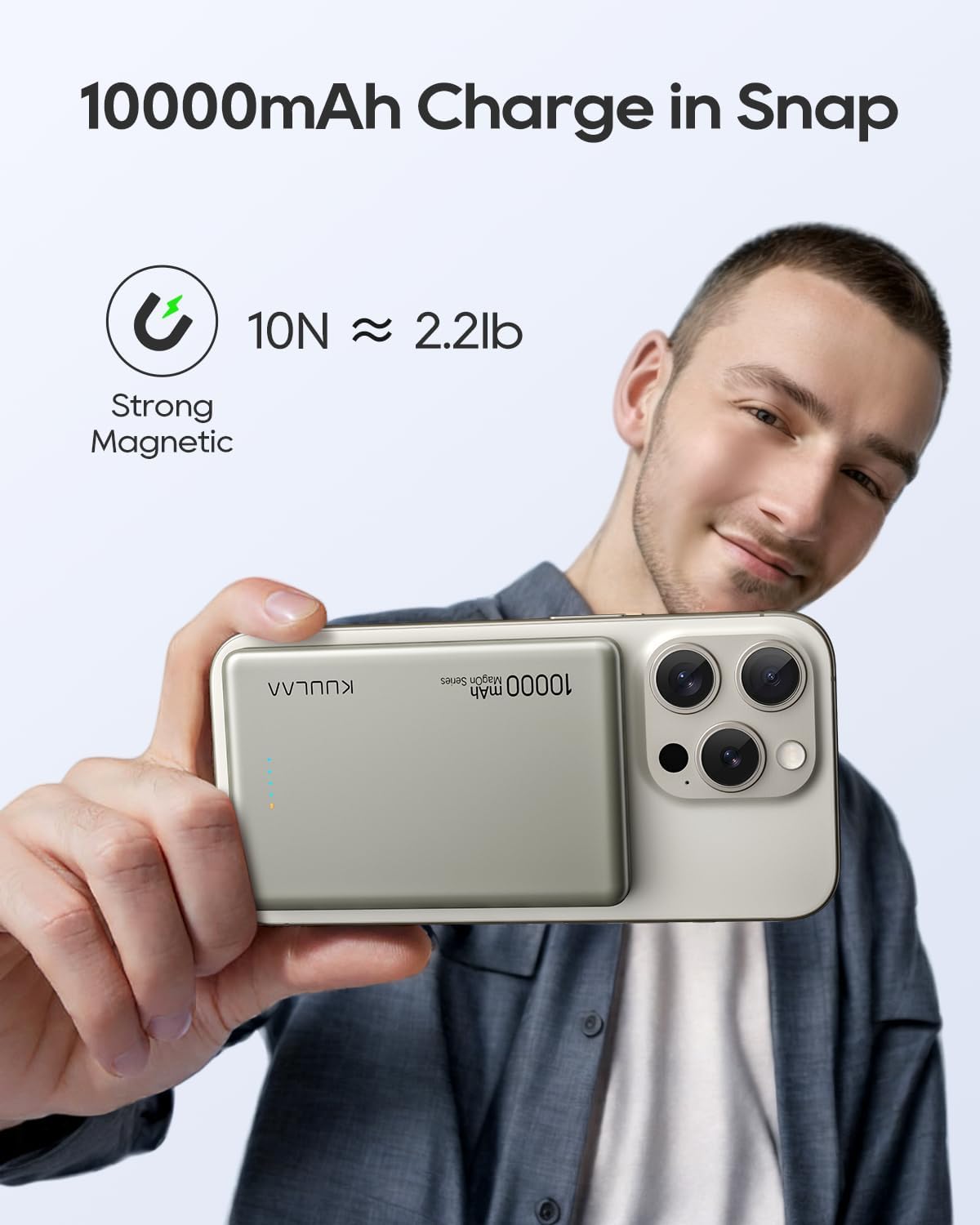
Image: A hand holds an iPhone with the Kuulaa 10000mAh Magsafe Portable Charger magnetically attached to its rear, highlighting the strong magnetic connection and ease of use.
Operating Instructions
1. Magnetic Wireless Charging (7.5W / 15W)
This feature is compatible with iPhone 12/13/14/15/16 series and MagSafe-compatible cases. Devices without magnetic capability only support standard wireless charging (if applicable).
- Attach the power bank to your compatible iPhone as described in the "Setup" section.
- The wireless charging indicator light will turn on, and your phone will begin charging.
- To stop charging, simply detach the power bank.

Image: Two perspectives of the Kuulaa 10000mAh Magsafe Portable Charger. One shows the power bank by itself, highlighting its compact form. The other shows it magnetically attached to the back of an iPhone, demonstrating its primary function and slim profile.
Video: This video demonstrates the magnetic attachment and wireless charging function of the Kuulaa 10000mAh Magsafe Power Bank. It shows the power bank snapping onto an iPhone and initiating charging, highlighting its ease of use and secure connection.
2. Wired Fast Charging (PD 20W)
The USB-C port supports Power Delivery (PD) for fast wired charging of compatible devices.
- Connect your device to the power bank's USB-C port using a compatible USB-C to USB-C or USB-C to Lightning cable.
- The power bank will automatically begin charging your device.

Image: The Kuulaa Magsafe Portable Charger is shown attached to an iPhone, with a USB-C cable plugged into the power bank. This image demonstrates the dual functionality of the device, supporting both magnetic wireless charging and wired fast charging simultaneously.
3. Simultaneous Wired & Wireless Charging
The power bank can charge two devices concurrently: one wirelessly via MagSafe and another via the USB-C port.
- Attach your MagSafe-compatible iPhone for wireless charging.
- Connect a second device to the USB-C port for wired charging.
- Both devices will charge simultaneously.
Video: This video illustrates the simultaneous wired and wireless charging capabilities of the Kuulaa 10000mAh Magsafe Portable Charger. It shows one phone charging wirelessly via the power bank's magnetic connection, while another phone is connected and charging via the USB-C port.
Maintenance
- Clean the power bank with a soft, dry cloth. Do not use harsh chemicals or abrasive materials.
- Store the power bank in a cool, dry place away from direct sunlight and moisture.
- If not used for extended periods, recharge the power bank at least once every three months to maintain battery health.
Troubleshooting
| Problem | Possible Cause | Solution |
|---|---|---|
| Power bank not charging device wirelessly. | Not properly aligned; device not MagSafe compatible; power bank low on charge. | Ensure correct alignment. Use a MagSafe-compatible case. Recharge the power bank. Press power button twice to activate. |
| Power bank not charging device via USB-C. | Cable issue; power bank low on charge; device not compatible. | Try a different USB-C cable. Recharge the power bank. Ensure your device supports USB-C charging. |
| Power bank not recharging. | Charging cable or adapter issue; port damage. | Use a different USB-C cable and power adapter. Ensure the port is clean and undamaged. |
| Power bank or phone gets warm during charging. | Normal operation; excessive heat. | Slight warmth is normal. If it becomes excessively hot, discontinue use and contact support. |
Specifications
| Feature | Detail |
|---|---|
| Brand | Kuulaa |
| Model | B0CX92DV2M |
| Battery Capacity | 10000 Milliamp Hours |
| Connector Type | USB Type C |
| Wireless Charging Output | Max 15W (7.5W for MagSafe) |
| Wired Charging Output | Max 20W Power Delivery (PD) |
| Special Features | Auto Shut-Off, Slim, Pocket Size, Wireless Charging, Magnetic Attachment |
| Dimensions (Approx.) | 0.47in (thickness) x 2.7in (width) x 4.1in (height) |
| Weight (Approx.) | 0.41lbs |

Image: The Kuulaa 10000mAh Magsafe Portable Charger is displayed alongside a credit card, illustrating its compact and slim design. Key dimensions (thickness, width, height) and approximate weight are overlaid on the image for reference.
Warranty and Support
Your Kuulaa 10000mAh Magsafe Portable Charger comes with comprehensive support and warranty coverage.
- Warranty: 24-month worry-free warranty from the date of purchase.
- Returns: 30-day free return/replacement service.
- Customer Service: 24-hour professional customer service is available for any inquiries or issues.
For support, please refer to the contact information provided on the product packaging or the official Kuulaa website.
Ask a question about this manual
Ask about setup, troubleshooting, compatibility, parts, safety, or missing instructions. Manuals+ will review the question and use this page’s manual context to help answer it.