

1. Product Overview
The Kuulaa 10000mAh MagSafe Battery Pack (Model KL-YD57) is an ultra-slim portable charger designed for convenience and efficiency. It features strong magnetic attachment for compatible devices and offers both wireless and wired fast charging capabilities.
Key Features:
- High Capacity: 10,000mAh battery provides extended power for your devices.
- MagSafe Compatibility: Strong magnets ensure secure attachment and wireless charging for iPhone 16/15/14/13/12 series and magnetic cases.
- PD20W USB-C Fast Charging: Offers up to 20W wired charging via the USB-C port, allowing simultaneous charging of two devices.
- Ultra-Slim Design: Compact and lightweight for easy portability in pockets or bags.
- LED Indicator Lights: Displays remaining battery level.
- Auto Shut-Off: Conserves power when not in use.

Image: An overview graphic of the Kuulaa 10000mAh MagSafe Power Bank, emphasizing its magnetic attachment, slim profile, and long-lasting battery.
2. Setup and Initial Use
2.1 Charging the Power Bank
- Connect the provided USB-C charging cable to the USB-C port on the power bank.
- Plug the other end of the cable into a compatible USB power adapter (not included).
- The LED indicator lights will illuminate to show the charging status. All four lights will be solid when fully charged.
2.2 Attaching to Your Device (MagSafe)
- Ensure your iPhone is a 16/15/14/13/12 series model or is equipped with a MagSafe-compatible case.
- Align the power bank with the MagSafe area on the back of your iPhone.
- The power bank will magnetically snap into place and automatically begin wireless charging.

Image: A graphic demonstrating the 'Snap and Go' magnetic charging feature, showing the power bank attaching to an iPhone.
3. Operating Instructions
3.1 Wireless Charging
- Once magnetically attached to a compatible iPhone, the power bank will automatically initiate wireless charging.
- To activate magnetic charging, press the power button twice.
- The wireless charging indicator light will illuminate during active charging.
- For optimal wireless charging, ensure no foreign objects are between the power bank and your device.
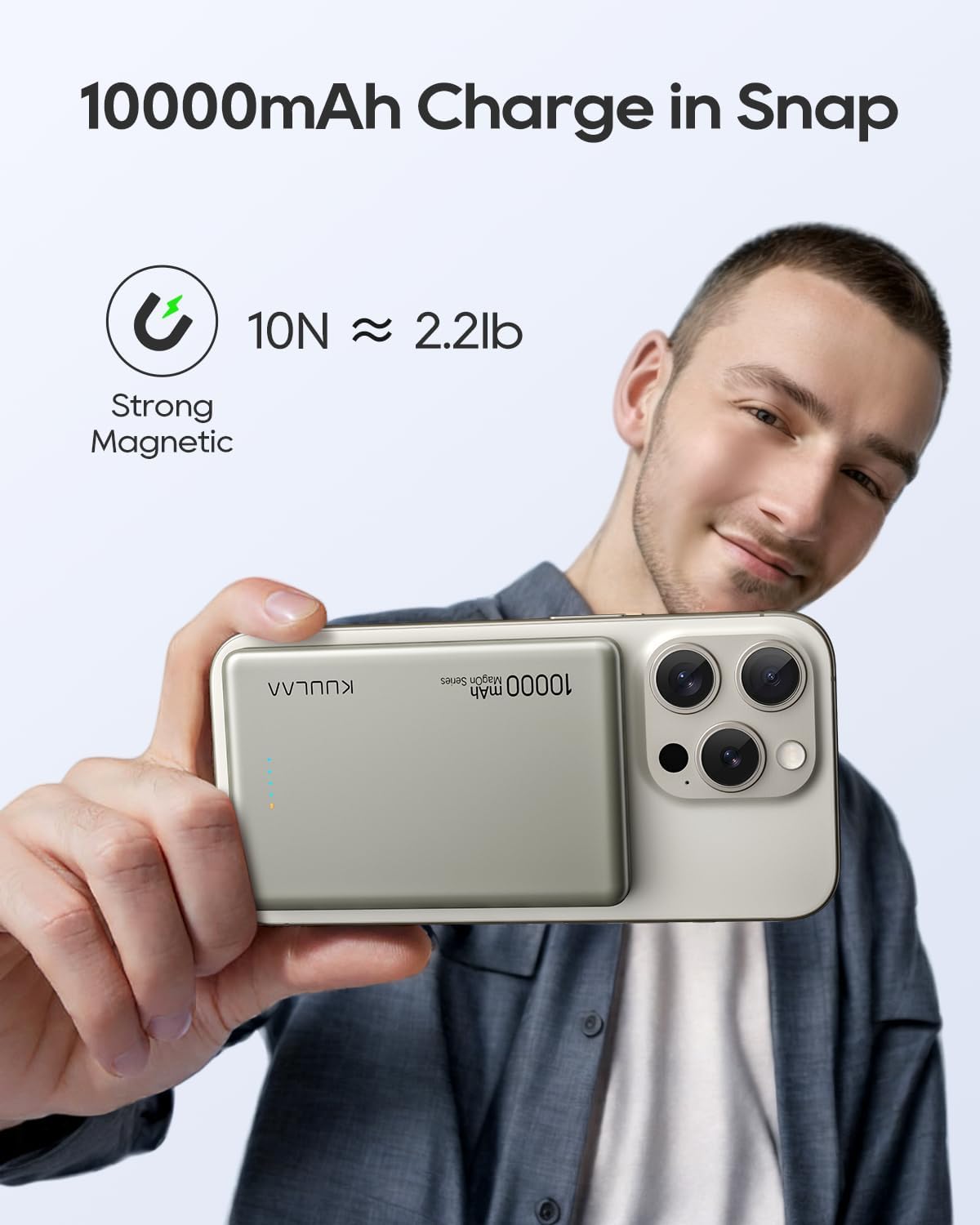
Image: The Kuulaa 10000mAh MagSafe Battery Pack wirelessly charging an iPhone, with the phone screen displaying the charging animation.
3.2 Wired Charging (USB-C)
- Connect your device to the power bank's USB-C port using a compatible USB-C cable.
- The power bank supports PD20W fast charging for devices connected via cable.
- This allows for charging two devices simultaneously (one wirelessly, one wired).

Image: The Kuulaa 10000mAh MagSafe Battery Pack connected to an iPhone via a USB-C cable, demonstrating wired fast charging.
3.3 Checking Battery Level
- Press the power button once to view the current battery level via the LED indicator lights.
- Each illuminated LED light represents approximately 25% of the battery capacity.
4. Maintenance and Care
- Keep the power bank away from water, moisture, and extreme temperatures.
- Avoid dropping or subjecting the device to strong impacts.
- Clean the surface with a soft, dry cloth. Do not use harsh chemicals or abrasive materials.
- Store the power bank in a cool, dry place when not in use for extended periods.
5. Troubleshooting
5.1 Device Not Charging
- Ensure the power bank itself is charged. Check the LED indicators.
- For wireless charging, verify that your device is MagSafe compatible or has a MagSafe case, and that it is properly aligned.
- For wired charging, check the USB-C cable connection and ensure the cable is not damaged.
- Try restarting the power bank by pressing the power button.
5.2 Weak Magnetic Connection
- Ensure your iPhone is a compatible model (16/15/14/13/12 series).
- If using a case, ensure it is a MagSafe-compatible case. Non-MagSafe cases may interfere with magnetic strength.
- Remove any metal objects or thick accessories between the power bank and your device.
5.3 Slow Charging
- Ensure you are using a PD20W compatible wall adapter for wired charging of the power bank or your device.
- Wireless charging speeds may vary depending on device model and environmental factors.
- Avoid using your device heavily while charging, as this can slow down the charging process.
6. Specifications
| Feature | Detail |
|---|---|
| Model Number | KL-YD57 |
| Battery Capacity | 10000 Milliamp Hours |
| Product Dimensions | 5.63 x 4.02 x 0.71 inches |
| Item Weight | 7 ounces |
| Connector Type | USB Type C |
| Wireless Charging | 7.5W for iOS, 15W for Android |
| Wired Output | PD20W |
| Special Features | Auto Shut-Off, LED Indicator Lights, Pocket Size, Slim, Wireless Charging |

Image: The Kuulaa 10000mAh MagSafe Battery Pack demonstrating its slim design and compact size, shown next to a credit card for scale.
7. Safety Information
- Do not disassemble, modify, or repair the device.
- Avoid exposure to fire, direct sunlight, or high temperatures.
- Keep out of reach of children.
- Dispose of the product responsibly according to local regulations.
- The power bank is airplane-approved for travel.

Image: The Kuulaa 10000mAh MagSafe Battery Pack held up against an airplane window, illustrating its suitability for air travel.
8. Warranty and Support
The Kuulaa 10000mAh MagSafe Battery Pack comes with a 24-month worry-free warranty. For any questions, concerns, or support needs, please contact our friendly customer service team.
Contact information can be found in the product packaging or on the official Kuulaa website.
9. Product Videos
Slim Mag-Safe Power Bank 10000mAh
Video: This video demonstrates the slim profile and magnetic attachment of the Kuulaa 10000mAh MagSafe Power Bank, showcasing its ease of use for charging compatible smartphones.
Ultra-slim Magsafe Power Bank (5000mAh model shown)
Video: This video highlights the ultra-slim design and magnetic functionality of a Kuulaa MagSafe Power Bank (5000mAh model), demonstrating its portability and secure attachment. The general features apply to the 10000mAh model.
Magsafe Power Bank Slim (5000mAh model shown)
Video: This video showcases the slim form factor and magnetic charging capabilities of a Kuulaa MagSafe Power Bank (5000mAh model), illustrating its convenience for daily use. The general features apply to the 10000mAh model.
