
Tower T668013
TOWER T668013 3-in-1 Portable Air Conditioner User Manual
Model: T668013 | Brand: Tower
Introduction
This manual provides essential information for the safe and efficient operation, maintenance, and troubleshooting of your TOWER T668013 3-in-1 Portable Air Conditioner. Please read it thoroughly before first use and retain it for future reference.
The TOWER T668013 unit functions as an air conditioner, a cooling fan, and a dehumidifier, designed for rooms up to 14m2.
Safety Information
Always follow basic safety precautions when using electrical appliances to reduce the risk of fire, electric shock, and personal injury.
- Ensure the power supply matches the voltage specified on the appliance rating label.
- Do not operate the unit with a damaged cord or plug.
- Keep the unit away from water and other liquids.
- Do not block air inlets or outlets.
- Unplug the unit before cleaning or maintenance.
What's in the Box
Verify that all components are present upon unpacking:
- Air Conditioner Unit
- Remote Control
- Instruction Manual (this document)
- Dual Window Venting Kit

Image: Contents of the TOWER T668013 package, showing the main unit, remote, manual, and window kit.
Setup and Installation
Placement
Place the air conditioner on a flat, stable surface. Ensure there is at least 30cm of space around the unit for proper airflow.
Window Venting Kit Installation
The unit requires an exhaust hose to vent hot air outside. Follow these steps to install the window venting kit:
- Attach the exhaust hose to the air outlet on the back of the unit.
- Extend the window sealing plate to fit your window opening.
- Insert the exhaust hose adapter into the opening of the window sealing plate.
- Secure the window sealing plate in the window frame, ensuring a tight seal to prevent hot air from re-entering the room.
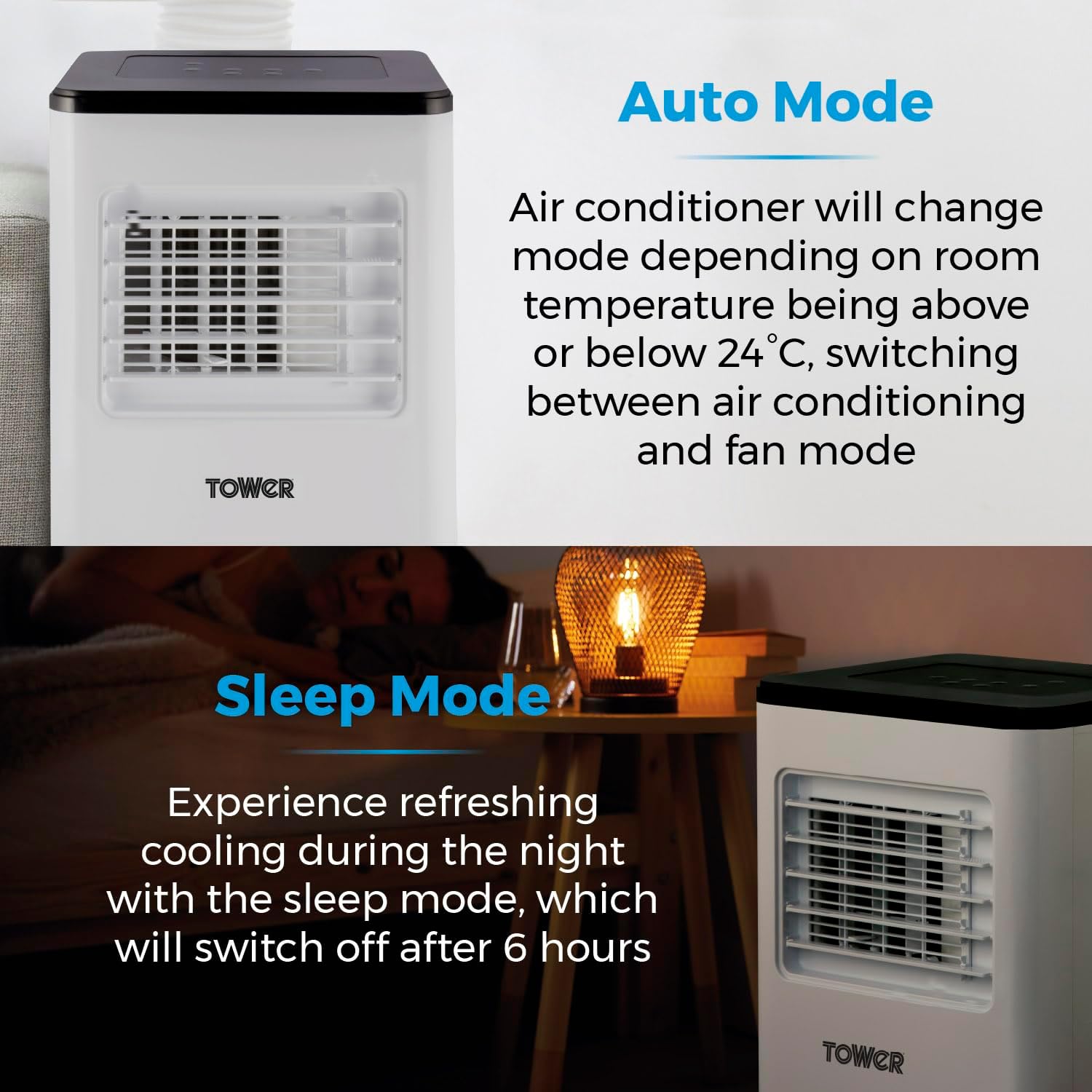
Image: The portable air conditioner with its exhaust hose connected, ready for window installation.
Operating Instructions
Control Panel and Remote Control
The unit can be operated using the LED display control panel on top of the unit or the included remote control.
Modes of Operation
- Air Conditioning Mode: Provides powerful cooling between 15-31°C. Ideal for reducing room temperature.
- Fan Mode: Circulates air without cooling. Features 2 speed settings.
- Dehumidifier Mode: Extracts up to 12L of moisture per day, with a 1.2L built-in water tank and continuous drainage option.
- Sleep Mode: Provides refreshing cooling during the night. The unit will automatically switch off after 6 hours in this mode.
- Auto Mode: The air conditioner will automatically switch between air conditioning and fan mode depending on whether the room temperature is above or below 24°C.

Image: Visual representation of the three primary functions: cooling, fan, and dehumidification.

Image: The unit demonstrating its cooling reach within a room, highlighting its suitability for areas up to 14m2.

Image: The unit's dehumidification feature, showing the drainage hose for continuous operation.

Image: A close-up of the control panel, highlighting the timer button for setting the 24-hour timer.
Timer Function
The 24-hour timer allows you to program the unit to turn on or off automatically at a set time.
Maintenance
Cleaning the Air Filter
Regularly clean the air filter to maintain optimal performance and air quality. A dirty filter can reduce efficiency and cause the unit to work harder.
- Unplug the unit from the power outlet.
- Locate and remove the air filter (refer to the diagram in the full manual for exact location).
- Clean the filter with a vacuum cleaner or wash it gently with warm water and mild detergent.
- Allow the filter to dry completely before reinserting it into the unit.
Draining Water
In dehumidifier mode or high humidity conditions, the internal water tank will collect moisture. When the tank is full, the unit may stop operating and display an indicator. Drain the water as follows:
- Turn off and unplug the unit.
- Place a shallow pan or container under the drainage outlet at the back of the unit.
- Remove the drain plug to allow water to flow out.
- Once drained, replace the drain plug securely.
- For continuous drainage, connect the provided drainage hose to the outlet and direct it to a suitable drain.
Troubleshooting
| Problem | Possible Cause | Solution |
|---|---|---|
| Unit does not turn on. | No power supply; Power cord not plugged in; Circuit breaker tripped. | Check power outlet; Ensure plug is fully inserted; Reset circuit breaker. |
| Unit not cooling effectively. | Air filter dirty; Exhaust hose not properly installed; Room too large; Doors/windows open. | Clean air filter; Ensure exhaust hose is sealed; Close doors/windows; Check room size. |
| Water leakage. | Drain plug loose; Water tank full (in dehumidifier mode). | Secure drain plug; Drain water tank. |
| Unusual noise. | Unit not on a level surface; Obstruction in fan. | Place on a level surface; Check for and remove obstructions (unplug first). |
Specifications
- Model: T668013
- Functionality: 3-in-1 (Air Conditioner, Fan, Dehumidifier)
- Cooling Capacity: 5000 BTU (1.5kW)
- Airflow Rate: 270m3/h
- Dehumidification Capacity: 12L/day
- Water Tank Capacity: 1.2L
- Noise Output: 53dB
- Temperature Range: 15-31°C
- Suitable Room Size: Up to 14m2
- Power Source: Corded Electric
- Voltage: 240 Volts
- Wattage: 1500 watts
- Product Dimensions: 28 x 33 x 70 cm
- Item Weight: 18 kg

Image: Front view of the TOWER T668013 Portable Air Conditioner.
Warranty and Support
This Tower product comes with a 1-year guarantee, with an optional 2-year extension available upon product registration online. Please visit the official Tower website for registration details and to access customer support.

Image: Graphic indicating the 3-year guarantee (1 year standard + 2 years extended upon registration).
For further assistance, please refer to the contact information provided in your product packaging or visit the Tower Store on Amazon.
Ask a question about this manual
Ask about setup, troubleshooting, compatibility, parts, safety, or missing instructions. Manuals+ will review the question and use this page’s manual context to help answer it.