This manual provides comprehensive instructions for the installation, operation, and maintenance of your Eonon Android 13 CarPlay Car Stereo (Model VWA13). Please read this manual thoroughly before use to ensure proper functionality and safety.
Applicable Car Models
The VWA13 Android 13 car radio is compatible with most Volkswagen Golf MK5/MK6, Jetta, Passat, SEAT, and Skoda car models. It supports most original functions including Steering Wheel Controls (SWC), Dynaudio & Fender audio system, air conditioning information, radar sensors, and vehicle information via CANBUS.
Refer to the table below for specific compatible models. If your factory car radio differs from the pictures listed, please contact customer support for compatibility verification.
Image: Table detailing compatible car models for Volkswagen, SEAT, and Skoda vehicles. Below the table are images of various factory car radios, indicating compatibility.
Setup and Installation
The VWA13 unit is designed for plug-and-play installation, requiring no additional frame or cable changes for compatible models. For factory backup camera retention, an optional Eonon A501 decoder box (not included) is required.
Wiring Diagram
Familiarize yourself with the wiring connections before installation.
Image: Detailed wiring diagram showing various input and output connections for the Eonon VWA13 head unit.
Included Accessories
The package includes all necessary cables and accessories for standard installation.
Image: Visual representation of all accessories included with the Eonon VWA13, such as power cables, USB cables, GPS antenna, and user manual.
Installation Process Overview
This video provides a visual guide to the unboxing and installation process of the VWA13 unit.
Video: Unboxing and installation guide for the Eonon VWA13 car stereo.
Operating Instructions
Wireless CarPlay & Android Auto Setup
Experience hands-free convenience by connecting your smartphone wirelessly.
Video: Guide on how to connect your iPhone to the Eonon A13 series car stereo for wireless CarPlay.
Video: Guide on how to set up wireless Android Auto on the Eonon car stereo.
Wired CarPlay & Android Auto Setup
For wired connections, use the provided USB cables.
Video: Guide on how to connect your iPhone to the Eonon A13 series car stereo for wired CarPlay.
Video: Guide on how to set up wired Android Auto on the Eonon car stereo.
Screen Mirroring
Mirror your phone's screen directly onto the head unit display.
Video: Guide on how to set up wireless screen mirroring for iPhone on the Eonon car stereo.
Video: Guide on how to set up wireless screen mirroring for Android on the Eonon car stereo.
Video: Guide on how to set up wired screen mirroring for iPhone on the Eonon car stereo.
Video: Guide on how to set up wired screen mirroring for Android on the Eonon car stereo.
Basic Functions
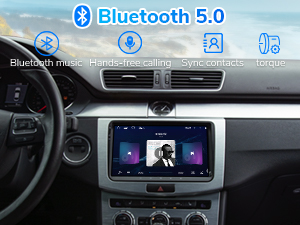
Bluetooth 5.0: Supports smooth hands-free calls, music streaming, and quick phonebook searches.
FM/AM Radio: Listen to music, news, and traffic information.
DSP Chips: Built-in DSP chips, 4x45W output, and 36-band equalizer adjustment for richer sound.
USB Ports: Includes 3 USB ports for external devices and supports multiple audio/video formats.
Image: Display of the Eonon VWA13 head unit highlighting Bluetooth 5.0, FM/AM Radio, and Enhanced Entertainment features.
Maintenance
System Updates
Eonon offers convenient online firmware updates (FOTA) to keep the unit up-to-date by fixing software issues and enhancing security. You do not need a USB stick to upgrade.
Video: Guide on how to perform a system upgrade on the Eonon car stereo.
Troubleshooting
Connectivity Issues (Wi-Fi/Bluetooth/CarPlay/Android Auto): Ensure your phone's hotspot is active and the head unit is connected to it. Check Bluetooth pairing. For wired connections, ensure USB cables are properly connected.
Reverse Camera Not Displaying: Access camera settings in the head unit's menu. Adjust the camera type (NTSC/PAL) to match your camera's output. Ensure the A501 decoder box is correctly installed if using a factory backup camera.
Steering Wheel Controls Not Working: Verify CANBUS connection and settings. The unit supports most original functions including SWC.
Lagging Performance/Freezing: Perform a system update via FOTA. Ensure sufficient storage space is available.
Video: A user demonstrating issues with Android Auto connectivity and steering wheel controls. This video highlights common troubleshooting scenarios.
Specifications
Feature
Detail
Product Dimensions
8.67 x 5.12 x 1.34 inches
Item Weight
3.43 pounds
Model Number
VWA13
Operating System
Android 13
RAM + ROM
2GB RAM + 32GB ROM
Display Size
9-inch IPS
Resolution
1280x720 HD
Viewing Angle
178°
Connectivity
Bluetooth 5.0, Dual-band Wi-Fi (2.4G/5G), USB
Audio Output
4x45W
Warranty and Support
For any issues or support, please contact Eonon customer service. Online firmware updates are available for ongoing support.
Protection plans are available for purchase:
2-Year Protection Plan
3-Year Protection Plan
Complete Protect (monthly renewal)
Related Documents - VWA13
Eonon VWA12S User Manual: Features, Installation, and Operation Guide Comprehensive user manual for the Eonon VWA12S car infotainment system. Covers product overview, features like Wireless CarPlay and Android Auto, GPS navigation, Bluetooth, settings, and troubleshooting for your Eonon VWA12S car stereo.
BMW 3 Series (E90/E91/E92/E93) 2005-2011 Eonon Head Unit Installation Manual Comprehensive installation manual for Eonon car stereo head units in BMW 3 Series (E90, E91, E92, E93) models manufactured between 2005 and 2011. This guide provides detailed, step-by-step instructions for removing the factory radio and air conditioning controls, wiring the new unit, and fitting it into the dashboard. It covers essential steps such as checking console compatibility, using specialized tools, connecting harnesses, and testing features.
Eonon X3 User Manual: Car Stereo Features and Operation Comprehensive user manual for the Eonon X3 car stereo, detailing features like wireless CarPlay, Android Auto, Bluetooth connectivity, USB/SD media playback, radio functions, and settings.