1. Introduction
This manual provides comprehensive instructions for the installation, operation, and maintenance of your Geloo X Series 30-0300 Wideband UEGO Air Fuel Ratio Gauge. Please read this manual thoroughly before installation and use to ensure proper function and safety.
1.1 Package Contents
Verify that all items listed below are present in your package:
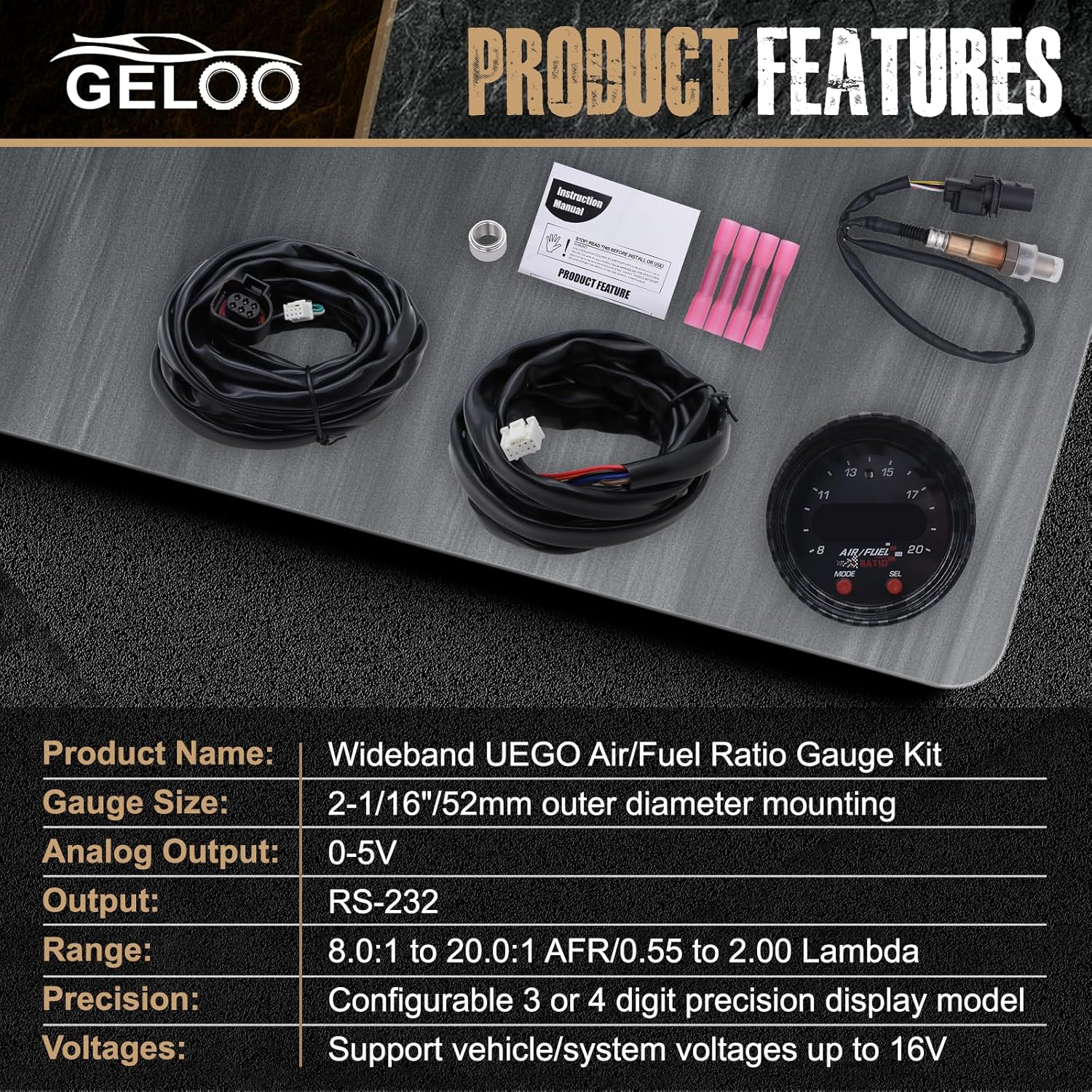
- UEGO Gauge Assembly
- UEGO Sensor (LSU Sensor)
- PWR/IO Cable
- Sensor Cable
- Nut
- Instruction Manual

2. Important Safety Information
Adhere to the following safety guidelines during installation and operation:
- The gauge is not waterproof. Avoid installing it in locations exposed to water or snow.
- Ensure the gauge is securely mounted using the provided brackets and thumbscrews to prevent it from becoming loose during vehicle operation.
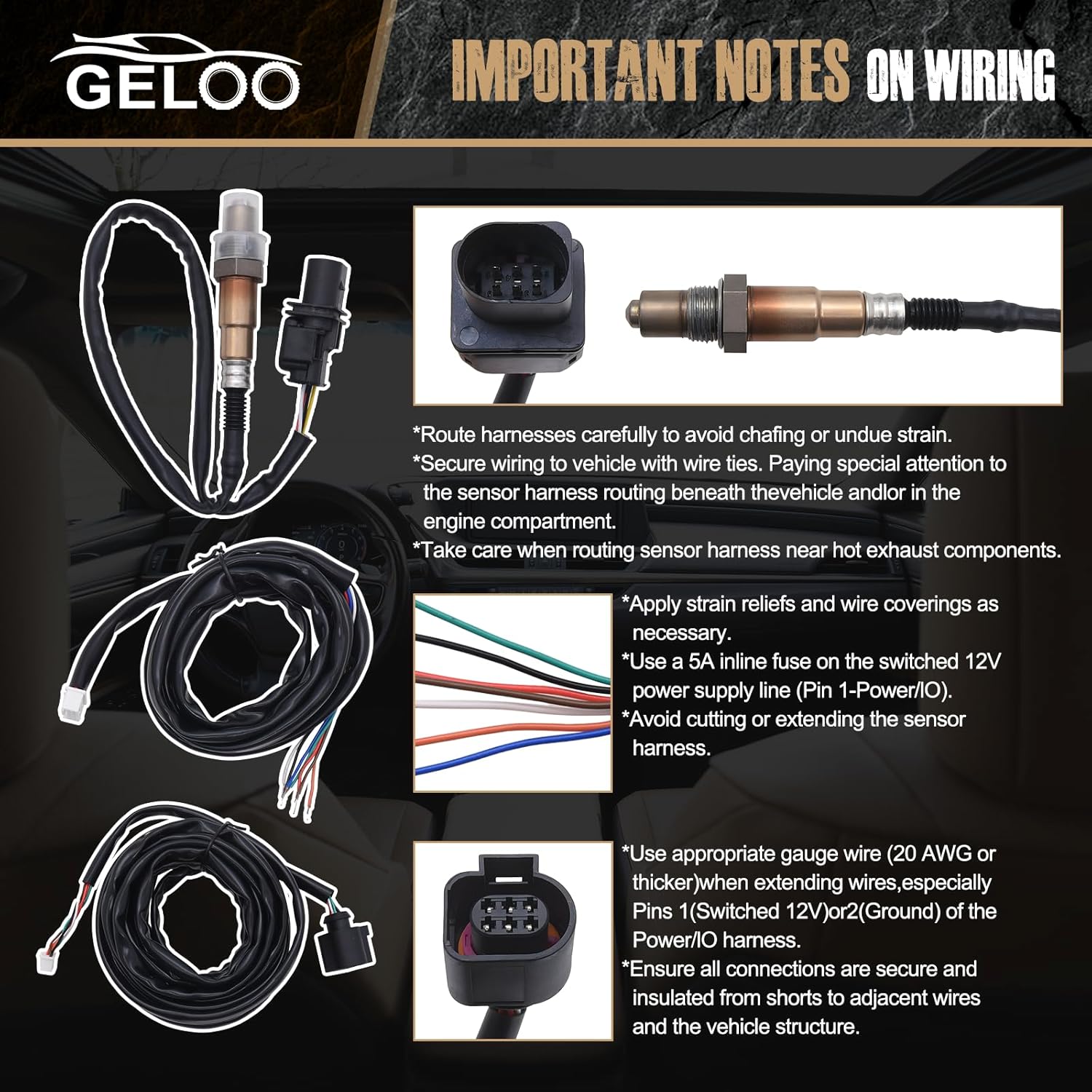
- Route wiring harnesses carefully to avoid chafing or undue strain.
- Secure wiring to the vehicle with wire ties. Pay special attention to sensor harness routing beneath the vehicle and in the engine compartment.
- Take care when routing the sensor harness near hot exhaust components.
- Apply strain reliefs and wire coverings as necessary.
- Use a 5A inline fuse on the switched 12V power supply line (Pin 1-Power/IO).
- Avoid cutting or extending the sensor harness.
- Use appropriate gauge wire (20 AWG or thicker) when extending wires, especially Pins 1 (Switched 12V) or 2 (Ground) of the Power/IO harness.
- Ensure all connections are secure and insulated from shorts to adjacent wires and the vehicle structure.
3. Product Specifications
The Geloo X Series 30-0300 Wideband UEGO Air Fuel Ratio Gauge features the following specifications:
| Feature | Specification |
|---|---|
| Product Name | Wideband UEGO Air/Fuel Ratio Gauge Kit |
| Gauge Size | 52mm (2-1/16 inch) outer diameter mounting |
| Analog Output | 0-5V |
| Output | RS-232 |
| Range | 8.0:1 to 20.0:1 AFR / 0.55 to 2.00 Lambda |
| Precision | Configurable 3 or 4 digit precision display model |
| Voltages | Support vehicle/system voltages up to 16V |
| Material | Plastic |
| Product Dimensions | 5.51 x 5.11 x 4.52 inches |
| Item Weight | 1.28 Pounds |

4. Installation
4.1 Mounting the Gauge
The 52mm (2-1/16 inch) wideband gauge housing is designed to fit easily into most instrument pods. Use the supplied brackets and thumbscrews to securely mount the gauge. Ensure the mounting location is not exposed to water or snow.

4.2 Wiring Instructions
The gauge is supplied with a Power/IO (A) and a UEGO/IO (B) harness. The sensor harness needs to be routed to the UEGO sensor, while the Power/IO harness integrates into the vehicle's electrical system. The gauge requires a minimum power of 12V and ground.
- Connector A - Power/IO:
- Pin 1: Red (12V Power)
- Pin 2: Black (Ground)
- Pin 3: Green (CANL)
- Pin 4: White (CANH)
- Pin 5: Blue (RS-232 Output)
- Pin 6-8: Not Used
- Pin 9: White (0-5V Analog Output +)
- Pin 10: Brown (0-5V Analog Output -)
- Connector B - Bosch LSU4.9 UEGO Sensor:
- Pin 1: Green (Trim Resistor)
- Pin 2: White (Heater Negative-)
- Pin 3: Orange (COM)
- Pin 4: Not Used
- Pin 5: Red (Pump Current)
- Pin 6: Black (Sense)
- Pin 7: Not Used
- Pin 8: Brown (Heater Positive+)

5. Operation
The gauge features two buttons on the front of the dashboard: MODE (mode switch key) and SEL (select key). These buttons allow you to navigate menus and configure various display options.
5.1 Button Functions
- MODE Button: Used to switch between different display modes and settings.
- SEL Button: Used to select options or confirm settings within a mode.
5.2 Available Options and Functions
The following options are accessible via the MODE and SEL buttons:
- 3 DIG: Change to 3-digit display mode (e.g., 12.4).
- 4 DIG: Change to 4-digit display mode (e.g., 12.43).
- ACAL: Perform a free air calibration. The sensor must be removed from the exhaust for this procedure.
- rCAL: Change to resistor trim calibration mode.
- AFR: Change to Air Fuel Ratio (AFR) display mode (e.g., 14.65 AFR = 1.00 Lambda).
- LA: Change to Lambda display mode.
- O2: Change to Oxygen % display mode. Rich mixtures are displayed as 0.0.
- CAN: Change CAN message ID.

6. Maintenance
To ensure the longevity and accurate performance of your Geloo Wideband UEGO Air Fuel Ratio Gauge, follow these maintenance guidelines:
- Keep the gauge clean and free from dust and debris. Use a soft, dry cloth for cleaning.
- Avoid exposing the gauge to excessive moisture or direct water spray, as it is not waterproof.
- Regularly inspect all wiring connections for tightness and signs of wear or damage.
- Ensure the sensor harness is not chafing against any vehicle components, especially hot exhaust parts.
- Free air calibration is not required when used with this Wideband O2 UEGO AFR gauge, simplifying maintenance.
7. Troubleshooting
This section addresses common issues you might encounter with your Geloo Wideband UEGO Air Fuel Ratio Gauge.
7.1 Display Issues
- Symptom: Gauge display shows all lights illuminated, but no clear AFR reading.
- Possible Cause: Internal display component malfunction or intermittent connection.
- Action:
- Verify all power and ground connections are secure and properly insulated.
- Ensure the PWR/IO cable and sensor cable are firmly connected to the gauge.
- If the issue persists, contact customer support for further assistance.
7.2 Inaccurate Readings
- Symptom: AFR readings appear inconsistent or incorrect.
- Possible Cause: Sensor malfunction, improper wiring, or exhaust leak near the sensor.
- Action:
- Inspect the UEGO sensor for any physical damage or contamination.
- Check the sensor cable for proper connection and integrity.
- Ensure there are no exhaust leaks near the sensor bung.
- If necessary, perform a free air calibration (ACAL) as described in the Operation section, ensuring the sensor is removed from the exhaust.
8. Warranty and Customer Support
Geloo provides 12 months of after-sales service for this product. Each product undergoes strict quality inspection before leaving the factory.
If you have any questions about the product, encounter issues during installation or operation, or require technical assistance, please contact Geloo customer support. Provide your product model number (30-0300) and a detailed description of the issue for efficient service.