
Walfront CHLT-40PV
Walfront CHLT-40PV Photovoltaic Protective Device User Manual
Introduction
This manual provides essential information for the safe and effective installation, operation, and maintenance of the Walfront CHLT-40PV 3P 20KA-40KA Photovoltaic Protective Device. This device is designed to protect DC power systems, specifically photovoltaic (solar) installations, from overvoltage events caused by lightning strikes or other transient surges. Please read this manual thoroughly before installation and keep it for future reference.
Safety Information
WARNING: Electrical shock hazard. Installation and maintenance should only be performed by qualified personnel. Always disconnect power before working on the device or connected systems.
- Ensure all local and national electrical codes are followed.
- Verify the system voltage and current ratings are compatible with the device specifications.
- Do not operate the device if it appears damaged.
- Wear appropriate personal protective equipment (PPE) during installation and maintenance.
- This device is designed for DC photovoltaic systems. Do not use in AC systems.
Product Overview
The Walfront CHLT-40PV is a 3-pole DC surge protective device (SPD) designed for photovoltaic applications. It features a modular design for easy installation and replacement. The device provides protection against transient overvoltages, safeguarding sensitive electronic equipment in solar power systems.
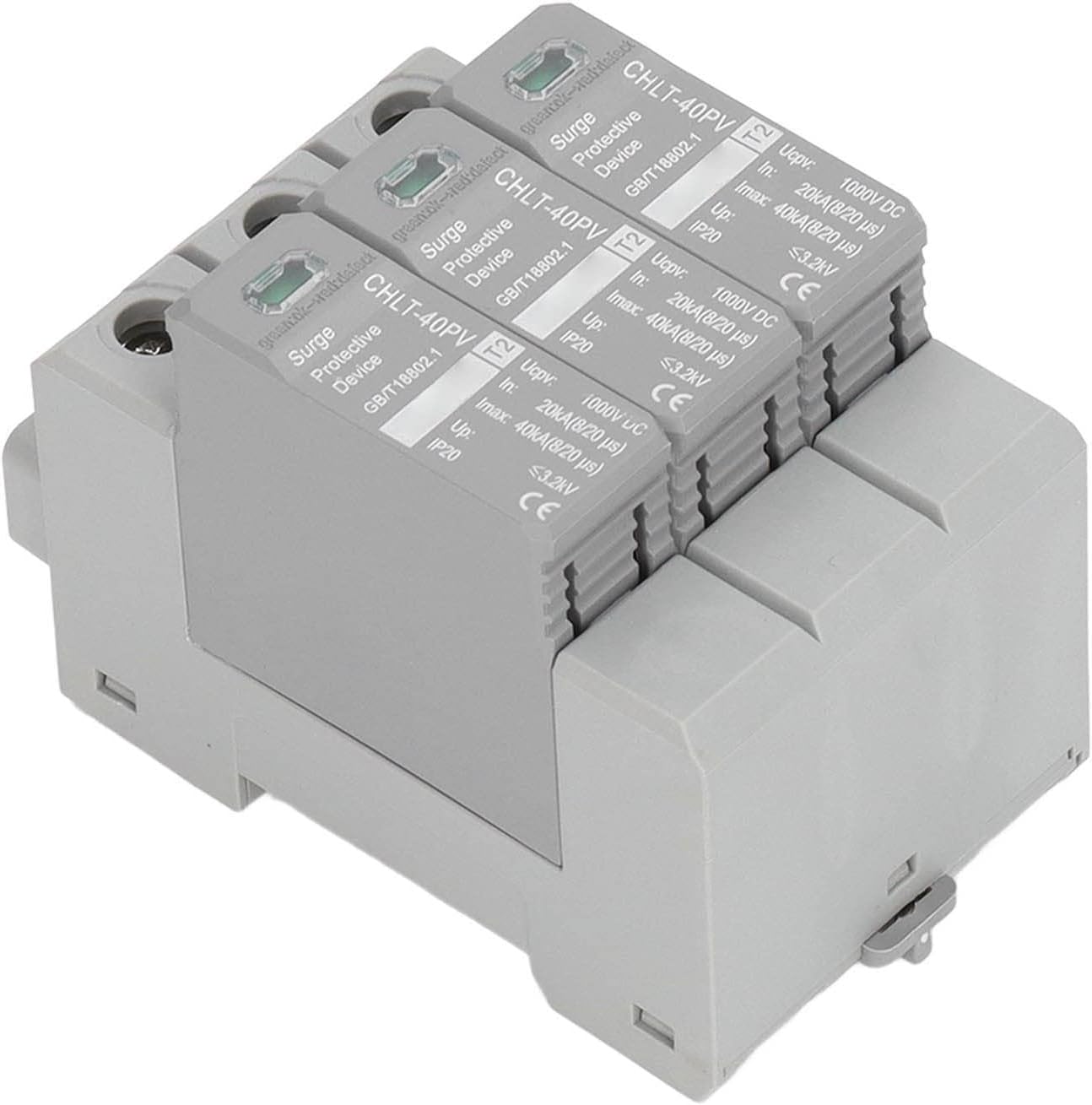
Figure 1: Top-down view of the Walfront CHLT-40PV device, showing the three protective modules.
Key Features:
- 3-Pole Design: Provides comprehensive protection for DC circuits.
- High Discharge Current: Nominal discharge current of 20kA and maximum discharge current of 40kA.
- 1000V DC Rating: Suitable for high-voltage photovoltaic systems.
- Modular Construction: Allows for easy replacement of individual protection modules.
- Visual Status Indicator: Green indicates normal operation, red indicates a fault/defect.
- PC Material: Sturdy and practical construction for long-term use.
Specifications
Technical specifications for the Walfront CHLT-40PV device:
| Parameter | Value |
|---|---|
| Model | CHLT-40PV |
| Material | PC |
| Maximum Continuous Operating Voltage (Ucpv) | DC1000V |
| Nominal Discharge Current (In) | 20kA (8/20 µs) |
| Maximum Discharge Current (Imax) | 40kA (8/20 µs) |
| Voltage Protection Level (Up) | ≤3.2kV |
| Number of Poles | 3P |
| Protection Level (IP) | IP20 |
| Item Weight | 8.8 ounces |
| Package Dimensions | 3.94 x 3.15 x 2.36 inches |

Figure 2: Close-up view of the device labels, indicating model number, voltage, and current ratings.
Setup and Installation
Follow these steps for proper installation of the CHLT-40PV device. Ensure all power is disconnected before beginning installation.
- Mounting: The device is designed for DIN rail mounting. Securely attach the device to a standard 35mm DIN rail within an appropriate enclosure.
- Wiring Connections: Connect the DC input from the photovoltaic array to the designated input terminals and the output to the protected equipment. Ensure correct polarity (+ and -) for each pole. The device is a 3-pole protector, typically used for positive, negative, and ground connections in a DC system.
- Grounding: Ensure the device is properly grounded according to local electrical codes. A low-impedance ground path is critical for effective surge protection.
- Verification: After wiring, double-check all connections for tightness and correct polarity.
- Power On: Once all connections are secure and verified, restore power to the system. The visual indicator on each module should show green, indicating normal operation.
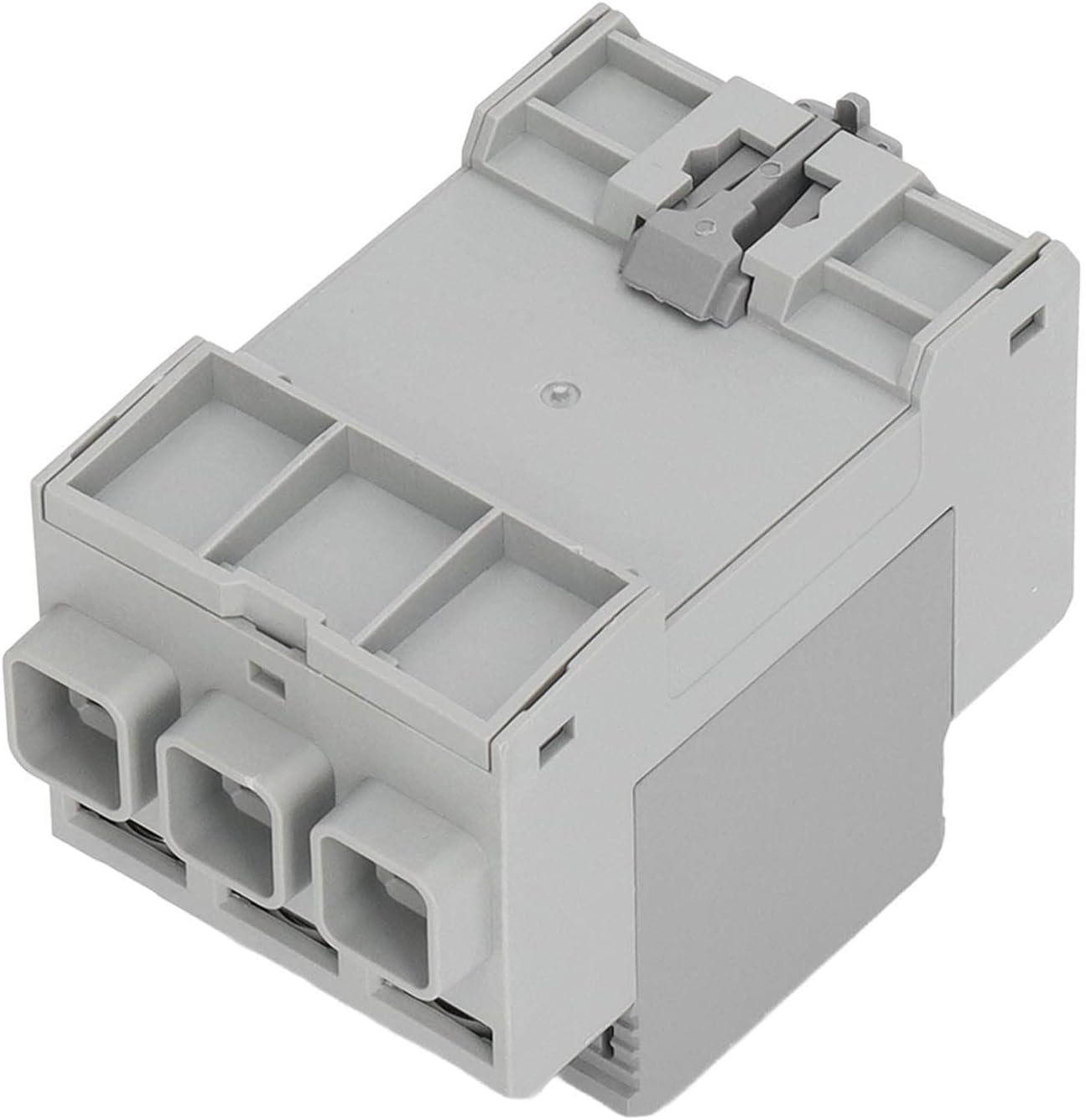
Figure 3: Bottom view illustrating the DIN rail mounting mechanism.

Figure 4: Angled view showing the input/output terminals for wiring connections.
Operating Instructions
The Walfront CHLT-40PV operates automatically to protect your DC system from surges. No user intervention is required during normal operation.
- Status Indicator: Each protective module has a visual status indicator.
- Green: Indicates the module is functioning correctly and providing protection.
- Red: Indicates the module has failed or is defective and requires replacement.
- Monitoring: Periodically check the status indicators to ensure continuous protection.
Maintenance
Regular maintenance ensures the longevity and effectiveness of your surge protective device.
- Visual Inspection: Annually inspect the device for any signs of physical damage, discoloration, or loose connections.
- Status Check: Regularly check the visual status indicators. If any indicator is red, the corresponding module needs to be replaced.
- Module Replacement: To replace a defective module:
- Disconnect all power to the system.
- Carefully unclip the defective module from the base unit.
- Insert a new, identical replacement module, ensuring it clicks securely into place.
- Restore power and verify the new module's indicator is green.
- Cleaning: If necessary, gently clean the exterior of the device with a dry, soft cloth. Do not use liquid cleaners or solvents.
Troubleshooting
This section addresses common issues you might encounter with the CHLT-40PV device.
| Problem | Possible Cause | Solution |
|---|---|---|
| Status indicator is RED | Module has absorbed a significant surge and is now defective. | Replace the defective module immediately. Ensure power is off before replacement. |
| No power to protected equipment | Incorrect wiring, loose connections, or upstream circuit breaker tripped. | Check all wiring for correct polarity and tightness. Verify upstream power sources and circuit breakers. |
| Device feels unusually hot | Overload condition or internal fault. | Immediately disconnect power. Do not operate. Contact qualified personnel for inspection. |
Warranty and Support
This Walfront product is typically covered by a standard return policy. For specific warranty details, please refer to your purchase documentation or contact the retailer.
For technical support or inquiries, please contact Walfront customer service through their official channels or the retailer from whom the product was purchased.
Note: The product description mentions a 30-day return policy. This is generally for returns, not a warranty. Specific warranty terms should be sought from the manufacturer or seller.
Ask a question about this manual
Ask about setup, troubleshooting, compatibility, parts, safety, or missing instructions. Manuals+ will review the question and use this page’s manual context to help answer it.