
Pulsar Krypton 2 XG50
Pulsar Krypton 2 Thermal Attachment Kit XG50 User Manual
Model: Krypton 2 XG50
Introduction
The Pulsar Krypton 2 Thermal Attachment Kit XG50 is a high-performance thermal imaging device designed to enhance your optical equipment. It features advanced thermal detection capabilities, a high-resolution display, and a robust build, making it suitable for various outdoor and hunting applications. This manual provides essential information for the proper setup, operation, and maintenance of your device.

Image: The Pulsar Krypton 2 Thermal Attachment Kit XG50, showing its compact design and primary lens.
Key Features
- High-Definition Thermal Imaging: Equipped with a 640x480 <40mK NETD sensitivity thermal imaging sensor and a 1920x1080 AMOLED display for exceptional clarity.
- Impressive Detection Range: Capable of detecting targets up to 2500 yards away.
- Long Battery Life: Provides up to 11 hours of operation on a single charge with quick USB-C charging.
- Adaptable Visuals: Offers 8 different color palettes for various environmental conditions.
- Resilient Build: IPX7 waterproof rating and robust aluminum alloy body ensure durability in extreme temperatures (-13°F to 122°F).
Package Contents
Upon opening the package, please verify that all listed components are present:
- Krypton attachment
- Hard cover protective case
- Carrying case
- 3 rail mounts
- 3 scope mounts
- USB Cable
- Lens cover
- IPS 7 Battery pack
- Battery pack Charger
Setup and Installation
1. Charging the Battery
Before first use, fully charge the IPS 7 Li-Ion Battery Pack using the provided battery pack charger and USB cable. The battery life is approximately 11 hours.

Image: Close-up of the device indicating the battery type (ISP7 Li-Ion Battery Pack) and its features: 11 hours battery life, USB compatibility, and IPX7 waterproof rating.
2. Attaching to Your Scope
The Krypton 2 is designed as a thermal attachment. Use the appropriate scope mount from the included accessories to securely attach the device to the objective lens of your daytime optical scope. Ensure a firm and stable connection to maintain zero.
- Select the correct scope mount size for your objective lens.
- Attach the mount to the Krypton 2.
- Securely fasten the Krypton 2 with the mount onto your scope.

Image: A user looking through the Pulsar Krypton 2 thermal attachment, demonstrating its use as an add-on to a primary optic.
Operating Instructions
1. Power On/Off
Press and hold the power button (usually the prominent blue button) to turn the device on or off. Allow a few seconds for the device to initialize.

Image: A close-up view of the control buttons on the Pulsar Krypton 2, highlighting the blue power button.
2. Display and Imaging
The Krypton 2 XG50 features a 1920x1080 AMOLED display, providing clear and detailed thermal images. The 640x480 <40mK NETD sensor ensures high sensitivity to temperature differences.

Image: A screen capture from the Pulsar Krypton 2 display, showing two deer in a thermal view, with text indicating "DISPLAY TYPE/RESOLUTION AMOLED 1920x1080 HD".
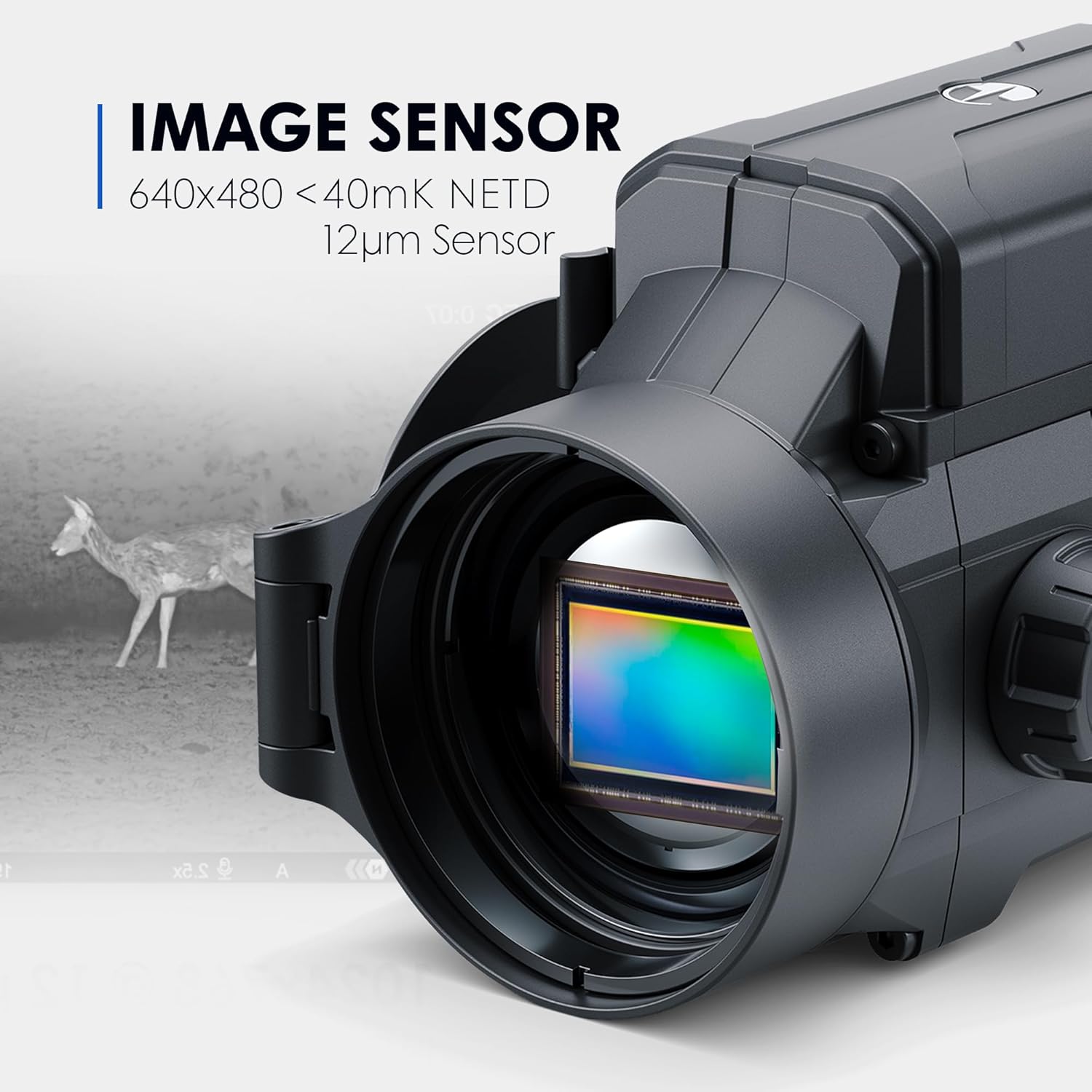
Image: A close-up of the Krypton 2's lens, showing the thermal sensor chip, with text indicating "IMAGE SENSOR 640x480 <40mK NETD 12µm Sensor".
3. Color Palettes
The device offers 8 distinct color palettes to optimize viewing for different environments and preferences. Navigate through the menu to select your desired palette (e.g., White Hot, Black Hot, Red Hot, Rainbow, Ultramarine, Violet, Sepia).

Image: A grid displaying eight different thermal color palettes (White Hot, Black Hot, Red Hot, Red Monochrome, Rainbow, Ultramarine, Violet, Sepia) as seen through the Krypton 2, showing how different heat signatures are represented.
4. Digital Magnification
The Krypton 2 XG50 supports 3x digital magnification. Use the designated buttons to zoom in or out, allowing for closer inspection of distant targets. Note that digital magnification may reduce image quality compared to optical magnification.

Image: A split image showing the effect of 3x digital magnification on the thermal view, with a user holding the device in the lower part of the image.
Maintenance and Care
- Cleaning: Use a soft, lint-free cloth to clean the lens and body of the device. For stubborn dirt, a small amount of lens cleaning solution can be applied to the cloth, not directly to the lens.
- Storage: Store the device in its protective case in a cool, dry place when not in use.
- Battery Care: For long-term storage, ensure the battery is partially charged (around 50%) to prolong its lifespan.
- Water Resistance: The device has an IPX7 waterproof rating, meaning it can withstand immersion in up to 1 meter of water for 30 minutes. However, avoid unnecessary exposure to water and always ensure the USB port cover is securely closed.
Troubleshooting
| Problem | Possible Cause | Solution |
|---|---|---|
| Device does not power on. | Battery is depleted or not properly inserted. | Charge the battery fully. Ensure the battery pack is correctly inserted. |
| Poor image quality or blurry display. | Lens is dirty or focus is incorrect. | Clean the lens with a soft cloth. Adjust the focus ring on the device. |
| Short battery life. | Battery not fully charged or operating in extreme cold. | Ensure battery is fully charged. Battery performance can decrease in very cold temperatures. |
| Device freezes or becomes unresponsive. | Temporary software glitch. | Perform a hard reset by holding the power button for an extended period (e.g., 10-15 seconds) until it powers off, then restart. |
Specifications
| Feature | Detail |
|---|---|
| Brand | Pulsar |
| Model Name | Krypton 2 |
| Color | XG50 |
| Item Weight | 20.4 Ounces |
| Material | Aluminum |
| Compatible Devices | Handgun (Note: Primarily designed for rifle scopes as an attachment) |
| Mounting Type | Ring Mount |
| Night Vision | No (Thermal imaging, not traditional night vision) |
| Manufacturer | Sellmark Corporation |
| UPC | 840284900289 |
| Item Package Dimensions | 12.5 x 12.25 x 6.12 inches |
| Item Dimensions LxWxH | 8.5 x 3 x 3.3 inches |
| Part Number | PL76659K |
| First Available Date | September 28, 2023 |
Warranty and Support
The Pulsar Krypton 2 Thermal Attachment Kit XG50 comes with a 3 Year Limited Warranty from Sellmark Corporation. For warranty claims, technical support, or further inquiries, please contact Pulsar customer service or visit their official website.
You can also explore more products and information on the official Pulsar store: Pulsar Store on Amazon.
Important Notices
EXPORT CONTROL NOTICE: This product is controlled for export and in-country transfers under the authority of the International Traffic in Arms Regulations (ITAR). Diversion contrary to U.S. law prohibited.
Proposition 65 Warning: This product may contain chemicals known to the State of California to cause cancer and birth defects or other reproductive harm.
Related documentsKrypton 2 XG50


Ask a question about this manual
Ask about setup, troubleshooting, compatibility, parts, safety, or missing instructions. Manuals+ will review the question and use this page’s manual context to help answer it.