
Introduction
Thank you for choosing the ChooChoo Farmhouse Nightstand with Charging Station. This manual provides detailed instructions for assembly, operation, and maintenance to ensure safe and proper use of your new furniture. Please read all instructions carefully before beginning assembly and retain this manual for future reference.
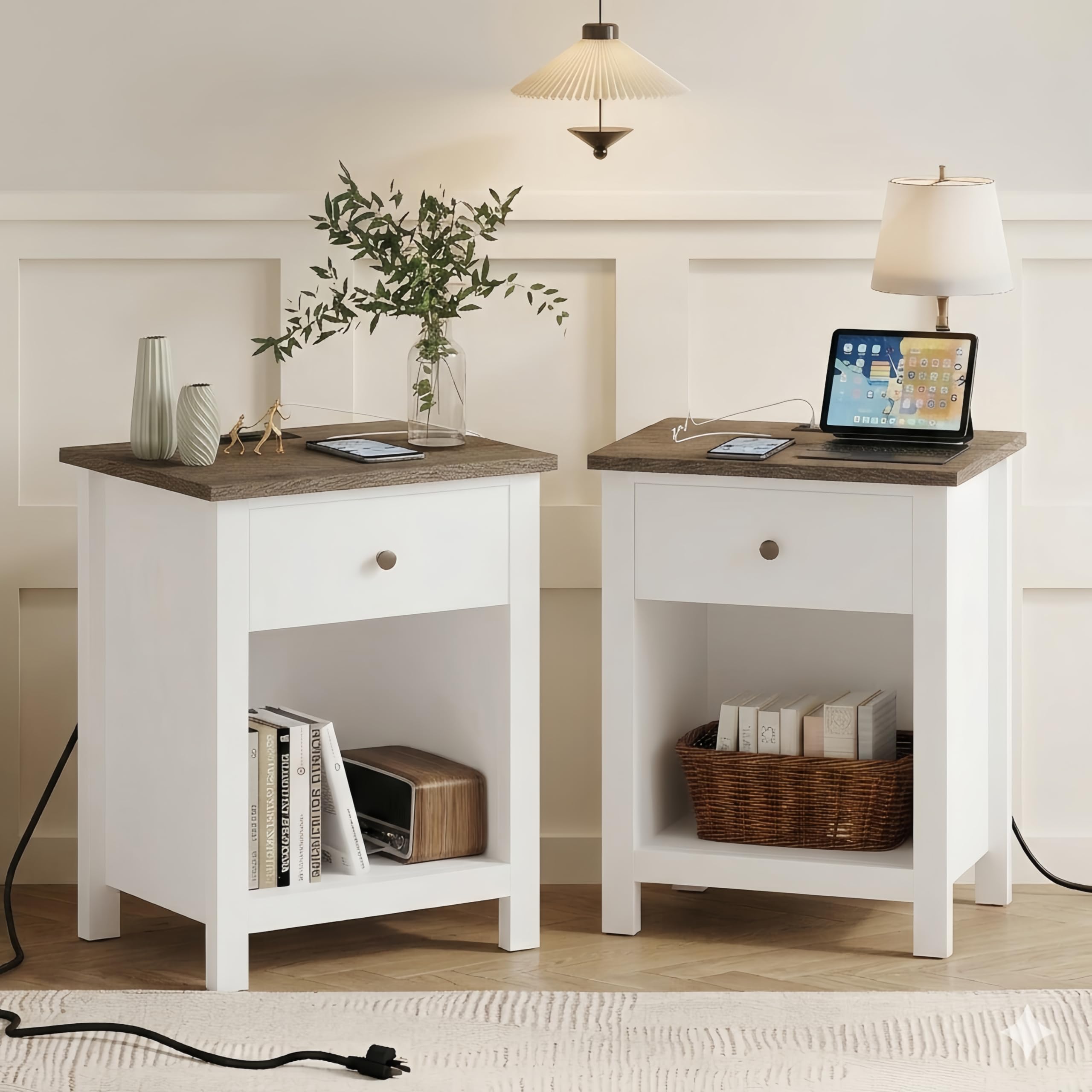
Image: The ChooChoo Farmhouse Nightstand in white, featuring a drawer, open shelf, and integrated charging station.
Safety Information
Please observe the following safety warnings:
- Assembly instructions and cautions must be followed carefully.
- Keep small parts away from children during assembly to prevent choking hazards.
- Ensure all connections are secure before using the nightstand.
- Do not overload the drawer or shelves.
- Place the nightstand on a flat, stable surface to prevent tipping.
- The charging station is designed for standard electronics. Do not attempt to charge devices not compatible with USB or standard AC outlets.
- Avoid exposing the charging station to liquids.
Package Contents
Before assembly, verify that all components are present. The package includes:
- All necessary board components for the nightstand structure.
- One drawer with handle.
- Integrated charging station with 2 AC outlets and 2 USB ports.
- Assembly hardware (screws, dowels, etc.).
- Instruction manual.

Image: Exploded view diagram showing all individual parts of the nightstand for assembly.
Setup and Assembly
Detailed assembly instructions are provided within the package. Please follow the step-by-step guide carefully. All parts and accessories are numbered for easy identification.
- Prepare Your Workspace: Clear a spacious area and lay out all components and hardware.
- Identify Parts: Match each board and hardware piece to the corresponding numbers in the instruction manual.
- Assemble the Frame: Begin by connecting the main side panels and base using the provided hardware. Ensure all connections are snug but do not overtighten.
- Install the Shelf: Secure the open storage shelf into its designated slots.
- Assemble the Drawer: Construct the drawer box and attach the drawer slides. Install the handle onto the drawer front.
- Integrate the Charging Station: Place the charging station into the pre-cut opening on the top panel. Ensure the power cord is routed correctly.
- Attach the Top Panel: Secure the top panel, ensuring the charging station is properly seated.
- Insert the Drawer: Slide the assembled drawer into the nightstand frame.
- Final Checks: Verify that all screws are tightened and the nightstand is stable.
Recommended Tools: A screwdriver is recommended for assembly.
Recommended Number of People for Assembly: 2 people are recommended for easier assembly.

Image: Another assembly diagram illustrating the various parts and their arrangement.
Operating Instructions
Charging Station
The integrated charging station provides convenient power access. It features 2 standard AC plug outlets and 2 USB ports (5V/2.1A).
- Plug the nightstand's power cord into a standard wall outlet.
- Connect your electronic devices (phones, tablets, lamps, etc.) to the available AC outlets or USB ports.
- The 4.9-foot power cord provides flexibility for placement.

Image: A close-up view of the nightstand's top surface, showing the integrated charging station with two AC outlets and two USB ports, actively charging a smartphone and tablet.
Storage Features
The nightstand offers versatile storage options:
- Drawer: Use the smooth-gliding drawer for discreet storage of personal items, remote controls, or small accessories.
- Open Shelf: The open shelf provides easy access storage for books, magazines, or decorative items.

Image: The nightstand's drawer pulled open, revealing its interior storage space.
Maintenance
To maintain the appearance and longevity of your nightstand:
- Cleaning: Wipe the surfaces with a dry cloth. Avoid abrasive cleaners or harsh chemicals.
- Spills: Promptly wipe up any spills to prevent damage to the engineered wood. The desktop is designed to be waterproof.
- Hardware: Periodically check and tighten all assembly hardware to ensure stability.
- Charging Station: Keep the charging ports free of dust and debris.
Troubleshooting
| Problem | Possible Cause | Solution |
|---|---|---|
| Nightstand is wobbly or unstable. | Loose hardware or uneven placement. | Ensure all screws are tightened. Place the nightstand on a level surface. Adjust leg levelers if present (not specified, but common). |
| Drawer does not slide smoothly or sits unevenly. | Drawer slides misaligned or incorrect assembly. | Recheck drawer slide installation according to the assembly instructions. Ensure the drawer box is assembled squarely. |
| Charging station not working. | Power cord not plugged in, faulty outlet, or device incompatibility. | Verify the nightstand's power cord is securely plugged into a working wall outlet. Test the wall outlet with another device. Ensure your device is compatible with USB or standard AC power. |
| Missing or damaged parts during assembly. | Packaging error or transit damage. | Contact ChooChoo customer support for assistance and replacement parts. |
Specifications
| Brand | ChooChoo |
| Model Name | ST19005-WH-E-S |
| Product Dimensions (D x W x H) | 13.8"D x 17.7"W x 23.6"H |
| Frame Material | Engineered Wood |
| Top Material Type | Engineered Wood |
| Color | White |
| Furniture Finish | White (Painted) |
| Handle Material | Wood (Black Handle Color) |
| Number of Drawers | 1 |
| Number of Shelves | 1 |
| Special Features | Charging Station, Storage, USB Port |
| Charging Station Output | 2 AC Outlets (120V/12A), 2 USB Ports (5V/2.1A) |
| Power Cord Length | 4.9 feet |
| Product Care Instructions | Wipe with Dry Cloth |
| Recommended Uses | Bedroom |
| Assembly Recommendation | 2 people recommended |

Image: Diagram illustrating the precise dimensions of the ChooChoo Farmhouse Nightstand.
Warranty and Support
ChooChoo is committed to providing quality products. Specific warranty details may vary and are typically included with your purchase documentation. For any questions, missing parts, or support needs, please contact ChooChoo customer service through the retailer where the product was purchased or visit the official ChooChoo website.
Online Support: Visit the ChooChoo Store on Amazon