
1. Introduction
The Luxor NEXX 10 Ballpoint Pen is a versatile writing instrument engineered for a smooth and comfortable writing experience. Its unique triangular barrel design provides an ergonomic grip, reducing writing fatigue during extended use and preventing the pen from rolling off surfaces. The high-quality ballpoint tip ensures consistent ink flow, producing crisp and clear lines with minimal effort. Constructed from durable materials, this pen is designed for daily use and sustained performance.
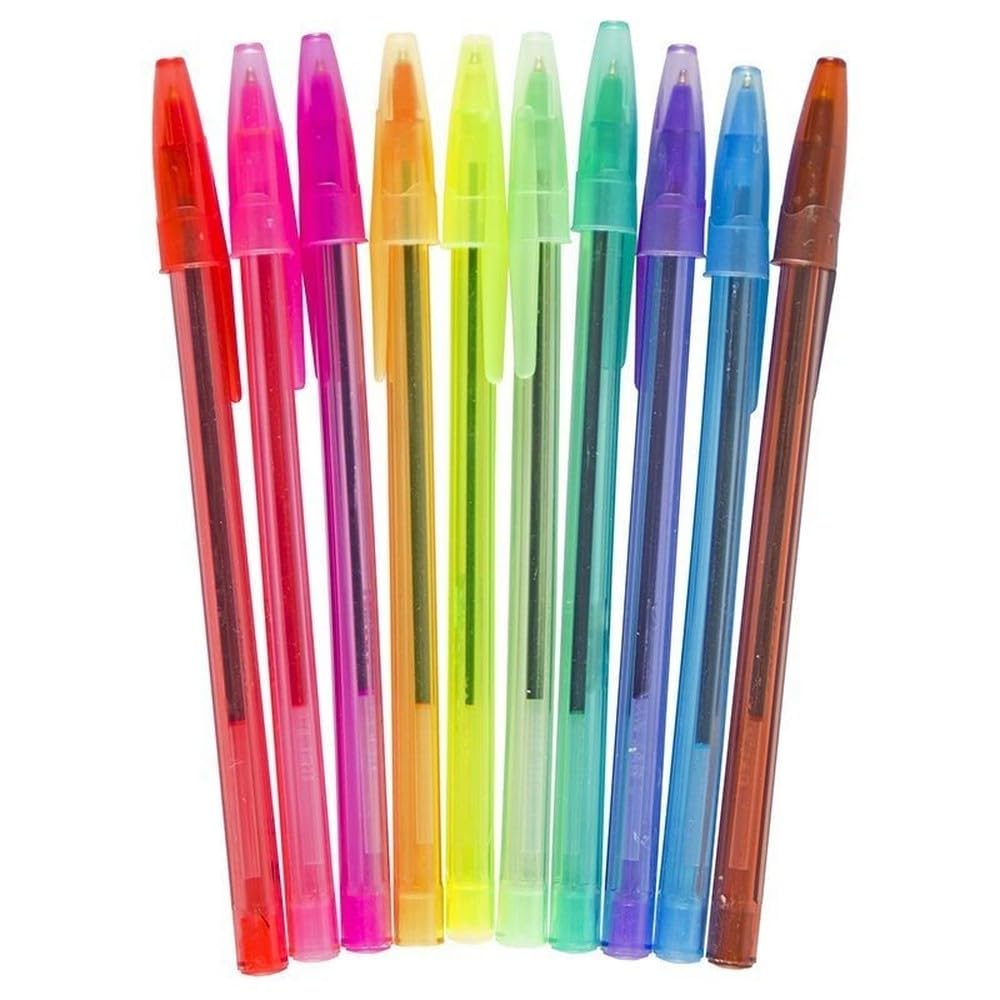
Figure 1: A set of Luxor NEXX 10 Ballpoint Pens in assorted colors, showcasing their transparent barrels and matching caps. The pens are arranged diagonally, highlighting the variety of available ink colors.
2. Setup
The Luxor NEXX 10 Ballpoint Pen is ready for immediate use upon removal from its packaging. No assembly or special preparation is required.
- Uncap the Pen: Gently pull the cap off the pen to expose the ballpoint tip.
- Begin Writing: The pen is now ready for use.
3. Operating Instructions
The Luxor NEXX 10 Ballpoint Pen is designed for ease of use and a comfortable writing experience.
- Grip: Hold the pen comfortably between your thumb and forefinger, resting it on your middle finger. The triangular barrel is designed to fit naturally in your hand, reducing strain.
- Writing Angle: For optimal ink flow and line consistency, hold the pen at a slight angle (approximately 45-60 degrees) to the writing surface.
- Pressure: Apply light to moderate pressure. The high-quality ballpoint tip requires minimal force to produce clear, consistent lines.
- Surface Compatibility: Suitable for use on most paper types.
4. Maintenance
Proper care will extend the life and performance of your Luxor NEXX 10 Ballpoint Pen.
- Recap After Use: Always replace the cap firmly after each use to prevent the ink from drying out and to protect the pen tip.
- Storage: Store pens horizontally or tip-down to ensure consistent ink flow. Avoid storing in direct sunlight or extreme temperatures, which can affect ink quality.
- Cleaning: If the pen tip accumulates dust or debris, gently wipe it with a soft, dry cloth. Do not use harsh chemicals or solvents.
5. Troubleshooting
If you encounter issues with your Luxor NEXX 10 Ballpoint Pen, consider the following solutions:
| Problem | Possible Cause | Solution |
|---|---|---|
| Ink skipping or inconsistent lines | Dried ink on tip, air bubble in ink, or low ink level. |
|
| Pen not writing | Cap not removed, tip clogged, or pen is out of ink. |
|
6. Specifications
| Feature | Detail |
|---|---|
| Brand | Luxor |
| Model Number | PEN0150 |
| Writing Instrument Form | Ballpoint Pen |
| Colour | Assorted (Multicolor Ink) |
| Material | Plastic |
| Special Feature | Compact, Triangular Barrel Design |
| Unit Count | 10 Count |
| Item Weight | 60 g (package) |
| Package Dimensions | 21.5 x 11.5 x 1.4 cm |
| Date First Available | 5 March 2024 |
7. Warranty and Support
This Luxor NEXX 10 Ballpoint Pen comes with a Limited Warranty. For specific details regarding warranty coverage, terms, and conditions, please refer to the packaging or contact Luxor customer support directly. Contact information for support can typically be found on the product packaging or the official Luxor website.