
Dreo DR-HPA019
Dreo Air Purifiers Replacement Filter (DR-HPA019) User Manual
Model: DR-HPA019
1. Introduction
The Dreo Air Purifiers Replacement Filter (DR-HPA019) is designed to maintain the peak performance of your compatible Dreo air purifier. This filter features a 2-stage filtration system to effectively capture various airborne particles, contributing to cleaner and healthier indoor air.
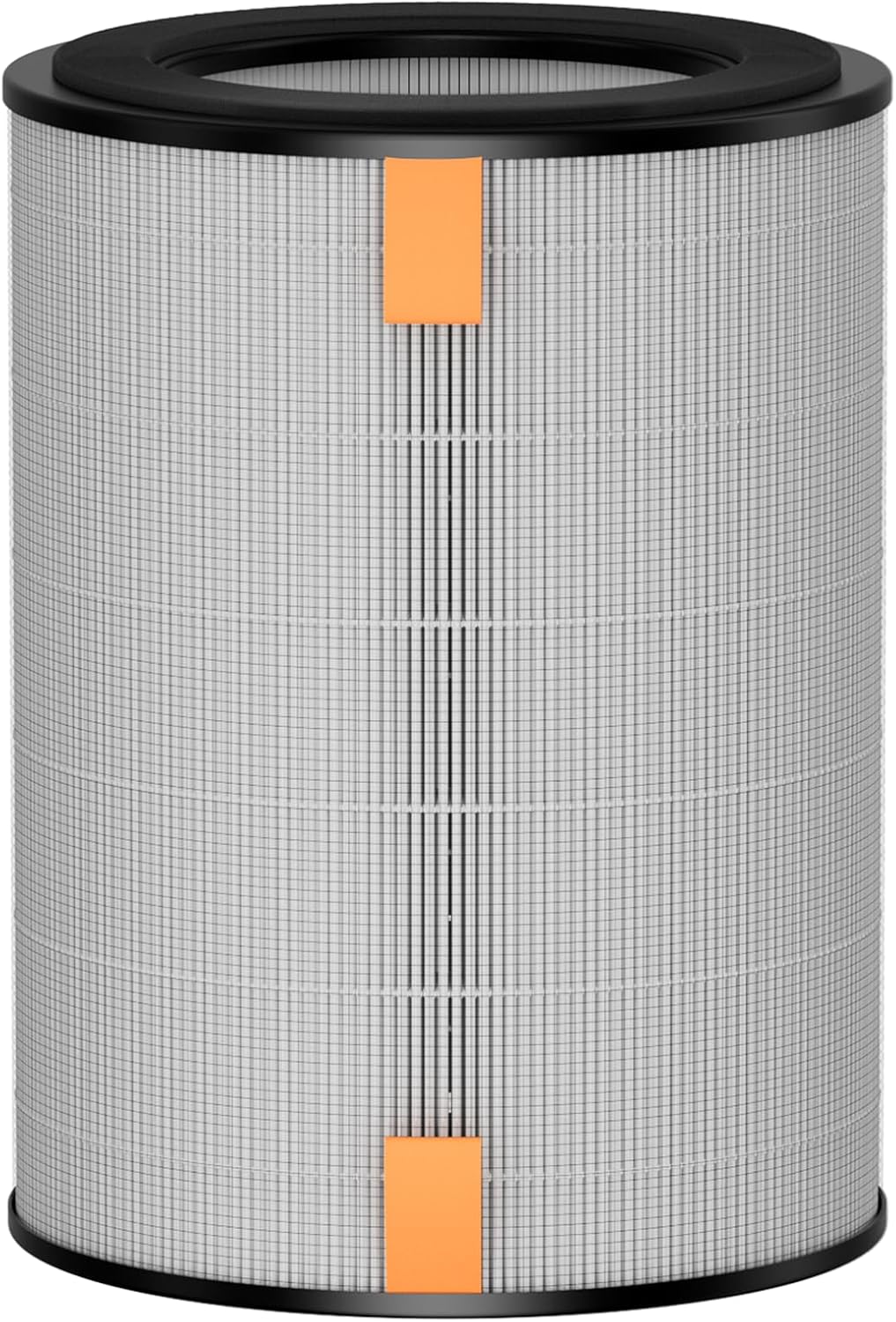
A cylindrical Dreo replacement filter, featuring a pleated HEPA media with an orange pull tab for easy removal and installation.
The filtration system includes an ultra-fine nylon pre-filter that traps larger particles such as dust, lint, fibers, hair, and pet fur. This pre-filter also helps to extend the lifespan of the main HEPA filter. The True HEPA filter component is engineered to isolate 99.9% of pollutants, ensuring comprehensive air purification.

A graphic representation highlighting the True HEPA filter's large adsorption area, capable of capturing 99.9% of airborne particles as small as 0.3 micrometers.
2. Compatible Devices
This replacement filter is specifically designed for use with the following Dreo air purifier models:
- Dreo Purifier Tower Fan MC710S
- DR-HTF010S

An image showing the Dreo Purifier Tower Fan MC710S alongside its compatible cylindrical replacement filter, emphasizing the perfect match for peak performance.
3. Installation (Filter Replacement)
To ensure optimal performance and safety, follow these steps when replacing your air purifier filter:
- Power Off and Unplug: Before attempting any maintenance, always turn off your Dreo air purifier and unplug it from the power outlet.
- Access Filter Compartment: Refer to your specific Dreo Purifier Tower Fan MC710S or DR-HTF010S user manual to locate and open the filter compartment. This usually involves twisting or unlatching a cover at the base of the unit.
- Remove Old Filter: Carefully remove the used filter from the compartment. Dispose of the old filter responsibly according to local regulations.
- Insert New Filter: Unwrap the new Dreo DR-HPA019 replacement filter. Insert it into the filter compartment, ensuring it is seated correctly and securely. The orange pull tab should be facing outwards for easy future removal.
- Close Compartment: Close and secure the filter compartment cover.
- Plug In and Power On: Plug the air purifier back into the power outlet and turn it on.
- Reset Filter Life Indicator: Most Dreo air purifiers have a filter life indicator. Consult your air purifier's manual for instructions on how to reset this indicator after installing a new filter. This ensures accurate tracking of the new filter's lifespan.
4. Maintenance and Filter Life
The Dreo DR-HPA019 filter is designed for easy replacement and disposal. To maintain optimal air purification performance, it is recommended to replace the filter every 6 months. However, the actual replacement interval may vary depending on the frequency of use and the air quality in your environment. In areas with higher pollution or more frequent use, you may need to replace the filter sooner.

An illustration showing a smartphone screen with a filter life indicator and a filter with 'Used Time' and 'Replacement Reminder' labels, demonstrating the filter care algorithm.
Regularly check your air purifier's filter indicator or app (if applicable) for reminders to change the filter. A timely replacement ensures that your air purifier continues to operate efficiently and effectively.
5. Troubleshooting
As a replacement component, troubleshooting for the filter itself is limited. Most issues related to air purification performance can be resolved by ensuring the filter is correctly installed and replaced regularly.
| Problem | Possible Cause | Solution |
|---|---|---|
| Reduced Airflow / Poor Purification | Clogged or old filter | Replace the filter with a new Dreo DR-HPA019 filter. |
| Filter Indicator Light Remains On | Filter life indicator not reset | Refer to your air purifier's user manual for instructions on how to reset the filter life indicator. |
| Unusual Odor from Purifier | Filter needs replacement | Replace the filter. Odors can accumulate on the filter over time. |
6. Specifications
| Feature | Detail |
|---|---|
| Model Number | DR-HPA019 |
| Brand | Dreo |
| Filtration Type | 2-Stage Filtration (Ultra-fine Nylon Pre-Filter + True HEPA Filter) |
| Compatible Devices | Dreo Purifier Tower Fan MC710S, DR-HTF010S |
| Product Dimensions (D x W x H) | 6.93" x 6.93" x 8.7" |
| Item Weight | 13 ounces |
| Recommended Replacement | Every 6 months (or sooner depending on use/environment) |
| Country of Origin | China |
7. Warranty and Support
For information regarding product warranty, technical support, or to purchase additional replacement filters, please visit the official Dreo website or contact Dreo customer service. Keep your purchase receipt for warranty claims.
You can find more information and support at the Dreo Official Store on Amazon.
Related documentsDR-HPA019


Ask a question about this manual
Ask about setup, troubleshooting, compatibility, parts, safety, or missing instructions. Manuals+ will review the question and use this page’s manual context to help answer it.