
Armorcope B0CX1NJG4J
Armorcope Pet & Security Camera User Manual
Model: B0CX1NJG4J
Introduction
This manual provides comprehensive instructions for the setup, operation, and maintenance of your Armorcope Pet Camera and Wireless Outdoor Security Camera system. This system includes a 2K HD indoor pet camera with pan/tilt functionality and a 1080P battery-powered outdoor security camera with color night vision, designed to monitor your pets, baby, and home security.
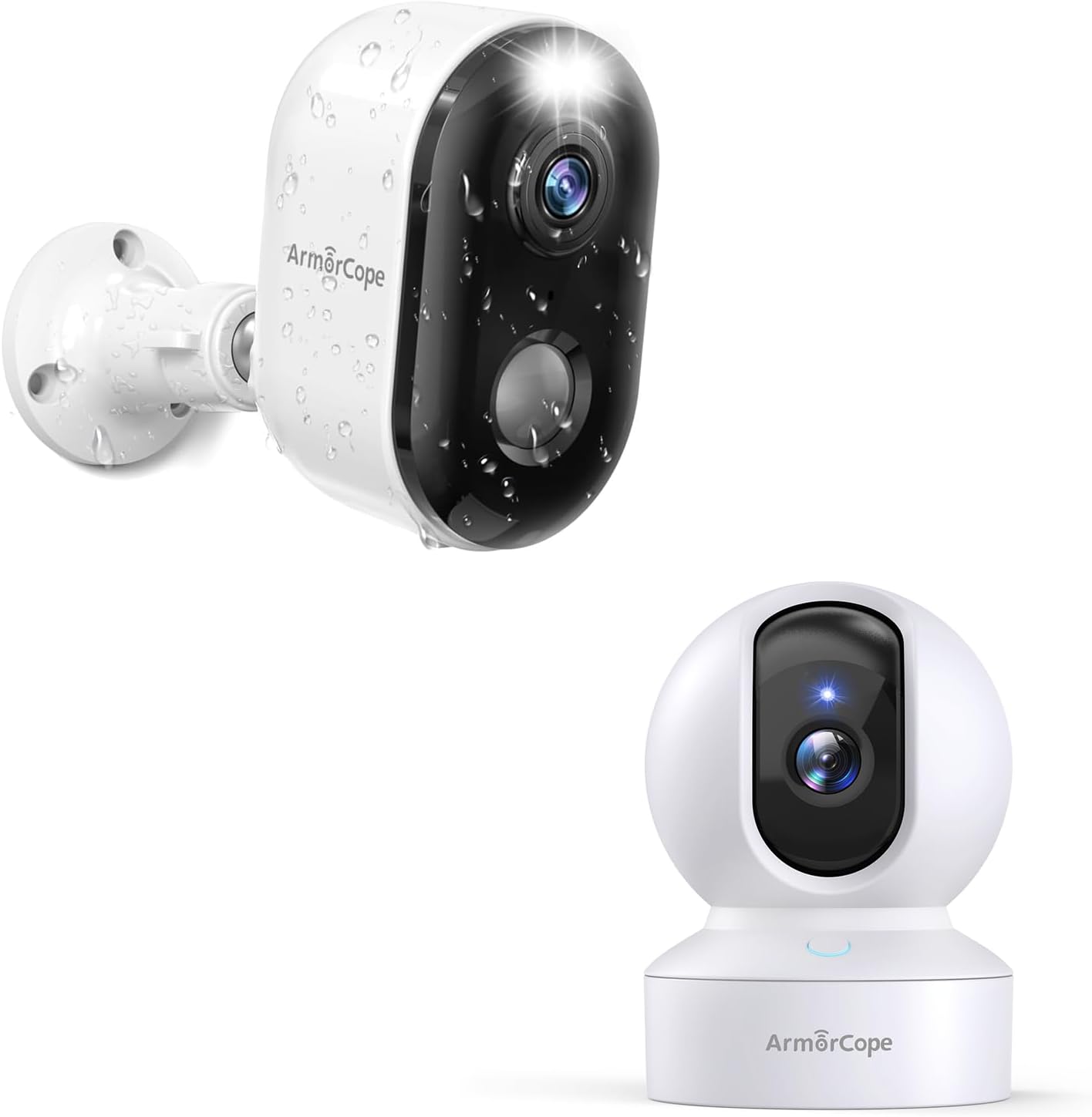
Image: The Armorcope camera system, showing both the indoor pan/tilt pet camera and the outdoor battery-powered security camera.
Safety Information
Please read this section carefully before using the product to ensure safe and proper operation.
- Do not expose the camera to extreme temperatures, humidity, or direct sunlight.
- Use only the specified power adapter and charging cable.
- Keep the camera and its accessories out of reach of children and pets.
- Avoid placing the camera near strong magnetic fields.
- Do not attempt to disassemble or modify the camera.
- Ensure proper ventilation around the camera during operation.
Product Features
- Full 2K HD and 355° Pan/Tilt: The indoor pet camera offers 2K HD resolution with 8X optical zoom and a wide range of motion (355° horizontal, 100° vertical) for comprehensive coverage. Works with 2.4GHz WiFi.

Image: Comparison of 1080P and 2K resolution, demonstrating the pan and tilt capabilities of the indoor camera.
- Smart Motion Detection Alarm and Auto Tracking: Supports dog and human detection. When motion is detected, the app sends notifications, and the camera can auto-track the movement.
- 100% Wireless & Rechargeable & Waterproof: The outdoor security camera is completely wireless, powered by a built-in rechargeable battery (1-5 months use per charge). Its IP66 waterproofing ensures operation in various weather conditions.

Image: The outdoor camera with rain droplets, illustrating its waterproof design and battery indicator.
- PIR/AI Motion Detection & Real-time Alarm Notification: Utilizes PIR motion detection and advanced AI to differentiate between people, pets, packages, and vehicles, reducing false alarms and sending real-time alerts.

Image: A visual representation of the camera detecting motion and sending an alert to a smartphone, highlighting the AI detection capabilities.
- Lifetime Free 3-day Rolling Cloud Storage & SD/Cloud Storage: Supports local SD card storage (up to 128GB) and offers free 3-day rolling cloud storage without subscription. A 30-day free trial for premium features is also available.
- Two-Way Audio: Communicate with pets or family members through the camera's built-in speaker and microphone.

Image: A dog sitting in a living room with speech bubbles indicating two-way audio communication via the camera and a smartphone.
- 1080P HD Color Night Vision: Equipped with 2 PIR LEDs and 2 white lights for clear color night vision even in dim light, with a range of up to 32ft.

Image: A comparison showing a house at night with color night vision enabled versus infrared night vision, demonstrating the clarity of color night vision.
- Built-in 5000mAh Large Battery: The outdoor camera features a high-capacity rechargeable battery, capable of triggering up to 3,500 times on a single charge.

Image: An exploded view of the outdoor camera, highlighting its internal 5000mAh rechargeable battery.
- One-Click Call: The indoor camera supports a one-click call function, allowing users to initiate a call from the camera.

Image: A baby's hand reaching for the indoor camera, with a speech bubble indicating a "Mom, I miss you" message, demonstrating the one-click call feature.
Setup Guide
1. App Download and Account Creation
- Search for the "VicoHome" app (or specified app in packaging) on your smartphone's app store (iOS App Store or Google Play Store).
- Download and install the app.
- Open the app and follow the on-screen instructions to create a new account or log in if you already have one.
2. Camera Pairing (2.4GHz WiFi Only)
- Ensure your smartphone is connected to a 2.4GHz Wi-Fi network. The cameras do not support 5GHz Wi-Fi.
- Power on the camera you wish to pair. For the outdoor camera, ensure it is charged.
- In the app, tap the "+" icon to add a new device.
- Select the appropriate camera model from the list.
- Follow the app's instructions to connect the camera to your Wi-Fi network. This usually involves scanning a QR code displayed on your phone with the camera lens.
- Once connected, name your camera and complete the setup process.
3. Mounting the Outdoor Camera
- Choose a suitable location for the outdoor camera, ensuring good Wi-Fi signal strength and a clear view of the area you wish to monitor.
- Use the supplied bracket and screws to securely mount the camera to a wall or other stable surface.
- Adjust the camera angle to cover the desired monitoring zone.
4. Charging the Outdoor Camera
- Before first use, fully charge the outdoor camera using the provided USB cable and a compatible power adapter.
- The charging indicator light on the camera will change color when fully charged.
Operating Instructions
1. Live View and Monitoring
- Open the app and select the camera you wish to view from the device list.
- The live video feed will appear.
2. Pan/Tilt Control (Indoor Camera Only)
- While in live view for the indoor camera, use the directional controls on the app interface to pan (horizontal) and tilt (vertical) the camera lens.
3. Two-Way Audio
- In live view, tap the microphone icon to speak through the camera's speaker. Release to listen.
4. Motion Detection Settings
- Navigate to the camera settings within the app.
- Adjust motion detection sensitivity, detection zones, and human/pet detection preferences.
- Enable or disable real-time alarm notifications.
5. Recording and Playback
- Recordings triggered by motion or manual recording can be accessed via the app's playback section.
- Review footage stored on the SD card or in the cloud.
6. Night Vision Modes
- The outdoor camera supports both infrared (black and white) and color night vision.
- You can typically switch between modes in the camera settings or allow the camera to automatically select based on ambient light.
7. One-Click Call (Indoor Camera Only)
- Press the designated button on the indoor camera to initiate a call to the linked smartphone app.
Maintenance
- Cleaning: Use a soft, dry cloth to clean the camera lens and body. Do not use harsh chemicals or abrasive cleaners.
- Battery Care (Outdoor Camera): To prolong battery life, avoid fully discharging the battery frequently. Recharge the camera when the battery level is low. If storing for extended periods, charge the battery to about 50% and store in a cool, dry place.
- Firmware Updates: Regularly check the app for available firmware updates for your cameras. Updates often include performance improvements and security enhancements. Follow the app's instructions for updating.
- SD Card Management: If using an SD card, periodically check its status in the app. Format the SD card if you experience recording issues.
Troubleshooting
| Problem | Possible Cause | Solution |
|---|---|---|
| Camera won't connect to Wi-Fi. | Incorrect Wi-Fi password; 5GHz network used; camera too far from router; weak signal. |
|
| Poor video quality. | Weak Wi-Fi signal; dirty lens; insufficient lighting. |
|
| Motion detection not working or too many false alarms. | Incorrect sensitivity settings; detection zone not configured; environmental factors (e.g., moving branches). |
|
| Outdoor camera battery drains quickly. | Frequent motion events; extreme temperatures; continuous live view. |
|
Specifications
| Feature | Detail |
|---|---|
| Brand | Armorcope |
| Model | B0CX1NJG4J |
| Compatible Devices | Smartphone |
| Power Source | Battery Powered |
| Connectivity Protocol | Wi-Fi (2.4GHz) |
| Mounting Type | Wall Mount |
| Video Capture Resolution | 1080p, 2K |
| Wireless Communication Technology | Wi-Fi |
| Alert Type | Motion Only |
| Room Type | Hallway, Living Room, Study Room |
| Video Capture Format | MPEG-4 |
| International Protection Rating | IP66 (Outdoor Camera) |
| Recommended Uses For Product | Pet Monitoring, Home Security |
| Special Feature | 2-Way Audio, Color Night Vision, AI Motion Detection, Pan/Tilt (Indoor) |
| Indoor/Outdoor Usage | Outdoor (Battery Camera), Indoor (Pan/Tilt Camera) |
| Battery Capacity | 5000mAh (Outdoor Camera) |
| Storage | SD Card (up to 128GB), Cloud Storage |
Warranty and Support
For warranty information and technical support, please refer to the official Armorcope website or contact their customer service directly. Details are typically provided on the product packaging or the brand's official online channels.
Online Support: Visit the Armorcope official website for FAQs, troubleshooting guides, and contact information.
Customer Service: Refer to your purchase documentation for specific customer service contact details.
Official Product Videos
No official product videos from the seller were found for this product.
Ask a question about this manual
Ask about setup, troubleshooting, compatibility, parts, safety, or missing instructions. Manuals+ will review the question and use this page’s manual context to help answer it.