
SMONET E3-CF600
Contents
SMONET E3-CF600 Filter Replacement Manual
For E600WA Tankless Reverse Osmosis System
Introduction
This manual provides detailed instructions for the proper replacement and maintenance of the SMONET E3-CF600 filter, designed specifically for the SMONET E600WA Tankless Reverse Osmosis System. Adhering to these instructions will ensure optimal performance and longevity of your water filtration system.
Product Overview
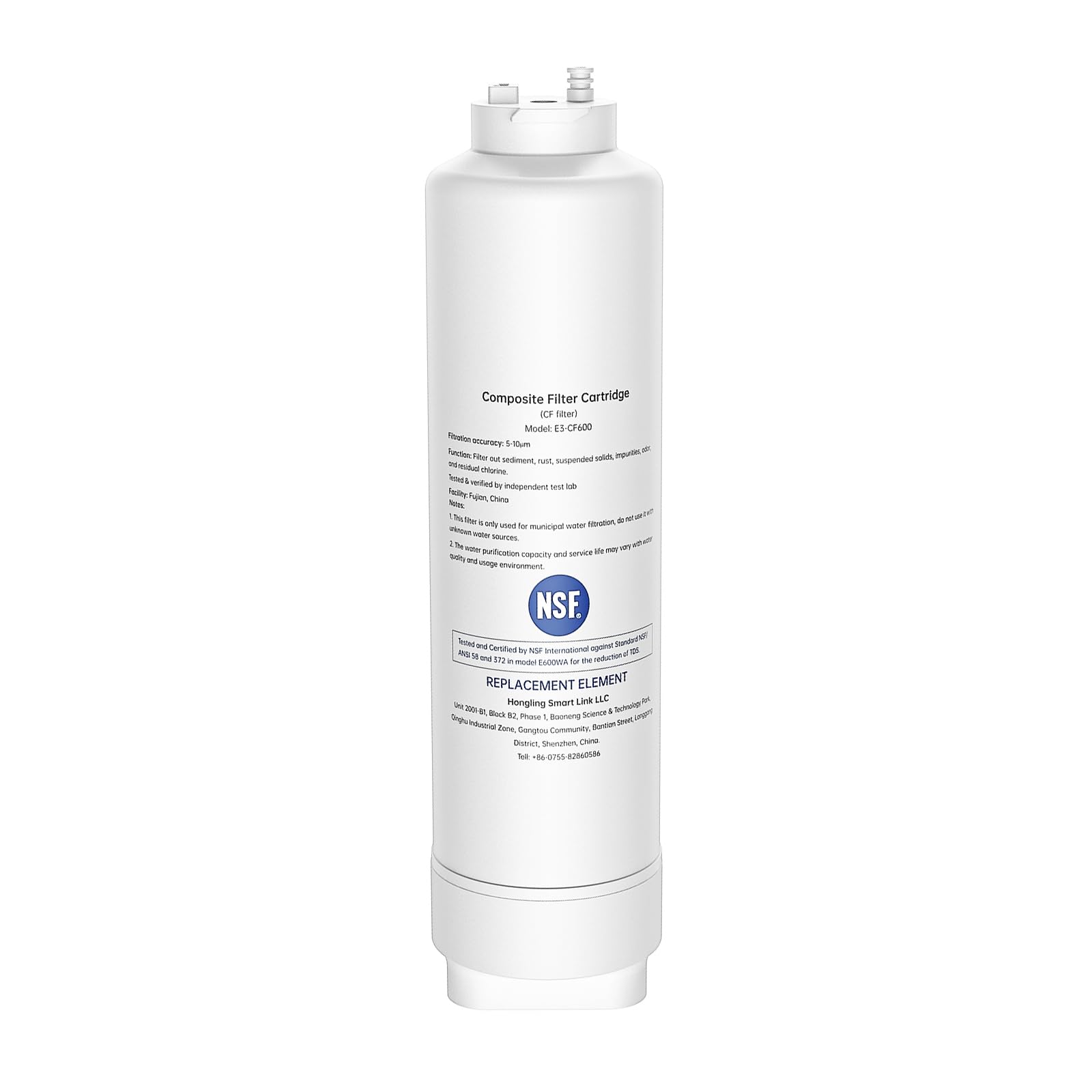
Image: The SMONET E3-CF600 replacement filter, a cylindrical cartridge designed for efficient water purification.
The SMONET E3-CF600 filter is a crucial component of the E600WA Tankless Reverse Osmosis System. It is engineered to reduce chlorine and other impurities, providing clean and safe drinking water. This filter utilizes Polypropylene (PP) material and is NSF certified, ensuring high standards of water quality.
Filter Replacement Instructions
Before You Begin
- Ensure you have the correct replacement filter: SMONET E3-CF600.
- Prepare a clean towel or cloth to wipe up any spilled water.
- Locate the water supply valve for your reverse osmosis system.
Step-by-Step Replacement
- Turn Off Water Supply: Locate the cold water supply valve connected to your E600WA system and turn it off completely.
- Release System Pressure: Open the purified water faucet to release any remaining pressure in the system. Allow water to drain until it stops flowing.
- Remove Old Filter: Gently twist the old E3-CF600 filter counter-clockwise until it unlocks from its housing. Pull the filter downwards to remove it. Be prepared for a small amount of residual water to drip out.
- Install New Filter: Remove the protective cap from the new SMONET E3-CF600 filter. Insert the new filter into the housing, aligning the arrows or indicators on the filter with the system. Push upwards and twist clockwise until it locks securely into place.
- Restore Water Supply: Slowly turn the cold water supply valve back on. Check for any immediate leaks around the newly installed filter.
- Flush the System: Open the purified water faucet and allow water to run for approximately 5-10 minutes. This flushes out any air and carbon fines from the new filter. The water may appear cloudy initially; this is normal and will clear up.
- Check for Leaks: After flushing, close the faucet and carefully inspect all connections for any signs of leaks. If leaks are detected, ensure the filter is properly seated and twisted securely.
Filter Function and Benefits
The SMONET E3-CF600 filter is designed to provide multi-stage filtration within your E600WA Tankless Reverse Osmosis System. Its primary function is to significantly reduce chlorine taste and odor, as well as other common contaminants found in tap water. This results in improved water quality, making it safer and more pleasant for drinking and cooking. The NSF certification confirms that the filter meets strict standards for public health protection.
Maintenance and Filter Life
Filter Replacement Schedule
For optimal performance and water quality, it is recommended to replace the SMONET E3-CF600 filter every 6-12 months, or as indicated by your E600WA system's filter life indicator, whichever comes first. Actual filter life may vary depending on local water quality and usage volume.
Storage
Store spare filters in a cool, dry place away from direct sunlight and extreme temperatures. Ensure the filter remains in its original sealed packaging until ready for use to maintain its integrity and effectiveness.
Troubleshooting
Common Issues and Solutions
- Low Water Flow After Replacement:
- Ensure the water supply valve is fully open.
- Confirm the new filter is correctly installed and fully locked into place.
- Flush the system for a longer period (up to 15 minutes) to remove trapped air.
- Leaking Around Filter Housing:
- Turn off the water supply immediately.
- Remove and re-install the filter, ensuring it is twisted clockwise until it clicks or feels firmly seated.
- Check the O-rings on the filter for any damage or misalignment.
- Unusual Taste or Odor After Replacement:
- This can be normal for new carbon filters. Flush the system for an extended period (10-15 minutes) to rinse out any carbon fines.
- If the issue persists, ensure the filter is genuine SMONET E3-CF600.
Product Specifications
| Specification | Detail |
|---|---|
| Model Number | E3-CF600 |
| Brand Name | SMONET |
| Material | Polypropylene (PP) |
| Product Dimensions (D x W x H) | 3.8"D x 3.79"W x 15.28"H |
| Item Weight | 2.5 pounds |
| External Testing Certification | NSF |
| Product Benefits | Reduces Chlorine |
| Included Components | CF Filter |
Warranty and Customer Support
For specific warranty information regarding your SMONET E3-CF600 filter or the E600WA Tankless Reverse Osmosis System, please refer to the documentation provided with your original system purchase or visit the official SMONET website. If you require further assistance, technical support, or have questions not covered in this manual, please contact SMONET customer service directly.
You can often find contact information on the SMONET brand store on Amazon or through their official website.
Documents and downloads
Ask a question about this manual
Ask about setup, troubleshooting, compatibility, parts, safety, or missing instructions. Manuals+ will review the question and use this page’s manual context to help answer it.