
WiZ Connected 605210
Contents
WiZ Home Monitoring Starter Kit User Manual
Model: 605210
Product Overview
The WiZ Home Monitoring Starter Kit provides a comprehensive solution for smart home security and lighting. This kit includes an indoor security camera and three 60W A19 Color LED Smart Bulbs, designed to work together seamlessly with WiZ's innovative SpaceSense™ technology. The system allows for 24/7 home security, real-time communication, and intelligent lighting control.

Image: WiZ Home Monitoring Starter Kit, showing the indoor camera, three smart bulbs, and the product box.
Key Features:
- Integrated Security and Lighting: WiZ uses light to detect, deter, and alert, ensuring home security even when you are away.
- SpaceSense™ Technology: Every WiZ light acts as a motion sensor, detecting movement and triggering actions.
- 1080p HD Indoor Camera: Provides clear video with a 130-degree field of view, motion and loud noise detection, and full-duplex audio.
- Two-Way Audio: Enables real-time communication through the camera.
- Night Vision: Allows for clear monitoring in low-light or dark conditions.
- Smart Bulbs: 60W A19 Color LED bulbs offer customizable lighting and integrate with the security system.
- Remote Control: Manage your system via the WiZ app or voice commands (compatible with Amazon Alexa, Google Assistant, Siri Shortcuts).
Components Included
Your WiZ Home Monitoring Starter Kit includes the following items:
- 1 x WiZ Indoor Security Camera
- 3 x WiZ 60W A19 Color LED Smart Bulbs
- USB Power Cable for Camera (Power adapter not included)
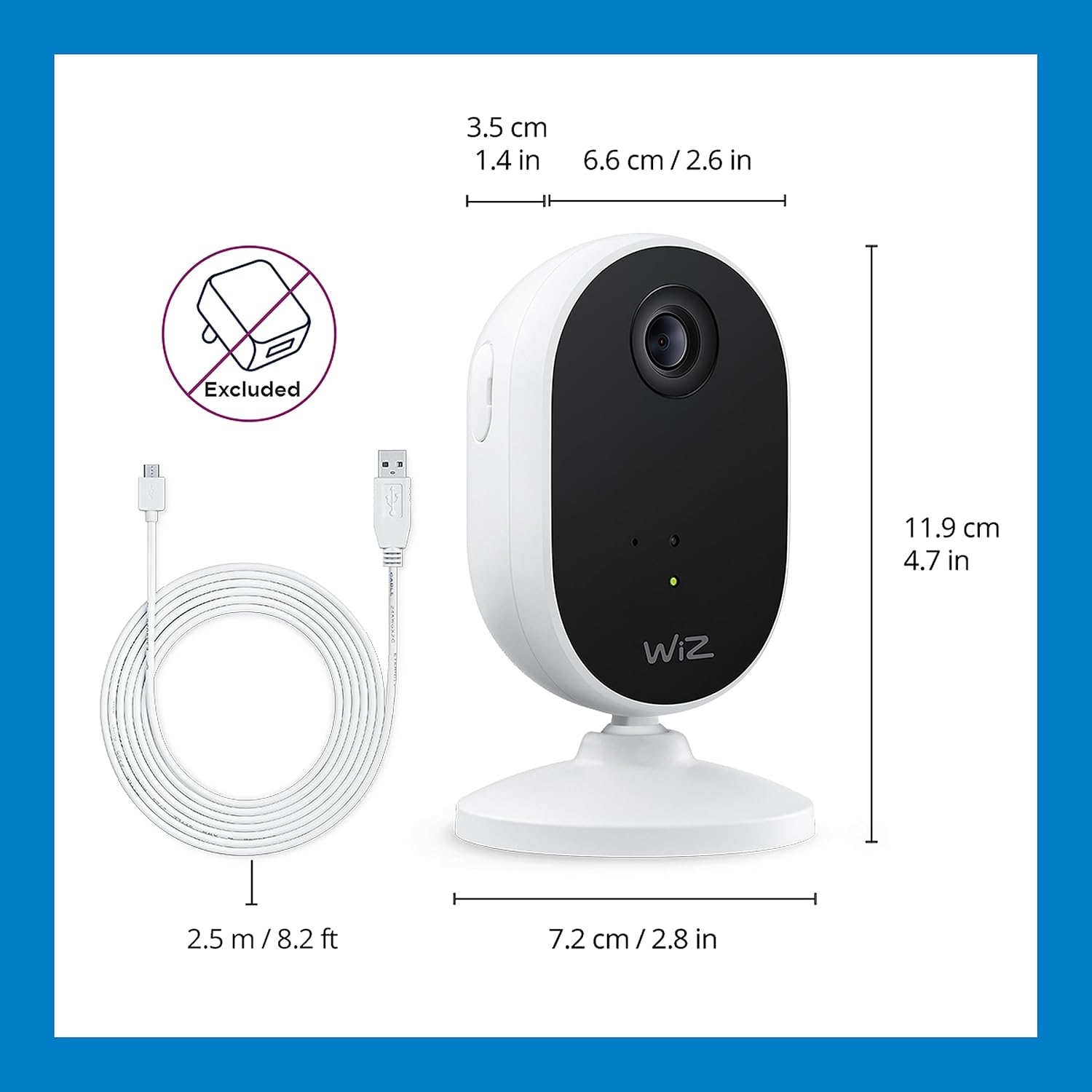
Image: Detailed view of the WiZ Indoor Security Camera with its dimensions (11.9 cm / 4.7 in height, 7.2 cm / 2.8 in width) and the 2.5 m / 8.2 ft USB cable. Note: Power adapter is excluded.

Image: Detailed view of the WiZ A19 Color LED Smart Bulb with its dimensions (11.8 cm / 4.64 in height, 6.0 cm / 2.40 in width) and a color spectrum bar.
Setup Instructions
Follow these steps to set up your WiZ Home Monitoring Starter Kit:
- Download the WiZ App: Search for "WiZ" in your mobile device's app store (iOS or Android) and download the official WiZ app.
- Power On the Camera: Connect the WiZ Indoor Security Camera to a power source using the provided USB cable and a compatible USB power adapter (not included). The camera will power on automatically.
- Install Smart Bulbs: Screw the WiZ A19 Color LED Smart Bulbs into standard light fixtures. Ensure the fixtures are powered on.
- Connect to Wi-Fi: Open the WiZ app and follow the on-screen instructions to add your new devices. The setup process requires a 2.4GHz Wi-Fi network. The app will guide you through pairing the camera and bulbs to your home network.
- Placement: Position the camera in your desired indoor location. It can be placed on a flat surface or mounted on a wall. Ensure it has a clear view of the area you wish to monitor.

Image: Demonstrates the easy plug-and-play setup, showing a hand screwing in a smart bulb and a smartphone screen confirming successful pairing. Requires 2.4GHz Wi-Fi for setup only.
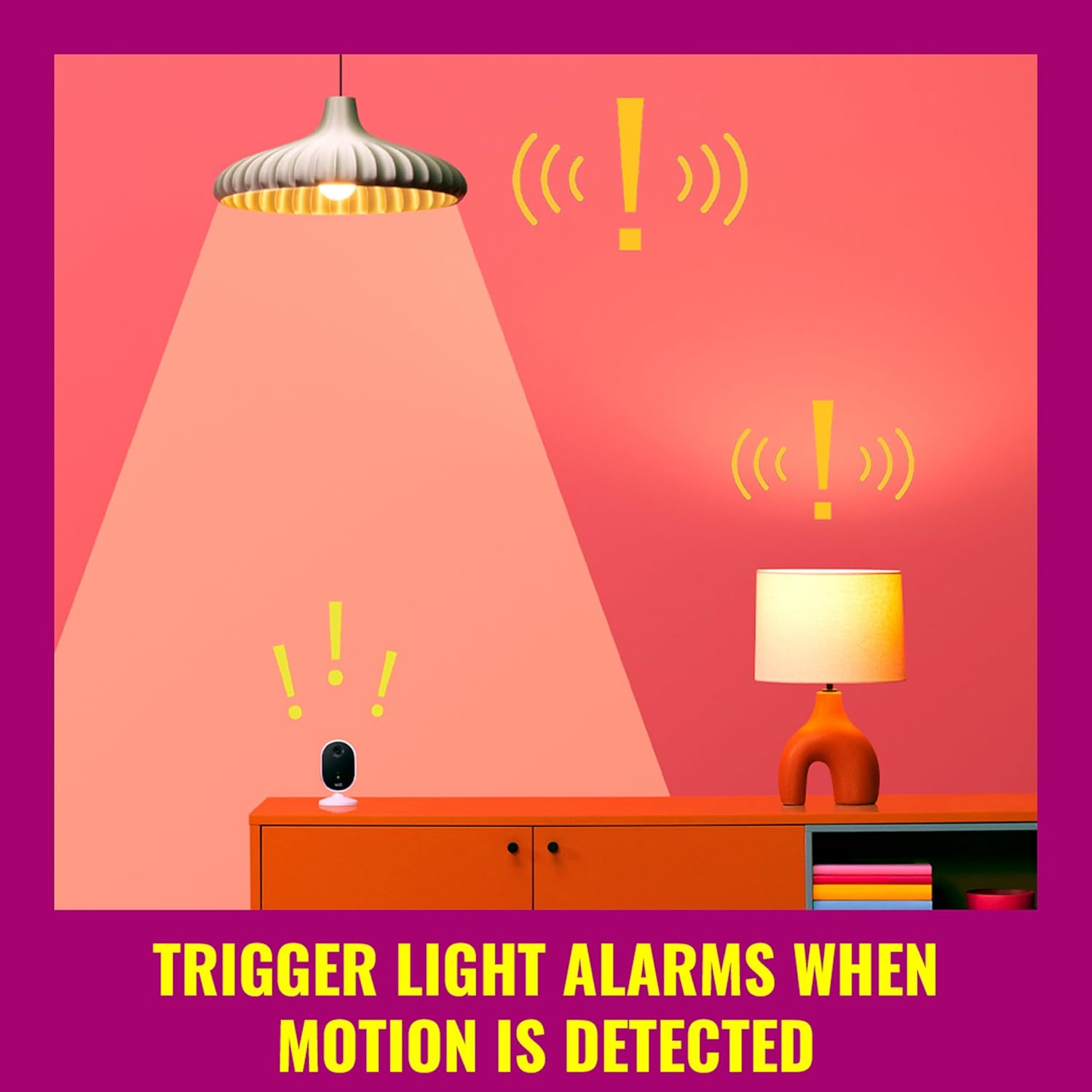
Image: A person using the WiZ app on a smartphone to connect the indoor camera to their WiZ smart lighting system, with a smart light illuminating the scene.
Operating Your WiZ System
Once set up, your WiZ Home Monitoring Starter Kit offers various functionalities for security and convenience:
Camera Operation:
- Live Video Stream: Access real-time 1080p HD video from your camera through the WiZ app.
- Motion and Sound Detection: The camera detects activity and sends real-time mobile alerts to your device.
- Two-Way Audio: Use the full-duplex audio feature to speak and listen through the camera.
- Night Vision: Activate infrared night vision in the app to monitor in dark conditions.
- Recording: Video footage can be stored locally on a microSD card (sold separately) or via cloud storage with a WiZ Security Subscription.
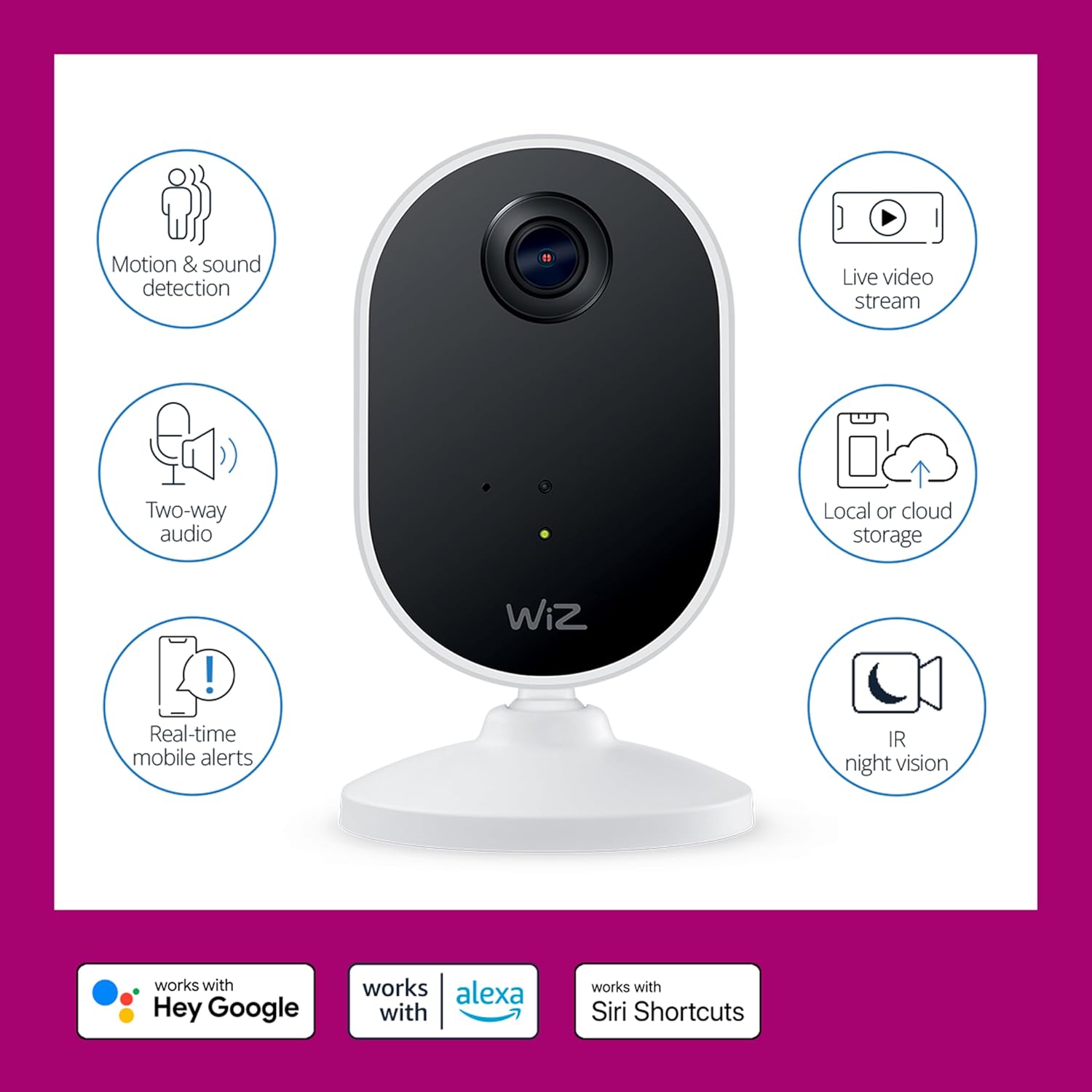
Image: Illustrates the core functionalities of the WiZ camera, including motion and sound detection, two-way audio, real-time mobile alerts, live video streaming, local or cloud storage options, and IR night vision. Also highlights compatibility with Hey Google, Alexa, and Siri Shortcuts.
Smart Lighting and SpaceSense™:
- Automated Lighting: Set your WiZ lights to turn on when you enter a room and off when you leave, using SpaceSense™ technology.
- Light Alarms: Configure lights to flash or change color to deter intruders when motion is detected by the camera or other WiZ lights.
- Mimic Presence: Schedule lights to turn on and off automatically to simulate occupancy when you are away from home.
- Customizable Colors: Adjust the color and brightness of your smart bulbs to create different ambiances.

Image: Depicts smart lights triggering visual alarms (indicated by exclamation marks) when motion is detected by the WiZ camera, demonstrating the integrated security feature.

Image: Shows a person checking their phone, with lights on in a house, simulating presence to deter potential intruders when the user is away.
Remote Control and Voice Assistants:
- WiZ App: Control all aspects of your camera and lights from anywhere using the WiZ app.
- Voice Control: Integrate with Amazon Alexa, Google Assistant, or Siri Shortcuts for hands-free control.

Image: A person relaxing by a pool, using their smartphone to control their WiZ devices, illustrating the ability to control the system from anywhere.
Maintenance
To ensure optimal performance and longevity of your WiZ Home Monitoring Starter Kit, consider the following maintenance tips:
- Software Updates: Regularly check the WiZ app for firmware updates for your camera and bulbs. Keeping your devices updated ensures access to the latest features and security enhancements.
- Cleaning: Gently wipe the camera lens and bulb surfaces with a soft, dry cloth to remove dust and smudges. Avoid using abrasive cleaners or solvents.
- Network Stability: Ensure your Wi-Fi network is stable and strong in the areas where devices are placed to prevent connectivity issues.
Troubleshooting
If you encounter issues with your WiZ Home Monitoring Starter Kit, refer to the common problems and solutions below:
| Problem | Possible Cause | Solution |
|---|---|---|
| Delayed or missed alerts from camera | Poor Wi-Fi signal, app notification settings, server issues. | Check Wi-Fi strength. Ensure app notifications are enabled. Restart camera and router. |
| Muffled or unclear two-way audio | Microphone/speaker obstruction, network latency. | Ensure no obstructions near microphone/speaker. Check network stability. |
| Connectivity issues with bulbs or camera during setup | Incorrect Wi-Fi band (requires 2.4GHz), network interference, incorrect pairing steps. | Ensure you are connecting to a 2.4GHz Wi-Fi network. Move devices closer to router. Follow app pairing steps carefully. Try resetting the device. |
| SD card stops recording or only takes photos | SD card corruption, subscription requirement for full features. | Format the SD card. Consider a WiZ Security Subscription for full recording capabilities and cloud storage. |
| Slow live video connection or frequent disconnections | Weak Wi-Fi signal, network congestion, internet speed. | Improve Wi-Fi signal strength (e.g., use a Wi-Fi extender). Reduce network traffic. Check internet service provider speed. |
| WiZ app is difficult to use or missing features | App version, user familiarity. | Ensure your app is updated to the latest version. Refer to the in-app help or WiZ support resources for guidance on features. |
Specifications
| Feature | Detail |
|---|---|
| Brand | WiZ Connected |
| Model Name | Home Monitoring Starter kit WiZ NAM |
| Item Model Number | 605210 |
| Indoor/Outdoor Usage | Indoor |
| Power Source | Corded Electric |
| Connectivity Protocol | Wi-Fi |
| Wireless Communication Technology | Wi-Fi |
| Controller Type | Amazon Alexa, iPhone |
| Mounting Type | Wall Mount |
| Video Capture Resolution | 1080p |
| Field Of View | 130 Degrees |
| Alert Type | Motion Only |
| Included Components | 1x WiZ Security Camera & 3x 60W A19 Bulbs |
| Material | Plastic |
| Voltage | 120 Volts |
| Wattage | 8.8 watts |
| Item Dimensions (L x W x H) | 4.65 x 2.36 x 4.65 inches |
| Item Weight | 1.6 pounds |
| UPC | 046677605216 |
| Manufacturer | Signify North America Inc. |
| International Protection Rating | IP65 |
Warranty and Support
Warranty Information: Specific warranty details for the WiZ Home Monitoring Starter Kit are typically provided with your product packaging or can be found on the official WiZ Connected website. Please refer to these resources for the most accurate and up-to-date warranty terms and conditions.
Customer Support: For technical assistance, troubleshooting beyond this manual, or general inquiries, please visit the official WiZ Connected support page or contact their customer service directly. Support resources often include FAQs, troubleshooting guides, and contact information for direct assistance.
For more information, visit: www.wizconnected.com
Documents and downloads
Ask a question about this manual
Ask about setup, troubleshooting, compatibility, parts, safety, or missing instructions. Manuals+ will review the question and use this page’s manual context to help answer it.