Product Overview
The Fisher-Price Learn & Play Puppy Remote Control educational toy is designed like an adult TV remote but includes engaging features for babies, promoting imaginative play. When children press the buttons, the Puppy's screen lights up, and cheerful songs and phrases introduce numbers, letters, and more. This toy helps develop fine motor skills, such as hand-eye coordination.
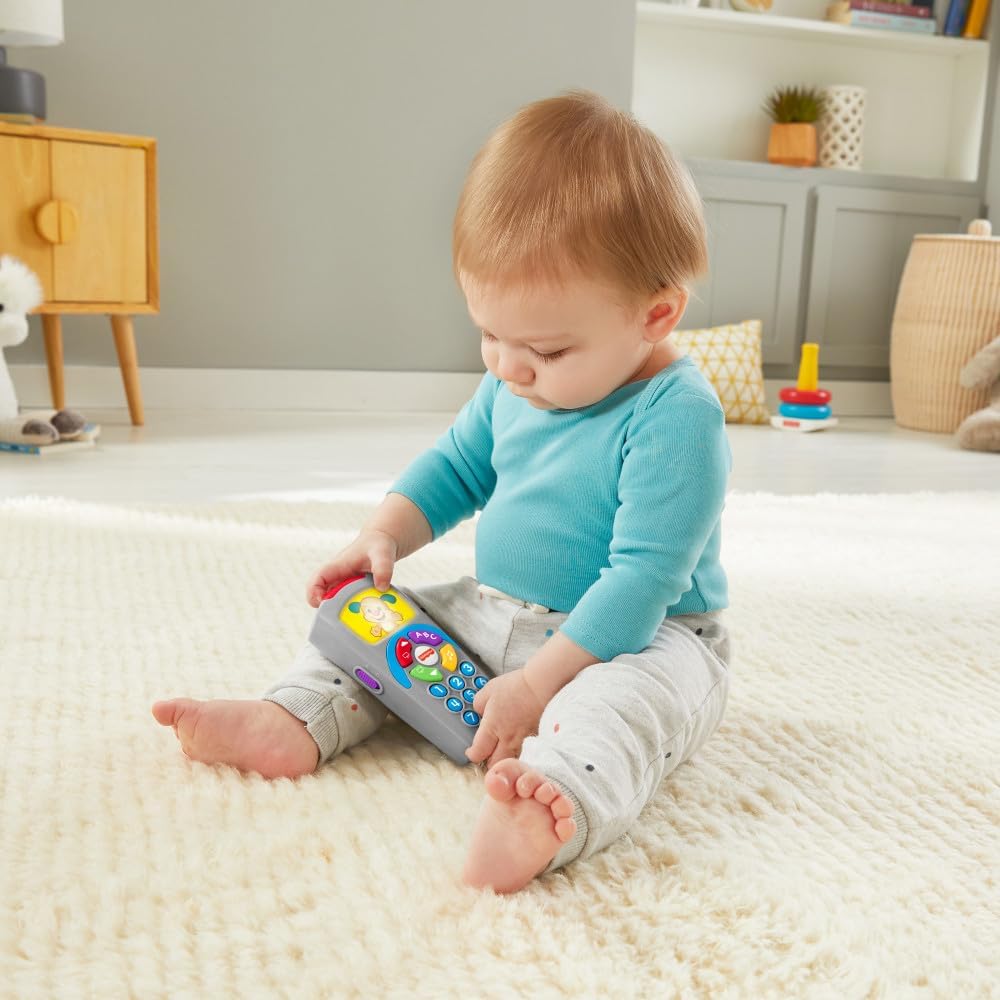
Image: A baby sitting on a rug, happily interacting with the Fisher-Price Puppy Remote Control toy.
Key Features:
- Puppy Remote Control: This pretend TV remote toy features a light-up screen, music, sounds, and volume control.
- Multiple Sounds to Explore: The toy includes over 35 songs, sounds, and phrases that introduce the alphabet, colors, opposites, and greetings.
- Stimulating Play: Pressing buttons to activate lights and music helps introduce cause and effect, strengthening fine motor skills and encouraging early pretend play.
- Engaging Design: Bright colors and sounds stimulate your baby's developing senses of sight and hearing with this toy remote.
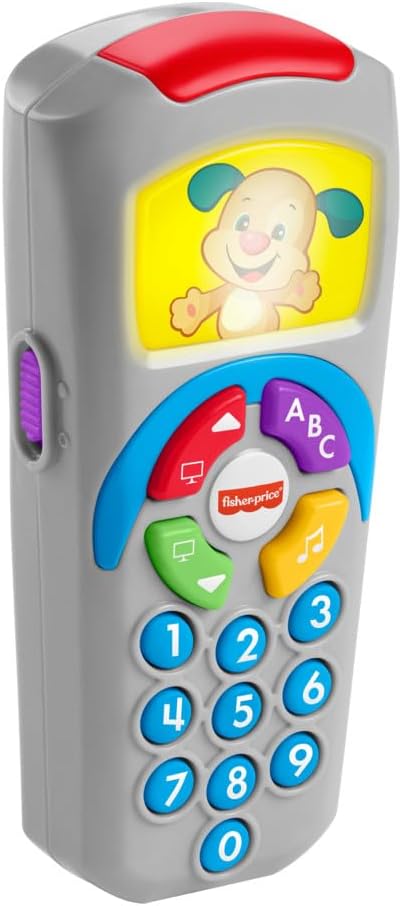
Image: A detailed front view of the Fisher-Price Puppy Remote Control toy, showcasing its colorful buttons and light-up screen with a puppy character.
Safety Information
This product is recommended for children aged 6 months to 3 years. Always supervise children during play. Inspect the toy regularly for any damage or loose parts that could pose a choking hazard. Do not immerse the toy in water.
Setup
Battery Installation
The Fisher-Price Puppy Remote Control toy requires batteries for operation.
- Locate the battery compartment on the side or back of the toy.
- Using a Phillips head screwdriver (not included), loosen the screw and open the battery compartment cover.
- Insert the required batteries (type and quantity usually specified inside the compartment, typically AA or AAA) ensuring correct polarity (+/-).
- Replace the battery compartment cover and tighten the screw securely.

Image: A side view of the toy remote, indicating the location of the battery compartment.
Operating Instructions
Basic Functions
Once batteries are installed, the toy is ready for use. The remote features various buttons designed for interactive play:
- Number Buttons (0-9): Press these buttons to hear numbers and related sounds or phrases.
- Alphabet Button (ABC): Activates songs and phrases related to the alphabet.
- Music Note Button: Plays various melodies and musical sounds.
- Directional Buttons (Up/Down): May activate different modes or sounds depending on the context.
- Screen Button: Interacts with the light-up screen, often changing the puppy's expression or activity.
Encourage your child to explore all the buttons to discover different sounds, lights, and learning content. The toy is designed to respond to button presses with engaging feedback, fostering curiosity and learning.

Image: A clear front view of the toy remote, highlighting the layout of its interactive buttons and the illuminated screen.
Maintenance
Cleaning and Storage
- To clean the toy, wipe it with a damp cloth. Do not use abrasive cleaners or immerse in water.
- Store the toy in a dry place away from direct sunlight when not in use.
- Remove batteries if the toy will not be used for an extended period to prevent battery leakage.
Troubleshooting
- No Sound/Lights: Check if the batteries are correctly installed and not depleted. Replace with fresh batteries if necessary.
- Intermittent Operation: Ensure battery contacts are clean and free of corrosion. Reinstall batteries firmly.
- Toy Not Responding: Turn the toy off and then on again. If the issue persists, replace the batteries.
Specifications
| Feature | Detail |
|---|---|
| Model Number | HXB73 |
| Brand | Mattel |
| Recommended Age | 6 months - 3 years |
| Material Type | Plastic (100% Plastic) |
| Power Source | Battery-powered |
| Color | Gray |
| Product Dimensions | 7 x 4 x 16 cm |
| Product Weight | 158 g |
| EAN | 0194735225217 |
| Certification | INMETRO: 005926/2021 |
Warranty and Support
For warranty information or customer support, please refer to the contact details provided on the product packaging or visit the official Mattel/Fisher-Price website. Keep your purchase receipt as proof of purchase.


