
Trophy Ridge ARE302PR
Trophy Ridge Propel IMS Limb Driven Archery Arrow Rest (Right Hand)
Instruction Manual - Model: ARE302PR
Introduction
The Trophy Ridge Propel IMS Limb Driven Archery Arrow Rest is designed for reliable and quiet arrow support. This limb-driven rest offers a fully captured design and is compatible with the IMS mounting system for a low-profile setup. It can be configured for activation from either the upper or lower bow limb.
This manual provides detailed instructions for the proper installation, operation, and maintenance of your Propel IMS arrow rest to ensure optimal performance and longevity.
Safety Information
Always exercise caution when working with archery equipment. Improper installation or use of an arrow rest can lead to equipment damage or personal injury. Adhere to the following safety guidelines:
- Ensure your bow is de-cocked or unstrung before attempting any installation or adjustment.
- Always wear appropriate eye protection when working on or shooting your bow.
- Verify all components are securely fastened before use.
- If you are unsure about any installation or adjustment step, consult a qualified archery technician.
- Keep fingers and clothing clear of moving parts during operation.
What's in the Box
Your Trophy Ridge Propel IMS Limb Driven Archery Arrow Rest package should contain the following items:
- Propel IMS Limb Driven Arrow Rest (Right Hand)
- Mounting Hardware
- Limb Activation Cord
- Installation Instructions (this manual)
Setup and Installation
The Propel IMS arrow rest is designed for straightforward installation without the need for a bow press. Follow these steps carefully:
1. Mounting the Rest
Attach the arrow rest to your bow's riser using the provided mounting hardware. The IMS system allows for a low-profile fit. Ensure the rest is oriented correctly for a right-hand shooter.
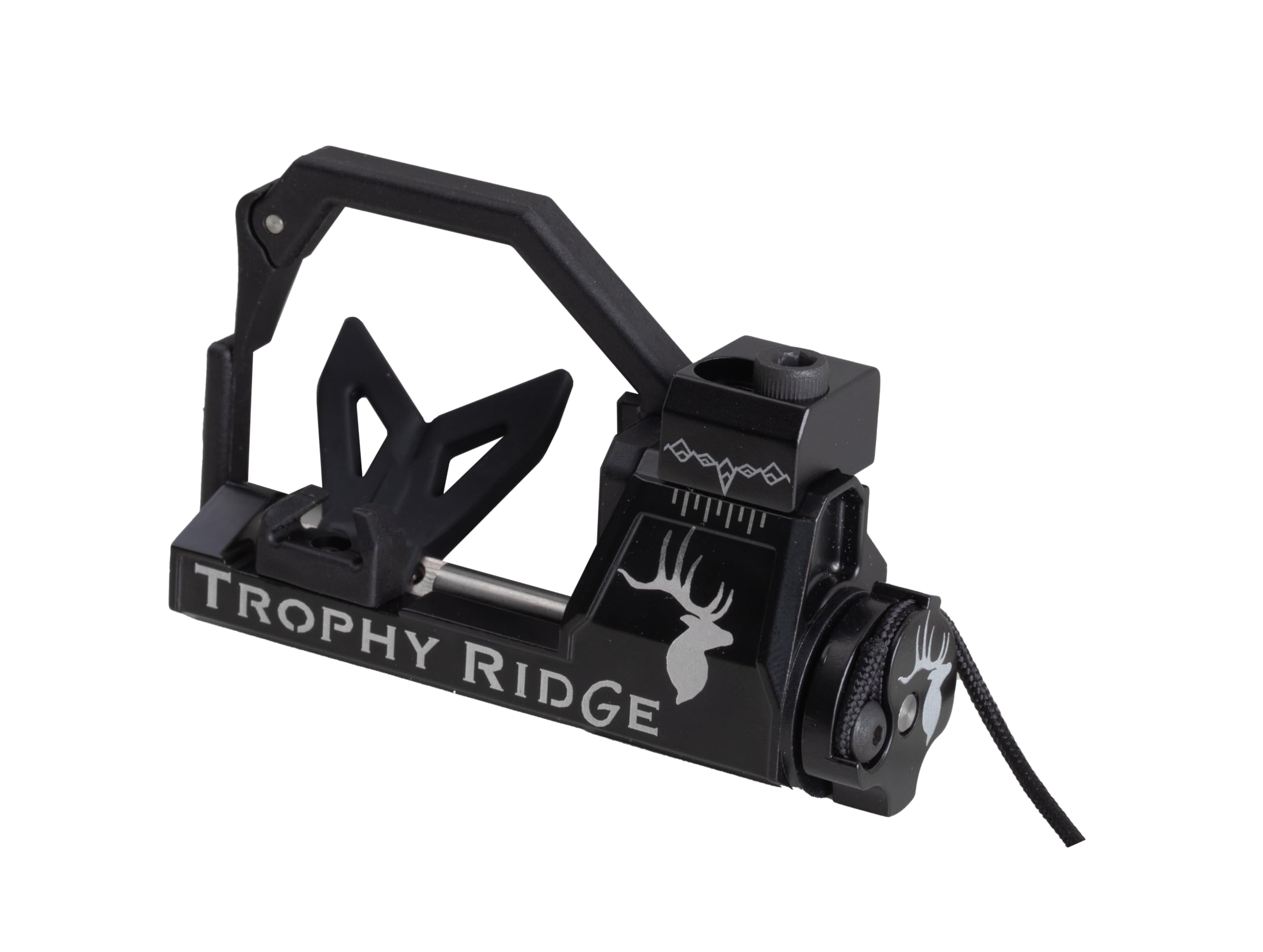
Image: Front view of the Propel IMS arrow rest securely mounted to the bow riser.
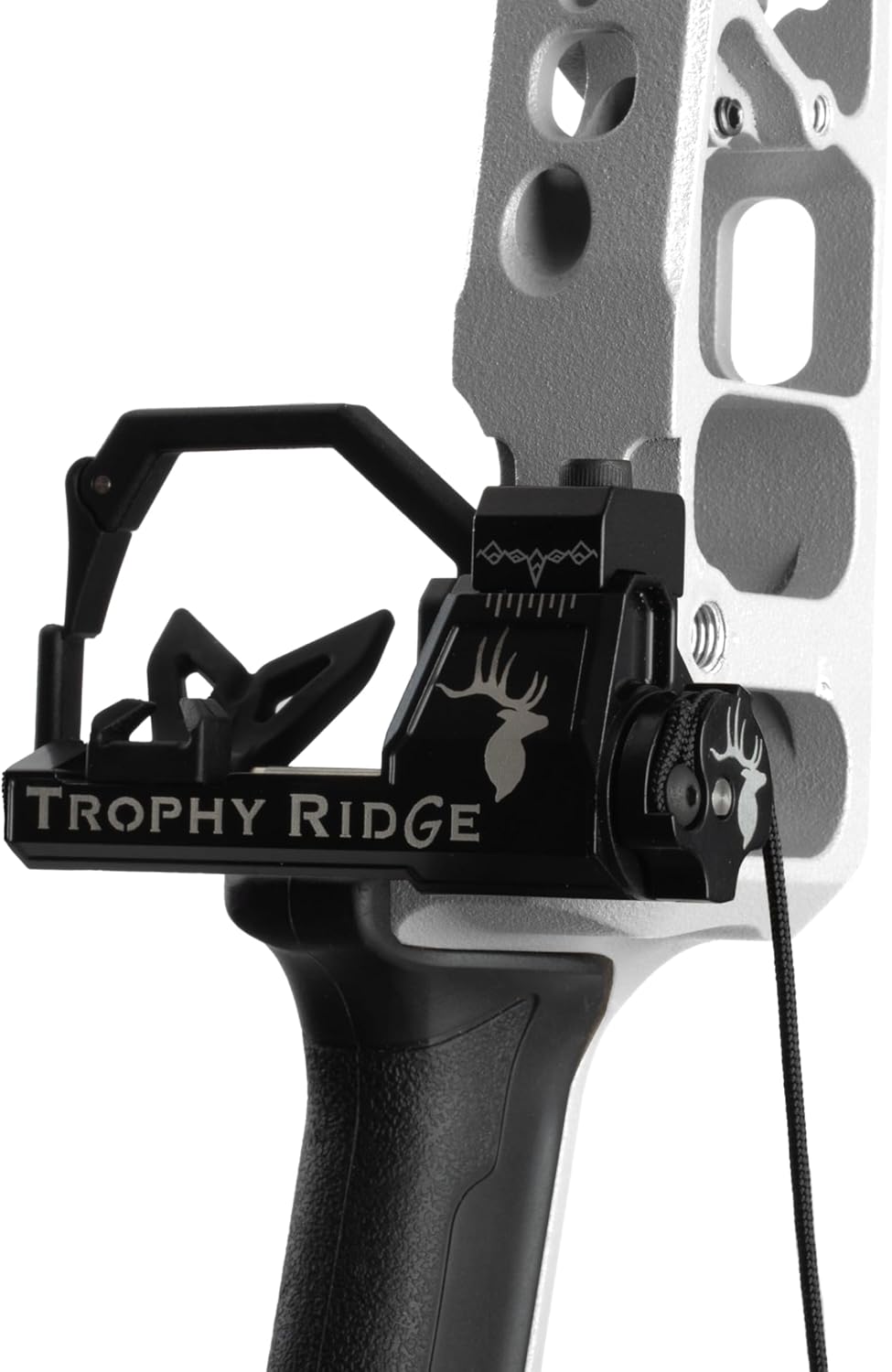
Image: Side view of the Propel IMS arrow rest, showing its low-profile design.
2. Attaching the Limb Activation Cord
The Propel IMS can be configured for activation from either the upper or lower limb. Route the limb activation cord from the rest to your chosen limb. Securely attach the cord to the limb according to the specific instructions for your bow model. Ensure there is no slack in the cord when the bow is at rest, but also no excessive tension that could prematurely activate the rest.
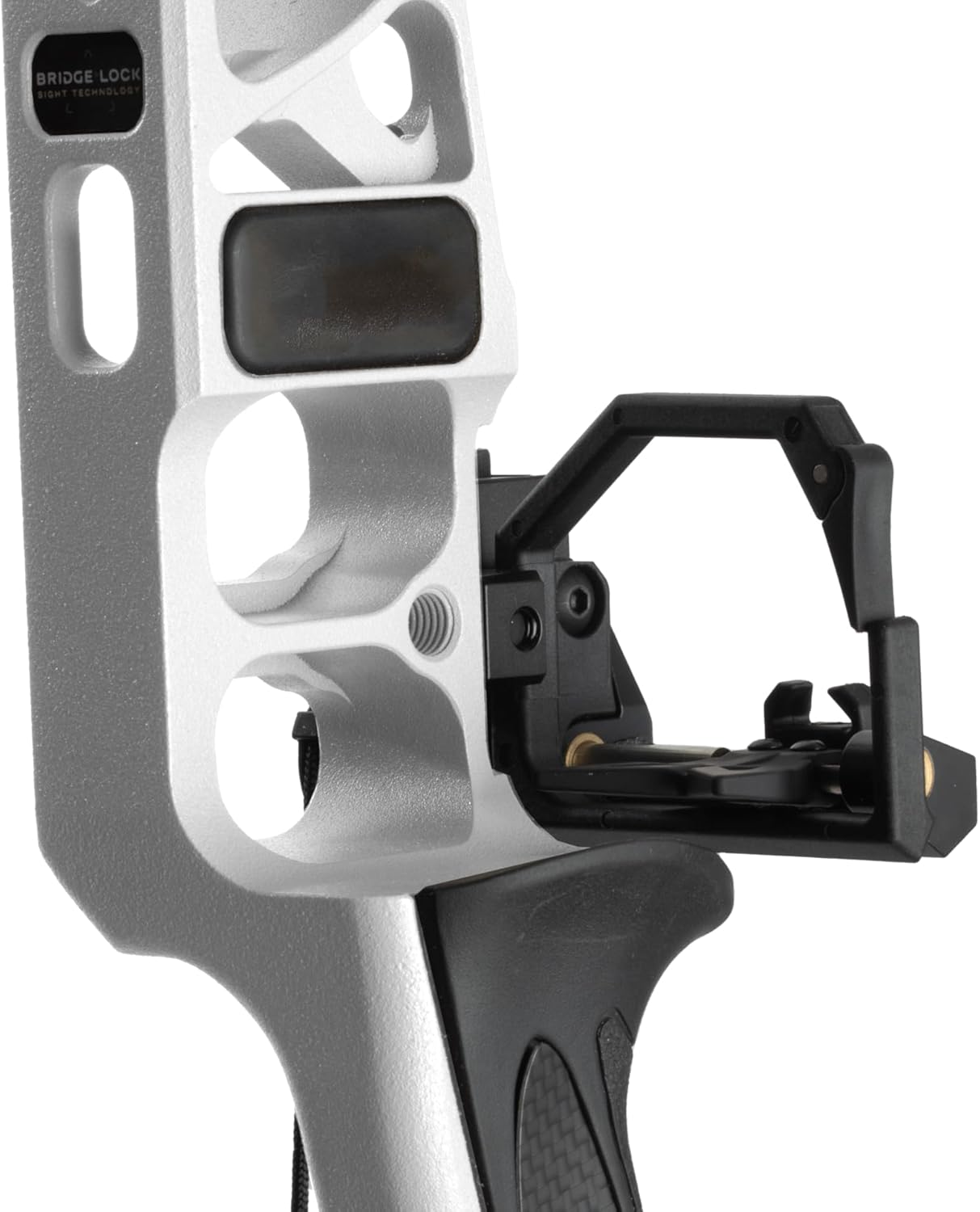
Image: Rear view of the arrow rest, illustrating the path of the limb activation cord.
3. Initial Adjustments (Center Shot and Timing)
Once mounted and the cord is attached, perform initial adjustments for center shot and timing. Center shot ensures the arrow is aligned with the bowstring. Timing involves adjusting the cord length so the rest drops away cleanly and consistently as the bowstring is released.
- Center Shot: Use the horizontal adjustment screws on the rest to align the arrow with the center of your bowstring. A bow square can assist with this.
- Timing: Draw the bow slowly and observe the rest's movement. The rest should remain in the upright position until just before the arrow leaves the bow, then drop quickly and completely. Adjust the limb cord length as needed to achieve this timing.

Image: An archer preparing to shoot, demonstrating the arrow rest in use.
Operating the Arrow Rest
The Propel IMS is a limb-driven drop-away rest. When you draw your bow, the tension from the limb activation cord pulls the rest into the upright position, supporting the arrow. Upon release, the tension on the cord is relieved, causing the rest to drop rapidly out of the arrow's path, ensuring fletching clearance and consistent arrow flight.
- Place your arrow onto the rest, ensuring it is seated properly.
- Draw your bow smoothly. The rest will rise to support the arrow.
- Aim and release the bowstring. The rest will drop away as the arrow begins to move forward.
Maintenance
Regular maintenance will prolong the life and performance of your arrow rest.
- Cleaning: Periodically clean the rest with a soft, damp cloth to remove dirt and debris. Avoid harsh chemicals.
- Inspection: Regularly inspect the limb activation cord for fraying or wear. Replace it if any damage is observed. Check all screws and fasteners for tightness.
- Lubrication: Moving parts may benefit from a small amount of dry lubricant (e.g., graphite powder) if they become stiff, but avoid over-lubrication which can attract dirt.
Troubleshooting
Here are solutions to common issues you might encounter:
| Problem | Possible Cause | Solution |
|---|---|---|
| Arrow contact with rest (fletching contact) | Incorrect timing, rest not dropping fast enough or completely. | Adjust the limb activation cord length to ensure the rest drops fully and quickly. Verify center shot. |
| Rest not rising fully or consistently | Limb cord too loose, obstruction, or internal mechanism issue. | Tighten the limb cord. Check for debris. Inspect the rest's internal mechanism for damage. |
| Excessive noise during draw or shot | Loose components, friction, or arrow contact. | Ensure all screws are tight. Check for any parts rubbing. Verify fletching clearance. |
Specifications
- Model Name: TR PROPEL IMS LIMB DRIVEN REST RH
- Model Number: ARE302PR
- Manufacturer Part Number: 1501836
- Brand: Trophy Ridge
- Material: Aluminum
- Color: Black
- Hand Orientation: Right Hand
- UPC: 754806381657
- Included Components: Arrow Rest
Warranty and Support
This Trophy Ridge Propel IMS Limb Driven Archery Arrow Rest comes with a Limited Lifetime Warranty. For specific details regarding warranty coverage, claims, or technical support, please refer to the official Trophy Ridge website or contact their customer service department directly.
For further assistance, you may visit the Trophy Ridge Store on Amazon or consult the manufacturer's official resources.
Ask a question about this manual
Ask about setup, troubleshooting, compatibility, parts, safety, or missing instructions. Manuals+ will review the question and use this page’s manual context to help answer it.