
JIUYEE AIR C2
Contents
JIUYEE Rechargeable Bluetooth Hearing Aids
User Manual
Introduction
Thank you for choosing JIUYEE Rechargeable Bluetooth Hearing Aids. These advanced in-the-ear (ITE) devices are designed to provide clear sound quality and seamless connectivity for individuals with mild to moderate hearing loss. Featuring 24-channel audio processing, intelligent noise reduction, and Bluetooth capabilities, your new hearing aids offer a personalized and comfortable listening experience.
This manual provides essential information on setting up, operating, and maintaining your hearing aids to ensure optimal performance and longevity.

Image: JIUYEE Rechargeable Bluetooth Hearing Aids, showing the two earbuds and their charging case. The earbuds are green with orange accents inside the case, and one earbud is held by a hand, demonstrating its compact size.
Setup
1. Initial Charging
Before first use, fully charge the hearing aid charging case and the hearing aids themselves. Place the hearing aids into their respective slots in the charging case. The indicator lights on the case will show charging status. A full charge typically takes approximately 2-3 hours.
2. Ear Tip Selection and Fit
The package includes 18 different ear tips to ensure a comfortable and secure fit. Select the ear tip size that provides the best seal and comfort in your ear canal. A proper fit is crucial for optimal sound quality and to prevent feedback.

Image: A man smiling, wearing a JIUYEE hearing aid discreetly in his ear, demonstrating the in-the-ear design and comfortable fit.
3. App Installation and Self-Fitting
Download the dedicated JIUYEE app from your device's app store. The app allows for personalized self-fitting and adjustments. Follow the in-app instructions to conduct a hearing test, which will intelligently adjust volume, treble, and bass settings to your unique hearing profile.
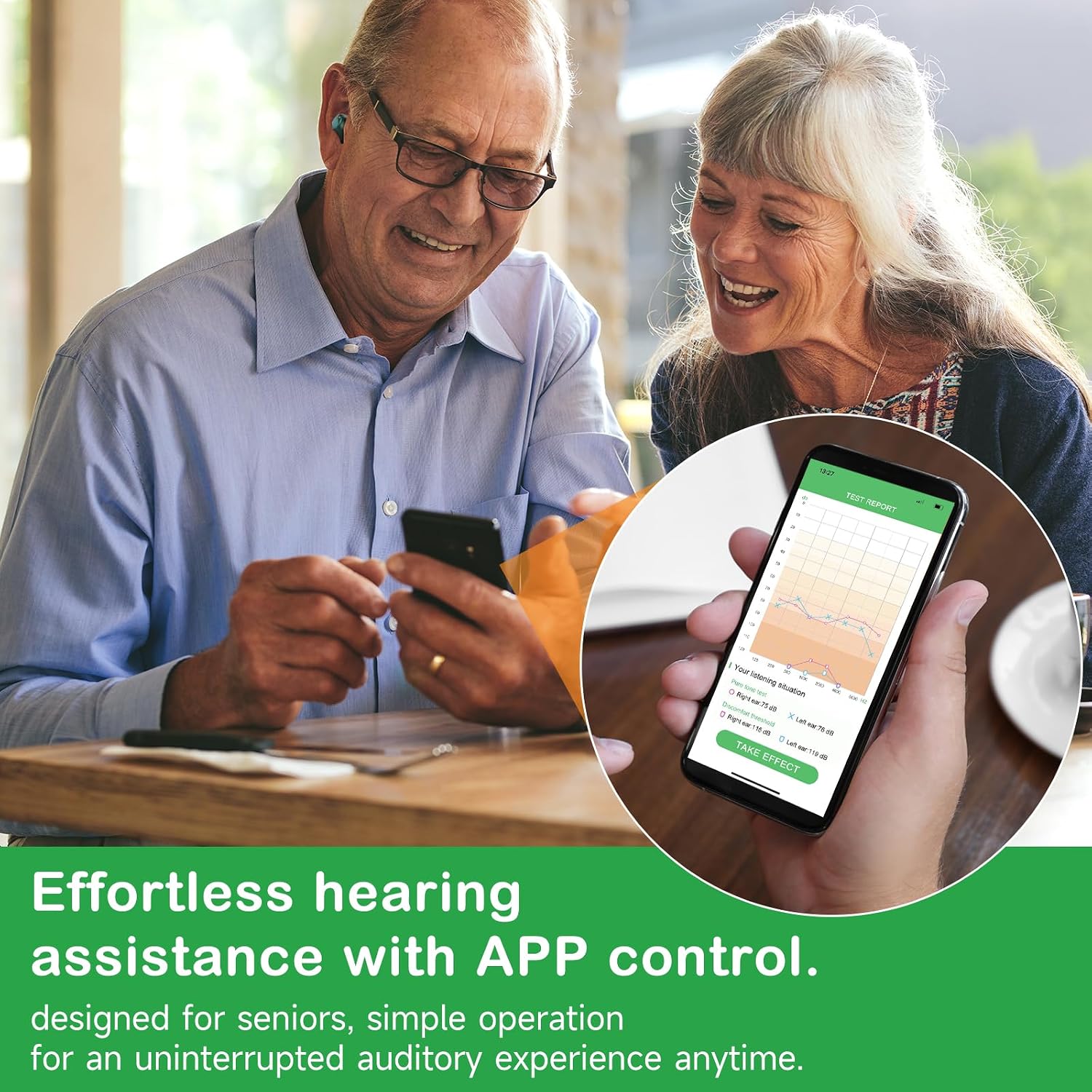
Image: Two individuals, one holding a smartphone displaying the JIUYEE app's hearing test report interface, indicating the self-fitting capabilities.
4. Bluetooth Pairing
Ensure Bluetooth is enabled on your smartphone or other compatible device. Open the charging case, and the hearing aids will enter pairing mode. Select "JIUYEE AIR C2" (or similar model name) from the list of available Bluetooth devices on your phone. Once connected, you can stream audio and calls directly to your hearing aids.
Operating Instructions
1. Power On/Off
- Power On: Remove the hearing aids from the charging case. They will automatically power on.
- Power Off: Place the hearing aids back into the charging case. They will automatically power off and begin charging.
2. Volume and Program Control
Adjust volume and switch between hearing programs using the JIUYEE app. The app provides fine-tuned control over your listening experience, allowing you to adapt to different environments.
3. Bluetooth Streaming
Once paired, you can stream audio from your connected device. This includes phone calls, music, podcasts, and other media. The hearing aids function as wireless earbuds for a hands-free experience.

Image: A smartphone screen showing a Bluetooth connection menu and a video call in progress, illustrating the seamless connectivity of the JIUYEE hearing aids for communication and media.
4. Noise Reduction Technology
Your JIUYEE hearing aids feature AI adaptive noise reduction technology. This system intelligently minimizes unwanted background sounds, allowing you to focus on conversations and important audio cues in various environments.

Image: A split image showing a person comfortably using the hearing aids in a quiet setting and another person experiencing discomfort from loud noise, with an overlay illustrating the internal components and sound wave processing of the AI adaptive noise reduction technology.
Maintenance
1. Cleaning
Regular cleaning is essential for hygiene and optimal performance. Use a soft, dry cloth to wipe the surface of the hearing aids daily. For ear tips, gently remove them and clean with a mild, damp cloth, ensuring they are completely dry before reattaching. Do not use harsh chemicals or immerse the hearing aids in water.
2. Charging Case Care
Keep the charging case clean and dry. Ensure the charging contacts inside the case are free from debris. Charge the case regularly to ensure it's ready to power your hearing aids when needed.
3. Storage
When not in use, store your hearing aids in their charging case. Keep them in a cool, dry place away from direct sunlight, extreme temperatures, and humidity. This helps preserve battery life and protects the devices from damage.
Troubleshooting
| Problem | Possible Cause | Solution |
|---|---|---|
| No Sound/Low Sound | Low battery; improper fit; ear tip blockage; incorrect app settings. | Charge hearing aids; adjust ear tip for secure fit; clean ear tip; check app volume and program settings. |
| Feedback/Whistling Sound | Improper ear tip fit; ear tip too small; earwax buildup; hearing aid not inserted correctly. | Try a larger ear tip; ensure hearing aid is fully inserted; clean ear canal if necessary. |
| Bluetooth Connectivity Issues | Hearing aids not in pairing mode; Bluetooth off on device; interference; previously paired device. | Ensure hearing aids are out of case and in pairing mode; turn Bluetooth off/on on your device; move closer to device; forget device and re-pair. |
| App Not Responding | App crash; outdated app version; phone operating system issues. | Close and restart the app; check for app updates; restart your smartphone. |
Specifications
| Feature | Detail |
|---|---|
| Model Name | AIR C2 |
| Fit Type | In-Ear (ITE) |
| Power Source | Battery Powered |
| Color | Green |
| Manufacturer | JIUYEE |
| Battery Life (Pure Hearing) | Up to 48 hours (single charge) |
| Battery Life (Bluetooth & Hearing Aid) | Over 12 hours (single charge) |
| Charging Case Battery Life | Up to 192 hours additional (combined usage) |
| Weight | Approximately 5g per hearing aid |

Image: An infographic detailing the battery life of the JIUYEE hearing aids, showing single charge usage times for pure hearing, Bluetooth & music, and Bluetooth & calls, as well as combined usage time with the charging case.
Warranty and Support
For specific warranty details, please refer to the warranty card or documentation included with your product packaging. Warranty terms typically cover manufacturing defects for a specified period from the date of purchase.
If you encounter any issues or require technical assistance, please contact JIUYEE customer support. Contact information can usually be found on the product packaging, the official JIUYEE website, or through the retailer where you purchased the product.
Ask a question about this manual
Ask about setup, troubleshooting, compatibility, parts, safety, or missing instructions. Manuals+ will review the question and use this page’s manual context to help answer it.