1. Introduction
This manual provides essential instructions for the safe and efficient operation, maintenance, and troubleshooting of your NESCAFÉ Dolce Gusto De'Longhi EDG226.W automatic pod coffee machine. Please read this manual thoroughly before first use and retain it for future reference.
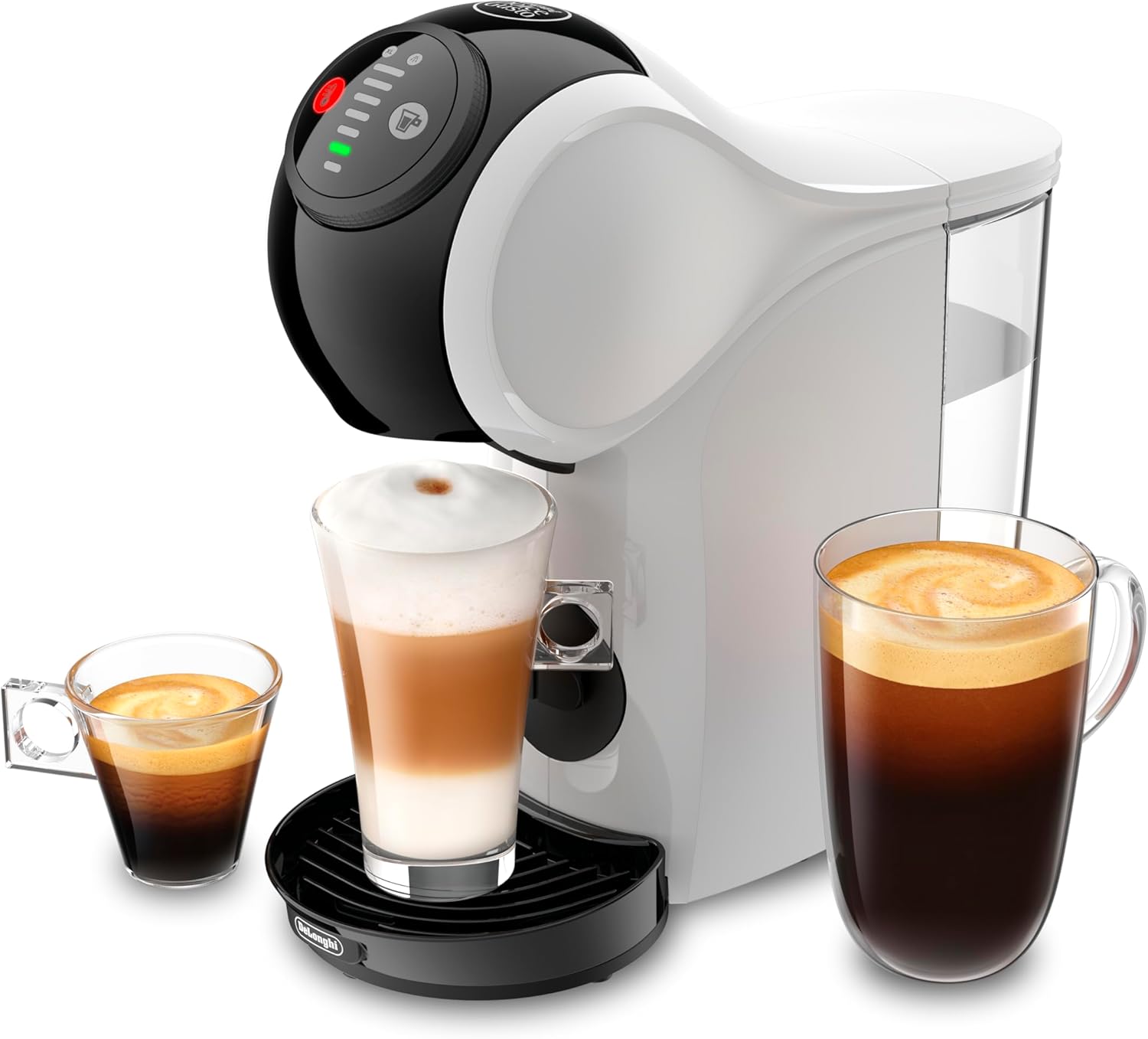
Image 1.1: The De'Longhi EDG226.W coffee machine, showcasing its compact design and versatility in preparing various coffee types, including espresso, latte macchiato, and Americano.
2. Important Safety Instructions
Always follow basic safety precautions when using electrical appliances to reduce the risk of fire, electric shock, and injury to persons.
- Read all instructions before use.
- Do not touch hot surfaces. Use handles or knobs.
- To protect against fire, electric shock, and injury to persons, do not immerse cord, plugs, or appliance in water or other liquid.
- Close supervision is necessary when any appliance is used by or near children.
- Unplug from outlet when not in use and before cleaning. Allow to cool before putting on or taking off parts, and before cleaning the appliance.
- Do not operate any appliance with a damaged cord or plug or after the appliance malfunctions, or has been damaged in any manner.
- The use of accessory attachments not recommended by the appliance manufacturer may result in fire, electric shock, or injury to persons.
- Do not use outdoors.
- Do not let cord hang over edge of table or counter, or touch hot surfaces.
- Do not place on or near a hot gas or electric burner, or in a heated oven.
- Always attach plug to appliance first, then plug cord into the wall outlet. To disconnect, turn any control to 'off', then remove plug from wall outlet.
- Do not use appliance for other than intended use.
3. Product Components
Familiarize yourself with the main parts of your coffee machine:
- Water Tank: Removable tank for water supply.
- Pod Holder: Tray for inserting coffee pods.
- Drip Tray: Collects excess liquid and supports cups.
- Control Panel: Features power button, beverage volume selector, and hot/cold selection.
- Brew Head: Where the pod is pierced and water is dispensed.
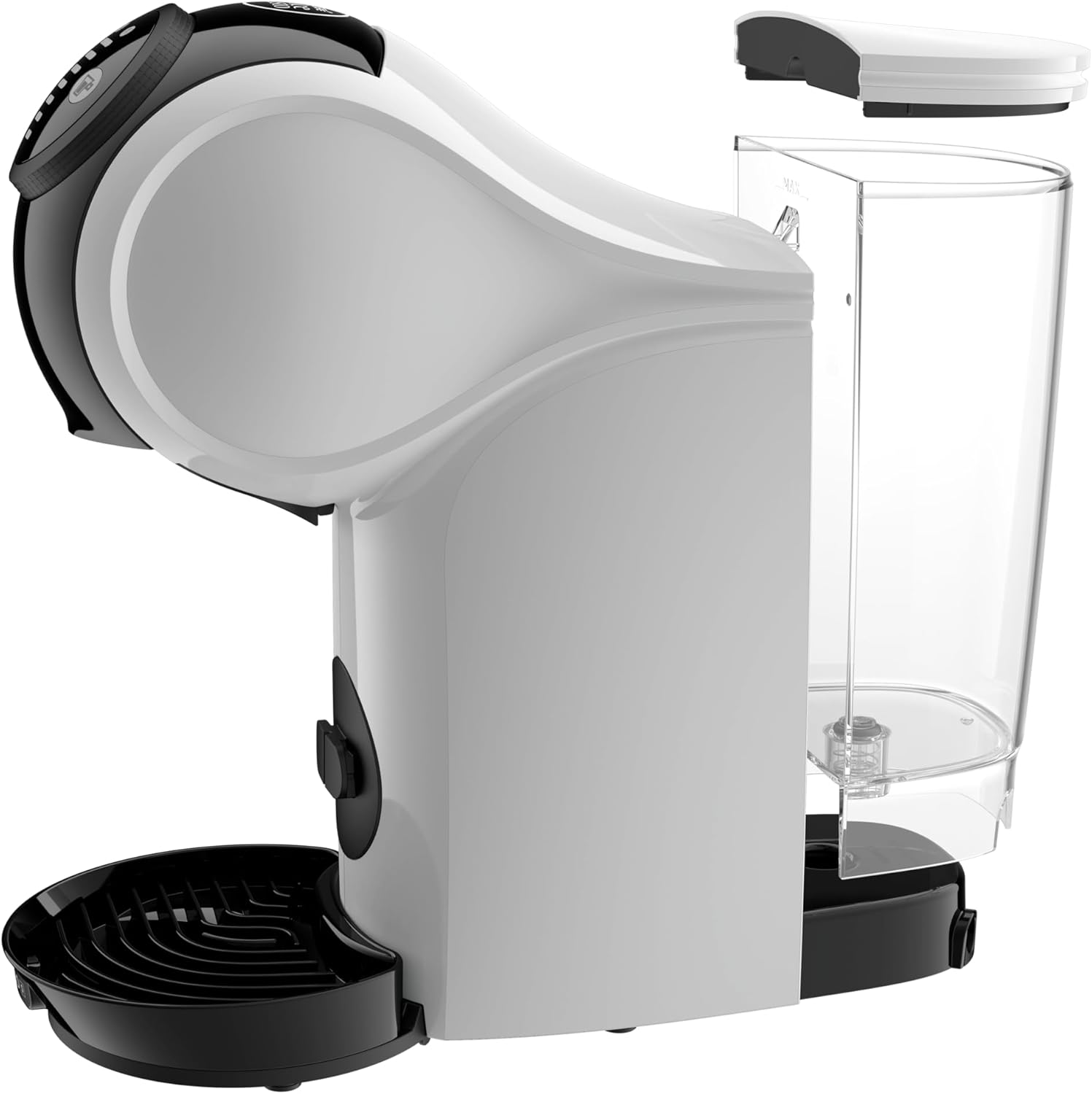
Image 3.1: An exploded view of the De'Longhi EDG226.W coffee machine, illustrating the removable water tank, pod holder, and drip tray for easy cleaning and maintenance.
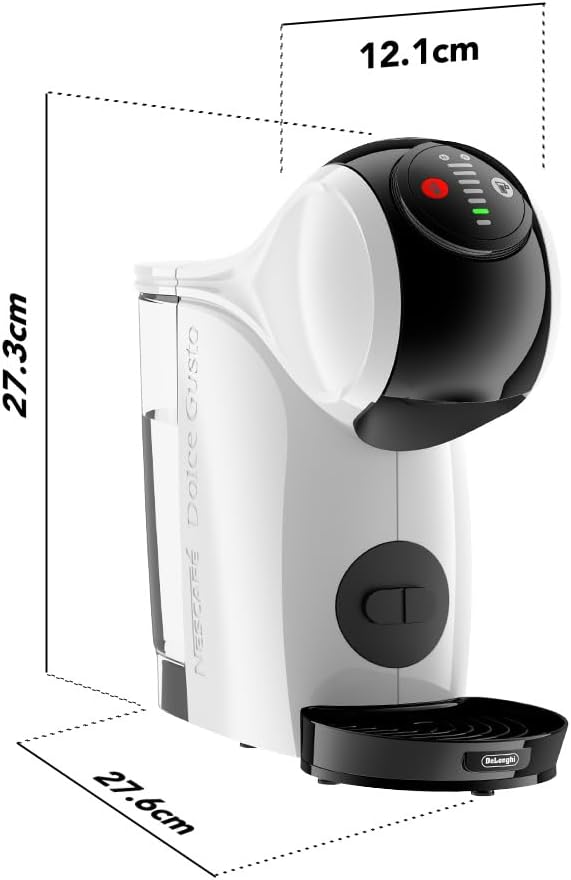
Image 3.2: A diagram showing the compact dimensions of the De'Longhi EDG226.W coffee machine, with a height of 27.3 cm, a depth of 27.6 cm, and a width of 12.1 cm.
4. Initial Setup
- Unpacking: Carefully remove the machine from its packaging. Remove all protective films and packaging materials.
- Cleaning: Wash the water tank, pod holder, and drip tray with warm water and mild detergent. Rinse thoroughly and dry.
- First Use Rinse:
- Fill the water tank with fresh drinking water.
- Place an empty cup on the drip tray.
- Ensure no pod is inserted.
- Turn on the machine. Once the indicator light is solid green, select the maximum water volume and dispense hot water. Repeat this process with cold water.
- Discard the water. Your machine is now ready for use.
- Power Connection: Plug the machine into a suitable electrical outlet (230 Volts).
5. Operating Instructions
Your De'Longhi EDG226.W machine is designed for ease of use with NESCAFÉ Dolce Gusto pods.
5.1 Preparing a Beverage
- Fill Water Tank: Ensure the water tank is filled with fresh drinking water.
- Power On: Press the power button. Wait for the indicator light to turn solid green, indicating the machine is ready.
- Insert Pod: Open the pod holder, insert a NESCAFÉ Dolce Gusto pod, and close the holder securely.
- Select Volume: Use the volume selector on the control panel to choose your desired beverage size. Refer to the pod packaging for recommended settings.
- Select Temperature: Choose between hot or cold water dispensing using the dedicated button. This machine supports both hot and cold beverages.
- Start Brewing: Press the start button. The machine will automatically stop once the selected volume is dispensed.
- Enjoy: Carefully remove your cup.
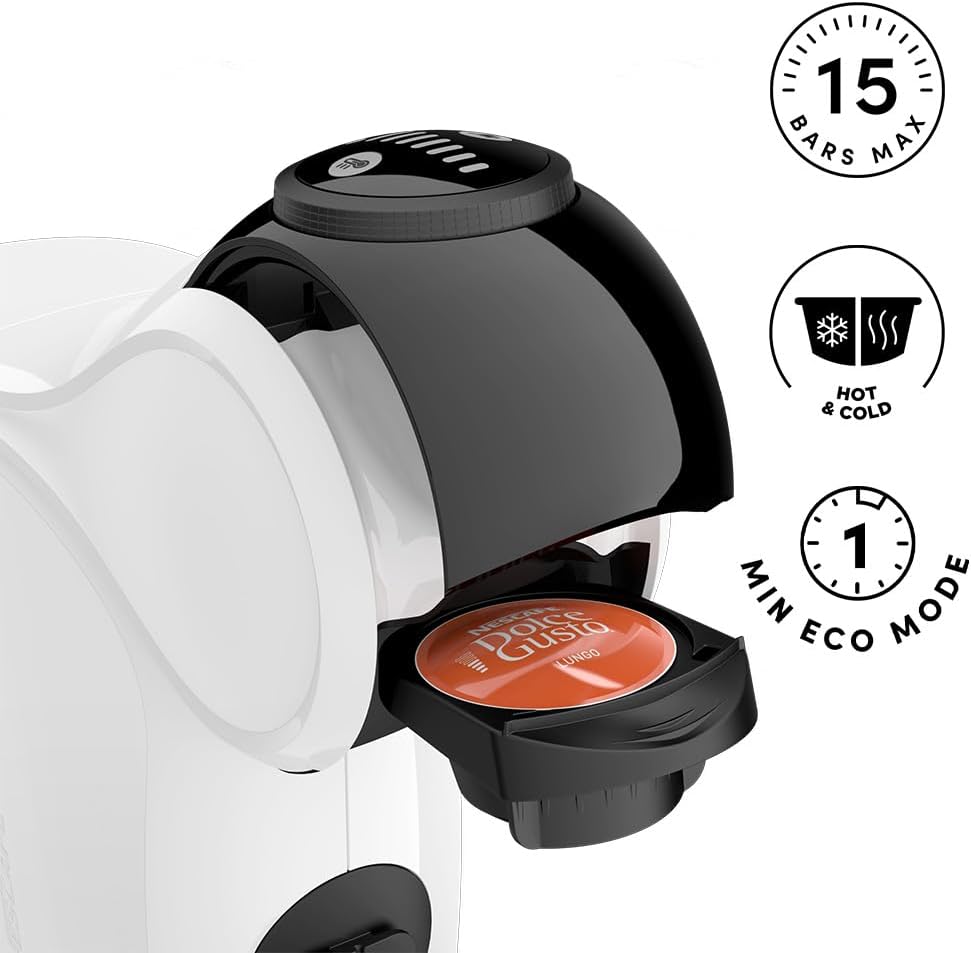
Image 5.1: A detailed view of the machine's pod insertion area and control panel, highlighting the 15 bars max pressure, hot and cold beverage capability, and 1-minute Eco Mode feature.
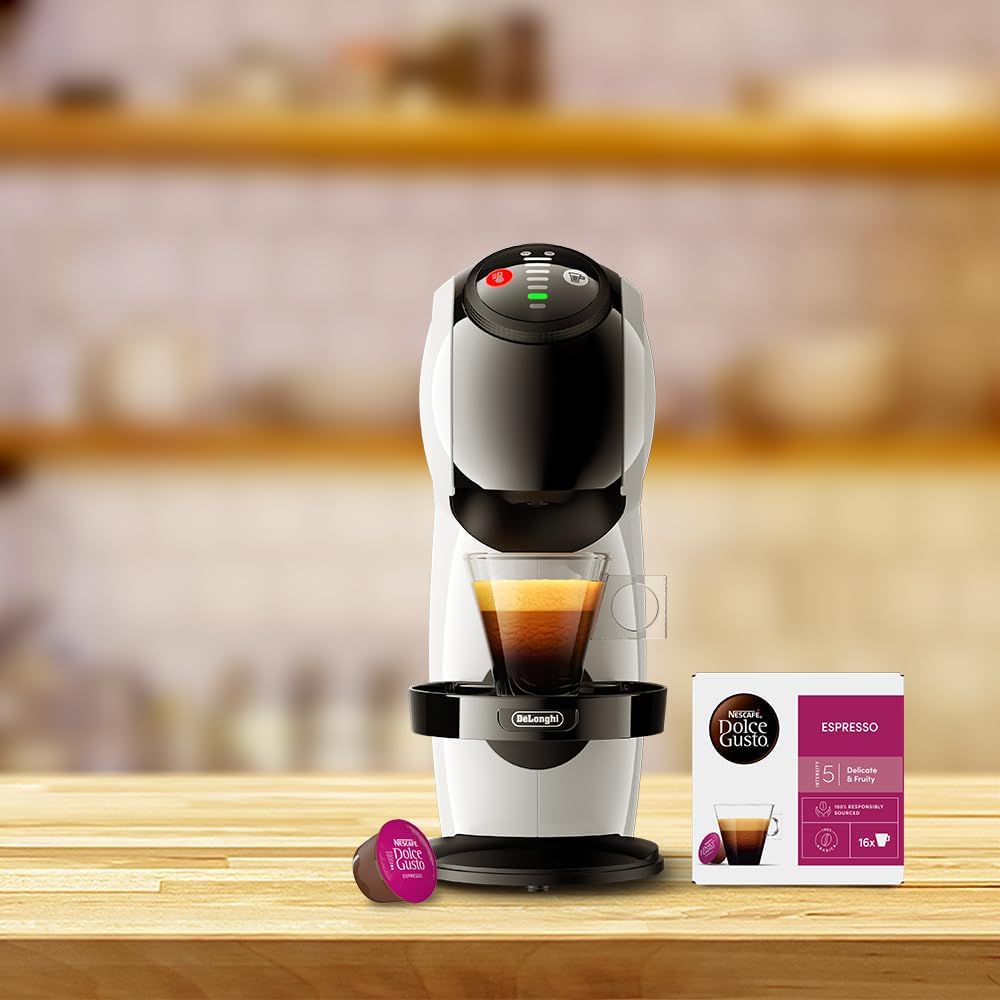
Image 5.2: The De'Longhi EDG226.W coffee machine with a NESCAFÉ Dolce Gusto pod correctly inserted into the pod holder, ready for brewing.

Image 5.3: The De'Longhi EDG226.W machine actively brewing an espresso, with a box of NESCAFÉ Dolce Gusto espresso pods visible nearby, illustrating the complete coffee preparation experience.
5.2 Eco Mode
The machine features an Eco Mode that automatically turns off the appliance after 1 minute of inactivity to save energy.
6. Maintenance and Cleaning
Regular cleaning ensures optimal performance and extends the lifespan of your coffee machine.
6.1 Daily Cleaning
- Water Tank: Empty and rinse the water tank daily. Refill with fresh water for each use.
- Drip Tray: Empty and clean the drip tray after each use or when full.
- Pod Holder: Remove and rinse the pod holder after each use.
- Exterior: Wipe the exterior of the machine with a damp cloth. Do not use abrasive cleaners.
6.2 Descaling
Descaling is crucial for maintaining machine performance and coffee quality. The frequency depends on water hardness and usage. Refer to the NESCAFÉ Dolce Gusto website or your local support for recommended descaling solutions and procedures.
6.3 Pod Recycling
Consider recycling your used coffee pods. Programs like Podback offer convenient recycling options.
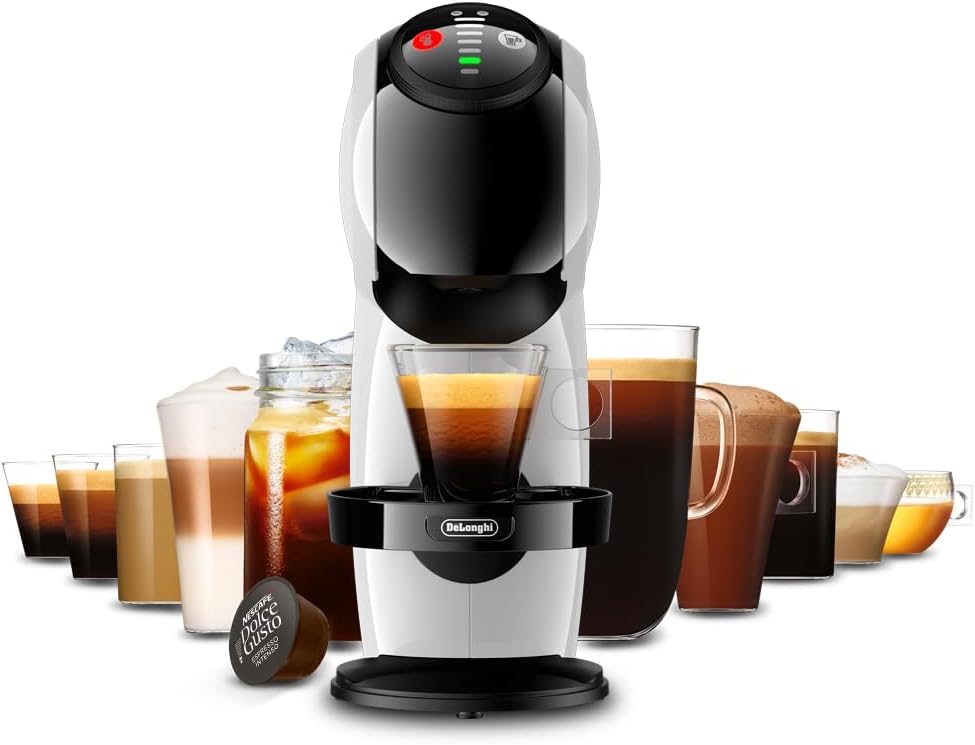
Image 6.1: A graphic promoting the Podback recycling program, showing options for kerbside collection, recycling centers, and drop-off points for used coffee pods.
7. Troubleshooting
If you encounter issues with your machine, consult the table below for common problems and solutions.
| Problem | Possible Cause | Solution |
|---|---|---|
| Machine does not turn on. | No power supply. | Check if the power cord is securely plugged into the outlet and the machine. |
| No water flow. | Water tank is empty or not properly inserted. | Fill the water tank and ensure it is correctly seated. |
| Coffee is not hot enough. | Machine not preheated or needs descaling. | Wait for the indicator light to turn solid green. Perform descaling if necessary. |
| Water leaks from the machine. | Drip tray is full or components are not properly assembled. | Empty the drip tray. Ensure the water tank and pod holder are correctly in place. |
| Pod not piercing correctly. | Pod not inserted correctly or damaged. | Ensure the pod is correctly seated in the pod holder. Try a new pod. |
If the problem persists after attempting these solutions, please contact customer support.
8. Specifications
| Feature | Detail |
|---|---|
| Brand | NESCAFÉ DOLCE GUSTO |
| Model Number | EDG226.W |
| Color | White |
| Product Dimensions (L x W x H) | 28.8 x 11.2 x 27.3 cm |
| Power | 1600 Watts |
| Voltage | 230 Volts |
| Material | Polyester |
| Automatic Stop Function | Yes |
| Special Features | Programmable |
| Item Weight | 2 Kilograms |
| Coffee Maker Type | Electric Filter Coffee Maker (Pod System) |
| Specific Uses for Product | Iced Coffee, Cappuccino, Espresso, Latte, Mocha |
9. Warranty Information
This product is covered by a manufacturer's warranty. For detailed information regarding warranty terms, conditions, and duration, please refer to the warranty card included with your product or visit the official NESCAFÉ Dolce Gusto or De'Longhi website. Please retain your proof of purchase for warranty claims.
10. Customer Support
For further assistance, technical support, or spare parts, please contact NESCAFÉ Dolce Gusto or De'Longhi customer service. Contact details can typically be found on their official websites or on the product packaging.
Online Resources:
- Visit the official NESCAFÉ Dolce Gusto website for FAQs, product registration, and support.
- Visit the De'Longhi website for product information and service centers.


