1. Product Overview
The CHIUEAST S100 HUD (Head-Up Display) is an advanced multi-function car dashboard monitor designed to enhance driving safety by projecting essential vehicle data directly onto your windshield. This allows drivers to stay focused on the road while monitoring critical information such as speed, RPM, water temperature, oil temperature, and transmission oil temperature. Its dual-screen capability provides comprehensive real-time data for informed driving decisions.

Figure 1.1: Front view of the S100 HUD displaying vehicle speed and RPM.
2. Key Features
- Head-Up Display: Projects vital vehicle information onto the windshield for improved driving focus.
- Multi-Function Monitoring: Simultaneously displays oil temperature, gearbox temperature, vehicle speed, rotational speed (RPM), water temperature, turbine pressure, voltage, oil consumption, and oil pressure.
- Dual-Screen Design: Provides comprehensive data display for enhanced awareness.
- Real-Time Data: Offers immediate feedback on vehicle status and performance.
- Temperature Alarms: Warns of rising temperatures to prevent potential malfunctions or damage.
- OBDII Compatibility: Connects via OBDII wire for easy integration with most modern vehicles (supports most OBDII models after 2008 and K-Line cars).
- High-Definition Display: Ensures clear visibility both day and night.
- Unit Switchover: Supports switching between metric (KM/H, °C, M) and English (MPH, °F, FT) units for speed, temperature, and altitude.
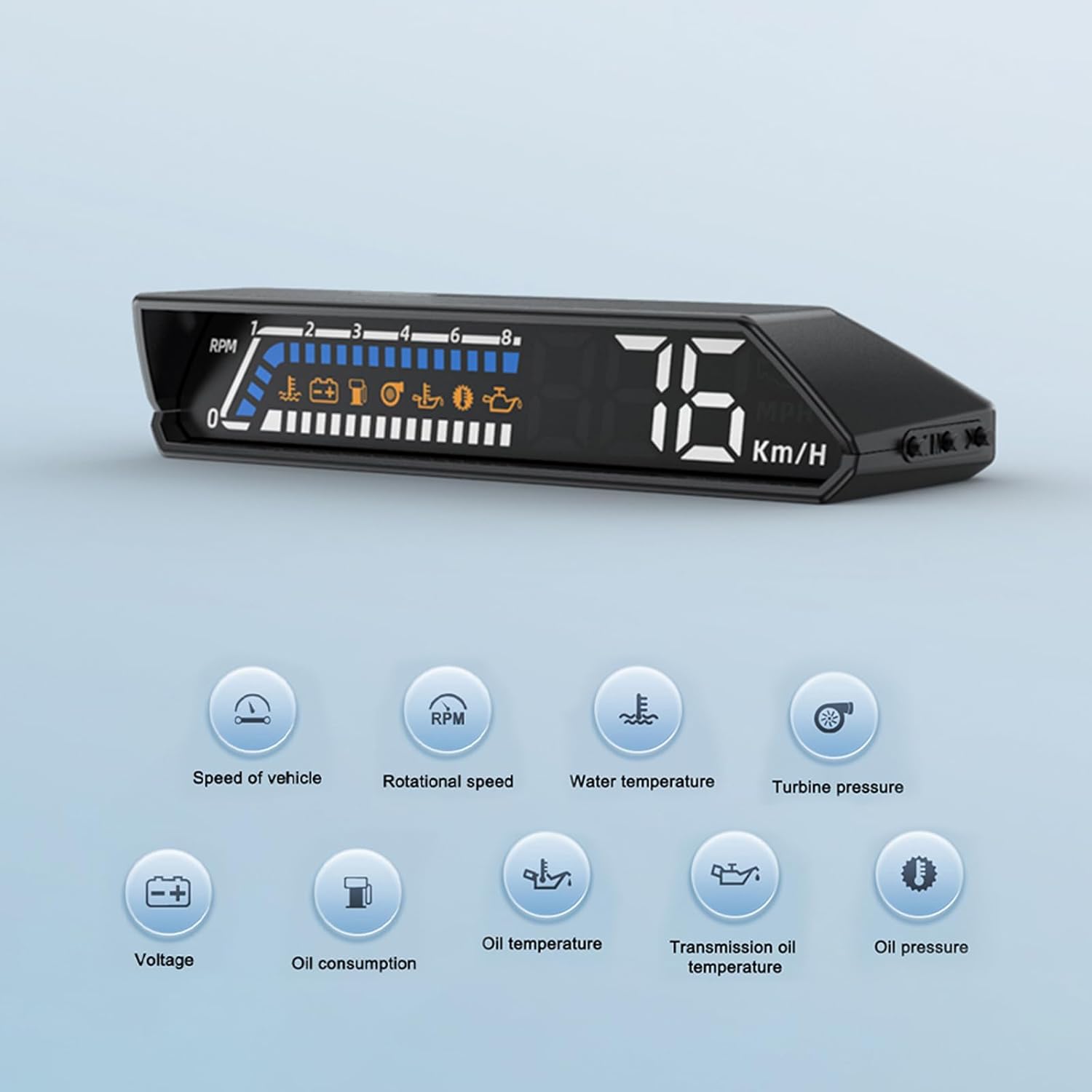
Figure 2.1: Visual representation of the various parameters monitored by the S100 HUD, including speed, RPM, water temperature, turbine pressure, voltage, oil consumption, oil temperature, transmission oil temperature, and oil pressure.
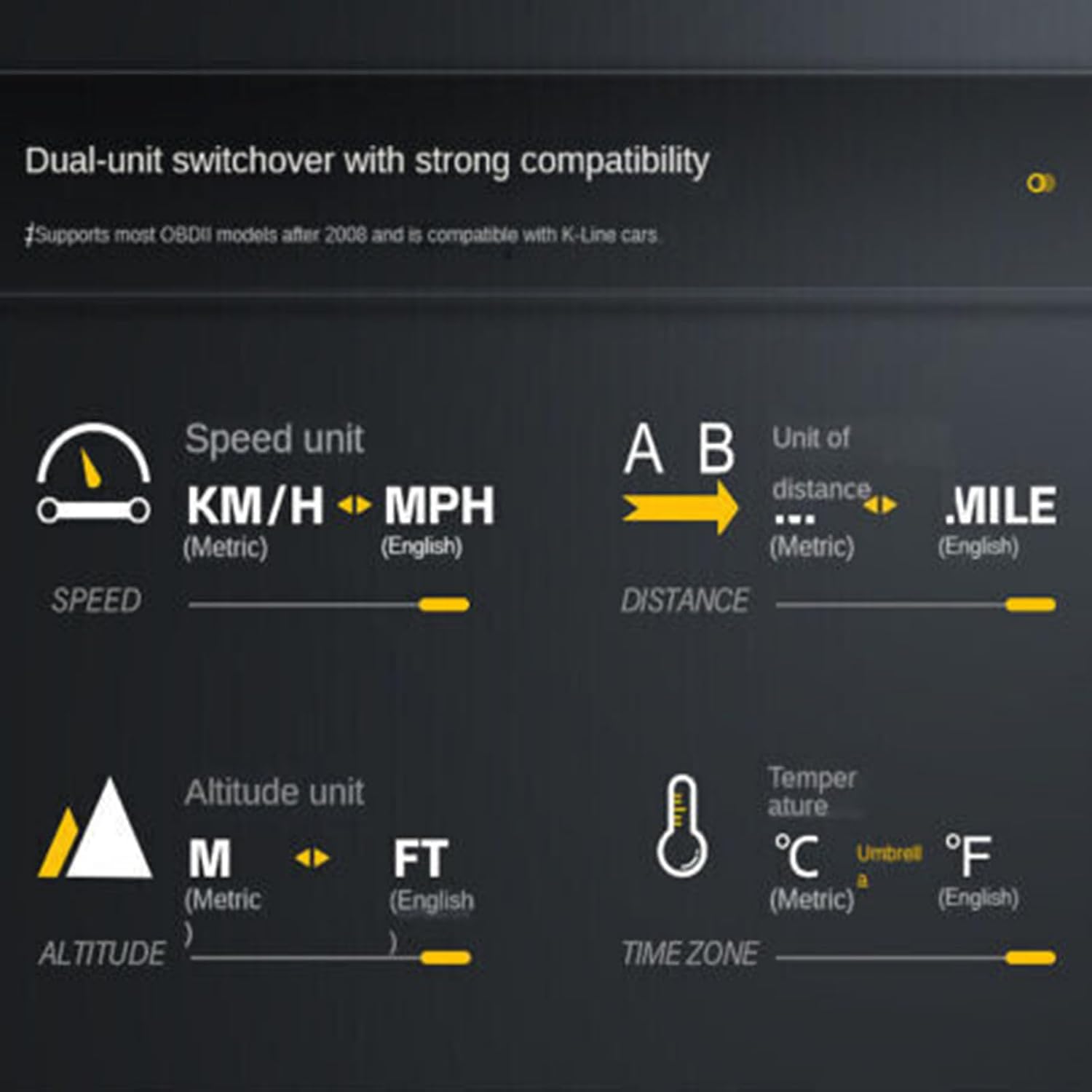
Figure 2.2: Overview of the S100's 12 features, highlighting 6 basic functions for quick reference.
3. Technical Specifications
| Specification | Value |
|---|---|
| Model | S100 |
| Material | Acrylonitrile Butadiene Styrene (ABS), Polycarbonate (PC) |
| Dimensions (Approx.) | 131 x 62.6 x 26.5 mm (5.15 x 2.46 x 1.04 inches) |
| Weight (Approx.) | 250g (8.82 ounces) |
| Color | Black |
| Working Voltage | DC9-16V |
| Input Signal | OBDII Wire |
| Special Function | HUD Head-Up Display, Alarm Security System |
4. Installation Guide
- Locate OBDII Port: Identify your vehicle's OBDII diagnostic port, typically located under the dashboard on the driver's side.
- Connect Cable: Plug the provided OBDII cable into the vehicle's OBDII port and the other end into the S100 HUD unit.
- Position HUD Unit: Place the S100 HUD unit on your dashboard in a position that allows for clear projection onto the windshield without obstructing your view of the road. Ensure it is stable and does not slide during driving.
- Route Cable: Carefully route the cable to avoid interference with pedals or other vehicle controls. Secure the cable if necessary to prevent it from dangling.
- Power On: Start your vehicle. The S100 HUD should power on automatically and begin displaying data.
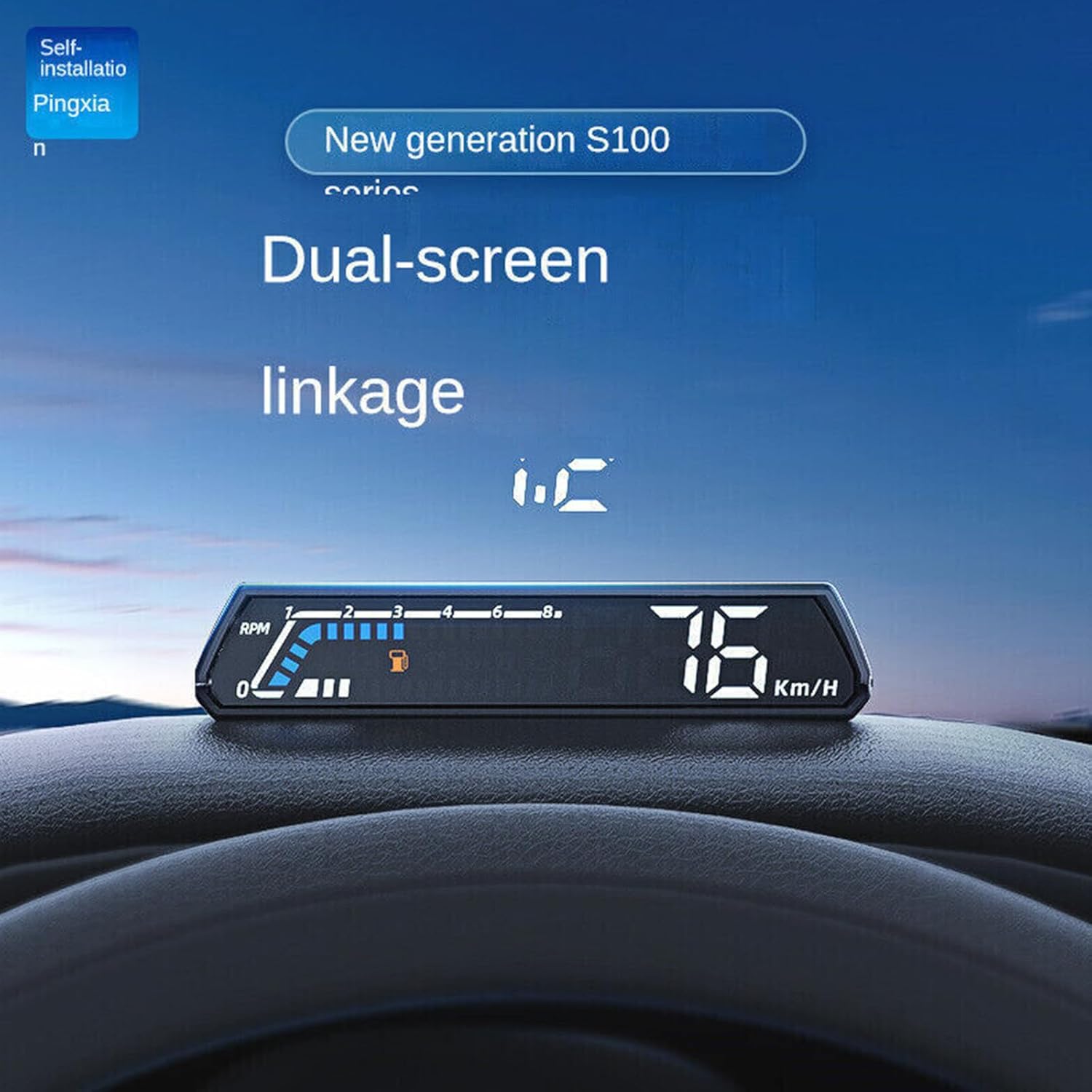
Figure 4.1: The S100 HUD positioned on a vehicle's dashboard, ready for operation.
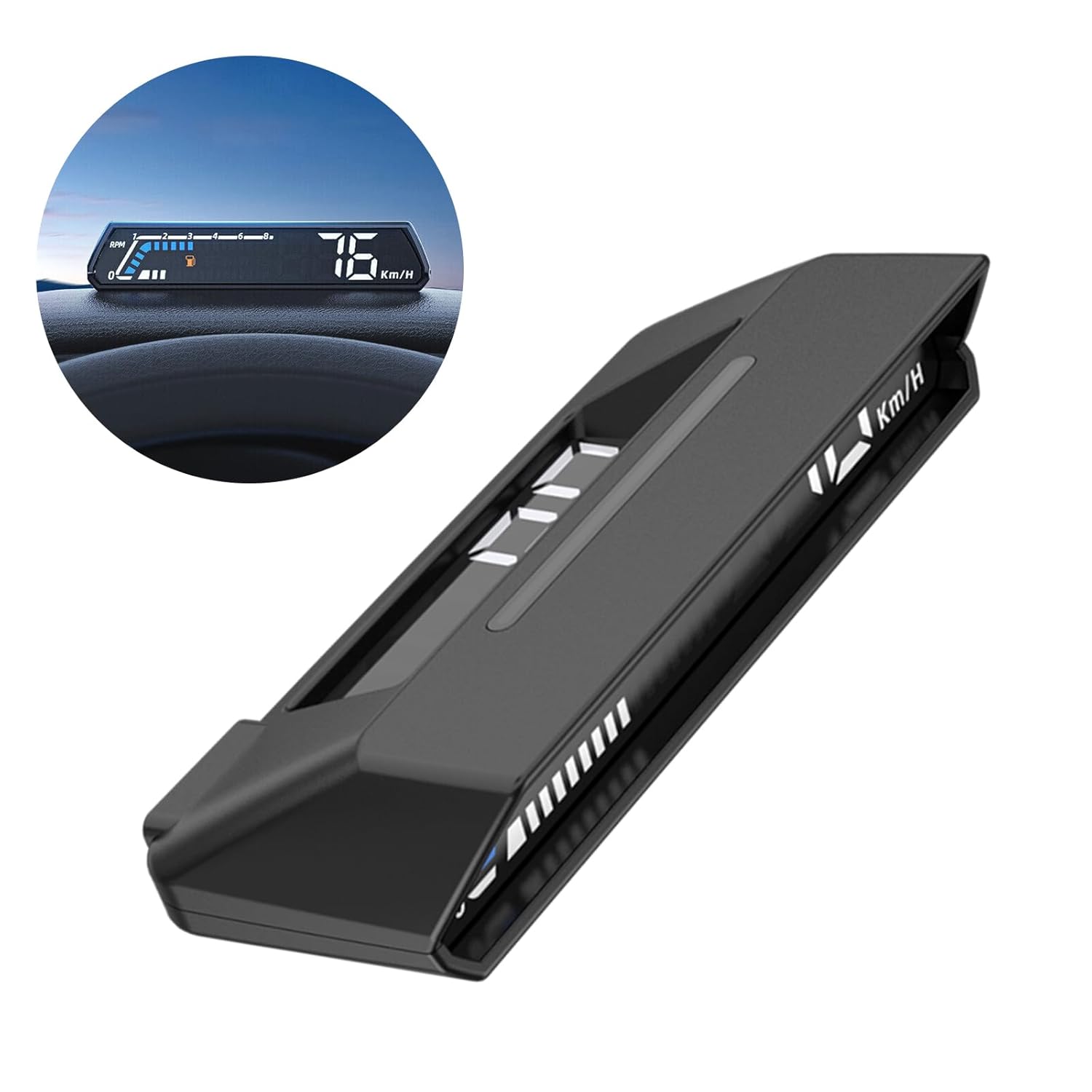
Figure 4.2: Side profile of the S100 HUD, illustrating its compact design for dashboard placement.
5. Operating Instructions
5.1 Basic Operation
Once connected and powered on, the S100 HUD will automatically display key vehicle information. The display adjusts brightness based on ambient light conditions for optimal visibility.
5.2 Display Modes and Unit Switchover
The S100 HUD supports various display interfaces and allows for switching between different units of measurement. Refer to the device's physical buttons or integrated controls (if any) for navigating display options and changing units (e.g., KM/H to MPH, Celsius to Fahrenheit).

Figure 5.1: The S100 HUD maintains clear visibility in both bright daylight and low-light night conditions.
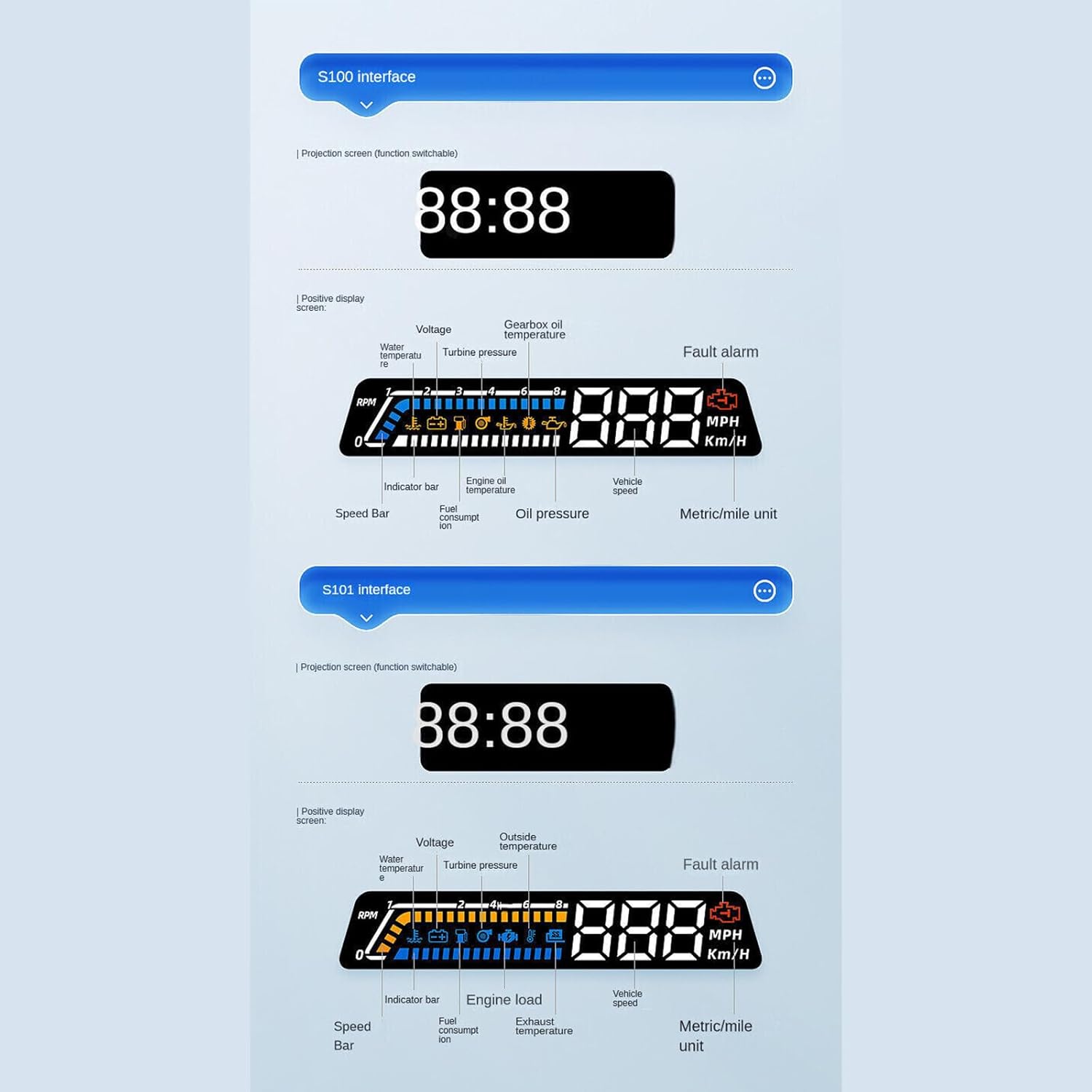
Figure 5.2: The S100 HUD supports dual-unit switchover for various parameters, including speed (KM/H ↔ MPH), distance (Metric ↔ Mile), altitude (M ↔ FT), and temperature (°C ↔ °F).
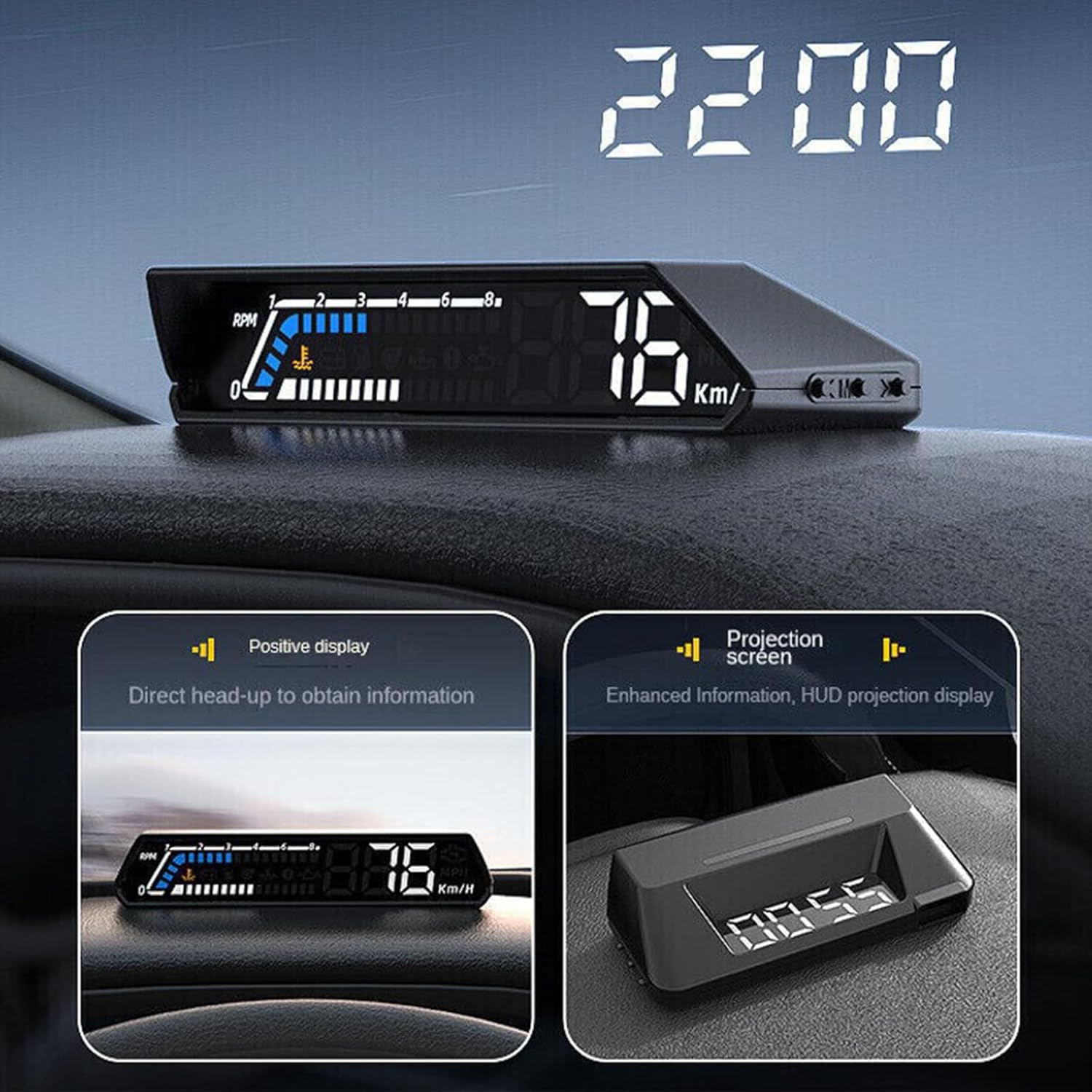
Figure 5.3: Examples of the S100 HUD's projection screen interfaces, showing various data layouts including RPM, speed, temperatures, and fault alarms.
6. Maintenance and Care
- Cleaning: Use a soft, dry cloth to clean the display screen and the unit's exterior. Avoid abrasive cleaners or solvents that could damage the surface.
- Storage: If storing the unit for an extended period, disconnect it from the OBDII port and store it in a cool, dry place away from direct sunlight.
- Cable Care: Ensure the OBDII cable is not pinched or excessively bent, which could damage the wiring.
7. Troubleshooting
- No Power/Display:
- Ensure the OBDII cable is securely connected to both the S100 unit and the vehicle's OBDII port.
- Verify the vehicle's ignition is on or the engine is running.
- Check the vehicle's fuse box for any blown fuses related to the OBDII port.
- Inaccurate Readings:
- Ensure the S100 is properly configured for your vehicle type if there are specific settings.
- Confirm that the unit settings (e.g., speed units) match your preference.
- Display Not Clear/Flickering:
- Adjust the position of the HUD unit on the dashboard to optimize projection.
- Clean the windshield area where the projection appears.
- Ensure no direct strong light source is interfering with the projection.
- Temperature Alarms:
- If a temperature alarm activates, it indicates a genuine rise in oil or gearbox temperature. Take immediate action such as pulling over to allow the vehicle to cool down or checking fluid levels. Consult a qualified mechanic if the issue persists.
8. Safety Information
- Always ensure the HUD unit is securely placed on the dashboard and does not obstruct your view of the road or interfere with vehicle controls.
- Do not attempt to disassemble or modify the unit, as this may cause damage and void the warranty.
- Keep the unit away from water or excessive moisture.
- While the HUD enhances safety by keeping your eyes on the road, always prioritize direct observation of traffic and road conditions.
9. Warranty and Support
This product comes with a standard manufacturer's warranty. For specific warranty terms and conditions, please refer to the product packaging or contact CHIUEAST customer support. If you encounter any issues or require technical assistance, please reach out to the seller or manufacturer's support channels. Keep your purchase receipt for warranty claims.


