
Introduction
The MASTOGO Wireless TENS & EMS Muscle Stimulator is designed to provide temporary relief from pain associated with sore and aching muscles due to strain from exercise or normal household and work activities. It utilizes Transcutaneous Electrical Nerve Stimulation (TENS) for pain relief and Electrical Muscle Stimulation (EMS) for muscle conditioning. This device features wireless operation, APP control via Bluetooth, and multiple modes and intensity levels for a personalized experience.
Important Safety Information
Read all instructions before use. Failure to follow these instructions may result in injury or device malfunction.
- For adult use only.
- Consult a healthcare professional before use if you have a pacemaker or other electronic medical device.
- Do not use on children.
- Do not use if you are pregnant.
- Do not use on broken skin, open wounds, or areas with skin conditions.
- Do not place pads over the heart, on the head, or on the front of the neck.
- Discontinue use if you experience any adverse reactions such as skin irritation or discomfort.
- Statements regarding dietary supplements have not been evaluated by the FDA and are not intended to diagnose, treat, cure, or prevent any disease or health condition.
Package Contents
Verify that all items are present in the package:
- 1 x Wireless TENS Device
- 3 x Large Electrode Pads
- 1 x USB Charging Cable
- 1 x Instruction Manual
- 1 x Collection Board for Pads

This image displays the complete contents included in your MASTOGO Wireless TENS & EMS Muscle Stimulator package.
Product Features
- Wireless Design: Eliminates troublesome wires for unrestricted movement.
- APP & Key Control: Manage settings via the dedicated Domas APP or directly using the device's buttons.
- 26 Massage Modes: Includes various modes such as kneading, knocking, exercise, acupuncture, and percussion.
- 25 Intensity Levels: Adjustable intensity to suit individual comfort and therapy needs.
- Medical Grade Electrode Pads: Low impedance, latex-free US medical gel pads designed for excellent self-adhesive performance and up to 50 uses.
- Stable Connection: Features a super-strong magnetic buckle for secure attachment of the host to the electrode pad.
- Built-in Female Dysmenorrhea Mode: Specific modes designed for menstrual pain relief.

This image highlights the four primary therapy types available: Massage, TENS, EMS, and a dedicated mode for female-specific discomfort.
Setup Guide
- Charge the Device: Before first use, fully charge the wireless TENS device using the provided USB cable. Connect the cable to the device and a standard USB power source. The indicator light will show charging status.
- Attach Electrode Pads: Ensure your skin is clean and dry. Remove the protective film from the electrode pad. Align the device's magnetic buckle with the connectors on the electrode pad and firmly attach it.
- Download the APP: Search for and download the "Domas" APP from your smartphone's app store (available for iOS and Android).
- Connect via Bluetooth: Turn on your device by pressing the power button. Open the Domas APP on your smartphone. The APP will automatically search for and connect to the TENS unit via Bluetooth. Follow any on-screen prompts to complete the connection.

This image demonstrates the wireless connection and APP control feature, showing the device attached to a pad and the Domas APP on a smartphone.
Operating Instructions
Power On/Off
- To power on, press and hold the power button on the device until the indicator light illuminates.
- To power off, press and hold the power button again until the indicator light turns off.
Using the Domas APP
- Once connected, use the Domas APP to select from 26 available massage modes.
- Adjust the intensity level from 1 to 25 to find your preferred comfort and effectiveness.
- Set the session timer (typically 10-60 minutes, refer to APP for exact options).
- The APP allows for precise control and monitoring of your therapy session.
Using Device Buttons (Key Control)
- The device features physical buttons for basic control if APP control is not desired or available.
- Press the '+' button to increase intensity.
- Press the '-' button to decrease intensity.
- The mode button cycles through available programs.
Application Areas and Placement
The device can be applied to various body parts for pain relief and muscle stimulation. Ensure the electrode pad is fully adhered to clean, dry skin.

This image illustrates a common application area for the device, specifically for abdominal pain relief, controlled wirelessly via a smartphone.
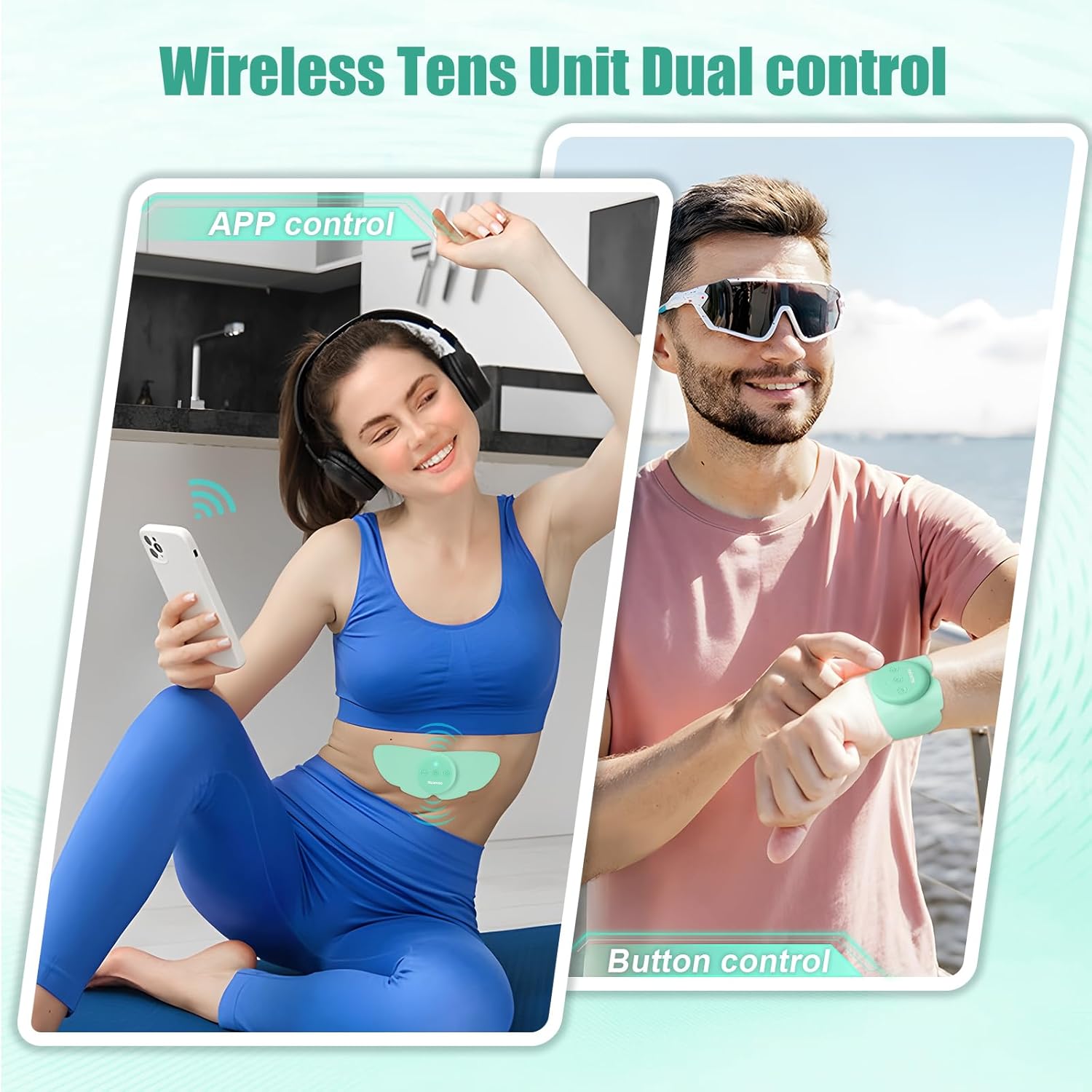
This image demonstrates the dual control options: APP control for comprehensive settings and button control for quick adjustments on the device itself.
Maintenance
Cleaning Electrode Pads
To maintain the adhesion and hygiene of your electrode pads:
- After each use, gently spray the adhesive side of the pad with rubbing alcohol.
- Immediately wipe off any oils or residue with a clean cloth.
- Lightly wet the pad with water before storing to help retain stickiness.
- Avoid washing with soap and water, as this can degrade the adhesive.
Device Cleaning and Storage
- Wipe the device with a soft, damp cloth. Do not use abrasive cleaners or immerse in water.
- Store the device and pads in a cool, dry place, away from direct sunlight and extreme temperatures.
- Place the pads back on the provided collection board after cleaning for optimal preservation.
Troubleshooting
| Problem | Possible Cause | Solution |
|---|---|---|
| Pads not sticking well | Skin oils/dirt, pad degradation, improper cleaning | Clean skin thoroughly before application. Follow pad cleaning instructions (rubbing alcohol, wipe, light water). Replace pads if adhesion is permanently lost. |
| Device not connecting to APP | Bluetooth off, device not powered on, APP issue | Ensure device is charged and powered on. Verify Bluetooth is enabled on your smartphone. Restart the APP and/or your phone. Re-pair the device in the APP if necessary. |
| No sensation or weak sensation | Low intensity, poor pad contact, device malfunction | Increase intensity gradually via APP or buttons. Ensure pads are fully adhered to the skin. Check battery level. If issues persist, contact customer support. |
Specifications
- Model Number: 7541eb43-f319-4320-9187-b7fd09ce9d72
- Power Source: 1 Lithium Polymer battery (included)
- Dimensions: 8.31 x 5 x 1.69 inches
- Weight: 12.63 ounces
- Manufacturer: Hongqiangxing
- Connectivity: Bluetooth APP Control
- Modes: 26 (including TENS, EMS, Massage, Female-specific)
- Intensity Levels: 25
Warranty and Support
For any product inquiries, technical support, or warranty claims, please contact MASTOGO customer service. Refer to the product packaging or the official MASTOGO website for the most current contact information.