
CallToU DS17
CallToU DS17 Wireless Door Sensor Chime Instruction Manual
Model: DS17 (1 AC Receiver, 3 Battery-Powered Magnet Sensors)
Product Overview
The CallToU DS17 Wireless Door Sensor Chime is designed to provide notification when a door or window is opened. It functions as a door chime, an anti-theft alarm, or a visitor notification system for various environments such as homes, offices, stores, and garages. The system features adjustable volume, multiple melody options, and a long communication range.
Key Features
- Wireless operation for easy installation and flexible placement.
- High durability with approximately 86,000 uses on a new battery (approx. 5 years with 50 uses/day).
- 5-level volume adjustment (0dB to 110dB) to suit different needs and environments.
- 55 selectable melodies for personalized alerts.
- Long communication range of up to 150 meters (line of sight).
- AC-powered receiver eliminates the need for battery replacement.
Package Contents
Please ensure all the following items are present in your package:
- 1 x AC-powered Receiver
- 3 x Battery-powered Magnet Sensors (each with 12V 23A battery included)
- 1 x User Manual
- 2 x Double-sided Adhesive Tapes (for each sensor)
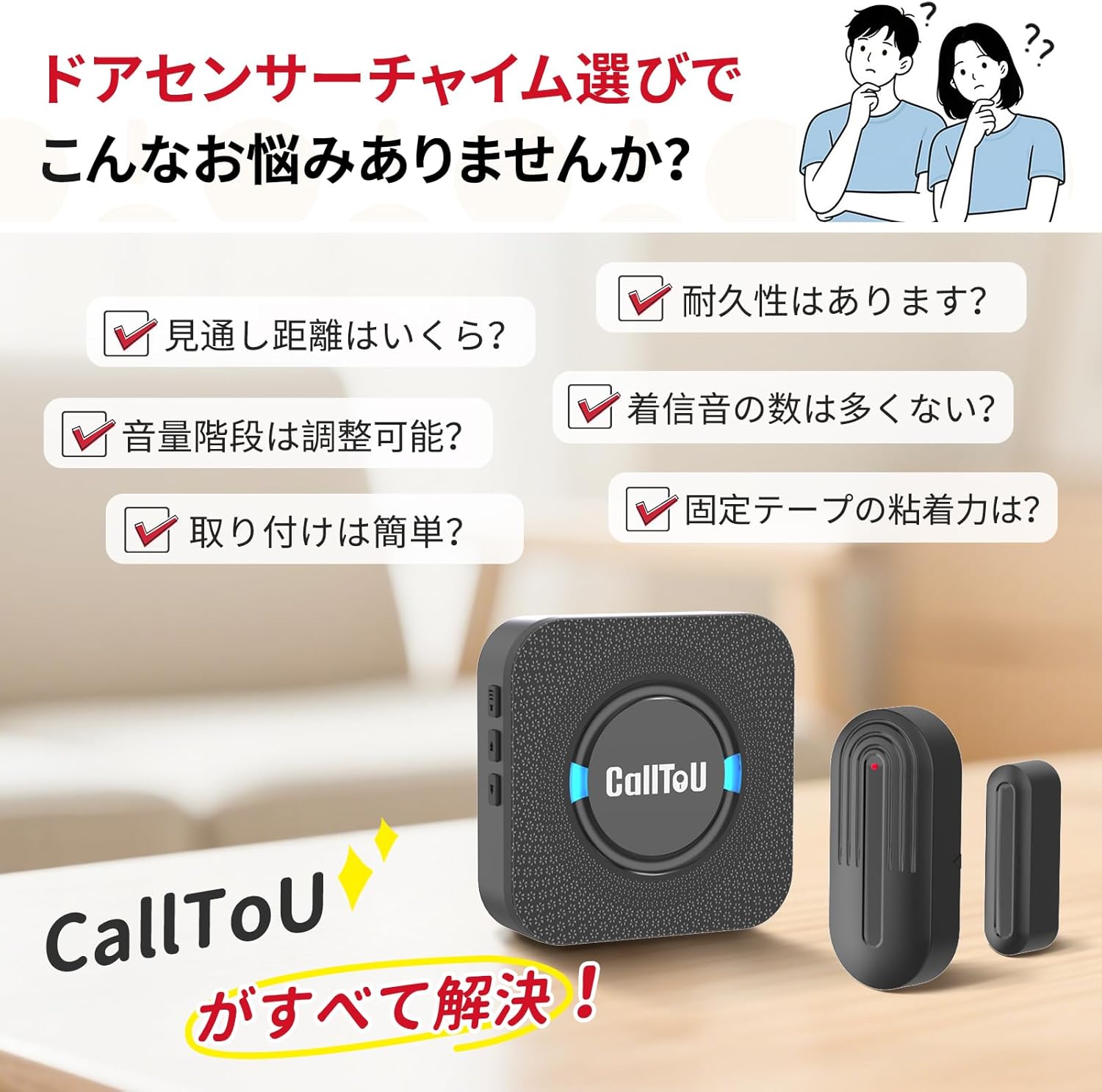
Image: CallToU DS17 Wireless Door Sensor Chime package contents.
Setup Guide
1. Receiver Installation
Plug the AC-powered receiver unit into a standard wall power outlet. The receiver will power on and be ready for operation.
2. Sensor Installation
Attach the magnet sensor to your desired door or window frame using the provided double-sided adhesive tape. Ensure the two parts of the sensor (main unit and magnet) are aligned and within 1.5 cm (0.6 inches) of each other when the door/window is closed. The sensor can be installed on various surfaces like doors, windows, and drawers.
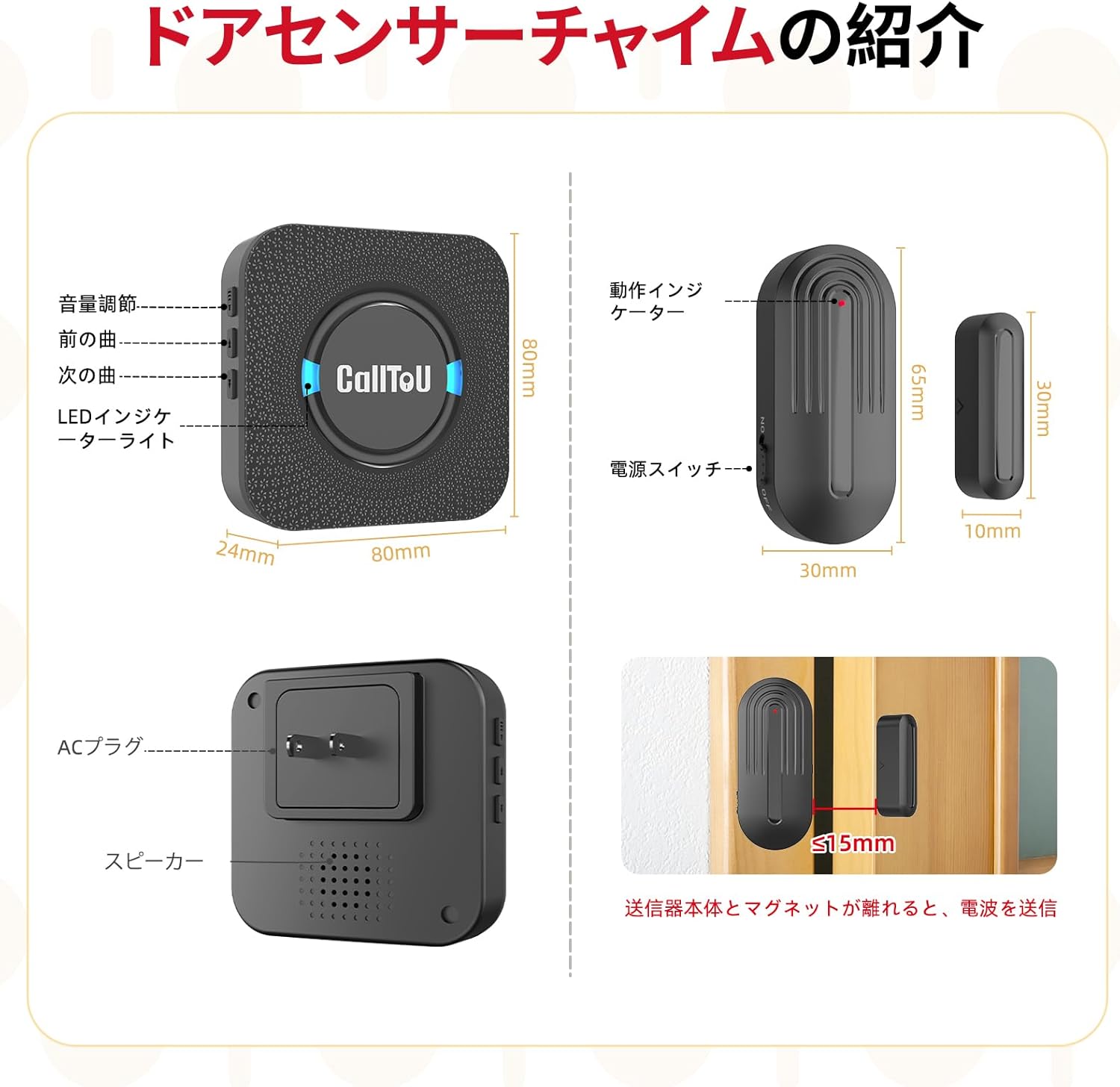
Image: Installation of the CallToU DS17 magnet sensor on a door frame.
3. Pairing the Sensor with the Receiver
To pair a magnet sensor with the receiver:
- Long-press the volume adjustment button on the receiver for approximately 5 seconds. The LED will flash, and you will hear a "ding" sound, indicating that the receiver is in pairing mode.
- While the receiver is in pairing mode, separate the two parts of the magnet sensor. The receiver will emit a melody, confirming successful pairing.
- Test the pairing by separating the sensor parts again. The receiver should chime with the selected melody.
Video: Demonstrates the pairing method for the CallToU Wireless Door Sensor Chime.
Video: Shows the unboxing, pairing, and basic operation of the CallToU Door Sensor Chime.
Operating Instructions
Volume Adjustment
Press the volume button on the receiver to cycle through 5 different volume levels, ranging from silent (0dB) to maximum (110dB). This allows you to adjust the sound output based on your environment and preference.
Melody Selection
Use the up and down arrow buttons on the receiver to browse and select from 55 different melodies. Once a melody is selected, it will be saved for future alerts.
Sensor Operation
When the magnet sensor detects an opening (i.e., the main unit and the magnet part separate by more than 1.5 cm), it will wirelessly transmit a signal to the paired receiver. The receiver will then activate the selected chime and flash its LED indicator.

Image: Visual representation of volume adjustment and melody selection on the receiver.
Maintenance
Battery Replacement (Magnet Sensor)
The magnet sensor is powered by a 12V 23A battery. When the battery is low, the sensor's indicator light may not flash, or the signal range may decrease. To replace the battery, carefully slide open the sensor casing, remove the old battery, and insert a new one, ensuring correct polarity. The design allows for easy removal and replacement.
Cleaning
To clean the receiver and sensors, wipe them with a soft, dry cloth. Avoid using abrasive cleaners, solvents, or excessive moisture, as these can damage the devices.
Troubleshooting
- No Chime from Receiver:
Ensure the receiver is securely plugged into a working power outlet. Verify that the sensor is correctly paired with the receiver. Check the battery in the magnet sensor and replace if necessary. - Weak Signal or Intermittent Chime:
Confirm that the distance between the sensor and receiver is within the maximum effective range of 150 meters (line of sight). Thick walls, metal objects, or other electronic devices can interfere with the wireless signal. Try repositioning the receiver or sensor. - False Alarms:
Ensure the two parts of the magnet sensor are properly aligned and are less than 1.5 cm apart when the door/window is closed. Check for any loose mounting or vibrations that might cause the sensor parts to separate unintentionally. - Cannot Change Melody or Volume:
Ensure the receiver is powered on. Briefly press the respective buttons. If the issue persists, try unplugging and re-plugging the receiver.
Specifications
| Feature | Detail |
|---|---|
| Brand | CallToU |
| Model | DS17 |
| Mounting Type | Door Mount |
| Sensor Technology | Contact Sensor |
| Product Dimensions | 8.1 x 8.1 x 3 cm |
| Item Weight | 240 g |
| Battery Type (Sensor) | 12V 23A (included) |
| Sound Level | Up to 110 dB |
| Communication Range | Up to 150m (line of sight) |
| Melody Options | 55 |
| Volume Levels | 5 (0dB to 110dB) |
Warranty and Support
CallToU stands behind the quality of its products. This Wireless Door Sensor Chime comes with a 1-year quality guarantee. If you encounter any defects, damage, or initial malfunctions with your product, please contact us directly through your Amazon order history. We are committed to providing prompt and sincere support to ensure your satisfaction.
Related documentsDS17

Ask a question about this manual
Ask about setup, troubleshooting, compatibility, parts, safety, or missing instructions. Manuals+ will review the question and use this page’s manual context to help answer it.