FoxVilla T13

FoxVilla T13 Titan 13 Action Figure Instruction Manual

Model: T13

Brand: FoxVilla

Important Safety Information

CHOKING HAZARD - Small parts. Not for children under 3 years.

Always supervise children during play to prevent accidental ingestion of small components.

Product Overview

The FoxVilla T13 Titan 13 Action Figure is a highly articulated, 3D printed collectible designed by Soozafone. Crafted from high-quality PETG and PLA materials, this figure offers durability and vibrant colors. It features a full range of movable joints, allowing for extensive posing and dynamic display options. The figure comes with versatile accessories for customization.

Key Features:

Package Contents

Your FoxVilla T13 Titan 13 Action Figure package includes:

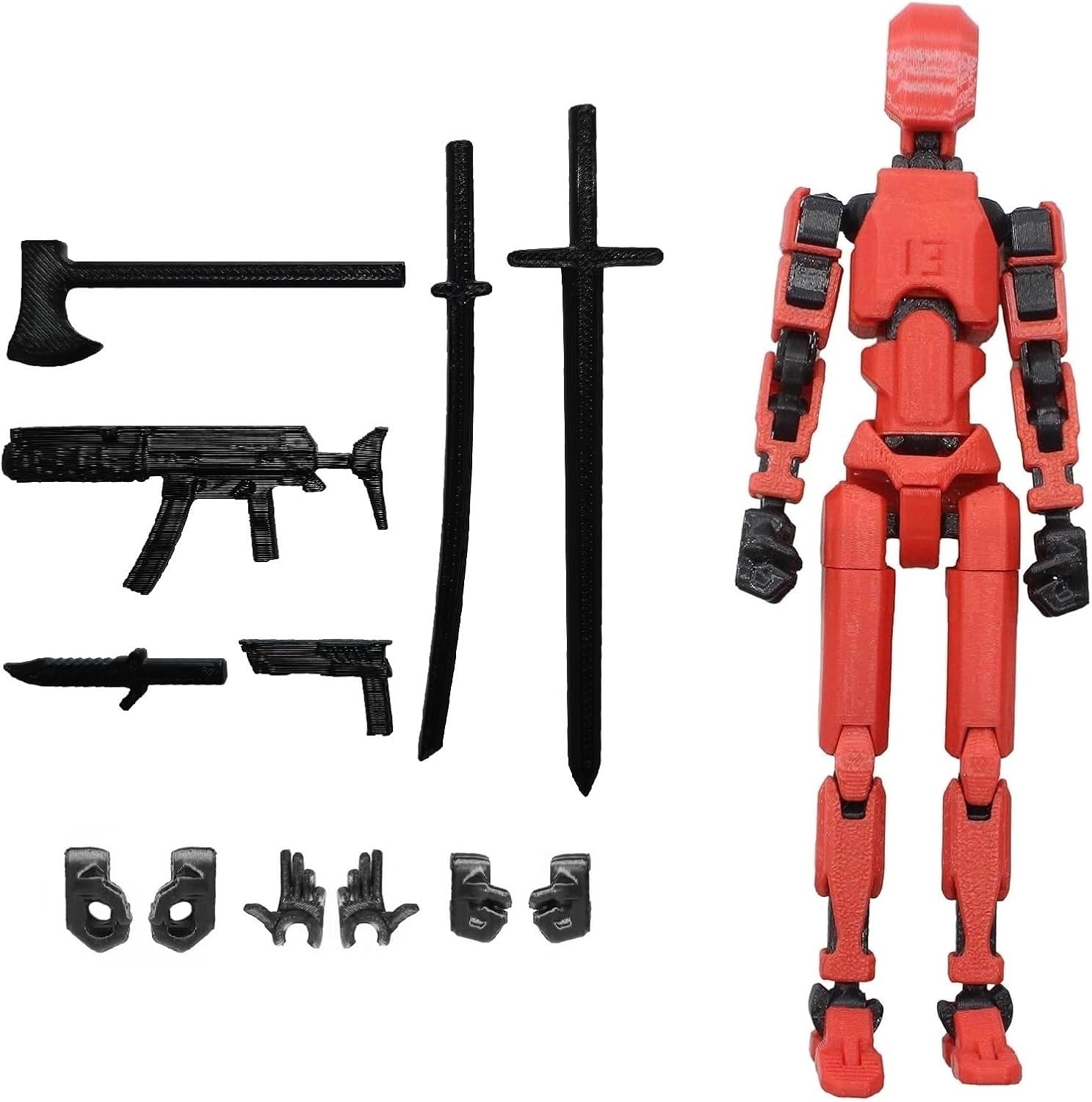
FoxVilla T13 Titan 13 Action Figure with accessories

Image: The FoxVilla T13 Titan 13 Action Figure in red, displayed with its various weapon and hand accessories.

Assembly and Customization

Your FoxVilla T13 Titan 13 Action Figure comes pre-assembled. However, its modular design allows for extensive customization by interchanging hands and attaching various weapon accessories. Follow these general guidelines for customization:

Attaching and Removing Accessories:

  1. Interchangeable Hands: Gently pull the existing hand from the wrist joint. Align the desired new hand (e.g., a fist or a hand designed to hold a weapon) with the wrist joint and push firmly until it clicks into place.
  2. Weapon Attachment: For weapons like swords or guns, ensure the figure's hand is the appropriate type (e.g., an open grip hand). Carefully slide the weapon into the figure's grip.
  3. Back-Mounted Accessories: Some figures may include back-mounted accessories like sheaths for swords. Align these with the designated slots on the figure's back and press gently.

Always apply gentle pressure when attaching or removing parts to avoid damage. If a part feels too tight, do not force it.

Detailed Assembly Video:

Video: A comprehensive guide demonstrating the assembly process for the T13 action figure, including attaching various components and accessories. This video is provided by FoxVilla.

Posing and Articulation

The T13 action figure boasts a full range of articulation, allowing for dynamic and expressive poses. Each joint is designed to move smoothly. To pose your figure:

FoxVilla T13 Titan 13 Action Figure in a dynamic pose

Image: The FoxVilla T13 Titan 13 Action Figure showcasing its articulation in a dynamic standing pose.

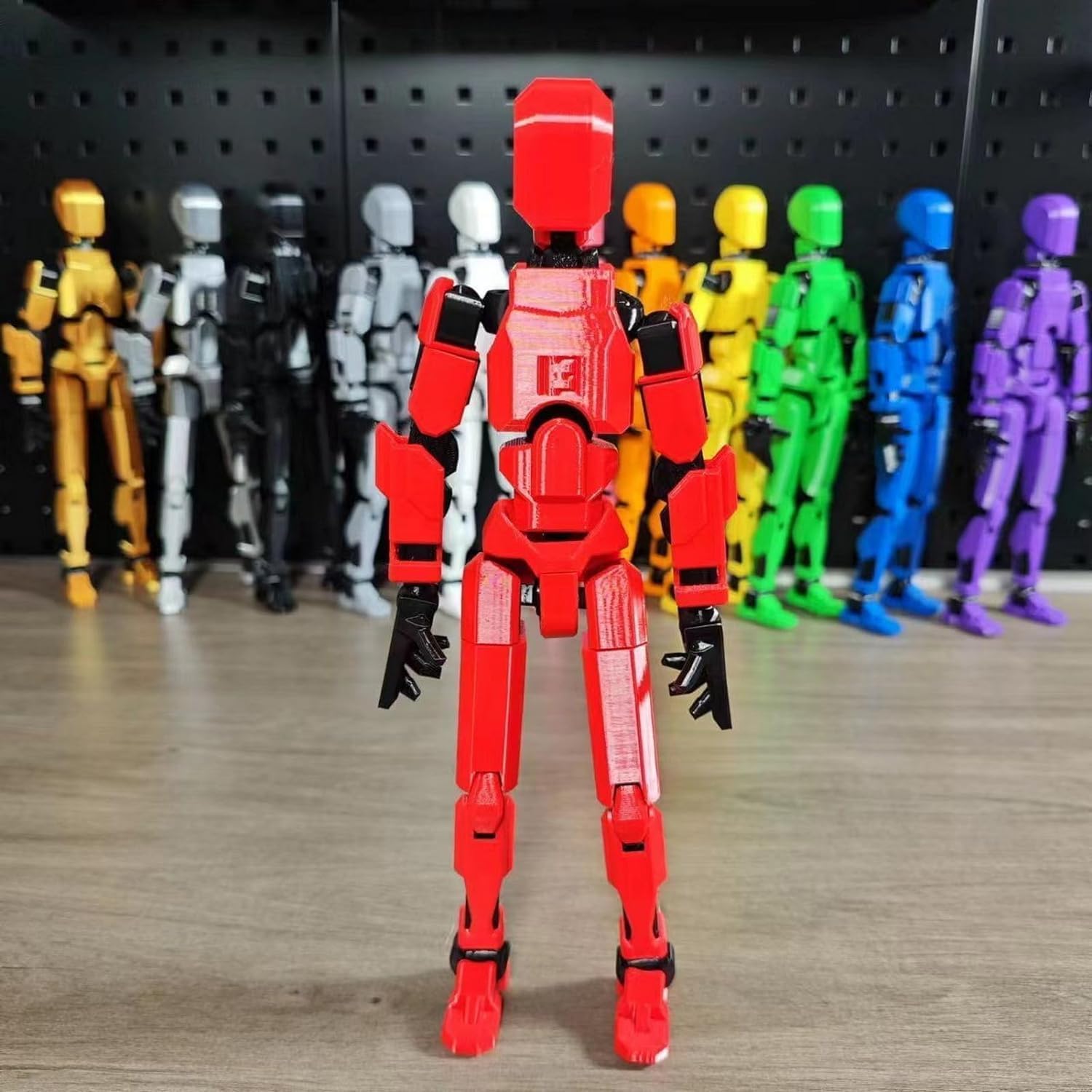
Multiple FoxVilla T13 Titan 13 Action Figures in various poses

Image: A collection of FoxVilla T13 Titan 13 Action Figures in different colors and action poses, demonstrating their versatility.

Care and Maintenance

Troubleshooting

ProblemSolution
Parts are difficult to attach/detach.Ensure proper alignment. Apply gentle, steady pressure. Avoid twisting or excessive force. If parts are very stiff, a small amount of lubricant (e.g., silicone-based) can be applied to the joint, but test on an inconspicuous area first.
Figure does not stand stably.Adjust the leg and foot articulation to find a balanced center of gravity. Experiment with different foot angles and leg stances.
Joints feel loose.Over time, joints may loosen with frequent posing. This is normal wear. For minor looseness, a small amount of clear nail polish or a similar non-permanent adhesive applied to the ball joint and allowed to dry can add friction.

Specifications

Product Showcase Videos

Video: A promotional video from FoxVilla showcasing the T13 action figure's features and articulation.

Video: Another video from FoxVilla demonstrating the versatility and posing capabilities of the Dummy 13 Action Figure.

Warranty and Support

For warranty information, product support, or to inquire about replacement parts, please contact FoxVilla customer service through the retailer where the product was purchased. Please retain your proof of purchase for all warranty claims.

You can also visit the official FoxVilla brand page for additional resources: FoxVilla Brand Page

Related Documents - T13

Preview T13 Bluetooth Speaker User Manual: Features, Setup, and Safety
Comprehensive user manual for the T13 Bluetooth speaker, covering setup, operation, features like alarm clock, mood music, USB playback, warranty, and safety guidelines.
Preview Smart Door Lock T13 User Manual
Comprehensive user manual for the Smart Door Lock T13, covering installation, operation, user management, specifications, and troubleshooting FAQs.
Preview Novusun T13 Series Frequency Converter User Manual
Comprehensive user manual for the Novusun T13 series frequency converter. Covers safety precautions, display interface, key functions, parameter settings, V/F compensation, fault codes, and environmental usage for single-phase 220V input to three-phase motor control.
Preview TELESIN T12 Remote Controller User Guide
Comprehensive user guide for the TELESIN T12 Remote Controller, detailing its features, usage, pairing, camera settings, charging, and safety warnings for GoPro cameras.
Preview Solar Tire Pressure Monitoring System Operating Instructions
Operating instructions for the Solar Tire Pressure Monitoring System, covering installation, display functions, unit switching, battery replacement, and FCC compliance.
Preview Infrared Heater Operating Instructions: Model T13-GR15VD/T13-GR15VDL - Safety, Installation, and Maintenance Guide
Comprehensive operating instructions for the Infrared Heater, models T13-GR15VD and T13-GR15VDL. Learn about safety warnings, installation steps, product operation, and maintenance procedures to ensure efficient and safe use.