
1. Product Overview
The LG AI DD D4R3009NSWW is a high-efficiency washer dryer designed to provide optimal fabric care and convenience. This appliance combines washing and drying functions, featuring advanced technologies for superior performance and energy saving.
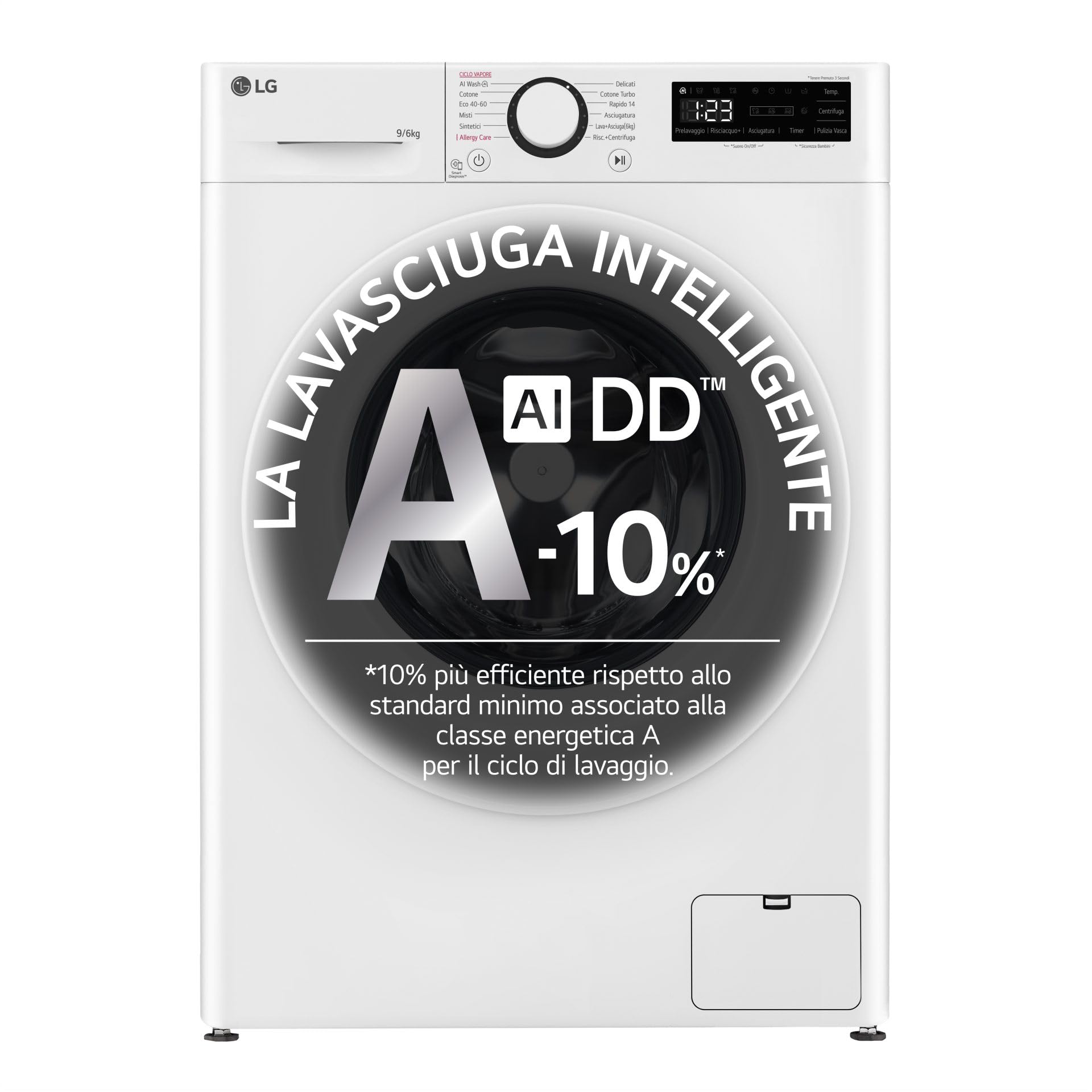
Figure 1: Front view of the LG AI DD D4R3009NSWW Washer Dryer.
Key Features:
- AI DD Technology: LG's artificial intelligence detects fabric weight and type, then selects optimal wash movements from 20,000 combinations for enhanced fabric protection.
- Eco Hybrid Technology: Offers flexibility to choose between energy-saving Eco drying mode or faster Turbo drying mode.
- Allergy Care Program: Utilizes high temperatures to reduce 99.9% of allergy-causing dust mites, approved by the British Allergy Foundation (BAF).
- Steam Wash: Provides deep cleaning and sanitization using steam.
- Inverter Direct Drive Motor: Directly connected to the drum, ensuring high washing performance with reduced noise and vibrations.
- Bubble Drum: The unique 'bubble' drum shape protects fabrics by minimizing friction during washing and spinning.
- Energy Efficiency: The wash cycle is 10% more efficient than traditional Class A models.


Figure 2: Visual representations of AI DD and Steam Wash technologies.
2. Safety Information
Please read all safety instructions before using the appliance to prevent accidents and ensure proper operation. Keep this manual for future reference.
General Safety Warnings:
- Ensure the appliance is properly grounded to prevent electric shock.
- Do not allow children to play on or in the appliance. Supervise children when the appliance is in use.
- Keep flammable materials, such as gasoline or alcohol, away from the appliance.
- Do not wash or dry articles that have been soiled with vegetable oil or cooking oil. These items may spontaneously ignite.
- Unplug the appliance before cleaning or performing any maintenance.
- Do not operate the appliance if it is damaged, malfunctioning, or has a damaged power cord. Contact qualified service personnel.
- Ensure all water connections are secure to prevent leaks.
3. Installation and Setup
Proper installation is crucial for the safe and efficient operation of your washer dryer. Follow these guidelines carefully.
Unpacking:
- Remove all packaging materials, including the polystyrene base and any protective film.
- Locate and remove the transport bolts from the rear of the appliance. These bolts secure the drum during transit and must be removed before use. Keep them for future transport.
Location:
- Place the appliance on a solid, level floor. Avoid carpets or soft surfaces that could obstruct ventilation.
- Ensure there is adequate space around the appliance for air circulation and maintenance.
- Avoid direct sunlight or extreme temperatures.
Connections:
- Water Supply: Connect the inlet hoses to the hot and cold water taps and to the corresponding inlets on the back of the machine. Ensure connections are tight to prevent leaks.
- Drain Hose: Securely attach the drain hose to a standpipe or laundry tub, ensuring it is not kinked or blocked.
- Electrical: Plug the power cord into a grounded electrical outlet. Do not use extension cords.
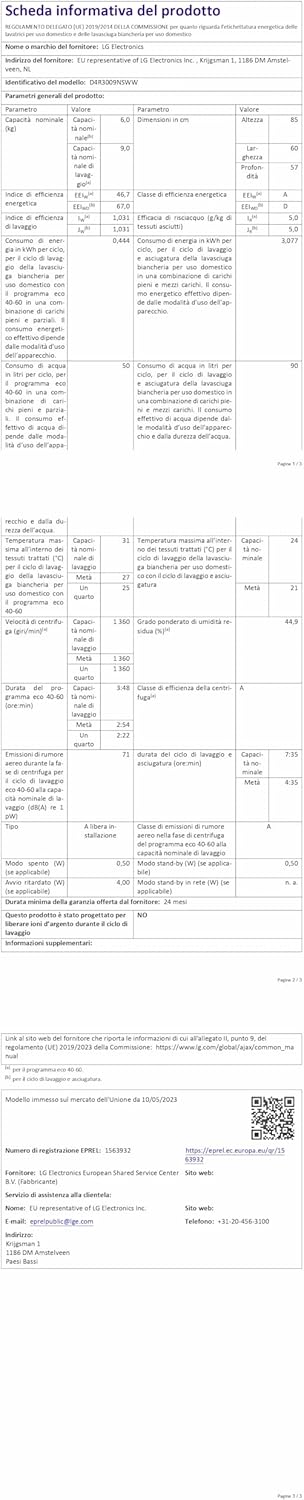
Figure 3: Rear view of the appliance, illustrating connection points.
Leveling:
Use a spirit level to ensure the appliance is perfectly level. Adjust the leveling feet at the bottom of the machine as needed to prevent excessive vibration and noise during operation.
4. Operating Instructions
This section guides you through the daily use of your LG AI DD D4R3009NSWW washer dryer.
Control Panel Overview:

Figure 4: Control panel with cycle selector and digital display.
- Cycle Selector Dial: Turn the dial to select your desired wash or dry program.
- Digital Display: Shows remaining time, error codes, and selected options.
- Function Buttons: For selecting additional options like temperature, spin speed, steam, or delay start.
- Start/Pause Button: To begin or temporarily stop a cycle.
Loading Laundry:
- Open the door and load items loosely into the drum. Do not overload the machine; refer to the capacity guidelines for optimal results (9kg wash, 6kg dry).
- Ensure no items are caught in the door seal before closing the door firmly.

Figure 5: Interior of the washer dryer drum.
Adding Detergent and Softener:
- Pull out the detergent dispenser drawer.
- Add the appropriate amount of detergent to the main wash compartment.
- Add fabric softener to the softener compartment (marked with a flower symbol). Do not exceed the maximum fill line.
- Gently push the dispenser drawer back into place.

Figure 6: Detergent dispenser drawer.
Selecting and Starting a Cycle:
- Turn the cycle selector dial to choose your desired wash or wash+dry program (e.g., Cotton, Mixed Fabrics, Easy Care, AI Wash, Allergy Care).
- Adjust any additional options such as temperature, spin speed, or steam if available for the selected cycle.
- Press the Start/Pause button to begin the cycle. The machine will automatically detect the load and optimize settings with AI DD technology.
Drying Function (Eco Hybrid):
After a wash cycle, you can select a drying program. The Eco Hybrid technology allows you to choose:
- Eco Mode: For energy-efficient drying.
- Turbo Mode: For faster drying times.
Select the appropriate drying option based on your needs and press Start/Pause.

Figure 7: The Inverter Direct Drive motor ensures quiet operation.
5. Maintenance
Regular maintenance ensures the longevity and optimal performance of your appliance.
Cleaning the Drum:
Run a 'Tub Clean' or 'Drum Clean' cycle periodically (refer to your control panel for specific program names) to remove detergent residue and odors.
Cleaning the Detergent Dispenser:
- Pull out the dispenser drawer completely.
- Remove any removable inserts or compartments.
- Rinse all parts under running water to remove detergent and softener buildup. Use a brush if necessary.
- Wipe the drawer housing clean.
- Reassemble and reinsert the drawer.
Cleaning the Drain Pump Filter:
The drain pump filter should be cleaned regularly to prevent blockages and ensure efficient draining.
- Open the cover at the bottom front of the appliance.
- Place a shallow tray or towel underneath to catch any residual water.
- Slowly unscrew the filter cap counter-clockwise to drain water.
- Remove the filter and clean it under running water, removing any lint or debris.
- Reinsert the filter and screw the cap back on tightly. Close the cover.
Exterior Cleaning:
Wipe the exterior surfaces with a soft, damp cloth. Do not use abrasive cleaners or solvents.
6. Troubleshooting
Refer to this section for solutions to common issues you might encounter.
| Problem | Possible Cause | Solution |
|---|---|---|
| Appliance does not start | Power cord unplugged; Door not closed properly; Cycle not selected; Start/Pause button not pressed. | Check power connection; Ensure door is latched; Select a cycle; Press Start/Pause. |
| Excessive vibration or noise | Appliance not level; Transport bolts not removed; Overloaded drum; Unbalanced load. | Adjust leveling feet; Remove transport bolts; Reduce load size; Redistribute laundry evenly. |
| Water leakage | Loose water inlet hoses; Clogged drain pump filter; Drain hose improperly installed. | Tighten hose connections; Clean drain pump filter; Ensure drain hose is secure and not kinked. |
| Poor washing results | Overloading; Insufficient detergent; Incorrect cycle selection; Water temperature too low. | Reduce load; Use correct amount of detergent; Select appropriate cycle; Check water temperature setting. |
| Poor drying results | Overloading; Incorrect drying cycle; Lint filter clogged (if applicable); Inadequate ventilation. | Reduce load; Select appropriate drying cycle; Clean lint filter; Ensure proper ventilation around the appliance. |
If the problem persists after trying these solutions, please contact LG customer support.
7. Specifications
Technical details for the LG AI DD D4R3009NSWW Washer Dryer.
| Feature | Value |
|---|---|
| Brand | LG |
| Model Number | D4R3009NSWW |
| Product Dimensions (L x W x H) | 56.5 x 60 x 85 cm; 74 kilograms |
| Capacity (Wash) | 9 Kilograms |
| Capacity (Dry) | 6 Kilograms |
| Drum Material | Stainless Steel |
| Control Type | Voice, Dial |
| Access Location | Front Load |
| Voltage | 230 Volts (AC) |
| Number of Washing Cycles | 3 (Options include Cotton, Mixed Fabrics, Easy Care) |
| Number of Drying Cycles | 3 |
| Special Features | Steam Wash, Eco Hybrid Technology |
| Included Components | Drain Hose |
| Batteries Required | No |
| Date First Available | 29 February 2024 |
8. Warranty and Support
LG provides a manufacturer's warranty for this product. Please refer to the warranty card included with your purchase or visit the official LG website for detailed warranty terms and conditions specific to your region.
Customer Support:
For technical assistance, service requests, or spare parts inquiries, please contact LG Customer Service. You can find contact information on the official LG website or in your product documentation.
Online Resources: For additional support, FAQs, and software updates, visit the official LG website: www.lg.com

Figure 8: Smart connectivity features may offer additional support and control options.
9. Official Product Videos
No official product videos from the seller matching the specified criteria (m3u8 format and 'Seller' creator type) were found in the provided data. Please refer to the LG official website or authorized channels for any available video content.