
1. Introduction
Thank you for choosing the AMZCHEF 8-IN-1 Professional Blender, Model XL-05. This powerful 2000W countertop blender is designed for a variety of blending tasks, from smoothies and shakes to ice crushing and purees. Featuring an innovative LED touch panel with 8 preset programs and 10 manual speed settings, this appliance offers versatility and ease of use. Please read this manual thoroughly before operating the blender to ensure safe and efficient use.
2. Important Safeguards
When using electrical appliances, basic safety precautions should always be followed to reduce the risk of fire, electric shock, and/or injury to persons, including the following:
- Read all instructions before using the appliance.
- To protect against electrical shock, do not immerse the motor base in water or other liquids.
- Close supervision is necessary when any appliance is used by or near children.
- Unplug from outlet when not in use, before assembling or disassembling parts, and before cleaning.
- Avoid contact with moving parts.
- Do not operate any appliance with a damaged cord or plug, or after the appliance malfunctions or has been dropped or damaged in any manner. Contact customer support for assistance.
- The use of attachments not recommended or sold by the manufacturer may cause fire, electric shock, or injury.
- Do not use outdoors.
- Do not let cord hang over edge of table or counter, or touch hot surfaces.
- Do not place on or near a hot gas or electric burner, or in a heated oven.
- Always operate the blender with the lid in place.
- Blades are sharp. Handle with care.
- Ensure the pitcher is securely locked onto the motor base before operation. The blender will not start if the pitcher is not correctly seated.
- Do not blend hot liquids in large quantities as pressure buildup may cause the lid to dislodge and result in injury.
3. Product Components
The AMZCHEF Professional Blender XL-05 includes the following components:
- Motor Base (2000W)
- 68 oz Blender Pitcher
- Pitcher Lid with Vented Lid Cap
- Blade Assembly (integrated into pitcher)
- Tamper
- Recipe Inspiration Guide

Image 3.1: Overview of the AMZCHEF Professional Blender XL-05, showing the motor base, 68 oz pitcher, lid, and tamper.

Image 3.2: Detailed diagram illustrating the main components of the blender for easy identification.
4. Setup
Follow these steps to set up your blender for first use:
- Unpack: Carefully remove all components from the packaging. Retain packaging for future storage or transport.
- Clean: Before first use, wash the pitcher, lid, and tamper in warm, soapy water. Rinse thoroughly and dry. The motor base can be wiped with a damp cloth.
- Assemble Pitcher: Ensure the blade assembly is securely attached to the bottom of the pitcher.
- Place Pitcher on Base: Position the 68 oz pitcher onto the motor base. Ensure it is seated firmly and correctly aligned. The blender features a safety switch that prevents operation if the pitcher is not properly in place.
- Secure Lid: Place the lid onto the pitcher and ensure it is securely fastened. The vented lid cap should also be in place unless adding ingredients during blending.
- Connect Power: Plug the power cord into a standard 120V electrical outlet.
5. Operating Instructions
The AMZCHEF Professional Blender features an intuitive LED touch control panel for easy operation.
5.1 Control Panel Overview

Image 5.1: The LED touch control panel, displaying various function buttons and the digital timer.
The control panel includes:
- Digital Display: Shows time remaining for preset programs or manual timer.
- Start/Stop Button: Initiates or pauses blending.
- Time Buttons (Up/Down): Adjusts the blending duration in manual mode.
- Speed Buttons (Up/Down): Adjusts the manual speed from 1 to 10.
- Pulse Button: Provides short bursts of high-speed blending for chopping or quick mixing.
- Menu Button: Cycles through available preset programs.
- 8 Preset Program Buttons: Dedicated buttons for specific blending tasks.
5.2 Using Preset Programs
The blender offers 8 optimized preset programs for common blending needs:
- Ice Crush: For crushing ice cubes into fine snow.
- Ice Cream: For making frozen desserts and ice cream.
- Smoothie: For blending fruits and vegetables into smooth beverages.
- Extract: For extracting nutrients from tough ingredients.
- Puree: For creating smooth purees from cooked ingredients.
- Sauce: For blending sauces and dressings.
- Nut Butter: For processing nuts into creamy butter.
- Clean: For automatic cleaning of the pitcher.
To use a preset program:
- Add ingredients to the pitcher and secure the lid.
- Place the pitcher on the motor base.
- Select the desired preset program by pressing its dedicated button or using the Menu button to cycle and then Start/Stop.
- The blender will run for a pre-programmed duration and stop automatically.
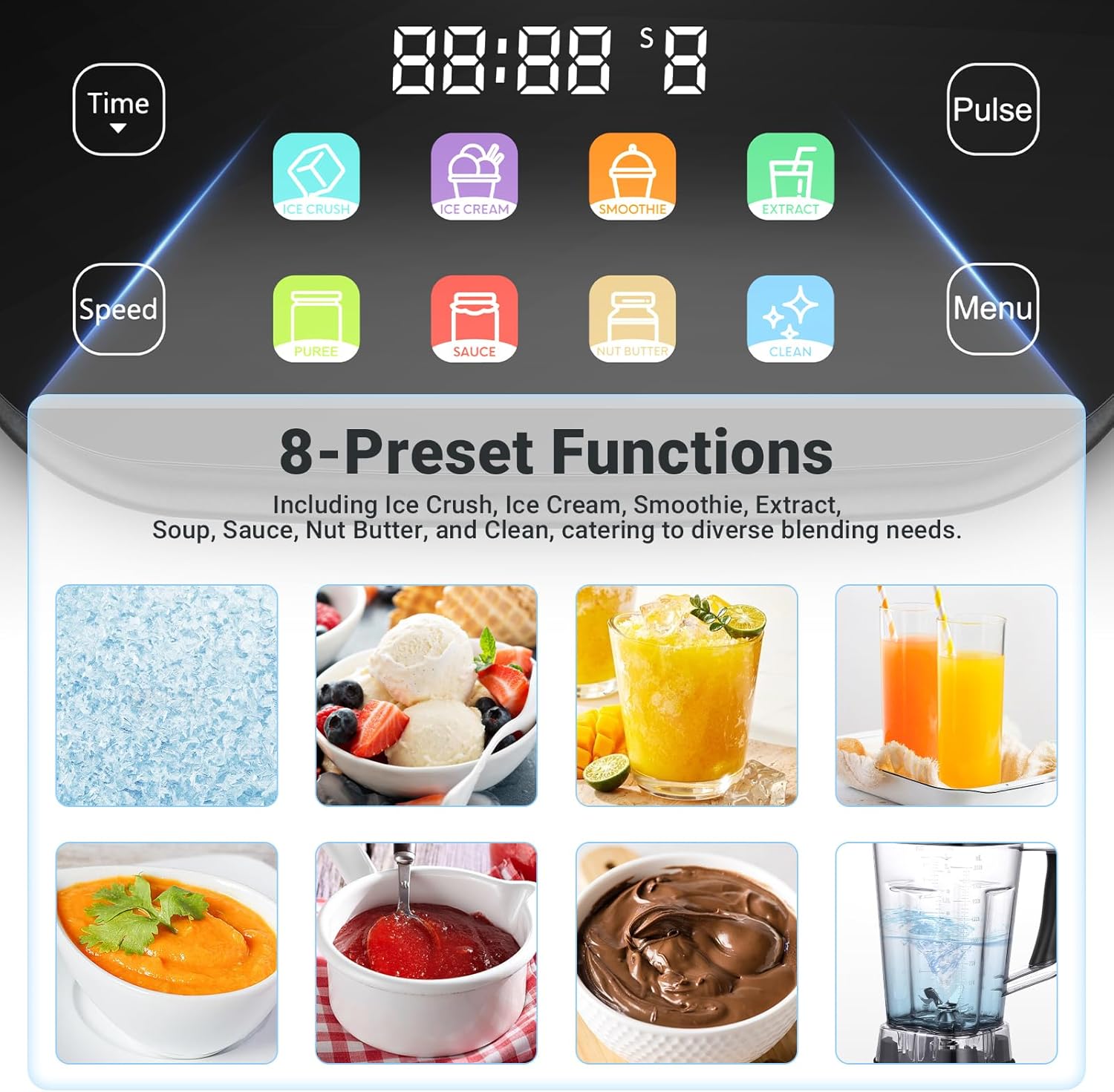
Image 5.2: Visual representation of the 8 distinct preset functions available on the blender.
5.3 Manual Speed Control and Pulse Function
For customized blending, use the manual speed and pulse functions:
- 10 Speeds: Use the 'Speed' up/down buttons to select a speed from 1 (low) to 10 (high). Lower speeds are suitable for light mixing, while higher speeds are for tougher ingredients and smoother results.
- Pulse Function: Press and hold the 'Pulse' button for short bursts of high-speed blending. Release the button to stop. This is ideal for chopping, controlling texture, or dislodging ingredients.

Image 5.3: Guide for selecting appropriate speeds for various blending tasks, including juice, vegetables, frozen fruit, and smoothies.
5.4 Timer Control
The blender features a timer function for precise blending durations:
- In manual speed mode, use the 'Time' up/down buttons to set a desired blending duration.
- Press 'Start/Stop' to begin blending. The blender will automatically shut off once the timer counts down to zero.
6. Cleaning and Maintenance
Proper cleaning and maintenance ensure the longevity and performance of your blender.
6.1 Auto-Cleaning Program
For quick and easy cleaning of the pitcher:
- Add 500ml (approximately 17 oz) of warm water and a drop of dish soap to the pitcher.
- Secure the lid and place the pitcher on the motor base.
- Select the 'Clean' preset program.
- The blender will run a short cleaning cycle.
- After the cycle, discard the water, rinse the pitcher thoroughly, and dry.
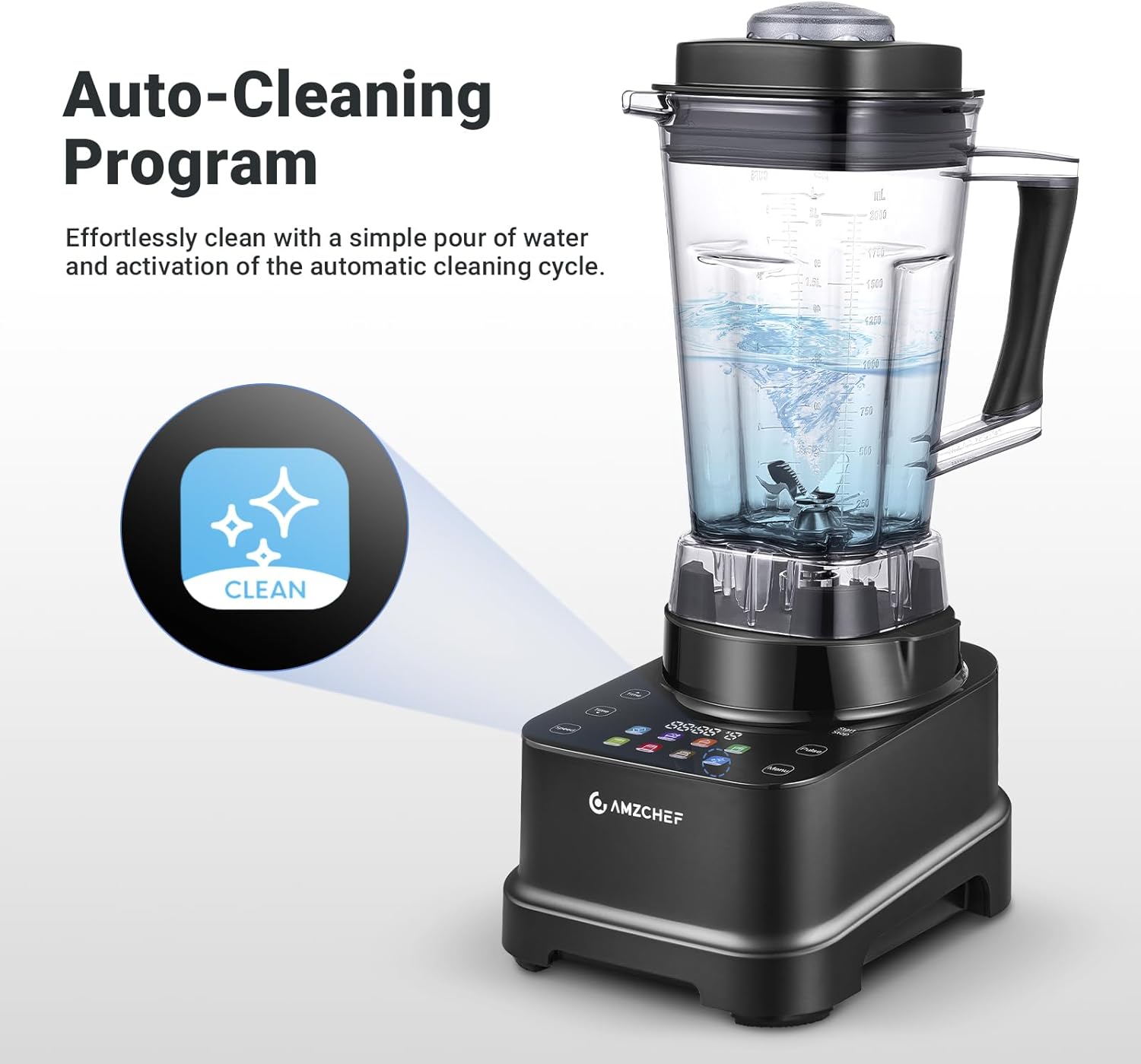
Image 6.1: The auto-cleaning program in action, showing water swirling inside the pitcher.
6.2 Manual Cleaning
- Pitcher: The 68 oz pitcher is dishwasher safe (top rack only, up to 80°C). For hand washing, use warm, soapy water and a brush to clean around the blades. Exercise caution as blades are sharp.
- Lid and Tamper: Wash with warm, soapy water, rinse, and dry.
- Motor Base: Wipe the motor base with a damp cloth. Do not immerse the motor base in water or any other liquid.
- Storage: Store the blender assembled or with components neatly stored in a dry place.
7. Troubleshooting
Refer to this section for common issues and their solutions.
| Problem | Possible Cause | Solution |
|---|---|---|
| Blender does not start. | Not plugged in; pitcher not correctly seated; power outage. | Ensure power cord is securely plugged in. Verify pitcher is firmly locked onto the motor base. Check household circuit breaker. |
| Burning smell during operation. | New motor smell (normal for first few uses); overloading; prolonged use. | A slight burning smell is normal for new motors. If persistent or strong, reduce load, blend in shorter intervals, or contact support. |
| Ingredients not blending smoothly. | Too little liquid; ingredients too large; air pocket around blades. | Add more liquid. Cut ingredients into smaller pieces. Use the tamper to push ingredients towards the blades. Use pulse function. |
| Lid leaks during blending. | Lid not securely fastened; pitcher overfilled. | Ensure lid is firmly pressed onto the pitcher. Do not fill past the maximum fill line. |
8. Specifications
Technical details for the AMZCHEF Professional Blender XL-05:
| Feature | Detail |
|---|---|
| Model Number | XL-05 |
| Power | 2000 W |
| Voltage | 120 Volts |
| Capacity | 68 oz (2 Liters) |
| Number of Speeds | 10 (Manual) |
| Preset Programs | 8 (Ice Crush, Ice Cream, Smoothie, Extract, Puree, Sauce, Nut Butter, Clean) |
| Control Type | LED Touch Panel, Push Button |
| Material | BPA Free |
| Product Dimensions | 10"D x 7.9"W x 18.7"H |
| Item Weight | 11.23 pounds |
9. Warranty and Customer Support
9.1 Warranty Information
The AMZCHEF Professional Blender XL-05 comes with a 2-Year Limited Warranty. This warranty covers defects in materials and workmanship under normal use. Please retain your proof of purchase for warranty claims.
9.2 Customer Support
For any questions, concerns, or warranty claims, please contact AMZCHEF customer support. Our team is available to provide assistance. Please note that support is primarily provided in writing. Refer to the official AMZCHEF website for the most current contact information.
You can visit the AMZCHEF store page for more information: AMZCHEF Store


