
Introduction
This manual provides comprehensive instructions for the Micool F3 Open Ear Wireless Earbuds. Please read this manual carefully before using the product to ensure proper operation and to maximize your user experience. Keep this manual for future reference.
Package Contents
Verify that all items are present in your package:
- Micool F3 Open Ear Wireless Earbuds (Left and Right)
- Charging Case
- Charging Cable (USB)
- User Manual (this document)
Product Overview
The Micool F3 earbuds feature an open-ear, ear-clip design for comfortable wear. They utilize Bluetooth 5.3 for stable wireless connectivity and deliver HiFi sound quality.
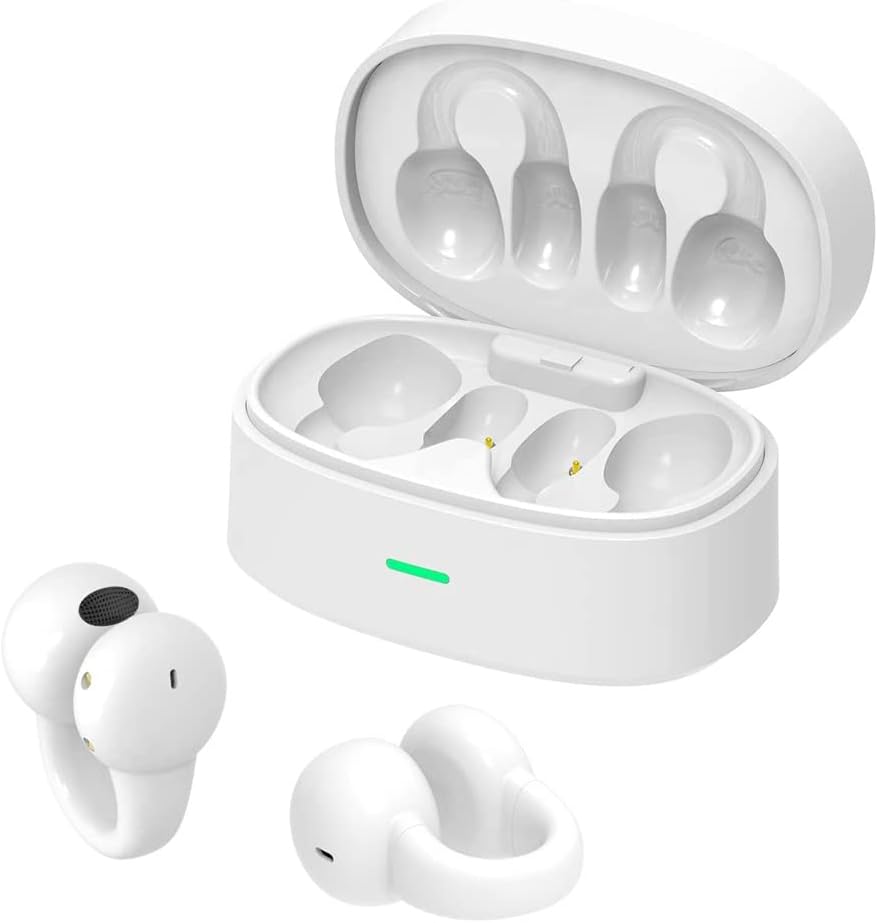
Image: Micool F3 Open Ear Wireless Earbuds shown with their charging case. The earbuds are white and feature an ear-clip design, while the charging case is also white with an indicator light.
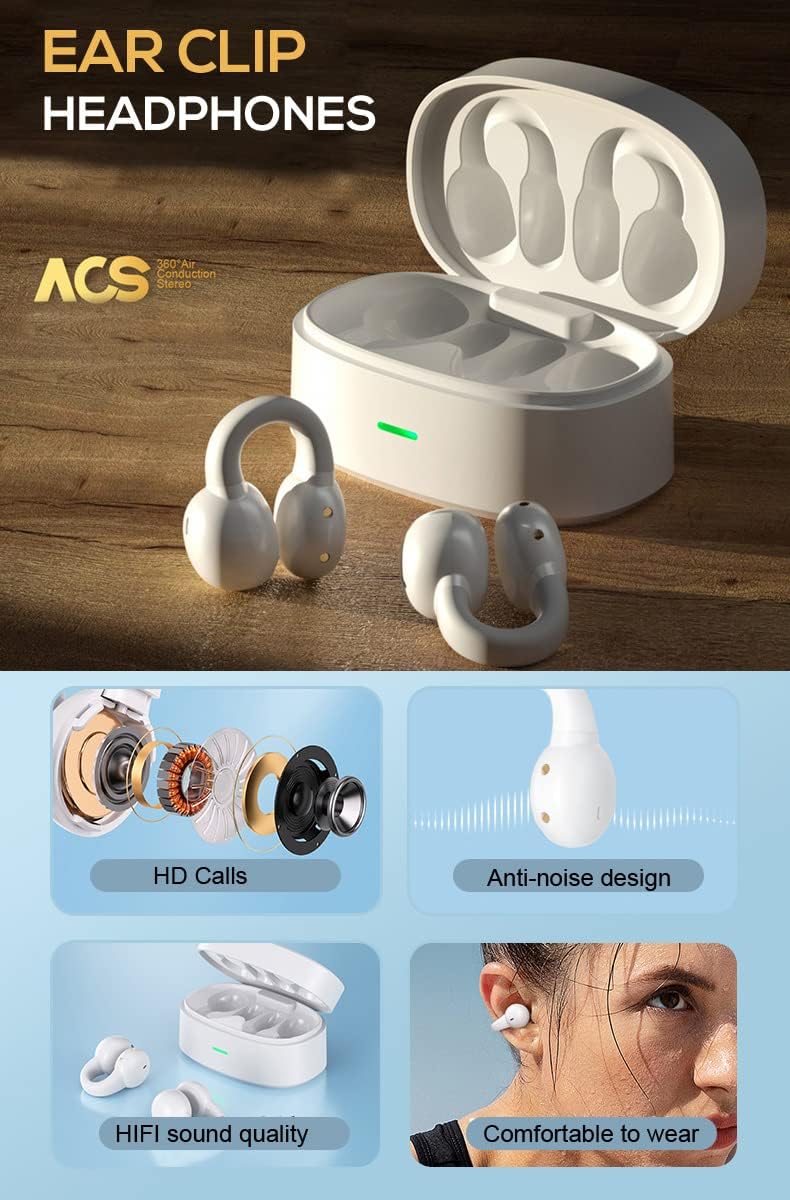
Image: Diagram illustrating key features of the Micool F3 earbuds, including HD Calls, anti-noise design, HiFi sound quality, and comfortable wear, alongside an open charging case.

Image: A person wearing a Micool F3 earbud, highlighting its comfortable and lightweight design (4.5g per earbud).
Setup
1. Charging the Earbuds and Case
Before first use, fully charge the earbuds and the charging case.
- Place the earbuds into the charging case.
- Connect the charging cable to the charging port on the case and to a USB power source.
- The indicator light on the charging case will show charging status. A full charge typically takes approximately 1 hour for the case.
The earbuds provide up to 4 hours of continuous playback, with the charging case extending total playtime to 25 hours.

Image: Illustration of the Micool F3 earbuds and charging case, highlighting battery life: 72 hours music time (likely total with case), 30 days standby time, and 1 hour fast charging.
2. Bluetooth Pairing
To connect your Micool F3 earbuds to your device:
- Ensure the earbuds are charged.
- Open the charging case. The earbuds will automatically enter pairing mode.
- On your device (smartphone, tablet, etc.), enable Bluetooth.
- Search for available Bluetooth devices and select "Micool F3" from the list.
- Once connected, you will hear a confirmation tone, and the earbuds will be ready for use.
The earbuds support Bluetooth 5.3 for broad compatibility with Bluetooth-enabled devices.
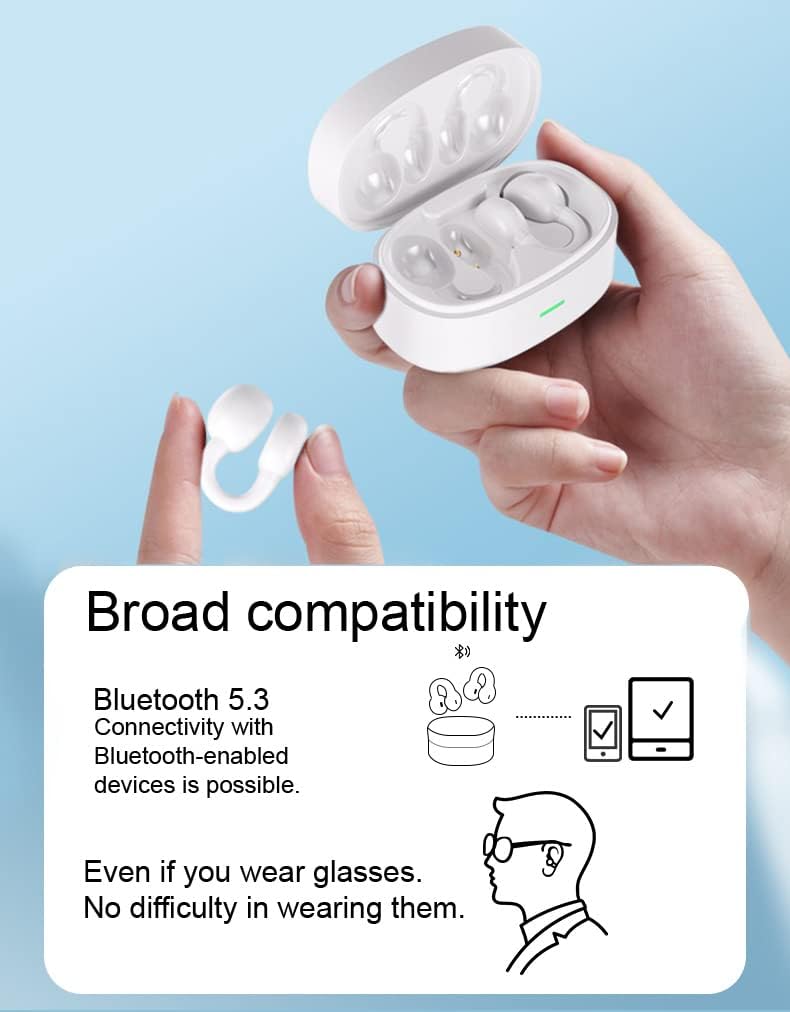
Image: Depiction of Micool F3 earbuds demonstrating broad compatibility with Bluetooth 5.3 devices, including a smartphone and tablet, and showing comfortable wear even with glasses.
Operating Instructions
The Micool F3 earbuds feature touch controls for various functions.
Power On/Off
- Power On: Open the charging case, or long-press the touch area on both earbuds for 3 seconds.
- Power Off: Place the earbuds back into the charging case and close the lid, or long-press the touch area on both earbuds for 5 seconds.
Music Playback
- Play/Pause: Single tap on either earbud.
- Next Track: Double tap on the right earbud.
- Previous Track: Double tap on the left earbud.
Call Management
- Answer/End Call: Single tap on either earbud.
- Reject Call: Long press on either earbud for 2 seconds.
Volume Control
Volume control is typically managed directly from your connected device.
Maintenance
Cleaning
- Use a soft, dry, lint-free cloth to clean the earbuds and charging case.
- Do not use abrasive cleaners, alcohol, or chemical solvents.
- Avoid getting moisture into any openings.
Storage
- When not in use, store the earbuds in their charging case to protect them and keep them charged.
- Store in a cool, dry place, away from extreme temperatures and direct sunlight.
Troubleshooting
| Problem | Solution |
|---|---|
| Earbuds do not power on. | Ensure the earbuds and charging case are fully charged. |
| Cannot pair with device. |
|
| No sound or low volume. |
|
| Intermittent connection. |
|
Specifications
| Feature | Detail |
|---|---|
| Model Name | F3 |
| Connectivity Technology | Wireless (Bluetooth) |
| Bluetooth Version | 5.3 |
| Ear Placement | Open Ear |
| Form Factor | On Ear (Ear Clip) |
| Control Method | Touch |
| Special Feature | Sweatproof, Noise-Canceling Calls (ENC) |
| Battery Life (Earbuds) | Up to 4 hours continuous playback |
| Total Battery Life (with Case) | Up to 25 hours |
| Charging Time (Case) | Approx. 1 hour (Fast Charging) |
| Material | Plastic |
| Weight (per earbud) | Approx. 4.5g |
Warranty and Support
For warranty information and technical support, please refer to the official Micool website or contact their customer service directly. Keep your purchase receipt as proof of purchase.
Manufacturer: MICOOL