
1. Introduction
Thank you for choosing the WholeFire Mini LED Flashlight F1522. This compact and powerful flashlight is designed for various applications, including camping, outdoor activities, hiking, and emergency situations. It features a high-brightness LED, USB Type-C recharging, multiple lighting modes, and a durable, waterproof design.
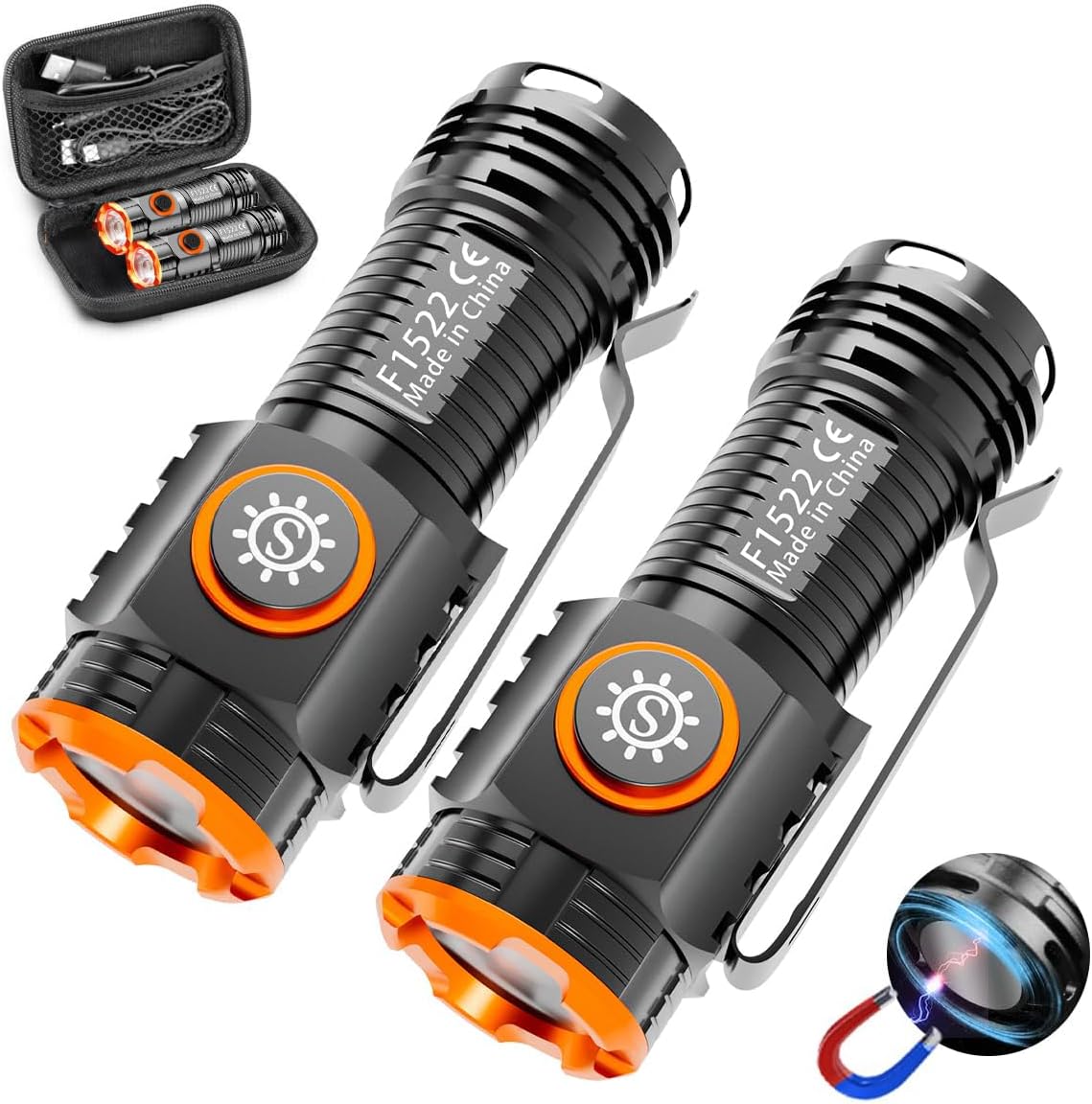
Image 1.1: Two WholeFire F1522 flashlights with their carrying case and charging cables.
2. Package Contents
Please verify that all items are present in your package:
- 2 x WholeFire Mini LED Flashlights F1522
- 2 x 1000mAh 3.7V Lithium-ion Batteries (pre-installed)
- 2 x USB Type-C Charging Cables
- 1 x Storage Case

Image 2.1: All components included in the WholeFire F1522 package.
3. Setup
3.1 Initial Battery Preparation
The flashlight comes with a pre-installed Lithium-ion battery. Before first use, ensure you remove the protective insulation sheet located between the battery and the contact point. Unscrew the tail cap to access the battery compartment.

Image 3.1: Remove the insulation sheet before initial use.
3.2 Charging the Flashlight
The flashlight is equipped with a USB Type-C charging port. Use the provided USB Type-C cable to connect the flashlight to a compatible power source (e.g., power bank, laptop, car charger, wall adapter).
- During charging, the indicator light will glow red.
- When fully charged, the indicator light will turn blue.
- The flashlight features multiple charging safeguards, including overcharge/discharge protection and short-circuit protection.

Image 3.2: Charging the flashlight via USB Type-C.
4. Operating Instructions
4.1 Power On/Off and Mode Selection
The flashlight features a single power button for all operations:
- To Turn On: Press the power button once. The flashlight will turn on in High mode.
- To Cycle Modes: While the flashlight is on, press the power button again to cycle through the modes: High (1000 lumens) → Medium (600 lumens) → Low (150 lumens).
- To Turn Off: Press and hold the power button for approximately 1 second, or press the button after a short pause in any mode.

Image 4.1: The three available lighting modes.
4.2 Special Features
- Magnetic Tail Cap: The tail cap contains a strong magnet, allowing the flashlight to be securely attached to metallic surfaces for hands-free operation.
- Removable Pocket Clip: A stable pocket clip is included, enabling you to attach the flashlight to clothing, a backpack, or even a hat brim for directional lighting.

Image 4.2: Demonstrating the magnetic tail cap, portability, and visor clip features.
5. Maintenance
5.1 Cleaning
To clean the flashlight, wipe it with a soft, damp cloth. Avoid using harsh chemicals or abrasive materials that could damage the finish or internal components.
5.2 Storage
Store the flashlight in a cool, dry place away from direct sunlight and extreme temperatures. If storing for an extended period, it is recommended to partially charge the battery (around 50%) and recharge it every few months to maintain battery health.
5.3 Water and Impact Resistance
The WholeFire F1522 flashlight is constructed from aluminum alloy and is rated IP65 waterproof and impact-resistant up to 1.5 meters. This means it is protected against dust ingress and low-pressure water jets from any direction. While it can withstand rain and splashes, it is not designed for submersion in water.

Image 5.1: The flashlight's IP65 waterproof rating allows use in rainy conditions.
6. Troubleshooting
If you encounter issues with your WholeFire Mini LED Flashlight F1522, please refer to the following common problems and solutions:
| Problem | Possible Cause | Solution |
|---|---|---|
| Flashlight does not turn on. | Battery is depleted or not properly installed. Insulation sheet not removed. | Charge the battery. Ensure the battery is inserted correctly with the positive (+) end facing the head. Remove the insulation sheet if still present. |
| Flashlight does not charge. | Charging cable or adapter is faulty. USB port is dirty. | Try a different USB Type-C cable and power adapter. Clean the USB port gently with a dry cotton swab. |
| Light is dim or flickers. | Low battery. Loose connection. | Recharge the battery. Ensure the tail cap is screwed on tightly. |
7. Specifications
Detailed technical specifications for the WholeFire Mini LED Flashlight F1522:
| Feature | Specification |
|---|---|
| Brand | WholeFire |
| Model Number | F1522 |
| Light Source | LED (XHP50) |
| Luminosity | High: 1000 lumens, Medium: 600 lumens, Low: 150 lumens |
| Power Source | Battery Powered (1 x 1000mAh Lithium-ion, included) |
| Charging Port | USB Type-C |
| Dimensions (L x W x H) | 7.5 x 2 x 2 cm (2.91 x 0.90 x 0.90 inches) |
| Weight | 30 grams (1.06 oz) |
| Waterproof Rating | IP65 |
| Impact Resistance | Up to 1.5 meters |
| Special Features | Magnetic Tail Cap, Removable Pocket Clip |

Image 7.1: Dimensions and weight of the WholeFire F1522 flashlight.
8. Warranty and Support
8.1 Warranty Information
Specific warranty details for the WholeFire Mini LED Flashlight F1522 are not explicitly provided in the product information. Please refer to your purchase documentation or contact the retailer for warranty terms.
8.2 Customer Support
For further assistance, technical support, or inquiries regarding your WholeFire Mini LED Flashlight F1522, please contact WholeFire customer service through the retailer's platform or the official WholeFire website. Information regarding spare parts availability is not provided.