
Introduction
Welcome to the ZZA K1 Mini Karaoke Machine! This portable and versatile karaoke system is designed to bring joy and entertainment to users of all ages. Featuring exceptional sound quality, dual wireless microphones, and vibrant lighting effects, the K1 is perfect for family gatherings, parties, or simply enjoying your favorite tunes anywhere. Please read this manual carefully to ensure proper use and to maximize your karaoke experience.
What's in the Box
- ZZA K1 Karaoke Speaker Unit
- 2 x Wireless Microphones
- Type-C Charging Cable
- AUX Cable
- Instruction Manual

Image: The ZZA K1 Mini Karaoke Machine speaker unit and two wireless microphones, as included in the package.
Product Overview
The ZZA K1 Mini Karaoke Machine is a compact and powerful audio device designed for portable entertainment. It features a robust speaker with advanced audio technology and two wireless microphones for duet performances. The unit also incorporates dynamic 360° colorful lighting effects to enhance the atmosphere.
Key Features:
- Portable Design: Lightweight and easy to carry with a convenient handle.
- Exceptional Sound Quality: Advanced audio driver and digital signal processor (DSP) for clear, balanced sound.
- Dual Wireless Microphones: Two microphones for simultaneous singing.
- Multiple Connectivity Options: Bluetooth 5.3, Micro TF card, and AUX inputs.
- Dynamic Lighting Effects: 360° colorful LED lights with various modes.
- Voice Changing Effects: Six different karaoke sound effects including male, female, doll, monster, machine, and original voices.
- Long Battery Life: Built-in 2400mAh lithium battery providing up to 5 hours of playback.

Image: An exploded view illustrating the internal components of the ZZA K1 speaker, highlighting its sound performance capabilities.
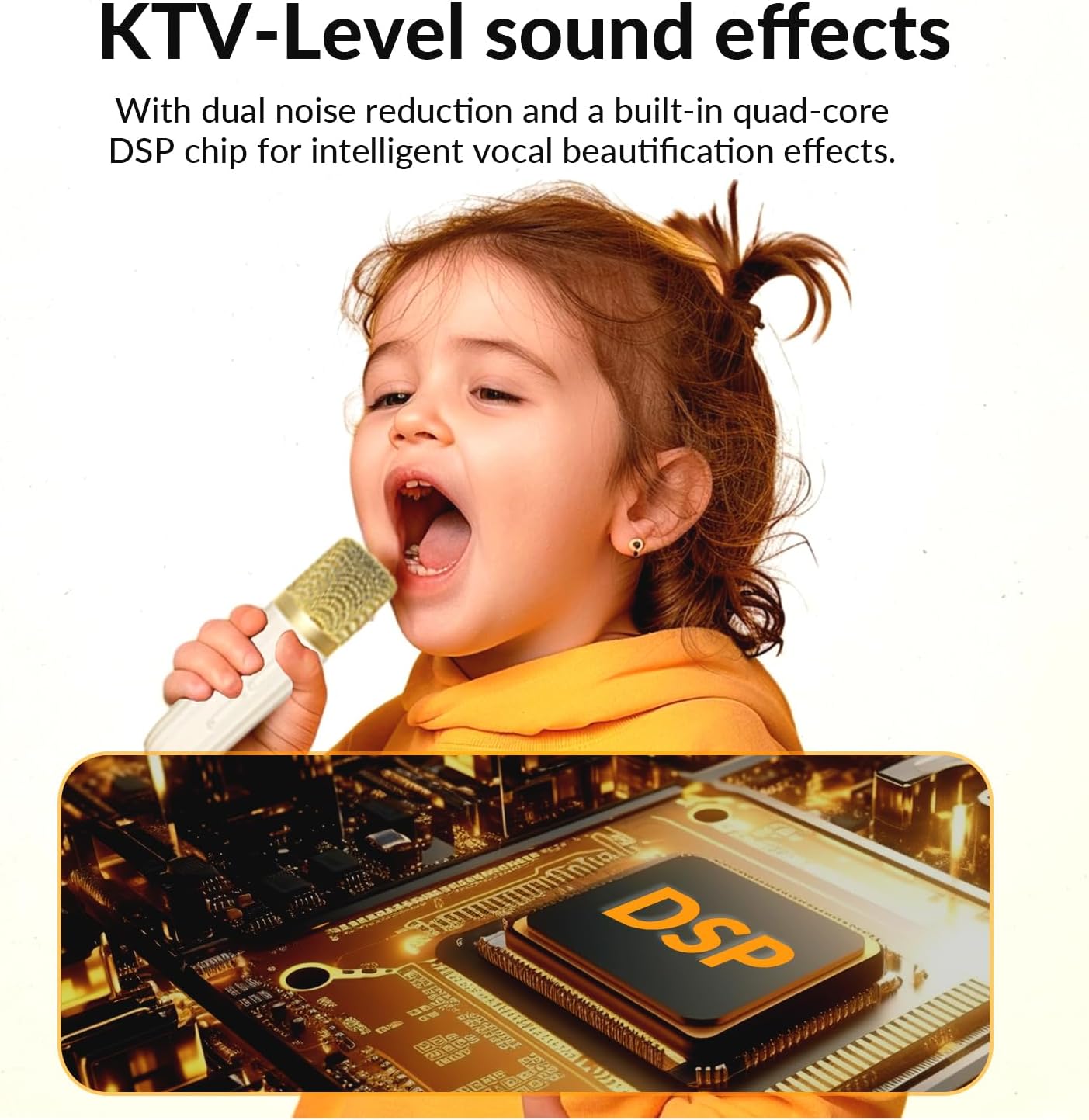
Image: A transparent view of the ZZA K1 speaker, showing its large 2400mAh lithium battery for extended use.

Image: A child using the ZZA K1 microphone, with an overlay highlighting the DSP chip for KTV-level sound effects and vocal beautification.
Setup
- Charging the Unit: Before first use, fully charge the karaoke machine and both microphones using the provided Type-C charging cable. Connect the cable to the DC5V port on the speaker and a suitable USB power adapter (not included). The charging indicator light will show charging status.
- Power On: Press and hold the power button on the speaker unit to turn it on. The LED lights will illuminate.
- Microphone Pairing: Turn on each wireless microphone by pressing its power button. The microphones will automatically pair with the speaker unit. A confirmation sound will indicate successful pairing.
- Connect Audio Source:
- Bluetooth: On your mobile phone, tablet, or PC, enable Bluetooth and search for "ZZA K1". Select it to pair. A voice prompt will confirm successful connection.
- Micro TF Card: Insert a Micro TF card with your desired music into the TF card slot on the speaker. The unit will automatically begin playing music from the card.
- AUX Input: Connect your audio device (e.g., TV, MP3 player) to the AUX port on the speaker using the provided AUX cable.

Image: Close-up view of the ZZA K1 speaker's connectivity ports, including Type-C for charging, TF Card slot, and AUX input.

Image: A visual representation of the ZZA K1's seamless Bluetooth connectivity with mobile phones, tablets, and other devices within a 10-meter range.
Operating Instructions
Speaker Controls:
- Power Button: Press and hold to turn on/off. Short press to switch between modes (Bluetooth/TF/AUX).
- Volume Up/Down: Use dedicated buttons on the speaker to adjust the main volume level.
- Light Mode Button: Short press to cycle through different lighting effects or turn lights off.
Microphone Controls:
- Power Button: Press and hold to turn on/off the microphone.
- Volume Control: Use the +/- buttons on the microphone to adjust its individual volume.
- Sound Effects/Voice Changer: Short press the effect button to cycle through the six available voice effects.
- Echo/Reverb: Some models may have a dedicated button or a long press function on the effect button to adjust echo/reverb.

Image: The ZZA K1 microphones illustrating the six available karaoke effects: Female to Male, Male to Female, Doll sound, Monster sound, Machine sound, and Original sound.

Image: The ZZA K1 speaker unit displaying its 360° colorful lighting effect, with examples of solid colors (Red, Blue, Green) and a gradient mode.
Maintenance
- Cleaning: Use a soft, dry cloth to clean the surface of the speaker and microphones. Do not use abrasive cleaners or solvents.
- Storage: Store the unit in a cool, dry place away from direct sunlight and extreme temperatures when not in use.
- Battery Care: To prolong battery life, avoid fully discharging the battery frequently. Charge the unit regularly, even if not in use for extended periods.
- Handle with Care: Avoid dropping the unit or exposing it to strong impacts.
Troubleshooting
| Problem | Possible Cause | Solution |
|---|---|---|
| Unit does not power on. | Low battery or unit is not charged. | Charge the unit fully using the provided Type-C cable. |
| No sound from speaker. | Volume too low, incorrect mode, or no audio source connected. | Increase speaker volume. Ensure correct input mode (Bluetooth/TF/AUX). Verify audio source is playing and connected properly. |
| Microphones not working. | Microphones are off, low battery, or not paired. | Turn on microphones. Charge microphones. Re-pair microphones with the speaker. |
| Bluetooth connection unstable. | Device too far from speaker, interference, or low battery. | Move device closer to the speaker (within 10 meters). Avoid obstacles. Ensure both devices are sufficiently charged. |
Specifications
| Feature | Detail |
|---|---|
| Brand | ZZA |
| Model Number | K1 |
| Item Weight | 1.74 pounds |
| Product Dimensions | 2 x 0.5 x 3 inches |
| Batteries | 1 Lithium Ion battery required (included) |
| Bluetooth Version | 5.3 |
| Audio Battery Capacity | 2400mAh |
| Playing Time | About 5 hours |
| Transmission Distance | 10 meters (in an accessible open environment) |
| Compatible Devices | Headphone, Smartphone, Tablet |
| Connector Type | 3.5 mm Jack (AUX), Type-C |
| Speaker Count | 1 |
| Power Source | Rechargeable battery |
| Special Feature | Portable |
| Recommended Uses | Indoor/Outdoor |

Image: A summary of the ZZA K1 product parameters, including Bluetooth version, battery capacity, playing time, and included components.
Warranty and Support
For any questions, technical support, or warranty inquiries regarding your ZZA K1 Mini Karaoke Machine, please contact the seller directly through the platform where you purchased the product. Retain your proof of purchase for warranty claims.
You can also visit the official ZZA Store for more information and product updates: ZZA Store on Amazon.