
1. Introduction
This manual provides detailed instructions for the installation, operation, and maintenance of your Cuifati Wireless HD Video Doorbell Camera. Please read this manual thoroughly before using the product to ensure proper function and safety. This device is designed to enhance your home security with features such as HD video, two-way audio, real-time monitoring, mobile notifications, and HD night vision.
2. Package Contents
Verify that all items listed below are included in your package. If any items are missing or damaged, please contact customer support.
- 1 x Video Doorbell Unit
- 1 x Back Cover (Mounting Bracket)
- 1 x Chime Unit (Bell Device)
- 1 x Double-sided Sticker
- 3 x Mounting Screws
- 2 x Screw Covers (Wall Plugs)
- 1 x Data Cable (USB)
- 1 x User Manual (this document)
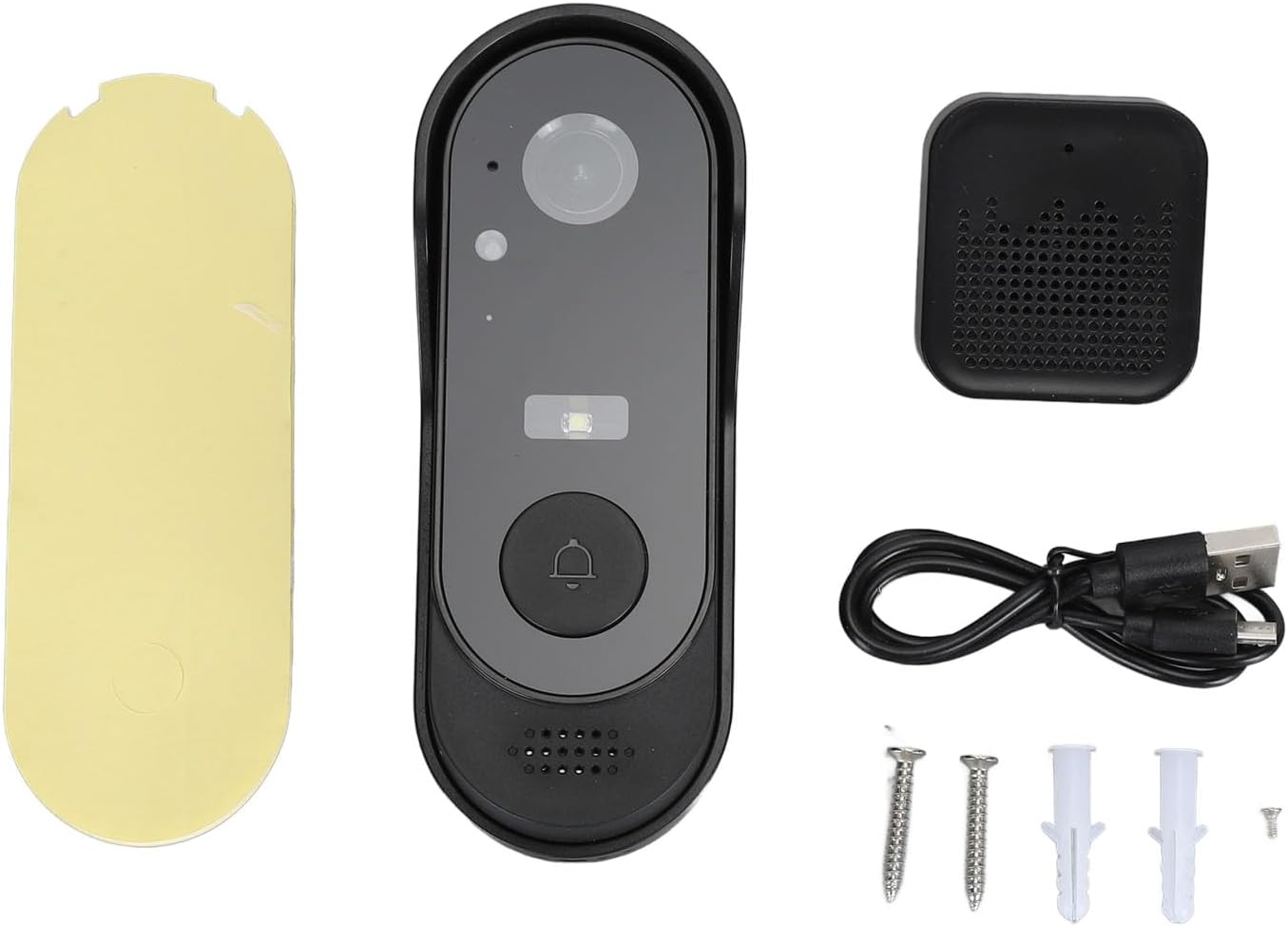
Figure 2.1: All package contents including the doorbell, chime, mounting hardware, and cable.
3. Setup and Installation
3.1 Charging the Doorbell
Before initial use, ensure the video doorbell's built-in 1000 mAh lithium battery is fully charged using the provided data cable. Connect the data cable to the doorbell and a standard USB power adapter (not included).
3.2 Pairing the Chime Unit
To pair the chime unit with the doorbell:
- Ensure the chime unit is powered on.
- Press and hold the first button on the chime unit for 3 seconds. The indicator light on the chime unit will flash, indicating it is in pairing mode.
- Press the main button on the video doorbell.
- The chime unit will emit a sound, confirming successful pairing.

Figure 3.1: The video doorbell and its wireless chime unit.

Figure 3.2: The chime unit, which plugs into a USB power source.
3.3 Mounting the Doorbell
The doorbell can be mounted using the provided screws and wall plugs or the double-sided sticker.
- Choose a suitable location near your door, ensuring a clear view and good Wi-Fi signal.
- For screw mounting:
- Attach the back cover (mounting bracket) to the desired surface using the screws and wall plugs.
- Slide the video doorbell unit onto the mounted back cover until it clicks securely into place.
- For adhesive mounting:
- Clean the mounting surface thoroughly to ensure it is dry and free of dust or grease.
- Apply the double-sided sticker to the back cover, then firmly press the back cover onto the desired surface.
- Slide the video doorbell unit onto the mounted back cover.

Figure 3.3: The doorbell unit separated from its back cover, alongside the chime.

Figure 3.4: The doorbell unit securely attached to its mounting bracket.
4. Operating Instructions
The Cuifati Wireless HD Video Doorbell Camera offers several key functionalities to enhance your home security.
4.1 HD Video Monitoring
The doorbell features a high-definition camera that provides clear video footage of your doorstep. You can access this video feed in real-time via the dedicated mobile application on your smartphone.
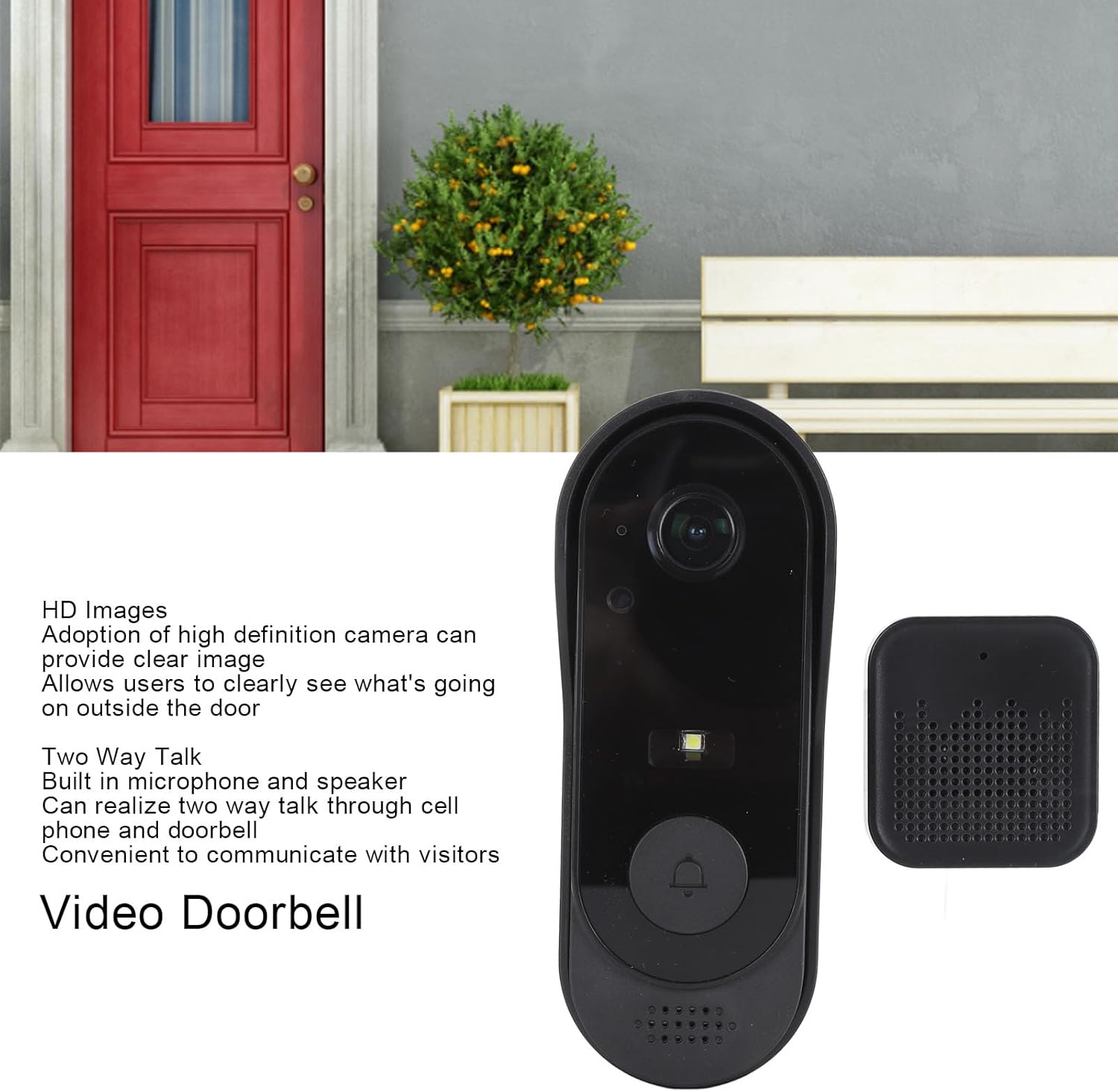
Figure 4.1: The doorbell provides clear HD images for monitoring.
4.2 Two-Way Audio Communication
Equipped with a built-in microphone and speaker, the doorbell enables two-way communication. You can speak directly with visitors at your door through your mobile phone, even when you are not home.
4.3 Real-Time Monitoring and Mobile Notifications
The doorbell supports real-time video streaming, allowing you to view live footage from your mobile device at any time. When a visitor presses the doorbell button or motion is detected within the monitoring range, a notification will be sent to your smartphone, alerting you instantly to activity at your door.

Figure 4.2: Key features including real-time video and mobile notifications.
4.4 HD Night Vision
The integrated infrared night vision technology allows the doorbell to capture clear black and white images in low-light conditions or complete darkness, ensuring you can identify visitors at night.
5. Maintenance
To ensure optimal performance and longevity of your Cuifati Wireless HD Video Doorbell Camera, follow these maintenance guidelines:
- Cleaning: Gently wipe the camera lens and the doorbell's exterior with a soft, damp cloth. Avoid using harsh chemicals or abrasive cleaners, as these can damage the device.
- Battery: Recharge the doorbell's battery as needed. The frequency will depend on usage.
- Software Updates: Regularly check the mobile application for any available firmware updates for the doorbell. Keeping the software updated ensures the best performance and security features.
- Storage: The doorbell supports a memory card of up to 32 GB (not included) for local storage. Periodically check the storage status and manage recordings as necessary.
- Environmental Protection: While the doorbell is IP65 waterproof, extreme weather conditions can still affect its performance. Ensure it is installed in a location that offers some protection from direct, prolonged exposure to heavy rain or intense sunlight if possible.
6. Troubleshooting
If you encounter issues with your Cuifati Wireless HD Video Doorbell Camera, refer to the following common problems and solutions:
- Doorbell not powering on: Ensure the battery is fully charged. Connect the doorbell to a USB power source and check if the indicator light turns on.
- Chime not ringing:
- Verify the chime unit is powered on and properly plugged into a USB port.
- Re-pair the chime unit with the doorbell following the instructions in Section 3.2.
- Check if the chime's volume is not set to mute or too low.
- No mobile notifications:
- Ensure the doorbell is connected to your home Wi-Fi network.
- Check your smartphone's notification settings for the doorbell application to ensure notifications are enabled.
- Verify that your phone has an active internet connection.
- Poor video quality or no video feed:
- Check your Wi-Fi signal strength at the doorbell's location. A weak signal can affect video streaming.
- Ensure the camera lens is clean and free from obstructions.
- Restart the doorbell unit by pressing and holding the main button until it powers off, then power it back on.
- Two-way audio issues:
- Ensure your mobile device's microphone and speaker are functioning correctly.
- Check the volume settings on both your phone and within the doorbell application.
- Verify a stable internet connection for clear audio transmission.
If these steps do not resolve the issue, please contact Cuifati customer support for further assistance.
7. Specifications
| Feature | Detail |
|---|---|
| Product Type | Wireless HD Video Doorbell Camera |
| Model Number | Cuifatio54hm8rxga |
| Brand | Cuifati |
| Material | ABS |
| Video Resolution | HD |
| Audio | Two-way audio (built-in microphone and speaker) |
| Night Vision | HD Infrared Night Vision (clear black and white images) |
| Connectivity | Wireless (Wi-Fi dependent for app features) |
| Waterproof Rating | IP65 |
| Battery Type | Built-in 1000 mAh Lithium Battery |
| Storage | Supports up to 32 GB memory card (not included) |
| Package Dimensions | 16 x 9 x 6 cm |
| Weight | 208 g |
| First Available Date | February 28, 2024 |
8. Warranty Information
Specific warranty details for the Cuifati Wireless HD Video Doorbell Camera are not available in the provided product information. Please refer to the product packaging or contact the retailer/manufacturer directly for warranty terms and conditions.
9. Customer Support
For technical assistance, troubleshooting not covered in this manual, or inquiries regarding your Cuifati Wireless HD Video Doorbell Camera, please contact Cuifati customer support. Contact information was not provided in the product data. Please refer to the seller's information on the purchase platform or the manufacturer's official website for support channels.
You may also visit the Cuifati Store on Amazon for additional product information or to find contact details if available.