
1. Important Safety Information
Please read and understand all instructions before operating this lawn mower. Failure to follow all instructions listed below may result in electric shock, fire, and/or serious personal injury. Keep this manual for future reference.
- Always wear appropriate personal protective equipment, including eye protection and sturdy footwear.
- Keep children and bystanders away from the operating area.
- Do not operate the mower in wet conditions or on steep slopes.
- Ensure the safety key is removed when not in use or during maintenance.
2. Product Overview
The LawnMaster 48V MAX 19-inch Brushless Cordless Lawn Mower (Model CLMF4819A) offers powerful, cordless performance for small to medium-sized lawns. It features a durable plastic deck, a brushless motor, and is powered by two 24V MAX 4.0Ah lithium-ion batteries for extended runtime.
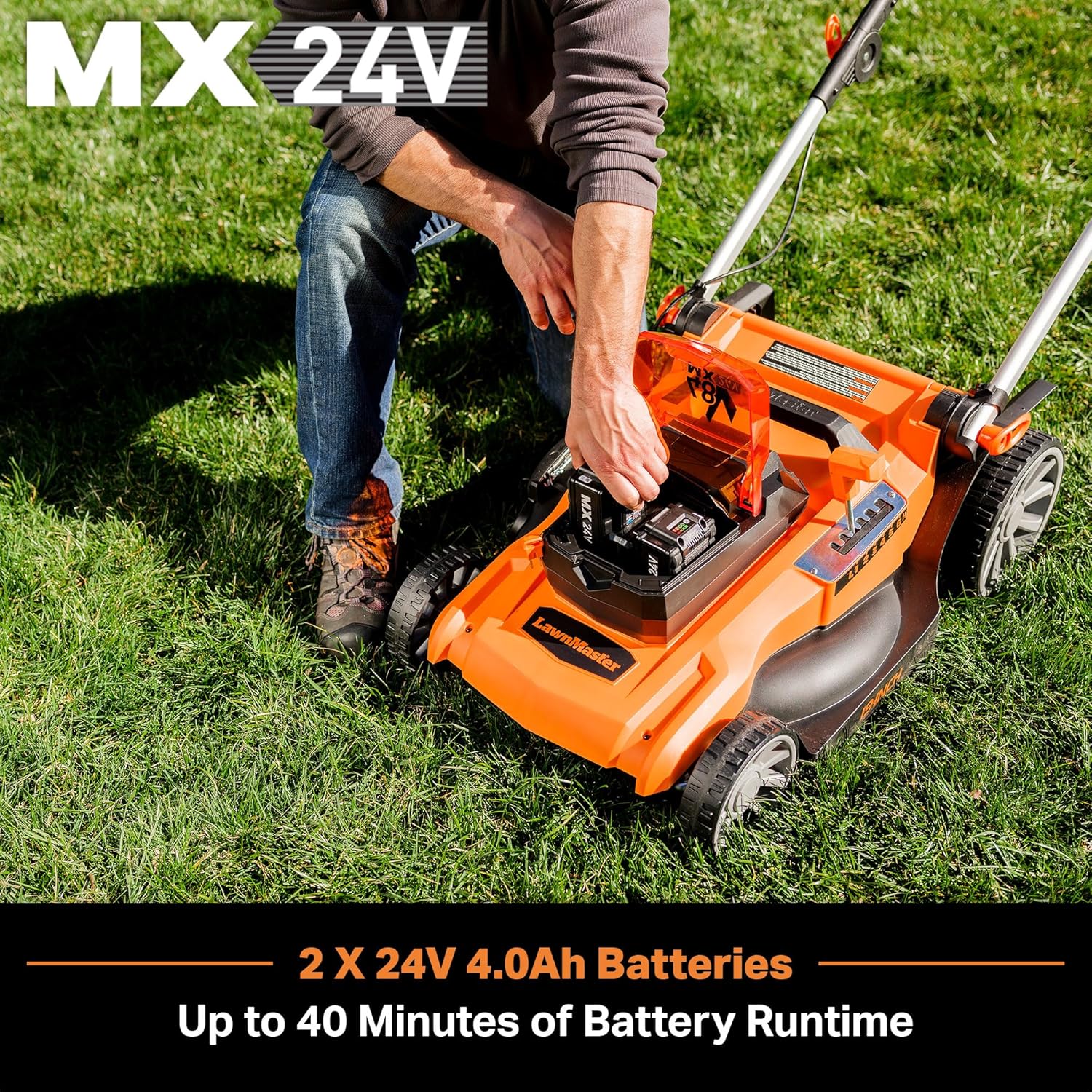
Image: The LawnMaster 48V MAX 19-inch Brushless Cordless Lawn Mower, showcasing its orange and black design with the grass collection bag attached.
3. Package Contents
Verify that all items are present upon unboxing:
- LawnMaster 19-inch Cordless Lawn Mower Unit
- 2 x 24V MAX 4.0Ah Lithium-Ion Batteries
- Dual Charger
- Grass Collection Bag (15-gallon capacity)
- Mulching Plug
- Side Discharge Chute
- Operator's Manual
- Safety Key
Video: An unboxing video demonstrating the contents of the LawnMaster 19-inch Cordless Mower package, including the mower, batteries, charger, and accessories.
4. Assembly
The lawn mower requires minimal assembly. Follow these steps:
- Handle Assembly: Attach the lower handles to the mower housing using the provided bolts and locking knobs. Secure the upper handle to the lower handles, ensuring the control cable is properly routed and secured with cable clips.
- Grass Collection Bag Assembly: Assemble the grass collection bag by connecting the bottom and top pieces, ensuring they click securely into place. Attach the handle to the top piece.
- Grass Collection Bag Installation: Lift the rear safety flap of the mower. Place the assembled grass collection bag onto the notches under the flap.
- Side Discharge Chute / Mulching Plug Installation: For side discharge, lift the side discharge cover and insert the chute. For mulching, insert the mulching plug into the rear discharge opening, ensuring the grass bag is removed.
Video: A detailed guide on unboxing, setting up, and assembling the LawnMaster mower, including handle and grass bag installation.
5. Setup
Battery Charging
The mower uses two 24V MAX 4.0Ah lithium-ion batteries. Always ensure batteries are fully charged before use for optimal performance.
- Connect the dual charger to a power outlet.
- Insert both 24V MAX batteries into the charging slots. The indicator lights on the charger will show the charging status.
- Allow batteries to charge completely. A full charge typically takes approximately 60 minutes per battery.

Image: The dual battery charger with two 24V MAX batteries inserted, showing the charging indicator lights.
Battery Installation
Once charged, install the batteries into the mower:
- Open the battery compartment cover on the mower.
- Align the ribs on the mower with the grooves in each battery pack and slide them in until they click securely into place.
- Insert the safety key into its slot.
- Close the battery compartment cover.
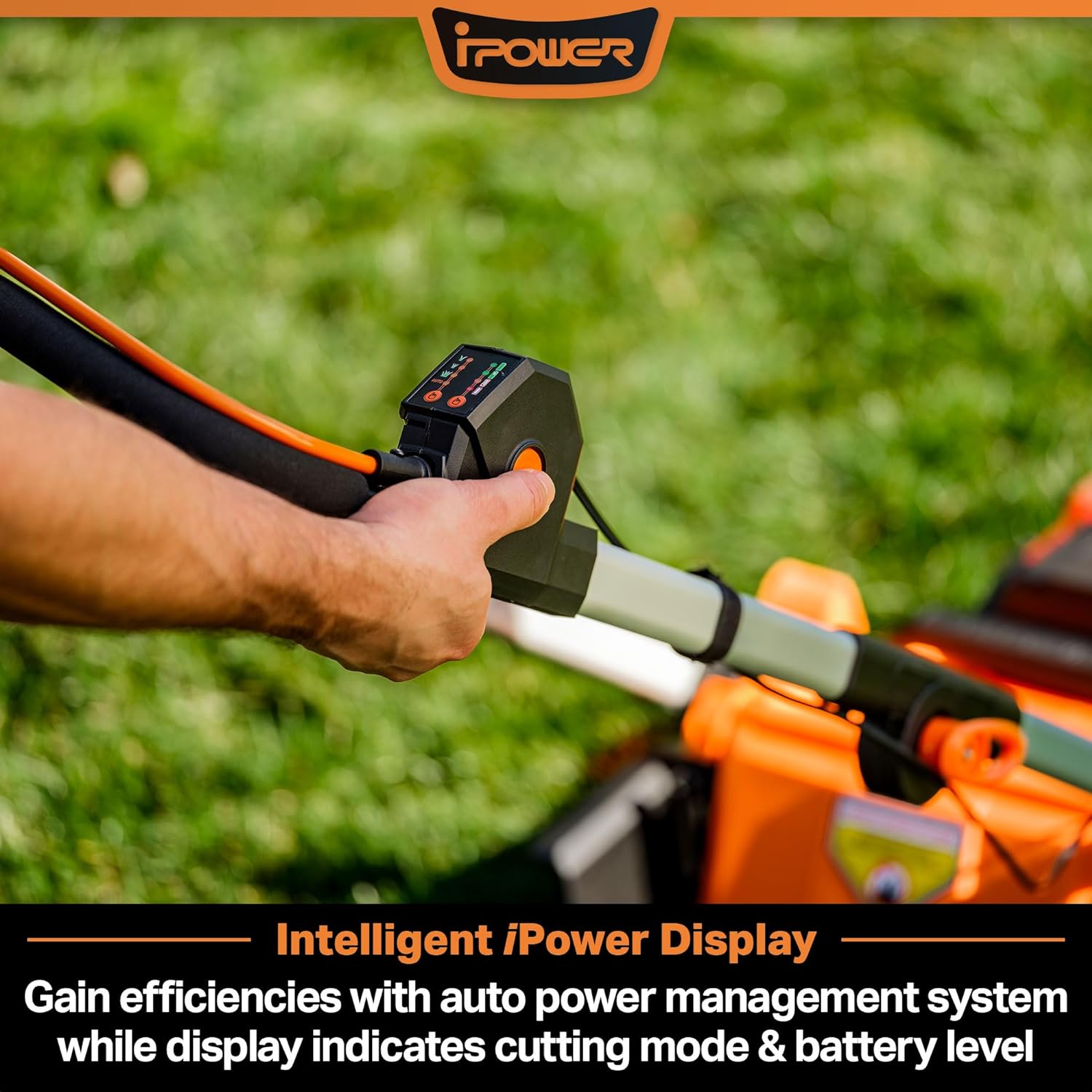
Image: A hand inserting a 24V MAX battery into the mower's battery compartment.
6. Operating Instructions
Starting the Mower
- Ensure the safety key is fully inserted.
- Press and hold the safety button on the handle.
- While holding the safety button, pull the orange bail lever towards the handle. The mower will start.
- Release the safety button, but continue to hold the bail lever to keep the mower running.

Image: Close-up of the mower's control panel on the handle, showing the power button, battery level, and cutting mode indicators.
Adjusting Cutting Height
The mower offers 6 cutting positions, from 1.4 inches to 3.4 inches.
- Turn off the mower and remove the safety key.
- Locate the central height adjustment lever on the mower deck.
- Pull the lever outwards and move it forward or backward to select the desired cutting height. Release the lever to lock it into position.

Image: A hand adjusting the central cutting height lever on the LawnMaster mower, showing the numbered height settings.
Using 3-in-1 Functionality (Mulching, Bagging, Side Discharge)
The mower supports mulching, bagging, and side discharge. Ensure the mower is off and the safety key is removed before changing modes.
- Bagging: Install the grass collection bag and remove the mulching plug/side discharge chute.
- Mulching: Remove the grass collection bag and side discharge chute, then install the mulching plug into the rear discharge opening.
- Side Discharge: Remove the grass collection bag and mulching plug, then install the side discharge chute into the side discharge opening.
Video: A demonstration of the LawnMaster 48V Max Cordless Mower in operation, showcasing its cutting capabilities and ease of use.
7. Maintenance
Regular maintenance ensures optimal performance and extends the life of your mower.
- Cleaning the Deck: After each use, turn off the mower, remove the safety key, and tilt the mower to clean grass clippings from the underside of the deck. This prevents buildup and rust.
- Blade Inspection: Periodically inspect the blade for sharpness and damage. Replace dull or damaged blades to ensure a clean cut.
- Battery Care: Store batteries in a cool, dry place. Do not store fully discharged batteries for extended periods.
- General Cleaning: Wipe down the exterior of the mower with a damp cloth. Do not use harsh chemicals or abrasive cleaners.
8. Troubleshooting
| Problem | Possible Cause | Solution |
|---|---|---|
| Mower does not start | Safety key not inserted; Batteries not charged/installed correctly; Bail lever not engaged. | Insert safety key fully; Charge/reinstall batteries; Engage bail lever. |
| Poor cutting performance | Dull or damaged blade; Cutting height too low for grass type; Grass buildup under deck. | Sharpen/replace blade; Adjust cutting height; Clean mower deck. |
| Reduced runtime | Batteries not fully charged; Thick/wet grass; Old batteries. | Fully charge batteries; Mow dry grass; Consider replacing old batteries. |
9. Specifications
| Feature | Detail |
|---|---|
| Brand | LawnMaster |
| Model Number | CLMF4819A |
| Power Source | Battery Powered (2 x 24V MAX 4.0Ah Lithium-Ion) |
| Cutting Width | 19 Inches |
| Cutting Height Positions | 6 (1.4-inches to 3.4-inches) |
| Operation Mode | Automatic |
| Grass Bag Capacity | 15-gallons |
| Item Weight | 37.6 Pounds |
| Product Dimensions | 31"D x 13"W x 20"H |
| Material | Plastic |
10. Warranty and Support
LawnMaster products are designed for durability and performance. This product is covered by a manufacturer's warranty against defects in materials and workmanship. For specific warranty details, registration, or technical support, please refer to the warranty card included in your package or visit the official LawnMaster website.
For assistance, please contact LawnMaster Customer Service.


