
Product Overview
The DICKIE TOYS Ambulance Model 203306024 is a toy vehicle designed for interactive play. It features realistic light and sound effects, a disc shooting function, and an opening rear compartment with an included stretcher. This manual provides essential information for safe and proper use of the toy.
Key Features:
- Integrated Light and Sound Functions
- Functional Disc Shooter
- Opening Rear Door with Ramp
- Includes a Stretcher Accessory
Safety Information
WARNING: Not suitable for children under 36 months due to small parts which may present a choking hazard.
Please remove all packaging materials before giving the toy to a child. Adult supervision is recommended during play.
What's in the Box
- 1 x DICKIE TOYS Ambulance Vehicle
- 1 x Stretcher Accessory
- 3 x AA Batteries (pre-installed)
Setup
Battery Installation/Replacement
The ambulance requires 3 AA batteries, which are included and pre-installed. If replacement is needed:
- Locate the battery compartment on the underside of the vehicle.
- Using a Phillips head screwdriver (not included), unscrew the battery compartment cover.
- Remove the old batteries and insert 3 new AA batteries, ensuring correct polarity (+/-).
- Replace the cover and secure it with the screw.
Note: Always use new batteries of the same type. Do not mix old and new batteries or different types of batteries. Remove batteries if the toy is not used for an extended period.
Stretcher Placement
The included stretcher can be placed inside the rear compartment of the ambulance. The rear door features a ramp for easy loading and unloading.

Image: The ambulance with its rear door open, revealing a ramp and the orange stretcher accessory extended from the back.
Operating Instructions
Activating Lights and Sounds
To activate the ambulance's lights and siren sounds, press the yellow button located on the top of the vehicle, near the front. The blue lights on the roof will flash, and the siren sound will play.

Image: Top view of the ambulance, highlighting the yellow button for activating lights and sounds, and the blue light bar.
Operating the Disc Shooter
The ambulance is equipped with a disc shooter. To operate:
- Load the small discs (not explicitly listed as included, but implied by feature) into the designated slot on the top of the vehicle, behind the light bar.
- Press the blue lever or button next to the disc shooter mechanism to launch the discs.
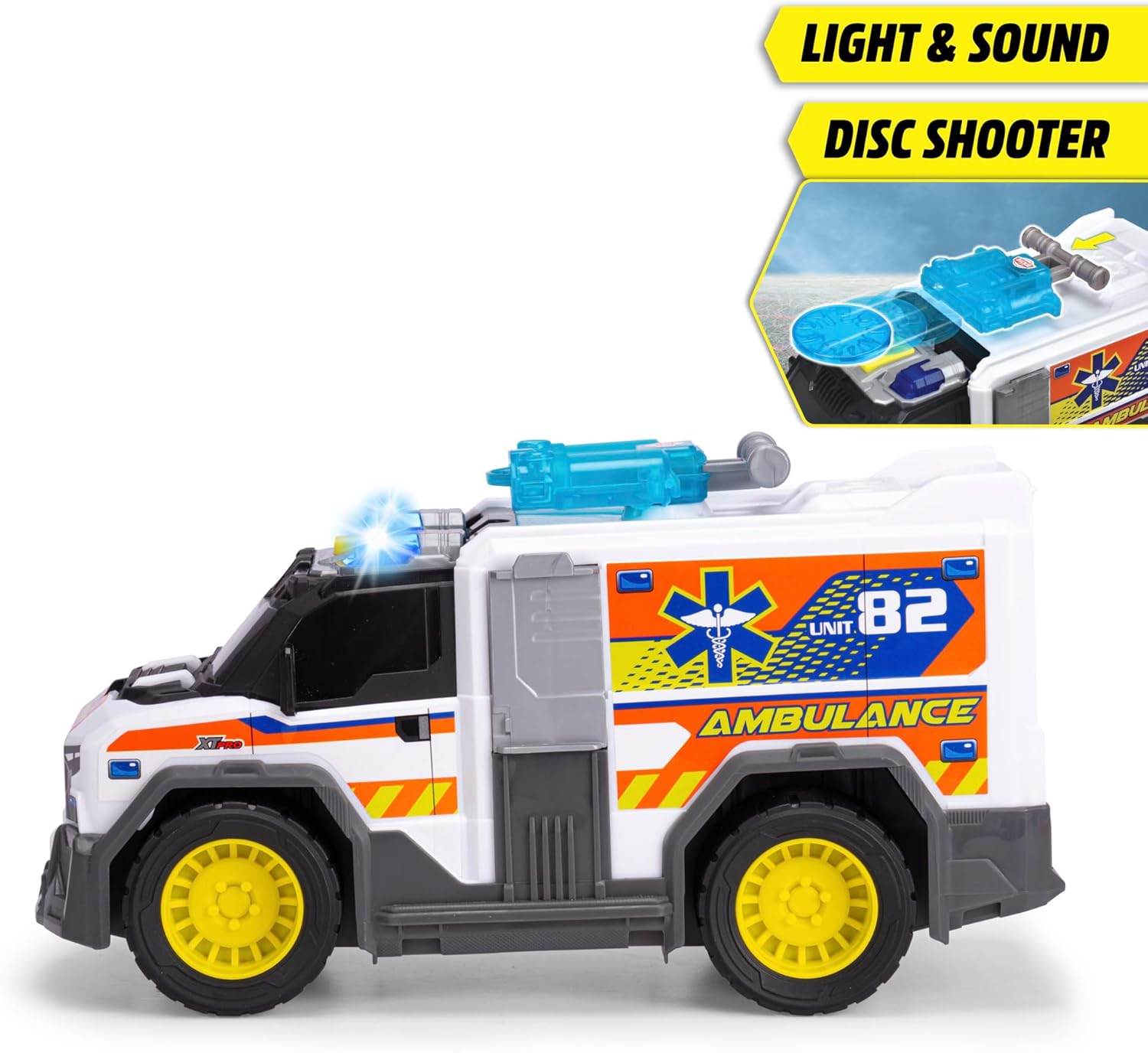
Image: Side view of the ambulance, with an inset showing a close-up of the light, sound, and disc shooter components on the roof.
Opening the Rear Door
The rear door of the ambulance can be opened to access the interior compartment. Gently pull the door downwards to extend the ramp, allowing for the stretcher or other small toys to be loaded and unloaded.

Image: A detailed view of the orange stretcher accessory, designed to fit inside the ambulance's rear compartment.
Maintenance
Cleaning
To clean the ambulance, wipe it with a damp cloth. Do not immerse the toy in water, as this may damage the electronic components. Avoid using harsh chemicals or abrasive cleaners.
Storage
Store the toy in a cool, dry place away from direct sunlight when not in use. Remove batteries if storing for extended periods to prevent leakage.
Troubleshooting
Lights and Sounds Not Working
- Check if the batteries are correctly installed with the proper polarity.
- Replace the batteries with new ones.
- Ensure the battery compartment cover is securely closed.
Disc Shooter Not Functioning
- Verify that discs are properly loaded into the shooter mechanism.
- Check for any obstructions in the disc launching path.
Specifications
| Feature | Detail |
|---|---|
| Model Number | 203306024 |
| Product Dimensions | 14.96 x 5.51 x 7.09 inches |
| Item Weight | 1.72 pounds |
| Recommended Age | 3 years and up |
| Batteries Required | 3 AA batteries (included) |
| Manufacturer | Dickie Toys |
Warranty and Support
For warranty information and customer support, please refer to the official DICKIE TOYS website or contact their customer service department. Details can typically be found on the product packaging or the manufacturer's website.