
DICKIE TOYS 203306022
Dickie Toys Police SUV (Model 203306022) Instruction Manual
Introduction
This manual provides essential information for the safe and proper operation, setup, and maintenance of your Dickie Toys Police SUV, Model 203306022. Please read these instructions carefully before use and retain them for future reference.
Important Safety Information
WARNING: Not suitable for children under 36 months due to small parts which may present a choking hazard.
- Always supervise children during play.
- Do not aim the disc shooter at eyes or face.
- Keep packaging materials away from children to prevent suffocation.
- Ensure all batteries are inserted correctly according to polarity markings.
- Do not mix old and new batteries, or different types of batteries.
- Remove exhausted batteries promptly.
What's in the Box
Upon opening the package, verify that all components are present:
- 1 x Dickie Toys Police SUV (Model 203306022)
- 2 x Discs for the disc shooter (drone and water motifs)
- 3 x AAA Batteries (pre-installed or included separately)
Setup
Battery Installation
The Dickie Toys Police SUV requires 3 AAA batteries for its light and sound functions. These batteries are typically included and may be pre-installed. If not, or if replacement is needed:
- Locate the battery compartment on the underside of the vehicle.
- Using a small screwdriver (not included), open the battery compartment cover.
- Insert 3 new AAA batteries, ensuring correct polarity (+/-) as indicated inside the compartment.
- Replace the battery compartment cover and secure it with the screw.
Note: Always use fresh, high-quality batteries for optimal performance.
Operating Instructions
Vehicle Movement (Freewheel)
The Police SUV features a freewheel mechanism, allowing it to be pushed manually across surfaces. Simply place the vehicle on a flat surface and push it forward or backward.
Lights and Sounds
The vehicle is equipped with blue lights and realistic sounds, including engine start, driving sounds, and a siren. These functions are activated by pressing the button located on the roof of the vehicle.

Image: The Police SUV with its blue lights illuminated, demonstrating the light and sound feature. Two discs are visible in the foreground.
Extendable Stop Sign
The Police SUV includes an extendable stop sign feature. This sign can be manually pulled out from the side of the vehicle to simulate traffic control or stopping other toy vehicles.
Front Grab Arm
A grab arm is located at the front of the vehicle. This arm can be opened and closed using a lever mechanism, allowing for interaction with small objects during play.
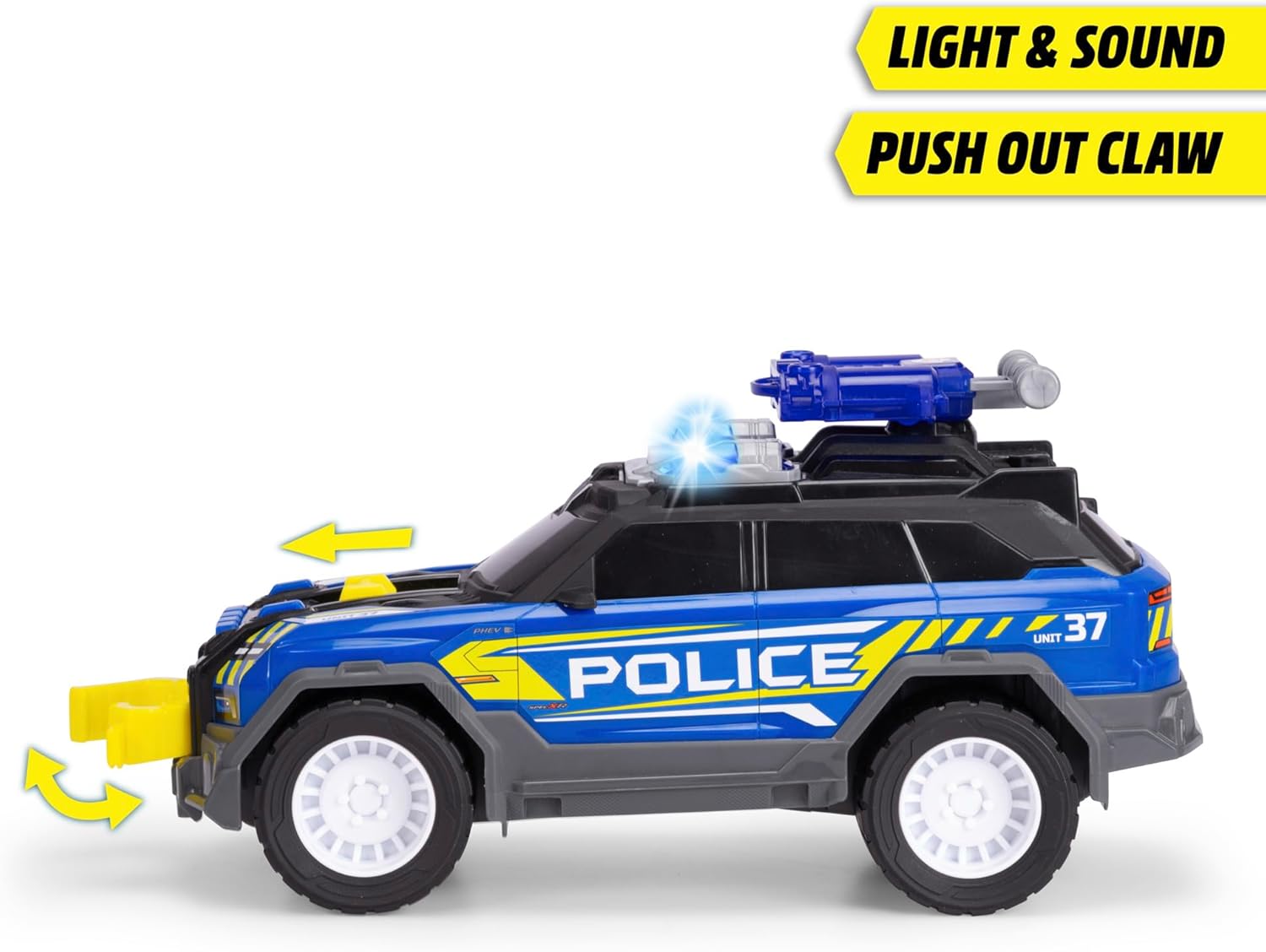
Image: Side view of the Police SUV highlighting the extended front grab arm and activated blue lights.
Disc Shooter
The vehicle is equipped with a disc shooter on its roof. To operate:
- Place one of the included discs into the designated slot on the disc shooter.
- Press the trigger mechanism to launch the disc.

Image: Top-down view illustrating the disc shooter mechanism on the vehicle's roof, with two discs ready for use.

Image: Rear-side view of the Police SUV, with an inset demonstrating the movable components of the disc shooter.
Maintenance
- Cleaning: Wipe the vehicle with a soft, damp cloth. Do not immerse in water. Avoid harsh chemicals or abrasive cleaners.
- Storage: Store the vehicle in a cool, dry place away from direct sunlight when not in use.
- Battery Care: Remove batteries if the toy will not be used for an extended period to prevent leakage.
Troubleshooting
- No Lights or Sound:
- Check if batteries are correctly installed.
- Replace with fresh AAA batteries.
- Ensure the battery compartment cover is securely closed.
- Disc Shooter Not Functioning:
- Ensure a disc is properly loaded into the shooter mechanism.
- Verify that the trigger mechanism is not obstructed.
Specifications
| Feature | Detail |
|---|---|
| Product Dimensions | 14.96 x 5.51 x 7.09 inches (30 cm length) |
| Item Weight | 1.28 pounds |
| Model Number | 203306022 |
| Manufacturer Recommended Age | 3 years and up |
| Batteries | 3 AAA batteries required (included) |
| Release Date | June 13, 2024 |
| Manufacturer | Dickie Toys |
Warranty and Support
For information regarding warranty coverage or product support, please refer to the packaging or contact Dickie Toys customer service directly. Contact details can typically be found on the official Dickie Toys website or product packaging.
Ask a question about this manual
Ask about setup, troubleshooting, compatibility, parts, safety, or missing instructions. Manuals+ will review the question and use this page’s manual context to help answer it.