
ORICO O7000 512GB
ORICO O7000 512GB NVMe SSD PCIe 4.0 Instruction Manual
Model: O7000 512GB
Introduction
This manual provides detailed instructions for the installation, operation, and maintenance of your ORICO O7000 512GB NVMe SSD. The ORICO O7000 series SSD leverages PCIe Gen 4x4 technology to deliver high-speed performance for various computing needs, including gaming, content creation, and general system acceleration.

Image: The ORICO O7000 512GB NVMe SSD shown alongside its retail packaging, highlighting the product's design and branding.

Image: A visual representation of the ORICO O7000 M.2 NVMe SSD, emphasizing its advanced capabilities and high performance.
What's in the Box
Verify that all components are present before proceeding with installation.
- 1 x ORICO 512GB NVMe SSD
- 1 x Cooling Vest
- 2 x Silicone Thermal Pads
Specifications
Detailed technical specifications for the ORICO O7000 512GB NVMe SSD.
| Feature | Detail |
|---|---|
| Model | O7000 512GB |
| Form Factor | M.2 2280 |
| Interface | PCIe Gen4 x4 |
| Capacity | 512 GB |
| Sequential Read Speed | Up to 7000 MB/s |
| Sequential Write Speed | Up to 4400 MB/s |
| Flash Type | 3D NAND |
| Operating Temperature | 0°C - 70°C |
| Storage Temperature | -40°C - 85°C |
| Dimensions (L x W x H) | 80 x 22 x 2.5 mm (3.15" x 0.87" x 0.10") |
| Weight | 0.352 ounces |
| Compatible Devices | Desktop, Gaming Console (PS5), Laptop |

Image: A visual representation of the ORICO O7000 SSD's product specifications, including model, form factor, interface, and performance metrics.
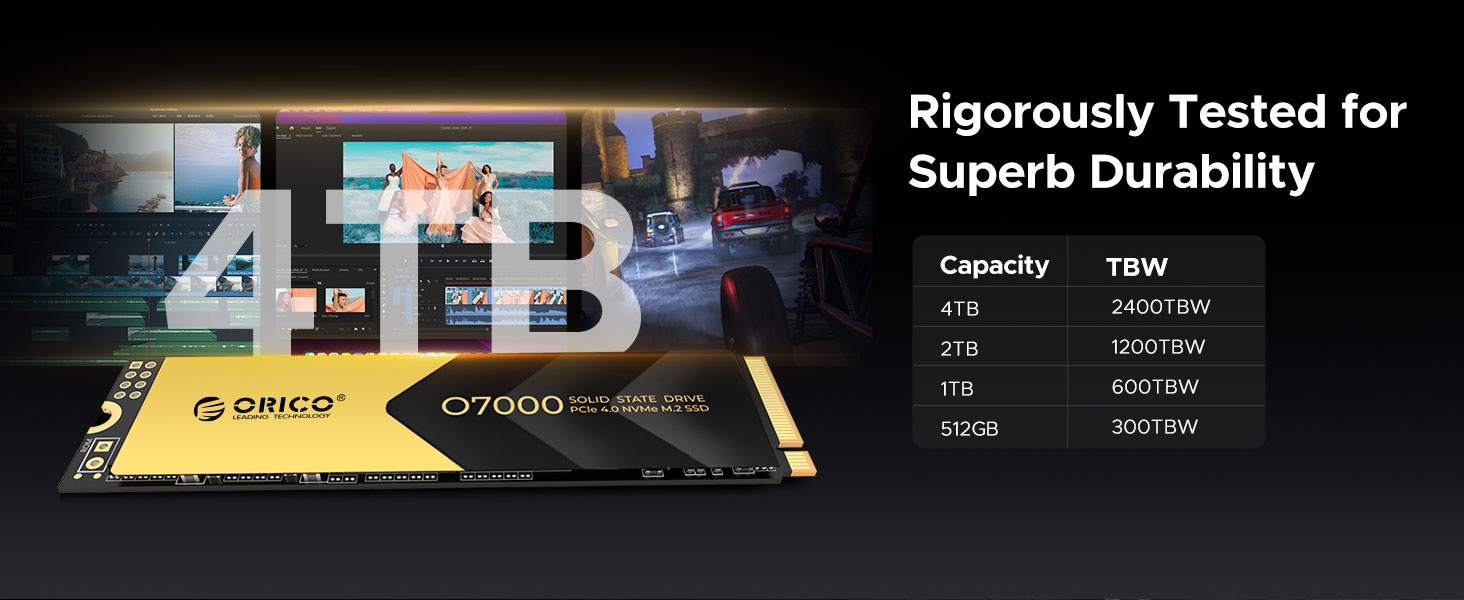
Image: Illustrates the rigorous testing for durability and provides a table of Terabytes Written (TBW) ratings for different capacities of the ORICO O7000 SSD.
Setup and Installation
Follow these steps to install your ORICO O7000 NVMe SSD into a compatible device.
General Installation Steps (PC/Laptop):
- Power Off: Ensure your computer or laptop is completely powered off and disconnected from the power source.
- Open Case: Open the computer case or access panel to expose the motherboard or M.2 slot.
- Locate M.2 Slot: Identify an available M.2 slot on your motherboard. It typically looks like a small horizontal slot with a screw hole at the end.
- Insert SSD: Gently insert the ORICO O7000 SSD into the M.2 slot at a 30-degree angle. Push it in until it is fully seated.
- Secure SSD: Press the SSD down towards the motherboard and secure it with the small screw provided with your motherboard or computer case.
- Reassemble: Close the computer case or reattach the access panel.
- Initialize and Format: After booting your system, you may need to initialize and format the new SSD through Disk Management (Windows) or Disk Utility (macOS) before it can be used.
PS5 Compatibility and Installation Tip:
The ORICO O7000 PCIe Gen4 x4 SSD is compatible with PS5 for expanding storage. For PS5 installation, it is crucial to remove the metal heatsink that comes with the ORICO O7000 SSD and keep only the thermal pad. This allows the SSD to fit correctly into the PS5's internal expansion slot, which has specific clearance requirements.

Image: An exploded diagram showing the components of the ORICO O7000 SSD's cooling system, including the cooling vest, SSD, aluminum alloy base, and two silicone thermal pads. This illustrates how the heatsink assembly is constructed.

Image: Depicts the cooling vest and heatsink components, emphasizing their role in heat dissipation for the ORICO O7000 SSD.
Operating Principles and Performance
The ORICO O7000 SSD is engineered for high performance and efficiency.
High-Speed Performance:
Utilizing PCIe Gen 4x4 technology, the O7000 delivers sequential read speeds up to 7000MB/s and write speeds up to 4400MB/s. This significantly reduces loading times for applications and games, and accelerates large file transfers.

Image: Displays the sequential read and write speeds of the ORICO O7000 SSD, highlighting its ability to speed up system performance through HMB mechanism and SLC Cache.

Image: Showcases the PCIe 4.0 high-speed capabilities of the ORICO O7000 SSD, detailing sequential read/write speeds and 4K random read/write IOPS, designed for demanding users.
Smart Cache Technology:
The SSD incorporates Host Memory Buffer (HMB) and SLC Cache functions. This intelligent caching strategy dynamically allocates a portion of the system's DRAM as an SSD cache, significantly improving read and write performance, especially during intensive tasks.

Image: A diagram illustrating the HMB+SLC Cache Intelligent Caching Strategy, explaining how it dramatically improves boot, application, and game loading speeds while maintaining consistent high read/write performance.
3D NAND Flash:
Built with advanced 3D NAND flash memory particles, the O7000 offers enhanced data performance and reliability. This technology allows for higher storage density and improved endurance compared to traditional 2D NAND.

Image: An illustration detailing the 3D NAND Flash technology, highlighting its new generation particles with increased interface speed and performance improvements.
Device Compatibility:
The ORICO O7000 SSD is designed for broad compatibility with various systems, including desktop PCs, laptops, and gaming consoles like the PS5 (with specific installation considerations).

Image: Shows the ORICO O7000 SSD in various usage scenarios, demonstrating its compatibility with desktop computers, laptops, and gaming consoles.

Image: A user engaged in professional work on a computer, illustrating the ORICO O7000 SSD's application in demanding creative tasks.
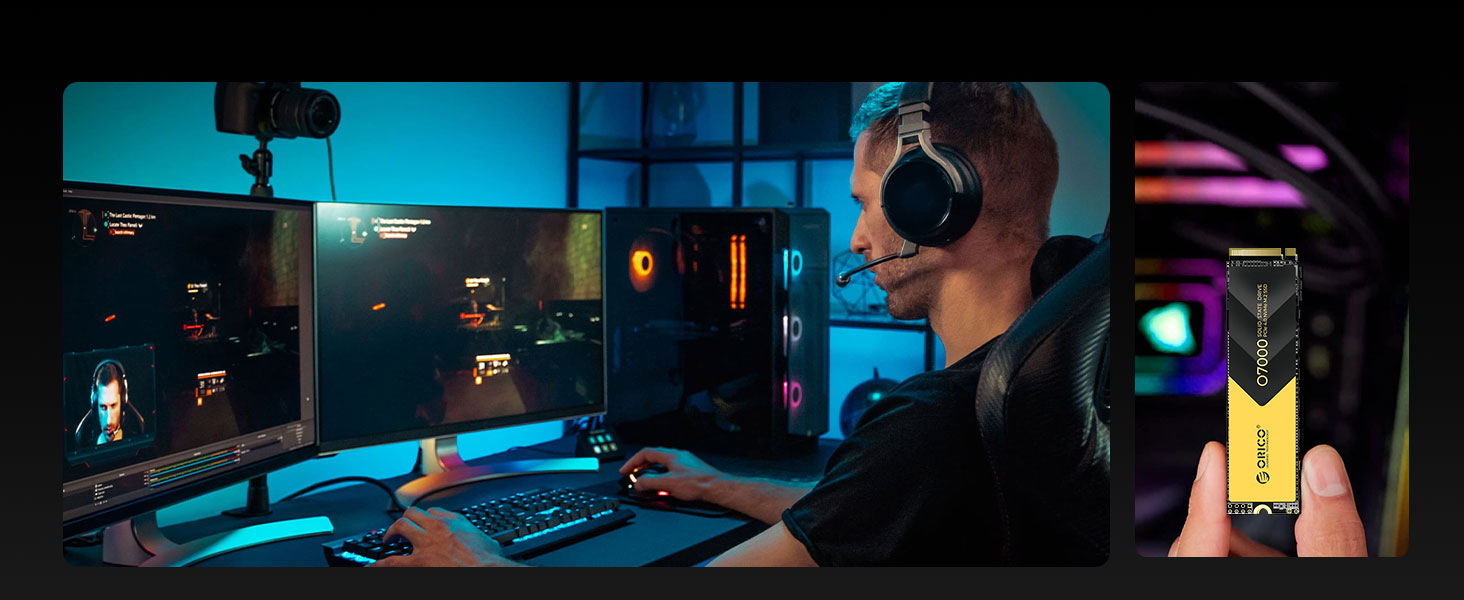
Image: A gamer immersed in a game, demonstrating how the ORICO O7000 SSD enhances gaming performance and loading times.
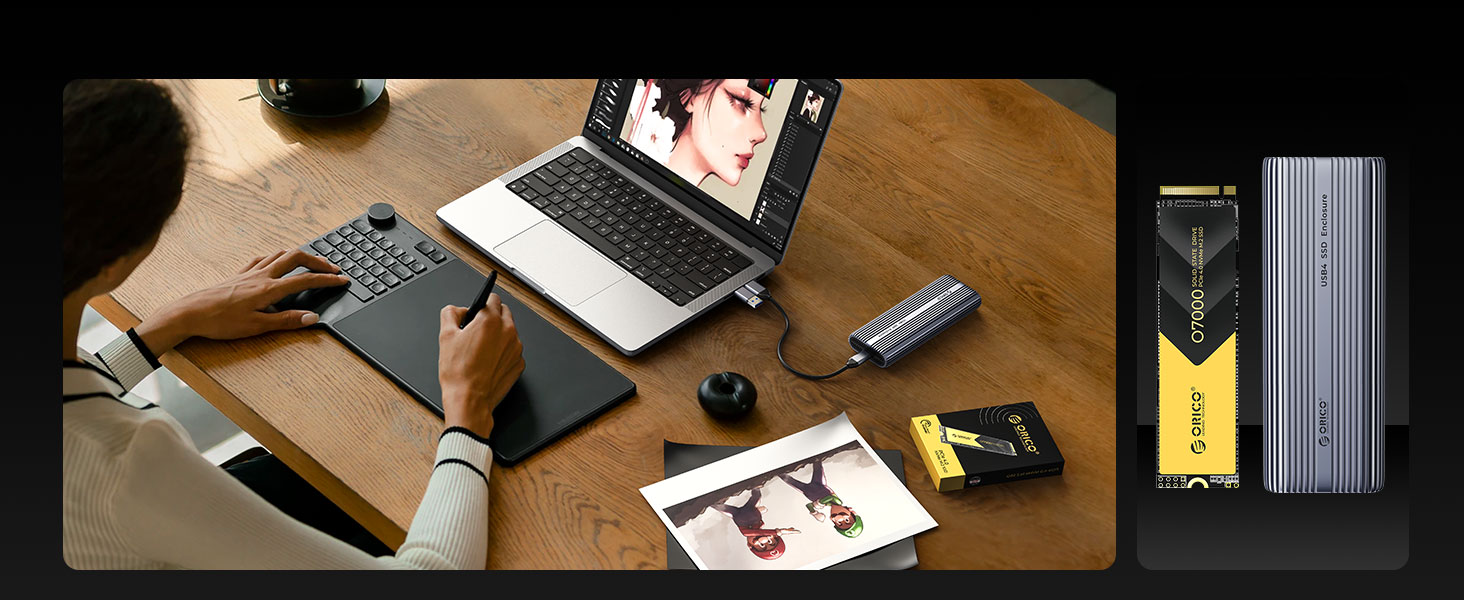
Image: A user working on a laptop, with the ORICO O7000 SSD shown alongside an external enclosure, indicating its versatility for both internal and external storage solutions.
Maintenance and Data Integrity
Proper maintenance ensures the longevity and reliability of your SSD.
Efficient Heat Dissipation:
The included cooling vest and dual silicone thermal pads are designed to efficiently dissipate heat, maintaining stable temperatures and preventing performance throttling during extended use. Ensure the cooling solution is properly installed for optimal thermal management.
Enhanced Data Security Features:
The ORICO O7000 SSD integrates multiple protection mechanisms to safeguard your data. These include:
- S.M.A.R.T. (Self-Monitoring, Analysis and Reporting Technology): Monitors the drive's health and predicts potential failures.
- NCQ (Native Command Queuing): Optimizes the order of read/write commands for improved performance.
- Trim Support: Helps maintain the performance of the SSD over time by efficiently managing data blocks.
- Bad Block Management: Automatically detects and repairs potential bad blocks in the background, improving SSD reliability and extending its lifespan.

Image: Illustrates the enhanced data integrity and stability features of the ORICO O7000 SSD, including support for S.M.A.R.T., TRIM, PCIe 4.0, and NVMe Express.

Image: Explains the Bad Block Management feature, which automatically detects and repairs potential bad blocks to improve SSD reliability and extend its lifespan.
Troubleshooting
If you encounter issues with your ORICO O7000 SSD, consider the following common solutions:
- SSD Not Detected:
- Ensure the SSD is properly seated in the M.2 slot.
- Check BIOS/UEFI settings to confirm the M.2 slot is enabled and configured correctly (e.g., NVMe mode).
- Verify that your motherboard supports PCIe Gen4 x4 NVMe SSDs.
- For new installations, ensure the drive has been initialized and formatted in your operating system's disk management utility.
- Slow Performance:
- Confirm the SSD is installed in a PCIe Gen4 x4 compatible slot. Using a Gen3 slot will limit performance.
- Ensure your system's drivers (chipset, NVMe) are up to date.
- Check for excessive heat. High temperatures can cause thermal throttling, reducing performance. Ensure the cooling vest and thermal pads are correctly applied.
- Verify that TRIM is enabled in your operating system.
- PS5 Installation Issues:
- Remember to remove the metal heatsink and use only the thermal pad when installing into a PS5. The PS5's internal slot has specific clearance requirements.
- Ensure the SSD is fully inserted and secured in the PS5's expansion slot.
If issues persist, consult your system's motherboard manual or contact ORICO customer support.
Warranty and Support
The ORICO O7000 NVMe SSD comes with a 5-Year Limited Warranty. This warranty covers defects in materials and workmanship under normal use. Please retain your proof of purchase for warranty claims.
For technical support, warranty service, or further inquiries, please visit the official ORICO website or contact their customer service department. Contact information can typically be found on the product packaging or the ORICO brand store on Amazon.

Image: Highlights the 5-year warranty coverage for the ORICO O7000 SSD, emphasizing ORICO as a trustworthy storage brand and its "Great Value" award from TechPowerUp.
Related documentsO7000 512GB


Ask a question about this manual
Ask about setup, troubleshooting, compatibility, parts, safety, or missing instructions. Manuals+ will review the question and use this page’s manual context to help answer it.