
GLOBE 17000202
GLOBE Electric 180-Degree 15W Twin Head Black 1400 Lumens Hardwired Motion Activated Outdoor Integrated LED Flood Light Security Light
Model: 17000202
Introduction
This manual provides detailed instructions for the installation, operation, and maintenance of your GLOBE Electric Motion Activated Flood Light Security Light. Designed to enhance the security and illumination of your outdoor areas, this light features advanced motion detection and energy-saving capabilities.
The light offers a remarkable 180-degree detection zone with a range of up to 50 feet (15 meters), ensuring comprehensive coverage. Its MOTIONBRIGHT feature provides constant low ambient lighting, transitioning to full brightness when motion is detected. With a powerful 1400 lumen output and a daylight white 4000 Kelvin color temperature, it delivers bright, even illumination. The dual mount system allows for flexible wall or eave installation.
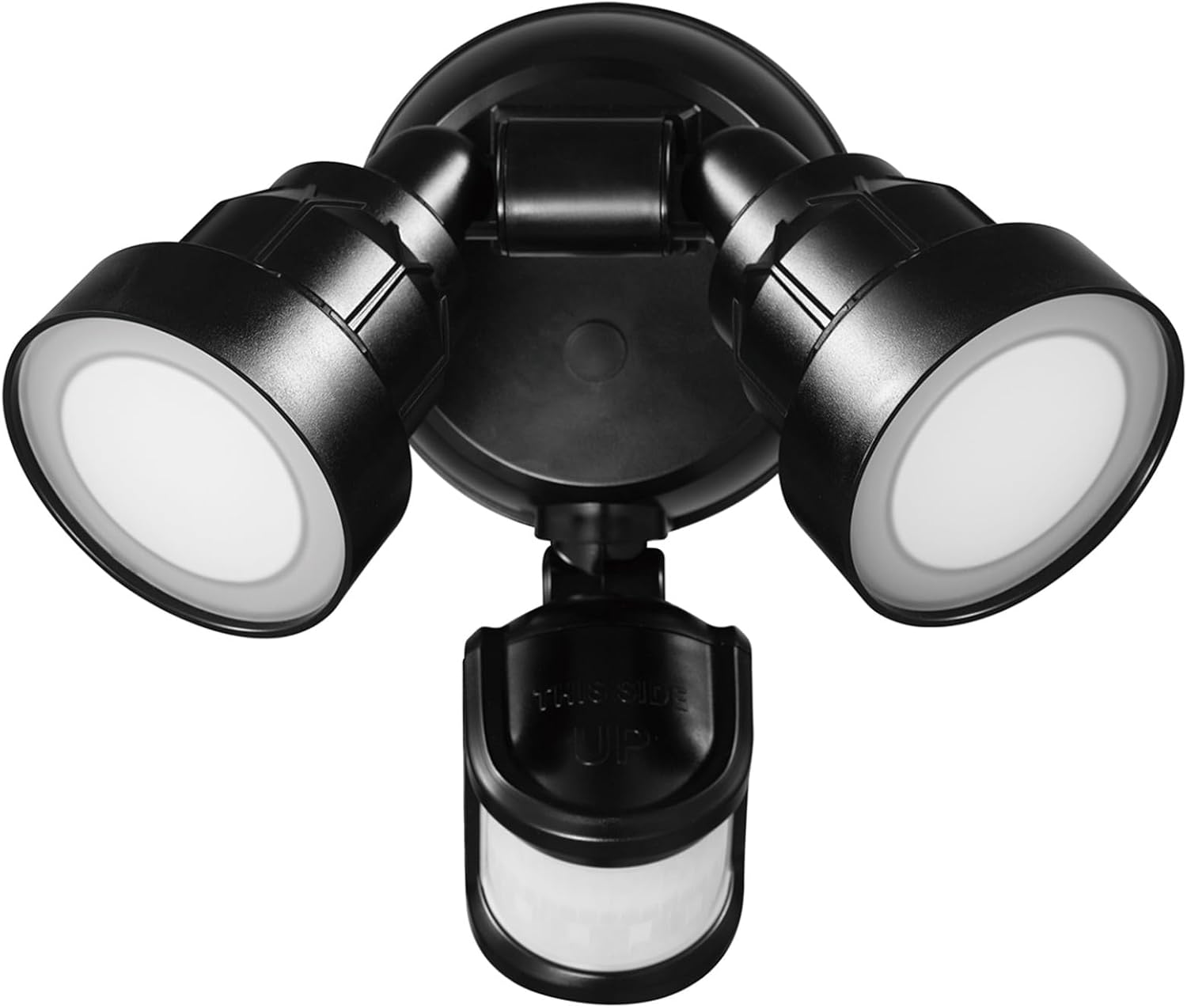
Image: Front view of the GLOBE Electric Twin Head Flood Light, showcasing its two adjustable light heads and integrated motion sensor.
Safety Information
Please read and understand all instructions before beginning installation. Failure to follow these instructions may result in electric shock, fire, or other hazards that could cause personal injury or property damage.
- Always disconnect power at the circuit breaker before installing, servicing, or cleaning this product.
- This product must be installed in accordance with the applicable installation code by a person familiar with the construction and operation of the product and the hazards involved.
- Use only UL/cUL listed wire connectors.
- Do not look directly into the LED light source.
- Ensure all connections are secure and properly insulated.
- This fixture is designed for outdoor use and is weather resistant.
Package Contents
Verify that all components are present before beginning installation:
- 1 x Motion Activated Flood Light Unit
- Mounting Hardware (screws, wire nuts, gasket)
- Instruction Manual
Setup and Installation
Mounting Options
The flood light offers versatile mounting options to suit your outdoor space. It can be installed as a wall mount or an eave mount. The fixture can be rotated to achieve the desired position for optimal light and motion detection coverage.

Image: Diagram illustrating both wall mount and eave mount installation options, along with adjustable lamp heads.
Wiring Instructions
- Turn off power at the circuit breaker before starting installation.
- Attach the mounting plate to the junction box using the provided screws.
- Connect the house wiring to the fixture wiring: black to black (live), white to white (neutral), and green/bare copper to green (ground). Secure connections with wire nuts.
- Carefully tuck wires into the junction box and secure the fixture to the mounting plate.
- Apply sealant around the fixture base to prevent water intrusion.
- Restore power at the circuit breaker.
Operating Instructions
Motion Detection
The integrated motion sensor provides a wide 180-degree detection zone, covering an area of approximately 50 feet (15 meters). This ensures that motion from various angles will activate the light, enhancing security around your property.
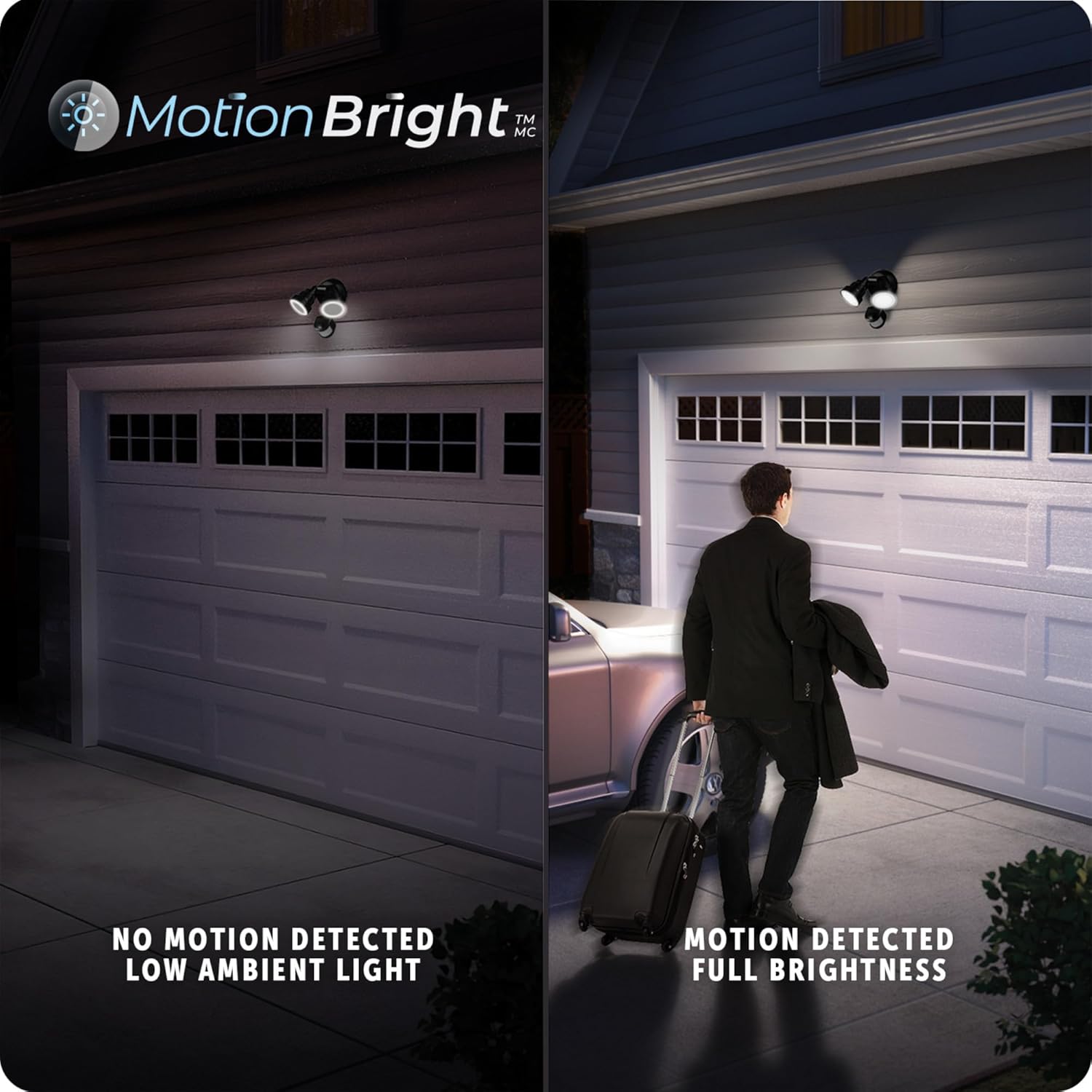
Image: Graphic illustrating the 180-degree motion detection zone and 50-foot range of the security light.
MOTIONBRIGHT 2-Level Lighting
The MOTIONBRIGHT feature provides intelligent lighting control. When no motion is detected, the light maintains a constant low ambient illumination. Upon detection of motion, the light automatically switches to full brightness, providing ample light for security and visibility. This feature helps save energy while maintaining a sense of safety.

Image: Split image showing the difference between low ambient light (no motion detected) and full brightness (motion detected) with the MotionBright feature.
Adjusting Settings
The motion sensor has adjustable settings for 'ON TIME', 'SENS' (sensitivity), and 'MOTIONBRIGHT' operation. These settings are typically found on the underside of the motion sensor unit.

Image: Diagram highlighting various features including swivel arms, black finish, durable weather-resistant plastic construction, photocell, adjustable motion detection settings, and MotionBright 2-level lighting.
- ON TIME: Select how long the light stays on after motion is detected (1 minute, 5 minutes, or 20 minutes). A 'TEST' mode is also available for initial setup.
- SENS (Sensitivity): Adjust the motion sensor's sensitivity (High, Medium, Low) to control the detection range.
- MOTIONBRIGHT: Choose the desired MotionBright setting (Day-to-Dusk, 6 Hours, or Off).
Key Features
- MOTION ACTIVATED: Detects motion from all angles up to 50 feet (15 meters) with a 180° detection zone. Adjustable shut-off times (1, 5, or 20 minutes).
- MOTIONBRIGHT 2-LEVEL LIGHTING: Provides constant low ambient lighting when no motion is detected and full brightness upon motion detection, optimizing energy use.
- LIGHT OUTPUT: Delivers 1400 lumens with a daylight white 4000 Kelvin color temperature for super-bright illumination and enhanced security.
- DUAL MOUNT: Includes all necessary mounting hardware for quick and easy installation, supporting both wall mount and eave mount configurations.
- WEATHER RESISTANT: Constructed from durable materials, this outdoor-rated fixture is designed to withstand light exposure to the elements.

Image: Depiction of the flood light illuminating a driveway at night, highlighting its 1400 lumens brightness.
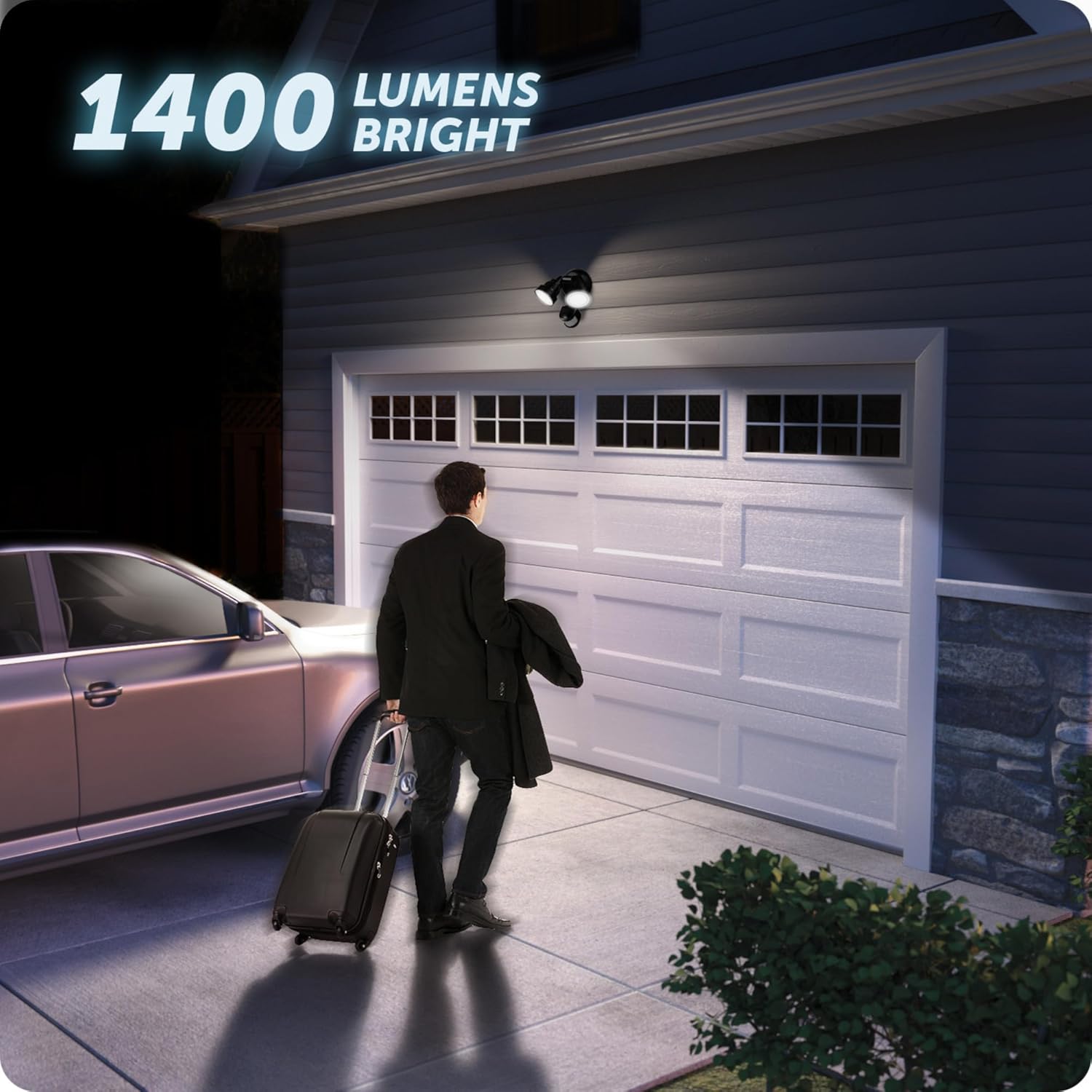
Image: The flood light installed outdoors during rain, demonstrating its weather-resistant design.
Maintenance
To ensure the longevity and optimal performance of your flood light, follow these simple maintenance guidelines:
- Cleaning: Periodically clean the fixture with a soft, damp cloth. Do not use abrasive cleaners or solvents, as they may damage the finish or electrical components.
- Inspection: Regularly inspect the wiring and mounting for any signs of wear, damage, or loose connections. Address any issues promptly.
- LEDs: The integrated LED lights are designed for long life and do not require replacement.
Troubleshooting
If you experience issues with your flood light, refer to the following common problems and their solutions:
| Problem | Possible Cause | Solution |
|---|---|---|
| Light does not turn on. | No power, faulty wiring, sensor malfunction. | Check circuit breaker. Verify wiring connections. Ensure sensor is not obstructed. |
| Light stays on constantly. | Sensor in test mode, continuous motion, faulty sensor. | Check sensor settings (not in TEST mode). Ensure no constant motion in detection zone. |
| Light turns on for no apparent reason. | Sensor sensitivity too high, environmental factors (wind, small animals). | Adjust sensor sensitivity to a lower setting. Reposition light to avoid false triggers. |
| Light flickers. | Loose wiring connection, power fluctuations. | Check and tighten all wiring connections. Consult an electrician if power fluctuations persist. |
Specifications
| Attribute | Detail |
|---|---|
| Brand | GLOBE |
| Model Name | Security Lighting |
| Part Number | 17000202 |
| Color | Black |
| Material | Plastic |
| Style | Industrial |
| Light Fixture Form | Floodlight |
| Product Dimensions | 6.89"L x 7.67"W x 5.31"H |
| Indoor/Outdoor Usage | Outdoor |
| Power Source | Hardwired |
| Installation Type | Wall Mount |
| Special Feature | Weather Resistant |
| Light Source Type | LED |
| Voltage | 120 Volts |
| Light Color | White (4000 Kelvin) |
| Wattage | 15 watts |
| Brightness | 1400 lumens |
| Item Weight | 1.41 Pounds |
| Water Resistance Level | Water Resistant |
| Assembly Required | No |
| UPC | 058219252734 |

Image: Technical drawing showing the top-down and side dimensions of the flood light fixture.
Warranty and Support
This GLOBE Electric Flood Light is backed by a 3-year manufacturer's limited warranty. This warranty covers defects in materials and workmanship under normal use.
For warranty claims, technical support, or further assistance, please visit the official GLOBE Electric website or contact their customer service department. Keep your proof of purchase for warranty validation.
For more information, you can visit the GLOBE Electric Store on Amazon.
Related documents17000202


Ask a question about this manual
Ask about setup, troubleshooting, compatibility, parts, safety, or missing instructions. Manuals+ will review the question and use this page’s manual context to help answer it.