
GLOBE 17000213
GLOBE Electric 17000213 22W LED Integrated Hardwired Flood Light
Model: 17000213 | Brand: GLOBE
Product Overview
The GLOBE Electric 17000213 Motion Activated Flood Light is designed to enhance outdoor security with its integrated LED lighting and a versatile battery-operated remote motion sensor. This flood light provides powerful 2200 lumens of daylight white (4000 Kelvin) illumination, ensuring clear visibility. The remote sensor offers a wide 240-degree detection zone up to 50 feet (15 meters) and can be placed up to 100 feet (30.4 meters) from the light fixture, allowing for optimal placement. Users can set the light to automatically turn off after 1, 5, or 20 minutes. The fixture supports dual mounting options (wall or eave) for flexible installation.
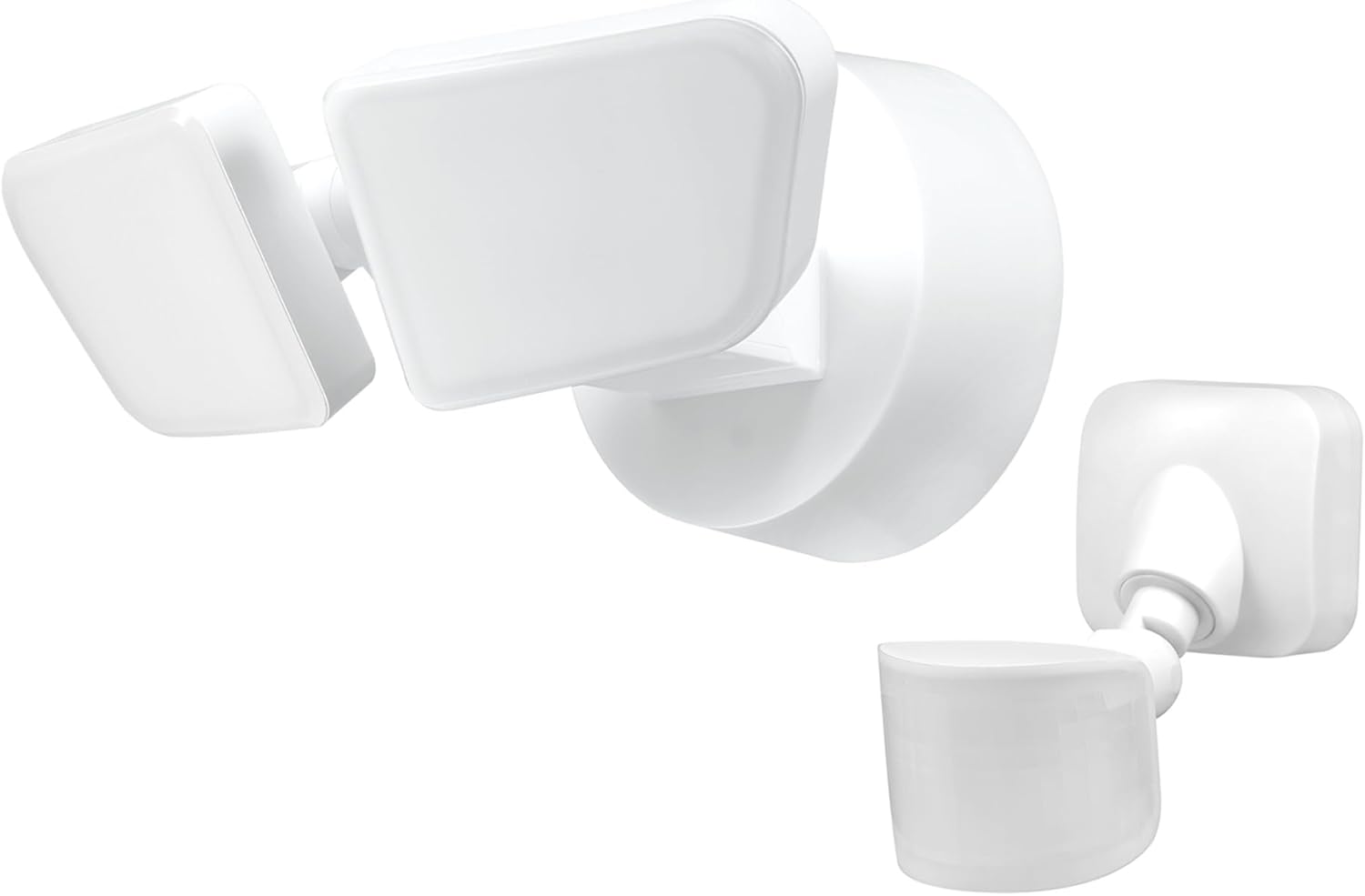
Image: The GLOBE Electric 17000213 flood light with its two adjustable LED heads and the separate battery-operated remote motion sensor.
Key Features
- Motion Activated: Detects motion up to 50 feet (15 meters) with a 240-degree detection zone, enhancing security.
- Adjustable Off-Time: Light turns off automatically after 1, 5, or 20 minutes, as selected by the user.
- Battery Operated Remote Sensor: The sensor can be positioned up to 100 feet (30.4 meters) from the main light fixture, requiring 2x AA batteries (not included).
- High Light Output: Delivers 2200 lumens of bright, daylight white (4000 Kelvin) light for effective illumination.
- Dual Mount System: Offers flexible installation with options for wall mount or eave mount by rotating the fixture.
- Weather Resistant: Constructed from durable materials, suitable for outdoor environments and light exposure to elements.

Image: A detailed diagram highlighting the features of the flood light, including bright LED light, swivel arms, durable construction, adjustable motion detection settings, remote sensor placement, and photocell for night-only operation.

Image: The flood light installed outdoors with rain falling, illustrating its weather-resistant design and outdoor rating.

Image: An outdoor scene showing a man walking towards a garage, illuminated by the flood light, with an inset showing the remote sensor and text indicating 2200 lumens and remote sensor functionality.

Image: An overhead view illustrating the 240-degree motion detection zone of the flood light, covering an area up to 50 feet (15 meters), with a person walking within the detection range.
Setup and Installation
Before beginning installation, ensure power is turned off at the circuit breaker. This flood light is designed for hardwired installation. The remote sensor requires two AA batteries (not included) for operation.

Image: Step-by-step visual guide for installation, showing how to install the mounting bar, mounting plate, attach the fixture, and mount the remote sensor.
Mounting Options
The fixture offers versatile mounting. It can be installed as a wall mount or an eave mount. To switch between mounting types, simply rotate the canopy of the fixture into the desired position. The lamp heads are also adjustable to direct light as needed.

Image: Visual comparison of wall mount and eave mount installations, demonstrating how the fixture's canopy rotates for different orientations and showing the adjustable lamp heads.
Operating Instructions
The remote sensor allows for customization of the light's operation. You can adjust the 'On Time' and 'Sensitivity' settings using the dials on the sensor unit. The 'On Time' can be set to 1 minute, 5 minutes, or 20 minutes, determining how long the light stays on after motion is detected. The 'Sensitivity' dial allows you to adjust the detection range from Low to High.

Image: A close-up view of the remote sensor's control panel, showing the 'On Time' dial (with settings for 1, 5, 20 minutes, and Test mode) and the 'Sens' (Sensitivity) dial (with Low, Med, High settings), along with a Reset button.
The photocell ensures that the light only operates during nighttime hours, conserving energy during the day.
Maintenance
To ensure optimal performance and longevity of your flood light, regular maintenance is recommended. Keep the light fixture and the remote sensor clean from dust, dirt, and debris. Use a soft, damp cloth for cleaning. Avoid using abrasive cleaners or solvents, as these can damage the finish or internal components. Periodically check the remote sensor's battery compartment and replace AA batteries as needed to maintain motion detection functionality.
Troubleshooting
| Problem | Possible Cause | Solution |
|---|---|---|
| Light does not turn on at night. | No power to the fixture; Photocell detecting ambient light; Sensor batteries dead or incorrectly installed. | Check circuit breaker; Ensure photocell is not obstructed; Replace AA batteries in sensor; Verify wiring connections. |
| Light stays on continuously. | Motion sensor continuously triggered; 'On Time' setting too long. | Adjust sensor sensitivity to 'Low'; Ensure no constant motion in detection zone; Reduce 'On Time' setting. |
| Motion sensor not detecting. | Sensor obstructed or dirty; Sensor sensitivity too low; Sensor out of range; Dead batteries. | Clean sensor lens; Increase sensor sensitivity; Reposition sensor closer to light fixture (within 100ft); Replace AA batteries. |
Product Specifications
| Attribute | Detail |
|---|---|
| Brand | GLOBE |
| Model Number | 17000213 |
| Light Source Type | LED Integrated |
| Wattage | 22 Watts |
| Brightness | 2200 Lumens |
| Color Temperature | 4000 Kelvin (Daylight White) |
| Voltage | 120 Volts |
| Motion Detection Zone | 240-Degree |
| Motion Detection Range | Up to 50 feet (15 meters) |
| Remote Sensor Range | Up to 100 feet (30.4 meters) from fixture |
| Remote Sensor Batteries | 2x AA (not included) |
| Auto-Off Timer Settings | 1, 5, or 20 Minutes |
| Installation Type | Hardwired, Wall Mount / Eave Mount |
| Material | Plastic |
| Color | White |
| Product Dimensions | 4.8"L x 8.3"W x 7.9"H |
| Item Weight | 1.85 Pounds |
| Water Resistance Level | Water Resistant |

Image: Technical drawing showing the dimensions of the flood light fixture and the remote motion sensor in inches and centimeters.
Warranty and Support
This GLOBE Electric Flood Light is backed by a 3-year manufacturer's limited warranty. For warranty claims or technical support, please refer to the contact information provided in your product packaging or visit the official GLOBE Electric website.
You can also visit the official GLOBE Store for more information and products: GLOBE Electric Store
Ask a question about this manual
Ask about setup, troubleshooting, compatibility, parts, safety, or missing instructions. Manuals+ will review the question and use this page’s manual context to help answer it.