
1. Safety Information
Please read all instructions carefully before installation and use. Retain this manual for future reference.
- Ensure power is disconnected at the circuit breaker before installation or servicing.
- All electrical connections must be in accordance with local codes and ordinances.
- Consult a qualified electrician if you are unsure about wiring or installation.
- Mount the fan to a ceiling outlet box marked 'Acceptable for Fan Support of 35 lbs (15.9 kg) or less'.
- Do not insert objects into the path of the fan blades.
- The fan is suitable for both indoor and covered outdoor use.
2. Package Contents
Verify that all components are present and undamaged before beginning installation.
- Ceiling Fan Motor Housing
- Fan Blades (3)
- Light Kit with Dimmable LED
- Remote Control (2 AAA batteries not included)
- Hanger Bracket
- Canopy and Canopy Cover
- Downrods (6-inch and 10-inch)
- Mounting Hardware
- User Manual
3. Product Overview
The Hoenofly 52-inch Smart Ceiling Fan (Model YJ699) combines modern design with advanced functionality, offering comfort and convenience for various spaces.
- Smart Control: Operate via WiFi, Alexa, Google Assistant, App, or included Remote Control.
- Quiet DC Motor: Features a 6-speed DC motor for powerful airflow (up to 4124 CFM) with noise levels below 30dB.
- Reversible Function: Easily switch between downdraft (summer) and updraft (winter) modes.
- Dimmable LED Light: Integrated LED light with adjustable color temperature (warm yellow, bright daylight, cool white) and dimming from 0% to 100%.
- Dual Mounting: Suitable for both indoor and covered outdoor locations, with adjustable height using 6-inch or 10-inch downrods. Supports flat and sloped ceilings (up to 15°).
- Energy Efficient: DC motor technology provides up to 75% more energy efficiency compared to traditional AC fans.

Figure 3.1: Smart Control Options for the Hoenofly Ceiling Fan.
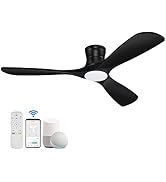
Figure 3.2: Hoenofly Ceiling Fan suitable for various indoor and covered outdoor environments.
4. Installation
Follow these steps for proper installation. It is recommended to have two people for installation.
- Prepare for Installation: Turn off power at the circuit breaker. Clear the installation area.
- Mount Hanger Bracket: Secure the hanger bracket to the ceiling outlet box. Ensure it is firmly attached and can support the fan's weight.
- Assemble Downrod: Choose the appropriate downrod (6-inch or 10-inch) for your ceiling height. Feed electrical wires through the downrod.
- Hang Fan Assembly: Carefully lift the motor assembly and place the downrod ball into the hanger bracket.
- Make Electrical Connections: Connect the fan's electrical wires to the household wiring according to the wiring diagram provided in the full manual.
- Attach Blades: Securely attach the fan blades to the motor housing.
- Install Light Kit: Connect the light kit wiring and attach the light kit to the bottom of the fan motor housing.
- Install Canopy: Slide the canopy up to the ceiling and secure it to the hanger bracket.

Figure 4.1: Exploded view of Hoenofly Ceiling Fan components and assembly order.

Figure 4.2: Fan dimensions and room size recommendations for optimal performance.
5. Smart Feature Setup
Your Hoenofly smart ceiling fan offers multiple control methods for convenience.
5.1 Remote Control
Insert two AAA batteries (not included) into the remote control. The remote allows direct control of fan speed, light settings, and direction.
5.2 App Control (Tuya Smart APP)
Download the Tuya Smart APP from your smartphone's app store. Follow the in-app instructions to connect your fan to your home WiFi network. Ensure Bluetooth is enabled on your phone during the initial pairing process.
5.3 Voice Control (Alexa / Google Assistant)
Once connected to the Tuya Smart APP, you can link your fan to Amazon Alexa or Google Assistant. Enable the 'Tuya Smart' skill in your Alexa or Google Home app and follow the prompts to discover your device. You can then use voice commands like "Alexa, turn on the fan in the bedroom" or "Hey Google, set fan speed to 3."
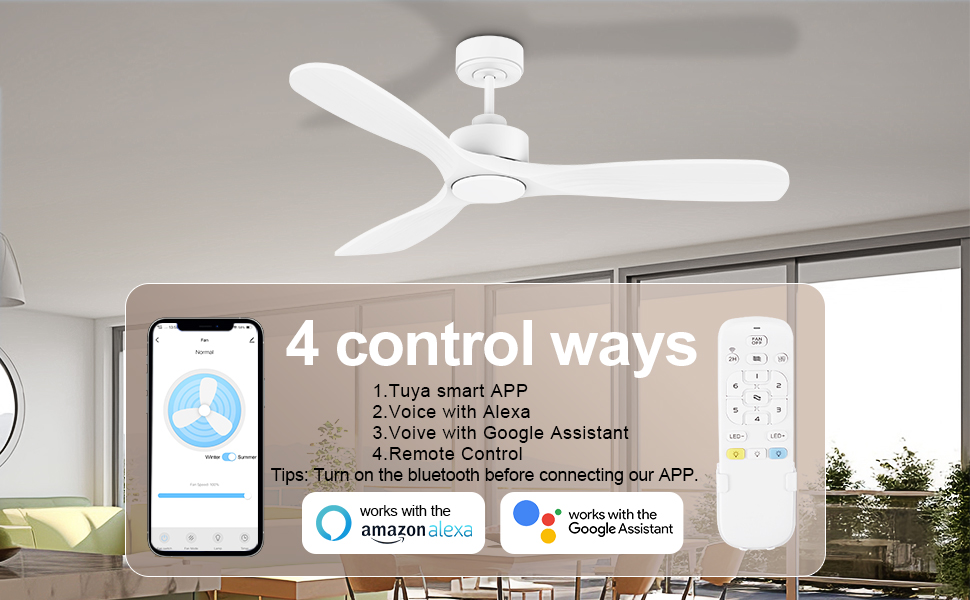
Figure 5.1: Overview of the four control methods for your smart ceiling fan.
6. Operating Instructions
Learn how to use the various functions of your Hoenofly smart ceiling fan.
6.1 Fan Speed Control
The fan features 6 adjustable speeds. Use the remote, app, or voice commands to select your desired airflow level.

Figure 6.1: The fan offers 6 speeds for customized comfort and operates quietly.
6.2 Reversible Function
Change the direction of the fan blades to optimize air circulation for different seasons. Use the remote control or app to switch between modes:
- Downdraft (Summer Mode): Blades rotate counter-clockwise to create a cooling breeze.
- Updraft (Winter Mode): Blades rotate clockwise to circulate warm air trapped near the ceiling.

Figure 6.2: Reversible DC motor for year-round comfort.
6.3 Light Control
The integrated LED light offers dimmable brightness and adjustable color temperature.
- Brightness Adjustment: Dim the light from 0% to 100% using the remote or app.
- Color Temperature: Choose between warm yellow (3000K), bright daylight (4000K), and cool white (5000K) to suit your preference.

Figure 6.3: Dimmable LED light with adjustable color temperatures.
6.4 Timer and Sleep Mode
Utilize the timer function (0-8 hours) to automatically turn off the fan. Sleep mode provides a gentle, quiet operation ideal for nighttime use.
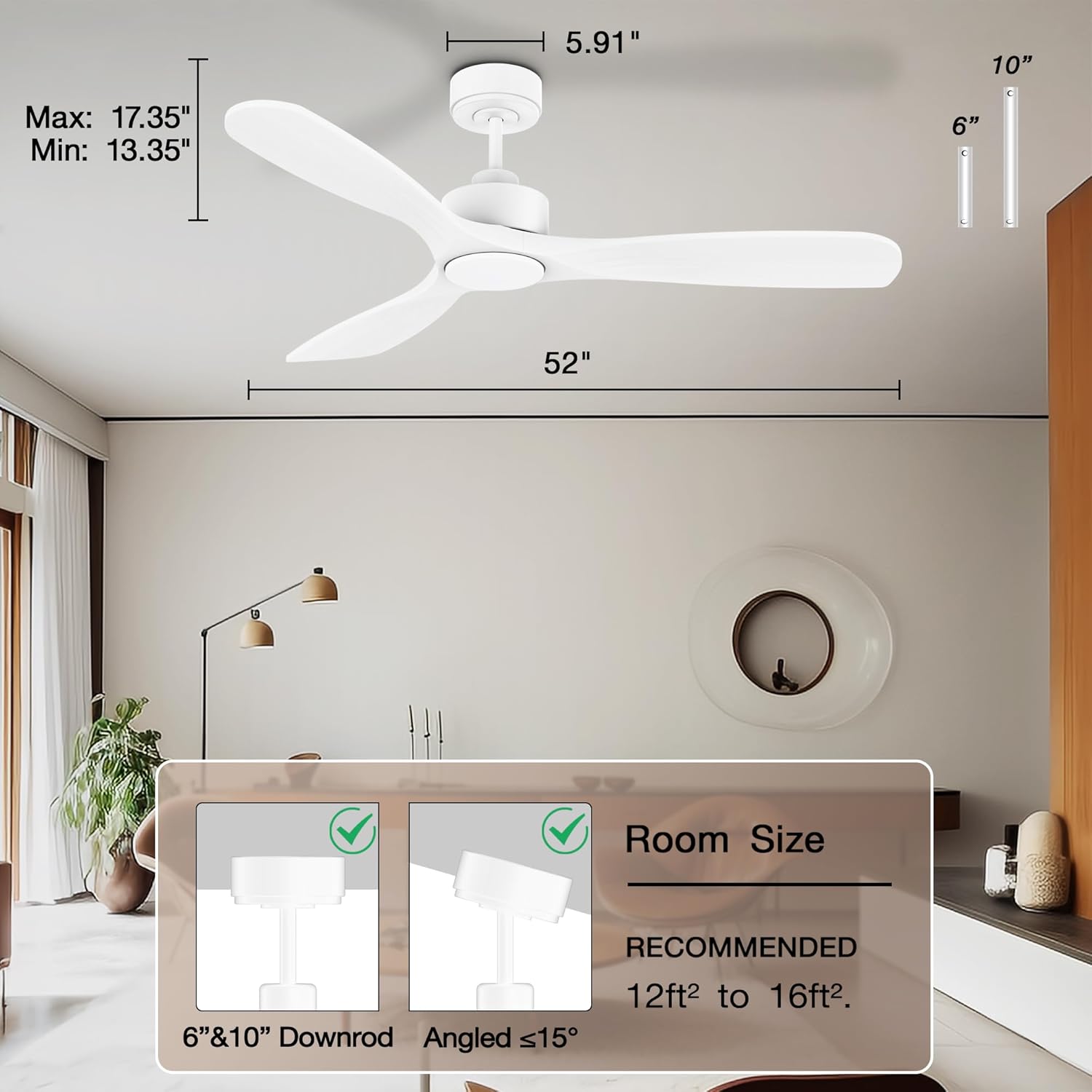
Figure 6.4: Quiet DC motor features, including timer and sleep mode.
7. Maintenance
Regular maintenance ensures optimal performance and longevity of your ceiling fan.
- Cleaning: Use a soft, damp cloth to clean the fan blades and motor housing. Do not use abrasive cleaners or solvents.
- Blade Inspection: Periodically check that all blade screws are tight. Loose screws can cause wobbling and noise.
- Light Kit: The LED light source is designed for long life and typically does not require replacement.
- Dusting: Regularly dust the fan to prevent accumulation, which can affect performance and appearance.
8. Troubleshooting
If you encounter issues with your fan, refer to the following common problems and solutions.
| Problem | Possible Cause | Solution |
|---|---|---|
| Fan does not start | No power to the fan; Loose wire connections; Remote control battery low. | Check circuit breaker; Verify all wiring connections are secure; Replace remote control batteries. |
| Fan wobbles | Loose blade screws; Improperly balanced blades; Loose mounting hardware. | Tighten all blade screws; Ensure blades are balanced (balancing kit may be needed); Check hanger bracket and downrod connections. |
| Light does not work | Loose light kit wiring; Power issue. | Check light kit connections; Verify power to the fan. |
| Fan is noisy (clicking/humming) | Loose screws; Motor issue; Obstruction. | Check and tighten all screws; Ensure no wires or objects are touching the blades or motor; If noise persists, contact customer support. |
| Smart control (App/Voice) not working | WiFi connectivity issue; Incorrect app pairing; Bluetooth off during pairing. | Ensure strong WiFi signal; Re-pair the fan with the app, ensuring Bluetooth is on; Check router settings; Reboot fan by turning off power for 30 seconds. |
If the problem persists after trying these solutions, please contact Hoenofly customer support.
9. Specifications
Key technical details for the Hoenofly 52-inch Smart Ceiling Fan (Model YJ699).
| Feature | Detail |
|---|---|
| Model Number | YJ699 |
| Dimensions | 52"D x 52"W x 13.35"-17.35"H (with downrod) |
| Weight | 12.4 Pounds |
| Motor Type | Quiet DC Motor |
| Number of Speeds | 6 |
| Noise Level | Below 30 Decibels |
| Air Flow Capacity | 4124 Cubic Feet Per Minute (CFM) |
| Wattage | 30 Watts |
| Voltage | 120 Volts |
| Light Type | Dimmable LED (0-100%) |
| Light Color Temperature | 3000K (Warm Yellow), 4000K (Bright Daylight), 5000K (Cool White) |
| Control Methods | Remote Control, Tuya Smart App, Amazon Alexa, Google Assistant |
| Indoor/Outdoor Use | Indoor, Covered Outdoor |
| Material | Wood Blades, Metal Housing |
| Mounting Type | Downrod Mount (6" & 10" included), Sloped Ceiling compatible (up to 15°) |
10. Warranty and Support
Hoenofly is committed to providing high-quality products and excellent customer service.
- Quality Period: This product comes with a 1-year quality period from the date of purchase.
- Customer Support: Our dedicated 24/7 customer support team is available to assist you with any questions or issues.
- Returns: Please refer to your retailer's return policy for details on product returns.
For assistance, please contact Hoenofly customer service through the contact information provided with your purchase or on the official Hoenofly website.