
Hersance VD3
Hersance VD3 Bodycam User Manual
1080p HD Audio Video Recorder with 180° Rotatable Lens
Introduction
Thank you for choosing the Hersance VD3 Bodycam. This manual provides detailed instructions for the proper setup, operation, and maintenance of your device. Please read this manual thoroughly before using the bodycam to ensure optimal performance and to prevent damage.
Product Overview
Key Features
- 3-in-1 Functionality: Video recording, audio recording, and photo capture.
- Full HD 1080p Video: Records clear high-definition video with audio.
- 180-Degree Rotatable Lens: Manually adjustable lens for flexible recording angles.
- Infrared Night Vision: Integrated 4-part LED illumination for clear video up to 5 meters in darkness.
- Loop Recording: Automatically overwrites oldest files when memory is full.
- Motion Detection: Records when movement is detected.
- 128GB Internal Memory: Ample storage for videos, images, and audio.
- Long Battery Life: 1400 mAh battery provides up to 6 hours of continuous recording (with screen off).
- Compact and Lightweight: Weighs only 68g for easy portability.
Package Contents
- 1 x Hersance VD3 HD Body Camera
- 1 x 128GB Memory Card (pre-installed or separate)
- 1 x Type-C Charging Cable
- 1 x User Manual
- 1 x Card Reader
Device Layout

Image Description: A detailed view of the Hersance VD3 Bodycam, highlighting its various components. Labels include HD camera, On/Light-Off switch, Menu button, Play button, Last Song/Volume+ button, Next Song/Volume- button, One-click recording/tape button, TF card slot, Fixed bracket, and Jacket. The dimensions are shown as 96mm/3.85in in length, 37mm/1.46in in width, and 16mm/0.63in in thickness.
- HD Camera: Main lens for video and photo capture.
- 180° Rotatable Lens: The camera lens can be manually rotated up to 180 degrees for various recording angles.
- On/Light-Off Switch: Powers the device on/off and controls LED light.
- Menu Button: Accesses device settings.
- Play Button: Initiates playback of recorded files.
- Last Song/Volume+ Button: Navigates backward or increases volume during playback.
- Next Song/Volume- Button: Navigates forward or decreases volume during playback.
- One-click recording/tape Button: Starts/stops recording quickly.
- TF Card Slot: For inserting the Micro SD card.
- Fixed Bracket/Clip: Allows attachment to clothing or other surfaces.
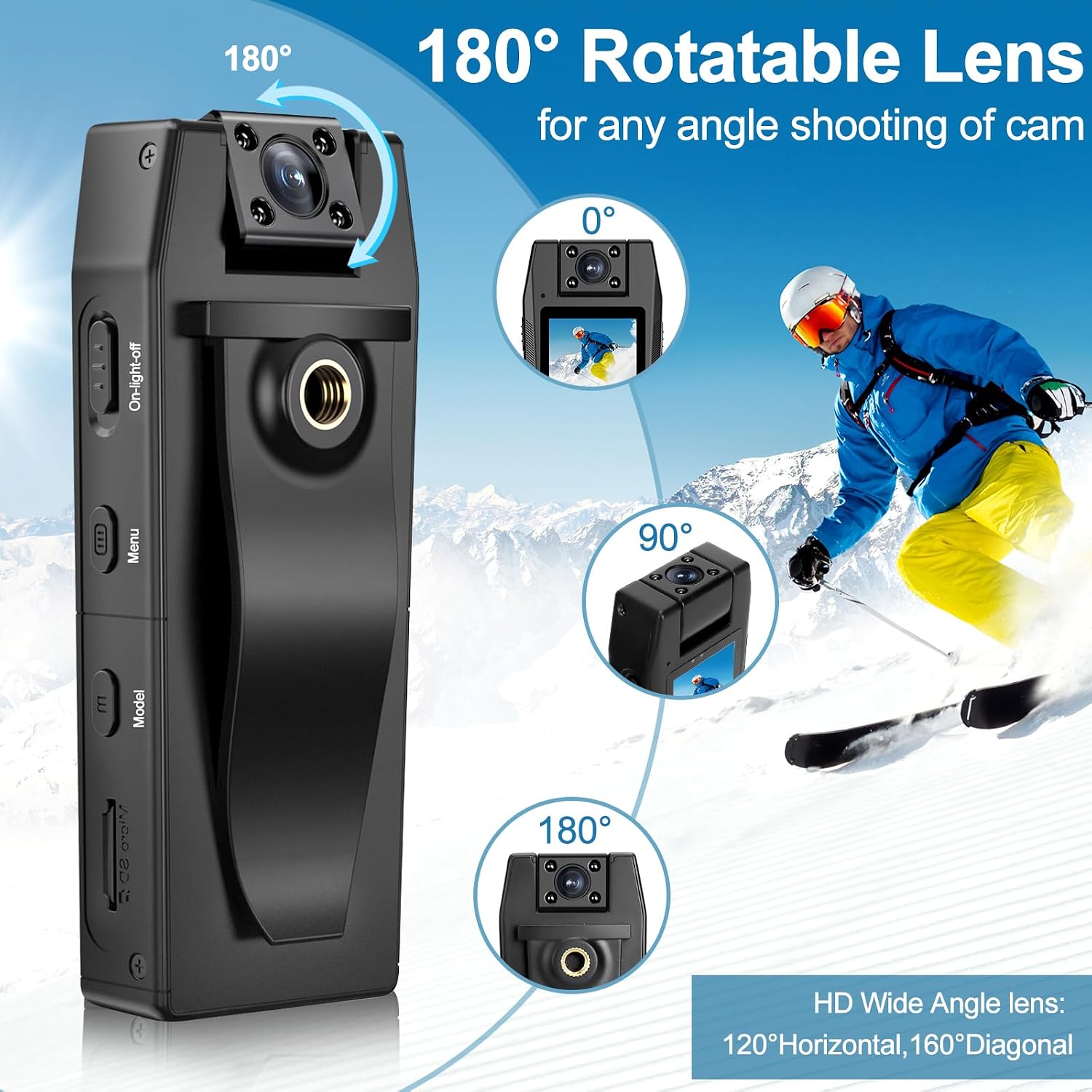
Image Description: The Hersance VD3 Bodycam is shown with its 180-degree rotatable lens feature. Illustrations demonstrate the lens positions at 0°, 90°, and 180° angles, allowing for versatile shooting. The image also highlights the HD Wide Angle lens with 120° Horizontal and 160° Diagonal view.
Setup
1. Charging the Device
- Connect the Type-C charging cable to the bodycam's charging port.
- Connect the other end of the cable to a USB power adapter (not included) or a computer's USB port.
- The charging indicator light will illuminate. A full charge typically takes approximately 3 hours.
- Once fully charged, the indicator light will change or turn off.
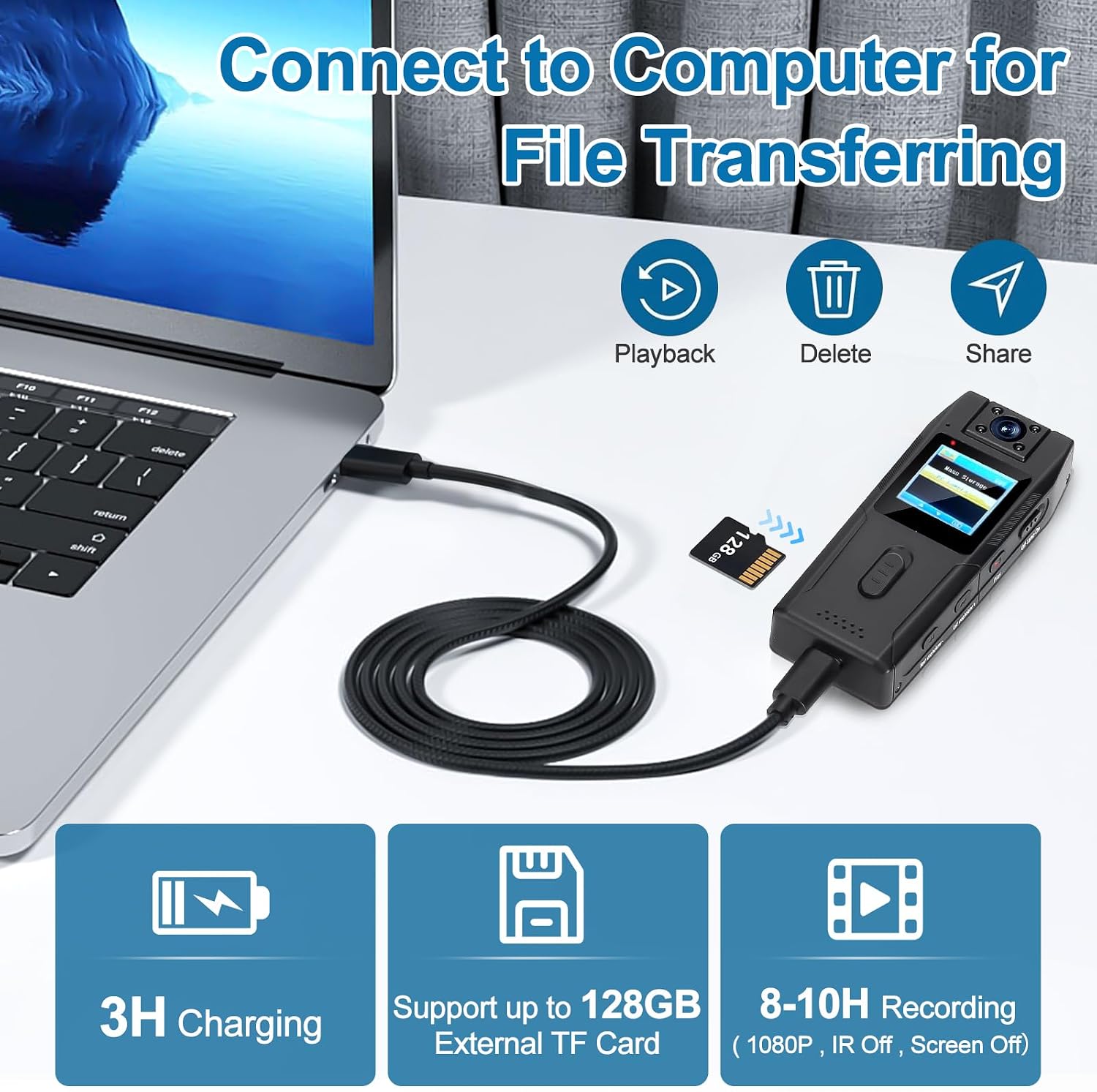
Image Description: The Hersance VD3 Bodycam is shown connected to a laptop via a USB-C cable. This illustrates the process for both charging (3H Charging) and file transferring (Playback, Delete, Share icons). The image also indicates support for up to 128GB External TF Card and 8-10H Recording (1080P, IR Off, Screen Off).
2. Inserting the Memory Card
The Hersance VD3 Bodycam comes with a 128GB Micro SD card. Ensure it is properly inserted into the TF card slot before use. If replacing the card, use a high-speed Micro SD card (Class 10 or higher) up to 128GB.
- Locate the TF card slot on the side of the bodycam.
- Gently insert the Micro SD card with the gold contacts facing down until it clicks into place.
- To remove, push the card in slightly until it springs out.
3. Powering On/Off
- To Power On: Press and hold the "On/Light-Off" button for a few seconds until the screen illuminates.
- To Power Off: Press and hold the "On/Light-Off" button again until the device shuts down.
Operating Instructions
Video Recording
- Ensure the bodycam is powered on.
- Press the "One-click recording/tape" button to start video recording. A recording indicator (e.g., red dot or flashing icon) will appear on the screen.
- To stop recording, press the "One-click recording/tape" button again. The recording will be saved automatically.
Photo Capture
- Ensure the bodycam is powered on.
- Navigate to photo mode using the Menu button if necessary (refer to on-screen menu for specific navigation).
- Press the "One-click recording/tape" button to take a photo.
Audio Recording
- Ensure the bodycam is powered on.
- Navigate to audio recording mode using the Menu button.
- Press the "One-click recording/tape" button to start audio recording.
- Press it again to stop and save.
Night Vision Mode
The bodycam features integrated infrared night vision for low-light conditions.
- To activate/deactivate night vision, use the "Off Night Vision On" switch or navigate through the Menu settings.
- The IR lights are invisible to the human eye.

Image Description: A comparison illustrating the Hersance VD3 Bodycam's performance in day and night conditions. The "Day" scene shows a woman working in a well-lit office, while the "Night" scene shows a woman sleeping in a dark room, captured clearly using the bodycam's night vision. The image highlights the 1080P HD & 40M Resolution and the built-in 4pcs IR lights, which are invisible.
Loop Recording
When loop recording is enabled (check settings via Menu button), the camera will continuously record. Once the memory card is full, the oldest files will be automatically overwritten by new recordings. This ensures continuous operation without manual deletion.
Motion Detection
Activate motion detection through the Menu settings. When enabled, the bodycam will automatically start recording when it detects movement within its field of view and stop when motion ceases, conserving battery and storage space.
File Transfer to Computer
- Connect the bodycam to your computer using the provided Type-C USB cable.
- The bodycam should appear as a removable disk or mass storage device on your computer.
- Open the device folder to access your recorded videos, photos, and audio files.
- You can now copy, move, or delete files as needed.
- Safely eject the device from your computer before disconnecting the cable.
Maintenance
Cleaning
- Use a soft, dry cloth to clean the bodycam's exterior.
- For the lens, use a specialized lens cleaning cloth and solution to avoid scratches.
- Do not use harsh chemicals or abrasive materials.
Storage
- Store the bodycam in a cool, dry place away from direct sunlight and extreme temperatures.
- Keep it away from dust and moisture.
- If storing for extended periods, ensure the battery is partially charged (around 50%) to prolong its lifespan.
Battery Care
- Avoid fully discharging the battery frequently.
- Charge the battery regularly, even if the device is not in use, to maintain battery health.
Troubleshooting
| Problem | Possible Cause | Solution |
|---|---|---|
| Device does not power on. | Low battery; device frozen. | Charge the battery fully. If unresponsive, try a soft reset (if available, check manual for specific reset instructions, or hold power button for longer). |
| Cannot record video/take photos. | Memory card full or not inserted correctly; low battery. | Check memory card insertion and ensure it has free space. Charge the device. |
| Poor video/audio quality. | Dirty lens; recording in very low light without night vision; environmental noise. | Clean the lens. Activate night vision in dark conditions. Ensure microphone is not obstructed. |
| Computer does not recognize the device. | Faulty USB cable; incorrect connection mode; driver issue. | Try a different USB cable or USB port. Ensure the bodycam is powered on when connected. Restart computer. |
Specifications
| Brand | Hersance |
| Model Number | VD3 |
| Video Resolution | 1080p Full HD |
| Lens Rotation | 180 degrees (manual) |
| Image Stabilization | No |
| Focal Length | 10 - 30 mm |
| Aperture | 3.5 mm |
| Connectivity | USB Type-C |
| Memory Type | Micro SD (up to 128GB, 128GB included) |
| Battery | 1400 mAh Lithium-ion |
| Recording Time | Up to 6 hours (continuous, screen off) |
| Charging Time | Approx. 3 hours |
| Night Vision Range | Up to 5 meters |
| Water Resistance | Not waterproof |
| Dimensions (L x W x H) | 96 x 37 x 16 mm (approx. 3.85 x 1.46 x 0.63 inches) |
| Weight | 68g |
| Video Format | AVI |
| Audio Format | AAC, MP3, PCM (possible) |
Warranty and Support
The Hersance VD3 Bodycam comes with a 2-year industry-leading warranty and lifetime technical support. Additionally, a 30-day money-back guarantee is provided.
For technical assistance, warranty claims, or any questions regarding your product, please contact Hersance customer support through the retailer where you purchased the device or refer to the contact information provided on the Hersance official website (if available).
Ask a question about this manual
Ask about setup, troubleshooting, compatibility, parts, safety, or missing instructions. Manuals+ will review the question and use this page’s manual context to help answer it.