
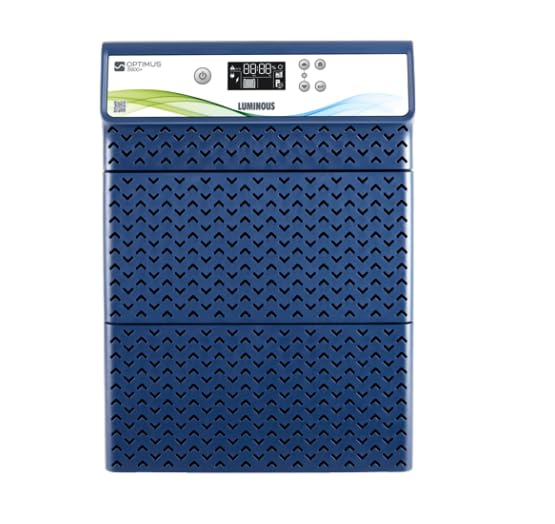
Figure 0: The Luminous Optimus 3800 Pure Sine Wave Inverter.
1. Introduction
Thank you for choosing the Luminous Optimus 3800 Pure Sine Wave Inverter. This manual provides essential information for the safe and efficient installation, operation, and maintenance of your inverter. Please read this manual thoroughly before using the product and keep it for future reference.
The Luminous Optimus 3800 is designed to provide reliable power backup for homes and offices, ensuring uninterrupted electricity supply during outages. It features pure sine wave output, which is safe for sensitive electronic appliances.
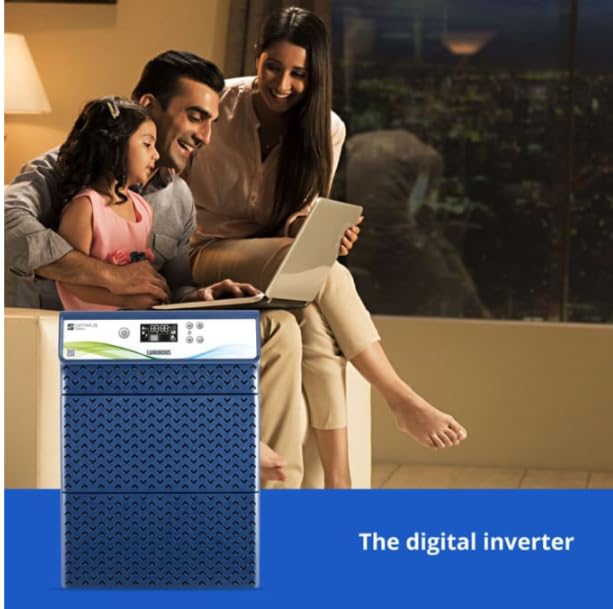
Figure 1: Luminous Optimus 3800 Inverter providing power in a typical home environment.
2. Safety Instructions
Important: Failure to follow these safety instructions may result in electric shock, fire, or serious injury.
- Read all instructions before installation and operation.
- Do not open the inverter casing. There are no user-serviceable parts inside. Refer all servicing to qualified service personnel.
- Ensure proper ventilation around the inverter to prevent overheating.
- Keep the inverter away from water, moisture, flammable materials, and direct sunlight.
- Connect the inverter only to a properly grounded electrical system.
- Do not connect the inverter to a power source other than the specified battery bank.
- Ensure all connections are tight and secure to prevent loose contacts and sparking.
- Keep children and unauthorized persons away from the inverter.
- In case of smoke, unusual odors, or abnormal operation, immediately disconnect the power supply and contact customer support.
3. Product Overview
The Luminous Optimus 3800 is a high-capacity pure sine wave inverter designed for robust performance and efficiency. It supports a 3-battery system (each 12V) and offers advanced features for optimal power management.
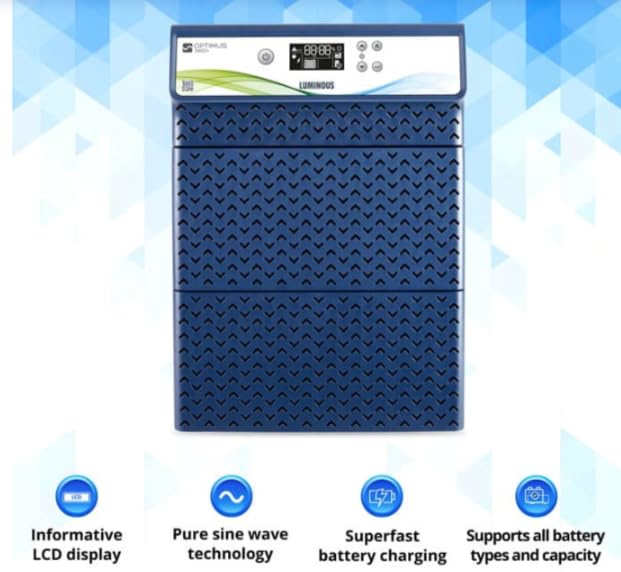
Figure 2: Front panel of the Luminous Optimus 3800 Inverter, showing the informative LCD display and key features like pure sine wave technology, superfast battery charging, and support for various battery types and capacities.
Key Features:
- Pure Sine Wave Output: Ensures safety and compatibility with all types of appliances, including sensitive electronics.
- Informative LCD Display: Provides real-time status updates, battery charge level, load percentage, and fault indicators.
- Superfast Battery Charging: Optimized charging technology for quick battery replenishment.
- Battery Type and Capacity Support: Compatible with various battery types (e.g., Tubular, Flat Plate, SMF) and capacities.
- High Capacity: 3500VA / 2800W rating, suitable for multiple appliances.
- Multi-Battery Support: Designed to work with three 12V inverter batteries.
4. Setup and Installation
Proper installation is crucial for the safe and efficient operation of your inverter. It is highly recommended that installation be performed by a qualified electrician.
4.1 Unpacking and Inspection
- Carefully remove the inverter from its packaging.
- Inspect the unit for any signs of physical damage. If damaged, do not proceed with installation and contact your dealer.
- Ensure all accessories are present as per the packing list.
4.2 Site Selection
- Choose a cool, dry, and well-ventilated area.
- Avoid locations exposed to direct sunlight, high humidity, dust, or corrosive fumes.
- Ensure sufficient clearance (at least 15 cm) around the inverter for proper airflow.
- Mount the inverter on a stable, non-flammable surface.
4.3 Battery Connection
The Luminous Optimus 3800 requires three 12V inverter batteries connected in series to form a 36V battery bank. Ensure the batteries are of the same type and capacity.
- Turn off the inverter and disconnect it from the mains supply.
- Connect the positive terminal of the first battery to the negative terminal of the second battery.
- Connect the positive terminal of the second battery to the negative terminal of the third battery.
- Connect the remaining negative terminal of the first battery to the inverter's negative battery terminal.
- Connect the remaining positive terminal of the third battery to the inverter's positive battery terminal.
- Ensure all battery terminals are clean and connections are tight. Apply petroleum jelly to prevent corrosion.
4.4 Mains and Load Connection
- Connect the inverter's input plug to a properly grounded wall socket.
- Connect your appliances (load) to the output sockets of the inverter. Do not overload the inverter beyond its rated capacity (2800W).
- Ensure all wiring complies with local electrical codes.
5. Operating Instructions
5.1 Initial Power-Up
- After completing all connections, switch on the main power supply to the inverter.
- Press the power button on the inverter's front panel. The LCD display will illuminate, showing the current status.
- The inverter will perform a self-test and then enter charging mode if mains power is available, or backup mode if mains power is absent.
5.2 LCD Display and Controls
The informative LCD display provides critical operational data. Refer to the inverter's front panel for button functions (e.g., Mode, Enter, Up/Down) to navigate menus and view parameters like:
- Input Voltage
- Output Voltage
- Battery Voltage
- Charging Current
- Load Percentage
- Backup Time Remaining
- Fault Codes
5.3 Operating Modes
- Mains Mode: When mains power is available, the inverter charges the batteries and passes mains power to the connected load.
- Backup Mode: When mains power fails, the inverter automatically switches to battery power, converting DC to AC to supply the connected load.
- Eco Mode: (If available) Reduces power consumption by switching off the inverter output when the load is very low, saving battery power.
5.4 Shutting Down the Inverter
- Disconnect all loads from the inverter.
- Press and hold the power button until the inverter shuts down.
- Switch off the main power supply to the inverter.
- Disconnect the battery terminals if the inverter will not be used for an extended period.
6. Maintenance
Regular maintenance ensures the longevity and optimal performance of your Luminous Optimus 3800 inverter.
- Cleaning: Keep the inverter clean and free from dust. Use a dry, soft cloth to wipe the exterior. Do not use liquid cleaners.
- Ventilation: Ensure ventilation openings are not blocked. Periodically clean dust from vents using a soft brush or vacuum cleaner.
- Battery Maintenance:
- For flooded lead-acid batteries, check electrolyte levels regularly (every 1-2 months) and top up with distilled water if necessary.
- Keep battery terminals clean and free from corrosion. Apply petroleum jelly to terminals.
- Ensure battery connections are tight.
- Connections: Periodically check all electrical connections (mains, battery, load) for tightness and signs of wear or damage.
- Avoid Overloading: Do not connect appliances that exceed the inverter's rated capacity.
7. Troubleshooting
This section provides solutions to common issues. If the problem persists, contact Luminous customer support.
| Problem | Possible Cause | Solution |
|---|---|---|
| Inverter not turning on |
|
|
| No output in backup mode |
|
|
| Inverter beeping continuously |
|
|
| Batteries not charging |
|
|
8. Technical Specifications
| Parameter | Value |
|---|---|
| Model Name | Luminous Optimus 3800 |
| Brand | Luminous |
| VA Rating | 3500VA |
| Wattage | 2800 Watts |
| Output Waveform | Pure Sine Wave |
| Battery Support | 3 x 12V Inverter Batteries (36V system) |
| Power Source | Battery Powered |
| Recommended Uses | Home, Office |
| Country of Origin | India |
| ASIN | B0CWKX4BFH |
9. Warranty and Support
Luminous products are manufactured under strict quality control standards. This product comes with a standard manufacturer's warranty against manufacturing defects.
9.1 Warranty Information
Please refer to the warranty card provided with your product for specific terms, conditions, and duration of the warranty. Keep your purchase receipt as proof of purchase for warranty claims.
9.2 Customer Support
For technical assistance, service requests, or any queries regarding your Luminous Optimus 3800 inverter, please contact Luminous customer support:
- Website: Visit the official Luminous India website for support resources and service center locator.
- Helpline: Refer to your product documentation or the Luminous website for the latest customer care contact numbers.
- Service Centers: Luminous has an extensive network of authorized service centers.
When contacting support, please have your product model number (Optimus 3800) and serial number ready.

