
Introduction
Thank you for choosing the Lufeiya Computer Desk with Drawers. This versatile 40-inch desk is designed for home offices, bedrooms, and gaming setups, offering a blend of functionality and modern style. It features integrated storage, a power outlet with USB ports, and a monitor stand to enhance your workspace. This manual provides detailed instructions for assembly, operation, maintenance, and troubleshooting to ensure optimal use and longevity of your desk.
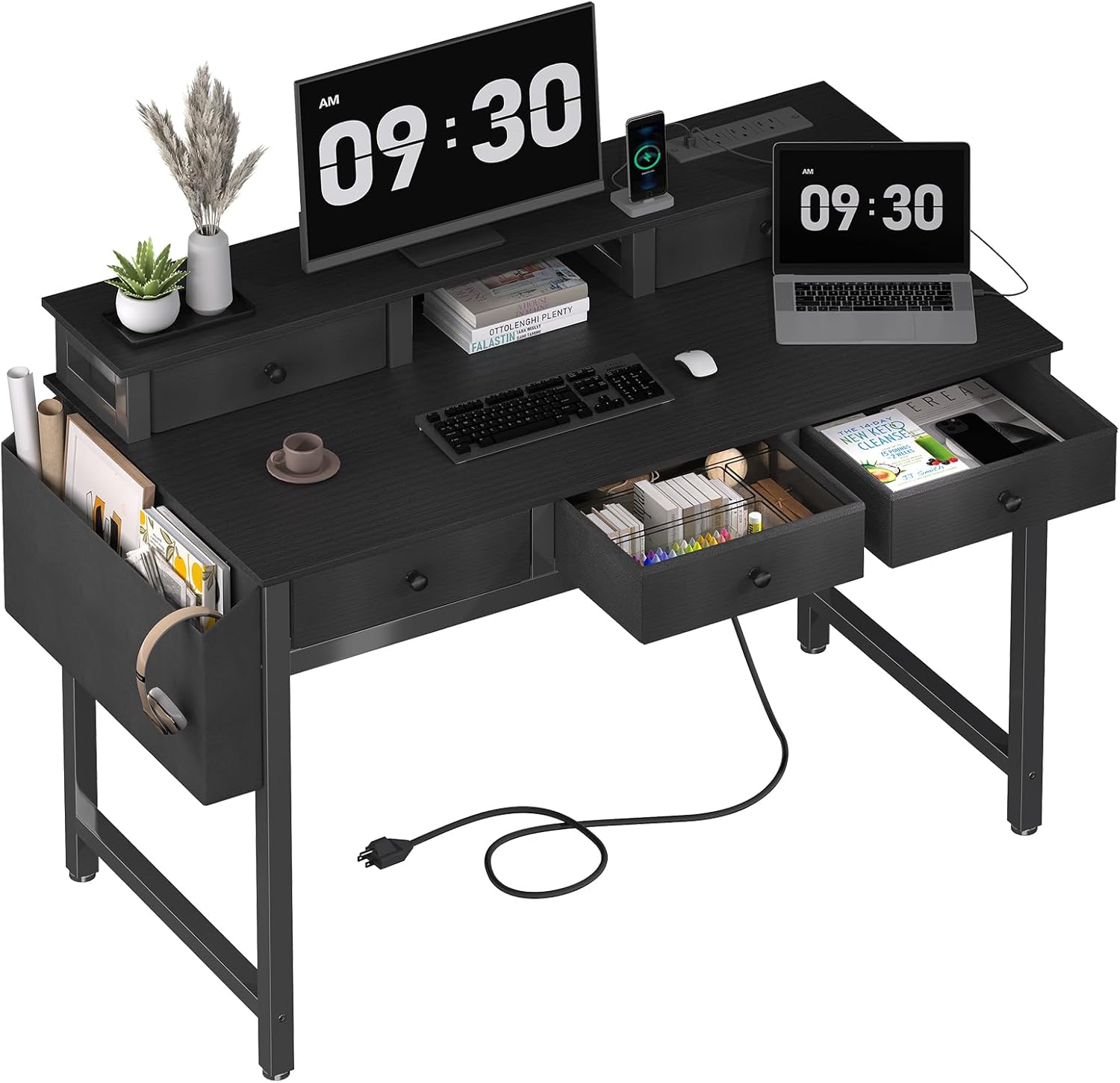
Image: The Lufeiya Computer Desk, showcasing its spacious top, monitor stand, and integrated drawers, suitable for various setups.
Safety Information
Please read and understand all safety warnings before assembly and use.
- Always assemble the desk according to the provided instructions.
- Do not exceed the maximum weight limit of 29.7 pounds on the desktop.
- Be cautious when using the built-in power strip and USB ports to prevent electrical hazards.
- Always unplug the desk when not in use or when moving it.
- Keep all electrical components away from water or damp environments.
Components List
Before beginning assembly, ensure all parts are present and undamaged. Refer to the included parts diagram for identification.
- Desktop with pre-installed power strip
- Metal frame components (legs, support bars)
- Monitor stand components
- 5 Fabric Drawers
- Headphone hook
- Storage bag
- Assembly hardware (screws, bolts, Allen wrenches)

Image: An illustration detailing the dimensions of the desk and highlighting features like heavy-duty metal design, environmental protection, and 5 fabric drawers.
Setup and Assembly
Assembly is designed to be straightforward, typically taking 20-30 minutes. Follow the steps carefully. While a detailed instruction manual is provided with the product, some users have reported challenges with hole alignment during initial steps. If you encounter difficulty, try adjusting the order of assembly for the main support bars to ensure proper fit before fully tightening screws.
- Prepare Workspace: Clear a spacious area and lay out all components and hardware.
- Assemble Main Frame: Attach the desk legs and support bars using the provided hardware. Ensure all connections are secure but do not fully tighten screws until the frame is stable. (Note: Some users found it helpful to attach the horizontal support bars to the desktop first, then connect the legs, if alignment issues arise with the standard order.)
- Install Monitor Stand: Secure the monitor stand to the designated area on the desktop.
- Insert Fabric Drawers: Fold and insert the 5 fabric drawers into their respective compartments.
- Attach Accessories: Secure the headphone hook and storage bag to the side of the desk as desired.
- Final Tightening: Once the entire desk is assembled and stable, fully tighten all screws.

Image: The Lufeiya Computer Desk set up in a modern home office, demonstrating its aesthetic appeal and functional layout.
Operating Instructions
The Lufeiya Computer Desk is designed for ease of use and organization.
Using the Built-in Power Strip
The desk includes a convenient built-in power strip with 3 standard power outlets and 2 USB charging ports. This allows you to power and charge your computer, monitor, gaming gear, tablets, phones, and other electronic devices directly from your workspace.
- Plug the desk's main power cord into a wall outlet.
- Connect your devices to the available AC outlets (125V/12A) or USB ports (5V/2A).

Image: A detailed view of the desk's built-in power strip, showing its three AC outlets and two USB charging ports for convenient device connectivity.
Utilizing the Monitor Stand
The integrated monitor stand elevates your screen to an ergonomic eye-level, promoting better posture and reducing strain on your neck and spine. It can accommodate two monitors or a laptop.

Image: An illustration demonstrating how the built-in monitor stand helps maintain proper posture by raising the screen to eye-level, improving ergonomics.
Storage Solutions
The desk offers ample storage with five fabric drawers and a side hutch, helping to keep your workspace tidy and organized.
- Fabric Drawers: Use the five spacious fabric drawers for storing office supplies, documents, or personal items.
- Side Storage Bag: The removable storage bag on the side is ideal for magazines, notebooks, or other frequently accessed items, freeing up desktop space.
- Headphone Hook: Utilize the integrated headphone hook to keep your headphones or bags neatly stored and easily accessible.

Image: The desk's fabric drawers pulled open, revealing ample and organized storage space for various items, demonstrating practical design.

Image: A close-up of the removable side storage bag, highlighting its function in providing additional storage and maximizing desktop space.

Image: A close-up of the removable iron hook, designed to organize headphones, bags, or other accessories, keeping them off the desk surface.
Maintenance
Proper care will extend the life and appearance of your Lufeiya Computer Desk.
- Cleaning: Wipe the desk surfaces with a soft, damp cloth. Avoid harsh chemicals or abrasive cleaners that could damage the finish.
- Spills: Immediately wipe up any spills to prevent water damage to the wood surface.
- Hardware: Periodically check and tighten all screws and bolts to ensure the desk remains stable and secure.
- Fabric Drawers: The fabric drawers can be spot cleaned with a mild detergent and water. Allow to air dry completely.
Troubleshooting
If you encounter any issues with your desk, refer to the following common solutions:
- Assembly Difficulties / Misaligned Holes: If holes do not align during assembly, try loosening all screws slightly, adjust the components to fit, and then re-tighten. In some cases, adjusting the order of assembly for certain parts (e.g., attaching horizontal supports to the desktop before connecting legs) may resolve alignment issues.
- Power Strip Not Working: Ensure the desk's main power cord is securely plugged into a functional wall outlet. Check if the wall outlet itself is receiving power. Avoid overloading the power strip with too many high-power devices.
- Drawers Not Sliding Smoothly: Ensure the fabric drawers are correctly assembled and fully inserted into their compartments. Check for any obstructions within the drawer slots.
- Desk Wobbles: Verify that all screws and bolts are fully tightened. Ensure the desk is placed on a flat, even surface.
Specifications
| Feature | Detail |
|---|---|
| Brand | Lufeiya |
| Product Dimensions | 39.4"D x 19.7"W x 35"H |
| Color | Black |
| Style | Modern |
| Base Material | Metal |
| Finish Type | Powder Coated |
| Special Feature | Built-In USB Outlet, Monitor Stand |
| Room Type | Bedroom, Living Room, Office, Study Room |
| Recommended Uses For Product | Drafting, Gaming, Working, Writing |
| Mounting Type | Freestanding |
| Model Number | LFY-CJ5D40-Black |
| Number of Drawers | 5 |
| Item Weight | 29.7 Pounds |
| Number Of Shelves | 2 |
| Tabletop Thickness | 0.75 Inches |
| Required Assembly | Yes |
| Recommended Number of People for Assembly | 1 |
| Is Electric | Yes |
Warranty and Support
Lufeiya provides professional customer service and guarantees easy and fast replacement if you encounter any quality problems with your desk. Please feel free to contact us for assistance.
For further support or inquiries, please visit the Lufeiya Store on Amazon.


