
1. Introduction
Thank you for choosing the MR DJ PRODW2000 15-inch Replacement Woofer Subwoofer. This product is designed to provide a high-quality replacement for worn or damaged woofers in compatible speaker systems, such as the JBL JRX225. This manual provides essential information for the safe and effective installation, operation, and maintenance of your new woofer.
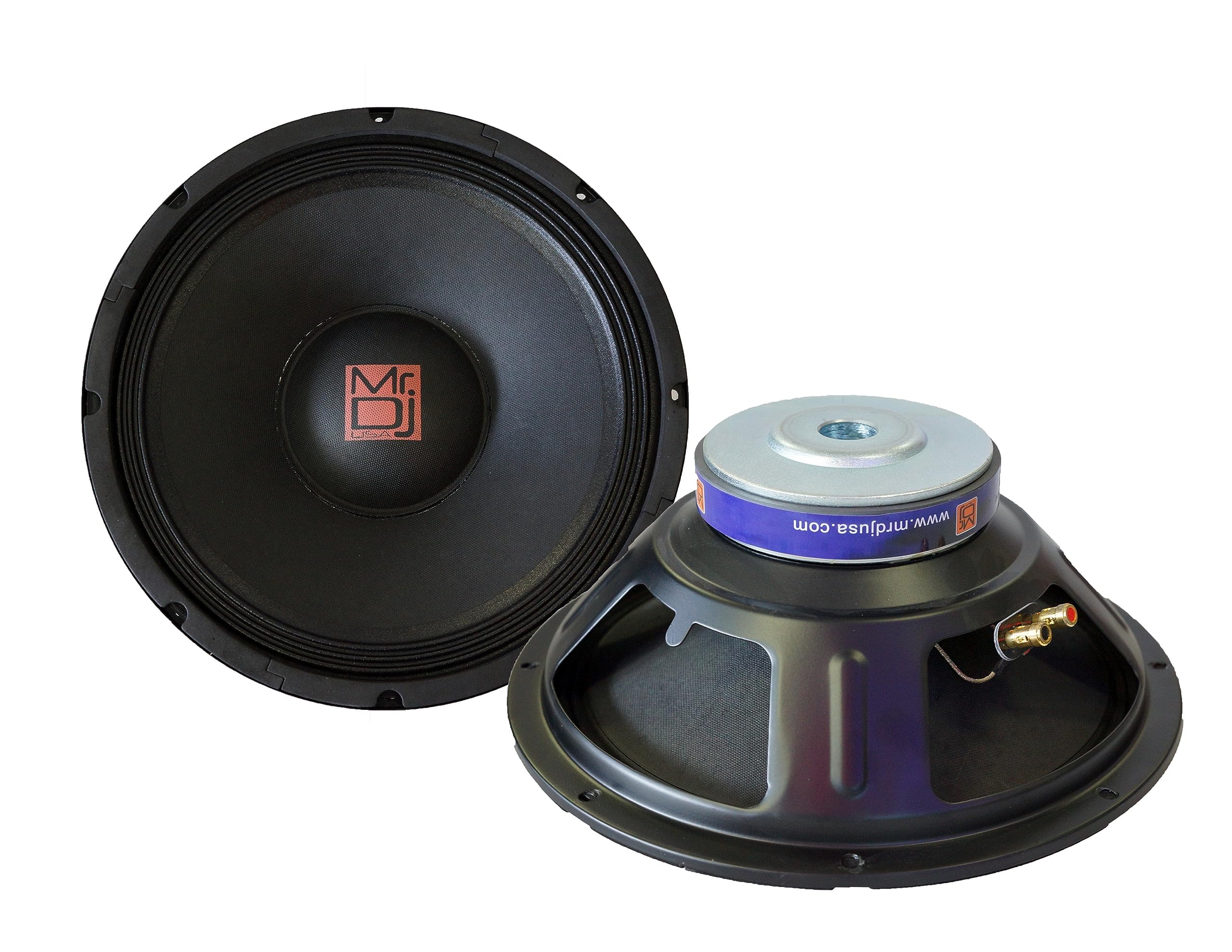
Image showing the front view of the MR DJ PRODW2000 15-inch replacement woofer subwoofer, highlighting its cone and frame.
2. Safety Instructions
Please read and understand all safety instructions before installing or operating this product. Failure to do so may result in injury or damage to the equipment.
- Power Handling: Ensure that the amplifier connected to this woofer does not exceed its maximum power handling capacity (1200 Watts). Overpowering can cause permanent damage.
- Impedance Matching: Verify that the impedance of the woofer (typically 8 ohms for most PA applications) matches the output impedance requirements of your amplifier. Incorrect impedance can lead to amplifier or speaker damage.
- Proper Wiring: Always observe correct polarity when connecting the woofer to your amplifier. Incorrect wiring can result in poor sound quality or damage.
- Electrical Safety: Disconnect all power from the speaker system and amplifier before performing any installation or maintenance.
- Environment: Avoid exposing the woofer to moisture, extreme temperatures, or direct sunlight.
- Professional Installation: If you are unsure about any aspect of the installation process, it is highly recommended to seek assistance from a qualified audio technician.
3. Package Contents
Carefully unpack your MR DJ PRODW2000 and check for the following items:
- One (1) MR DJ PRODW2000 15-inch Replacement Woofer Subwoofer
If any items are missing or damaged, please contact your retailer or MR DJ customer support immediately.
4. Setup and Installation
This section outlines the general steps for replacing a woofer. Specific speaker cabinet designs may vary, so always refer to your speaker cabinet's manual if available.
- Disconnect Power: Ensure the speaker system and amplifier are completely powered off and unplugged from any power source.
- Access Woofer: Carefully remove the speaker grille (if present) and unscrew the mounting screws holding the existing woofer in place.
- Disconnect Old Woofer: Gently pull the old woofer out of the cabinet. Note the polarity of the wires (positive and negative) connected to the terminals. Disconnect these wires.
- Connect New Woofer: Connect the speaker wires to the corresponding terminals on the MR DJ PRODW2000 woofer. The positive (+) terminal is usually marked with a red dot or a plus sign, and the negative (-) terminal with a black dot or a minus sign. Ensure a secure connection.
- Mount New Woofer: Carefully place the MR DJ PRODW2000 into the speaker cabinet opening, aligning the screw holes. Secure it with the original mounting screws. Do not overtighten.
- Reassemble: Replace the speaker grille if applicable.
- Test: Reconnect the speaker system to the amplifier and power. Start with the amplifier volume at its lowest setting and gradually increase it to test the new woofer. Listen for clear, undistorted sound.
Important: Incorrect wiring or improper mounting can affect performance and potentially damage the woofer or amplifier. If you are uncertain, consult a professional.
5. Operating Guidelines
Once installed, proper operation ensures optimal performance and longevity of your MR DJ PRODW2000 woofer.
- Amplifier Matching: Use an amplifier that provides sufficient power without exceeding the woofer's maximum power handling (1200 Watts). An underpowered amplifier driven into clipping can be more damaging than an appropriately powerful one.
- Volume Control: Always start with the amplifier volume at a low level and gradually increase it. Avoid pushing the system to distortion, which indicates the amplifier or woofer is being overdriven.
- Equalization: Use equalization settings judiciously. Excessive bass boost can quickly lead to over-excursion and damage the woofer.
- Break-in Period: New woofers may benefit from a short break-in period (a few hours of moderate-level playback) to allow the suspension components to loosen up, potentially improving long-term performance.
6. Maintenance
Regular, simple maintenance can extend the life of your woofer.
- Cleaning: Use a soft, dry cloth to gently wipe dust from the cone and frame. Avoid using harsh chemicals or excessive moisture.
- Inspection: Periodically inspect the woofer for any signs of damage, such as tears in the cone or surround, or loose connections.
- Storage: If the woofer is removed from the cabinet for storage, keep it in a clean, dry environment, away from direct sunlight and extreme temperatures.
7. Troubleshooting
If you encounter issues with your MR DJ PRODW2000, refer to the following common troubleshooting steps:
- No Sound:
- Check all cable connections from the amplifier to the speaker. Ensure they are secure and correctly wired (positive to positive, negative to negative).
- Verify the amplifier is powered on and functioning correctly.
- Test with a different audio source.
- Distorted Sound:
- Reduce the amplifier's volume. Distortion often occurs when the amplifier or woofer is overdriven.
- Check for loose connections or frayed speaker wires.
- Inspect the woofer cone and surround for any physical damage.
- Ensure the amplifier's output impedance matches the woofer's impedance.
- Buzzing or Rattling:
- Check if the woofer is securely mounted in the cabinet. Tighten any loose screws.
- Ensure no foreign objects are inside the speaker cabinet or touching the woofer cone.
- If the buzzing persists, it might indicate internal damage to the woofer, requiring professional inspection.
If these steps do not resolve the issue, please contact MR DJ customer support.
8. Specifications
| Brand | Mr. Dj |
| Model Number | PRODW2000 |
| Speaker Size | 15 Inches |
| Woofer Diameter | 15 Inches |
| Speaker Maximum Output Power | 1200 Watts |
| Connectivity Technology | Audio |
| Audio Output Mode | Mono |
| Audio Driver Type | Dynamic Driver |
| Audio Driver Size | 15 Inches |
| Item Weight | 16 ounces |
| UPC | 826843966958 |
| GTIN | 826843966958 |
9. Warranty Information
The MR DJ PRODW2000 15-inch Replacement Woofer Subwoofer comes with a 1-year manufacturer's limited warranty from the date of purchase. This warranty covers defects in materials and workmanship under normal use. It does not cover damage resulting from misuse, abuse, accident, unauthorized modifications, or improper installation.
Please retain your proof of purchase for warranty claims. For detailed warranty terms and conditions, or to initiate a warranty claim, please contact MR DJ customer support.
10. Customer Support
For technical assistance, troubleshooting, warranty inquiries, or any other questions regarding your MR DJ PRODW2000, please contact MR DJ customer support.
Please have your product model number (PRODW2000) and proof of purchase available when contacting support to ensure efficient service.