
iJoy IJPDQ106
Contents
iJoy AquaBoost IPX7 Waterproof Speaker User Manual
Model: IJPDQ106
Brand: iJoy
Introduction
Thank you for purchasing the iJoy AquaBoost IPX7 Waterproof Speaker. This portable speaker is designed to provide high-quality audio in various environments, including wet conditions, thanks to its IPX7 waterproof rating. It features Bluetooth connectivity, a built-in microphone for hands-free calling, and multiple playback options including FM radio, U Disk, AUX line, and TF card. This manual provides detailed instructions for setup, operation, and maintenance to ensure optimal performance and longevity of your device.

Image: Front view of the iJoy AquaBoost speaker retail packaging, highlighting its waterproof capabilities and battery life.
Package Contents
Please check the package contents to ensure all items are present and in good condition.
- iJoy AquaBoost IPX7 Waterproof Speaker (Main unit)
- Charging Cable (USB)
- User Manual (This document)

Image: Back view of the iJoy AquaBoost speaker packaging, displaying product information and the UPC barcode (0810116712786).
Product Overview
Familiarize yourself with the various parts and controls of your iJoy AquaBoost speaker.

Image: Front and top view of the iJoy AquaBoost speaker, illustrating the speaker grille and the tactile control buttons on the top surface.
Controls and Ports:
- Power Button: Press and hold to turn on/off.
- Volume Up (+): Short press to increase volume. Long press for next track.
- Volume Down (-): Short press to decrease volume. Long press for previous track.
- Play/Pause Button: Play or pause music. Answer/end calls.
- Mode Button (M): Switch between Bluetooth, FM, U Disk, AUX, and TF card modes.
- Charging Port: USB port for charging the speaker.
- AUX-in Port: For wired audio connection.
- TF Card Slot: For playing music directly from a TF (MicroSD) card.
- USB Port: For playing music directly from a U Disk (USB flash drive).
- Carabiner Loop: For attaching the speaker to bags or other objects.
Setup
1. Charging the Speaker
Before first use, fully charge your AquaBoost speaker.
- Connect the provided USB charging cable to the charging port on the speaker.
- Connect the other end of the USB cable to a USB power adapter (not included) or a computer's USB port.
- The charging indicator light will illuminate. It will turn off or change color once charging is complete.
- A full charge takes approximately 2-3 hours and provides up to 6 hours of playtime.
2. Powering On/Off
- To turn on, press and hold the Power button until you hear an audible prompt.
- To turn off, press and hold the Power button again until you hear an audible prompt.
Operating Instructions
Bluetooth Pairing
The iJoy AquaBoost speaker uses Bluetooth for wireless audio streaming.
- Ensure the speaker is powered on and in Bluetooth pairing mode (indicated by a flashing LED light and/or an audible prompt). If not, press the Mode (M) button to switch to Bluetooth mode.
- On your smartphone, tablet, or other Bluetooth-enabled device, go to the Bluetooth settings.
- Search for available devices. You should see "iJoy AquaBoost" or a similar name in the list.
- Select "iJoy AquaBoost" to connect. Once successfully paired, the LED indicator will become solid, and you will hear a confirmation sound.
- You can now play music from your device through the speaker.
Note: The speaker will automatically attempt to reconnect to the last paired device when powered on.

Image: The iJoy AquaBoost speaker demonstrating its IPX7 waterproof capability with water splashing, also showing the integrated carabiner for portability.
Hands-Free Calling
When connected via Bluetooth, you can use the speaker for hands-free calls.
- Answer Call: Press the Play/Pause button once.
- End Call: Press the Play/Pause button once during a call.
- Reject Call: Press and hold the Play/Pause button.
Playing Music from Other Sources
The speaker supports various playback modes. Press the Mode (M) button to cycle through them.
- FM Radio:
In FM mode, press the Play/Pause button to auto-scan and save available radio stations. Use the Volume +/- buttons (long press) to switch between saved stations.
- U Disk (USB Flash Drive) Playback:
Insert a USB flash drive into the USB port. The speaker will automatically switch to U Disk mode and begin playing compatible audio files.
- AUX Line-in:
Connect an audio device using a 3.5mm AUX cable (not included) to the AUX-in port. The speaker will automatically switch to AUX mode.
- TF Card (MicroSD Card) Playback:
Insert a TF (MicroSD) card into the TF card slot. The speaker will automatically switch to TF card mode and play compatible audio files.
Maintenance
Cleaning
- Wipe the speaker with a soft, damp cloth.
- Do not use abrasive cleaners, alcohol, or chemical solvents.
- Ensure all ports are dry before charging or connecting other devices after exposure to water.
Water Resistance (IPX7)
The iJoy AquaBoost speaker is IPX7 rated, meaning it can be submerged in water up to 1 meter (3.3 feet) for up to 30 minutes.
- Ensure the charging port and other covers are securely closed before exposing the speaker to water.
- Do not expose the speaker to saltwater or other chemicals, as this may damage the seals.
- After exposure to chlorinated or saltwater, rinse the speaker with fresh water and dry thoroughly.
- Avoid extreme temperatures.
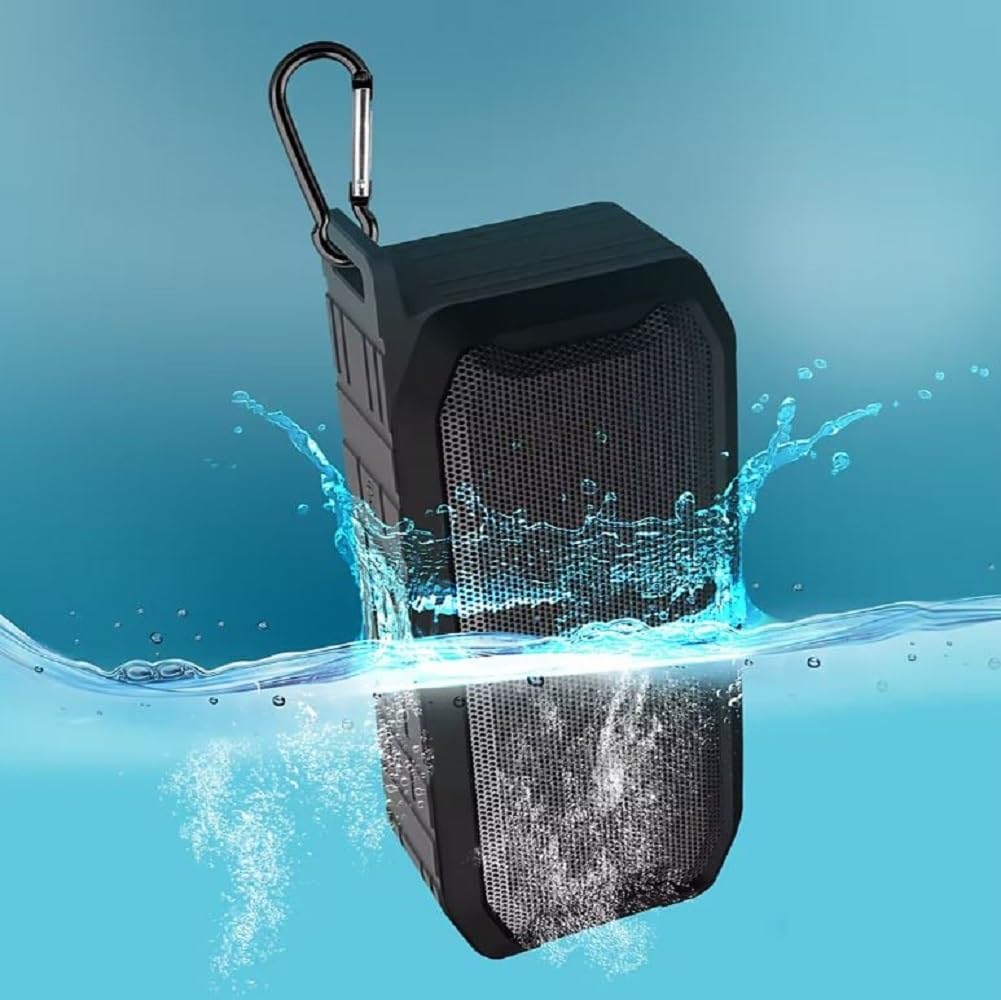
Image: The iJoy AquaBoost speaker submerged in water, illustrating its IPX7 waterproof capability.
Storage
- Store the speaker in a cool, dry place away from direct sunlight and extreme temperatures.
- If storing for an extended period, charge the battery periodically to maintain its health.
Troubleshooting
| Problem | Possible Cause | Solution |
|---|---|---|
| Speaker does not turn on. | Battery is depleted. | Charge the speaker fully. |
| Cannot pair with Bluetooth device. | Speaker is not in pairing mode; Device's Bluetooth is off; Speaker is too far from device. | Ensure speaker is in Bluetooth mode (flashing LED). Turn on Bluetooth on your device. Move speaker closer to device (within 10 meters). Forget "iJoy AquaBoost" on your device and try pairing again. |
| No sound or low volume. | Volume too low on speaker or device; Incorrect mode selected; Audio cable not fully inserted. | Increase volume on both speaker and connected device. Ensure correct mode (Bluetooth, AUX, etc.) is selected. For AUX, ensure cable is fully inserted. |
| Distorted sound. | Volume too high; Device too far from speaker; Interference. | Reduce volume. Move device closer to speaker. Move away from other electronic devices that may cause interference. |
| FM radio reception is poor. | Weak signal; Environmental interference. | Move to an open area. Try auto-scanning for stations again. |
Specifications
| Feature | Detail |
|---|---|
| Model Name | AquaBoost |
| Model Number | IJPDQ106 |
| Speaker Type | Portable Speaker |
| Water Resistance Level | IPX7 Waterproof |
| Speaker Size | 52mm |
| Maximum Output Power | 10 Watts |
| Connectivity Technology | Bluetooth |
| Bluetooth Protocol | Bluetooth |
| Battery Capacity | 1200 mAh |
| Playtime | Up to 6 Hours |
| Functions | FM, U Disk, Bluetooth playback, AUX line, TF card |
| Control Method | Touch buttons |
| Product Dimensions (D x W x H) | 3.82" x 7.2" x 2.4" |
| Item Weight | 2 Pounds |
| Included Components | Main speaker unit only (plus charging cable and manual) |
| Color | Black |
Warranty and Support
The iJoy AquaBoost speaker comes with a Limited Warranty. For specific warranty terms and conditions, please refer to the warranty card included with your product or visit the official iJoy website.
For technical support, troubleshooting assistance, or warranty claims, please contact iJoy customer service. Contact information can typically be found on the product packaging or the official iJoy website.
Manufacturer: iJoy
UPC: 810116712786
Documents and downloads
Ask a question about this manual
Ask about setup, troubleshooting, compatibility, parts, safety, or missing instructions. Manuals+ will review the question and use this page’s manual context to help answer it.