
ZAFRO A8503W-12K
ZAFRO 12000BTU Window Air Conditioner User Manual
Model: A8503W-12K
Important Safety Instructions
Read all instructions before using this appliance. Failure to follow these instructions may result in electric shock, fire, or property damage. Keep this manual for future reference.
- Always connect to a grounded outlet.
- Do not operate the unit with a damaged power cord or plug.
- Do not block air inlets or outlets.
- Do not insert fingers or objects into the air discharge area.
- Ensure the unit is securely installed according to installation instructions.
- Unplug the unit before cleaning or servicing.
- This appliance is not intended for use by persons (including children) with reduced physical, sensory or mental capabilities, or lack of experience and knowledge, unless they have been given supervision or instruction concerning use of the appliance by a person responsible for their safety.
Product Overview
The ZAFRO 12000BTU Window Air Conditioner is designed to provide efficient cooling for rooms up to 550 sq. ft. It features multiple operating modes, fan speeds, and energy-saving functions.

Image: Front view of the ZAFRO 12000BTU Window Air Conditioner, showing the control panel and included remote control.
Included Components
The package includes all necessary components for installation and operation:
- Remote Control
- Long Foam Seal (x2)
- Security Bracket (x1)
- 3/4 inch Screws (x4)
- 1/2 inch Screws (x3)
- Plasticene (x1)
- Short Lock Frame (x2)
- Long Lock Frame (x2)

Image: A visual representation of all accessories included in the ZAFRO air conditioner package, such as screws, brackets, remote control, and window panels.
Installation Instructions
This section provides step-by-step instructions for installing your ZAFRO window air conditioner. Ensure you have all included components before beginning.
Window Requirements
The unit is designed to fit standard double-hung windows with widths between 25 inches and 36 inches, and a minimum height of 14.5 inches.

Image: Diagram illustrating the required window dimensions (25-36 inches width, at least 14.5 inches high) for proper installation of the air conditioner.
Step-by-Step Installation
- Prepare the Window: Open the window and clean the window sill area.
- Install Mounting Brackets: Secure the provided mounting brackets to the window sill according to the detailed diagram in the full manual.
- Position the Unit: Carefully lift the air conditioner and place it into the window opening, ensuring it rests securely on the mounting brackets.
- Extend Side Panels: Extend the accordion side panels to fill the gap between the unit and the window frame.
- Secure the Unit: Use the provided screws and lock frames to secure the unit to the window frame and side panels, preventing movement.
- Apply Foam Seals: Apply the foam seals around the unit to insulate and prevent air leakage.
- Test Operation: Plug in the unit and test its basic functions to ensure proper installation.

Image: A ZAFRO window air conditioner properly installed in a window, demonstrating its compact fit and integration with the window frame.
Operating Instructions
Your ZAFRO air conditioner offers multiple functions and settings for optimal comfort. All functions can be controlled via the unit's control panel or the included remote control.
Control Panel and Remote
The control panel on the unit provides direct access to all settings. The remote control offers convenient operation from a distance.
Image: Close-up of the ZAFRO 12000BTU Window Air Conditioner's control panel, displaying various buttons for mode selection, fan speed, timer, and ECO mode, alongside the remote control.
Operating Modes
- Cooling Mode: Provides powerful cooling. Adjust temperature settings using the up/down arrows.
- Fan Mode: Circulates air without cooling. Select from 4 fan speeds (Low, Medium, High, Auto).
- Dry Mode: Reduces humidity in the room.
- Sleep Mode: Gradually increases the temperature and reduces fan speed for quiet, comfortable sleep.
- ECO Mode: Optimizes energy consumption by cycling the compressor on and off to maintain the set temperature.
- Auto Mode: Automatically selects the appropriate operating mode (Cool, Fan, Dry) based on the ambient room temperature.
Fan Speeds
The unit offers 4 fan speeds: Low, Medium, High, and Auto. Select the desired speed using the "Fan" button on the control panel or remote.
Timer Function
The 24-hour timer allows you to program the unit to turn on or off automatically. Press the "Timer" button and use the up/down arrows to set the desired time.
Ultra-Quiet Operation
The ZAFRO air conditioner operates at a low noise level of 54 dB, ensuring a peaceful environment for sleep or work.
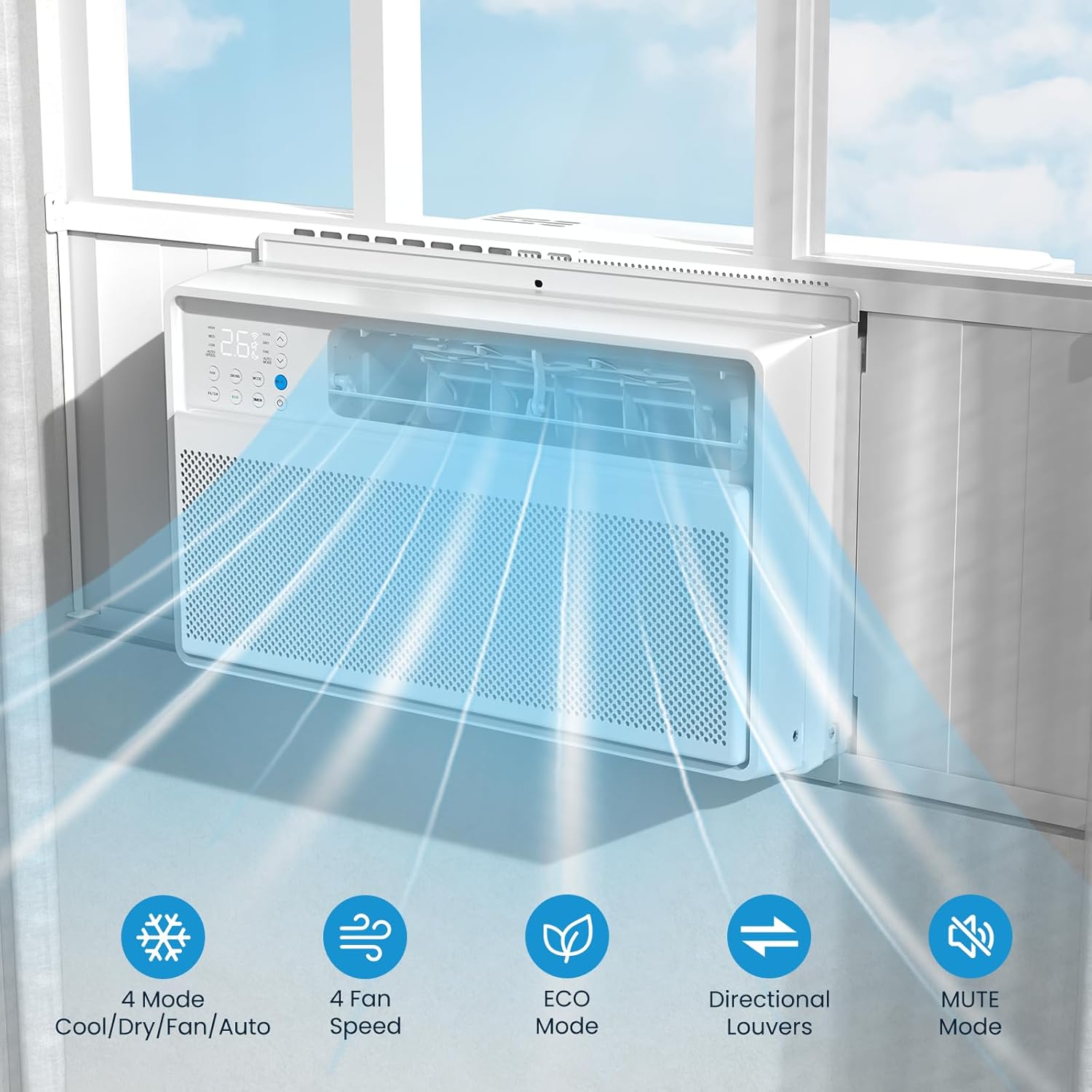
Image: The ZAFRO air conditioner displaying its directional louvers and icons representing its 4 modes (Cool/Dry/Fan/Auto), 4 fan speeds, ECO mode, directional louvers, and mute mode.
Maintenance
Regular maintenance ensures optimal performance and longevity of your air conditioner. Always unplug the unit before performing any maintenance.
Cleaning the Air Filter
- The air filter should be cleaned every two weeks, or more frequently depending on usage and air quality.
- To remove the filter, open the front panel of the unit.
- Gently pull out the filter.
- Wash the filter with warm, soapy water. Rinse thoroughly.
- Allow the filter to air dry completely before reinstalling. Do not use hot water or harsh detergents.
Cleaning the Unit Exterior
- Wipe the exterior of the unit with a soft, damp cloth.
- Do not use abrasive cleaners, waxes, or polishes.
- Ensure no water enters the electrical components.
Seasonal Storage
- At the end of the cooling season, clean the unit thoroughly, including the air filter.
- Store the unit in a dry, cool place, preferably covered to protect it from dust.
Troubleshooting
Before contacting customer support, please refer to the following troubleshooting guide for common issues.
| Problem | Possible Cause | Solution |
|---|---|---|
| Unit does not turn on. |
|
|
| Insufficient cooling. |
|
|
| Unit is noisy. |
|
|
| Water leakage. |
|
|
Specifications
Technical specifications for the ZAFRO 12000BTU Window Air Conditioner.
| Model Number | A8503W-12K |
| Cooling Power | 12000 British Thermal Units (BTU) |
| Coverage Area | Up to 550 Square Feet |
| Product Dimensions (D x W x H) | 19.25" x 20.66" x 13.38" |
| Item Weight | 58.5 pounds |
| Voltage | 115 Volts |
| Noise Level | 52 dB |
| Refrigerant | R-32 |
| Seasonal Energy Efficiency Ratio (SEER) | 18 |
| Color | White |

Image: Diagram showing the product dimensions (length, width, height) of the ZAFRO 12000BTU Window Air Conditioner.
Warranty Information
This ZAFRO product comes with a 1-year limited warranty from the date of purchase. This warranty covers defects in materials and workmanship under normal use.
The warranty does not cover:
- Damage caused by accident, abuse, misuse, or improper installation.
- Damage caused by unauthorized service or modification.
- Damage caused by power surges or lightning.
- Normal wear and tear.
Please retain your proof of purchase for warranty claims.
Customer Support
For technical assistance, warranty claims, or general inquiries, please contact ZAFRO customer support.
Please visit the official ZAFRO website for the most up-to-date contact information or refer to the contact details provided with your product packaging.
When contacting support, please have your model number (A8503W-12K) and proof of purchase readily available.
Related documentsA8503W-12K


Ask a question about this manual
Ask about setup, troubleshooting, compatibility, parts, safety, or missing instructions. Manuals+ will review the question and use this page’s manual context to help answer it.