
1. Introduction
Thank you for choosing the Gerrit Electric Wheelchair. This manual provides essential information for the safe and effective operation, maintenance, and troubleshooting of your new electric wheelchair. Please read this manual thoroughly before using the product to ensure proper function and to prevent injury or damage.
This electric wheelchair is designed to provide mobility assistance for individuals with limited mobility. It features a lightweight, foldable aluminum frame, a powerful brushless motor, and a user-friendly control system.
2. Safety Information
WARNING: Failure to follow these safety instructions may result in serious injury or damage to the wheelchair.
- Always wear the safety belt when operating the wheelchair to prevent forward leaning and ensure stability.
- Ensure the wheelchair is on a stable, level surface before transferring in or out.
- Do not exceed the maximum weight capacity specified in the specifications section.
- Be aware of your surroundings and avoid obstacles.
- Use caution when climbing or descending slopes. The overturn protection system is designed to enhance safety, but extreme angles should be avoided.
- Keep hands and clothing clear of moving parts, especially wheels and motor components.
- Do not operate the wheelchair under the influence of alcohol or medication that impairs judgment.
- Regularly inspect the wheelchair for any signs of wear, damage, or loose components.

Figure 2.1: The safety belt helps protect the user from leaning forward during operation, enhancing stability and safety.
3. Product Overview
The Gerrit Electric Wheelchair combines robust construction with user-friendly features for reliable mobility.
Key Components:
- Strong Aluminium Frame: Provides durability and high load capacity.
- Maikong Controller: 360° universal joystick for precise control.
- Brushless Motors: Efficient, flexible, and long-lasting power.
- Safety Belt: Secures the user during movement.
- Electromagnetic Brake: Provides reliable stopping power.
- Overturn Protection: Rear anti-tip wheels for stability on inclines.
- Wheels: Solid universal front wheels and inflatable rear wheels for shock absorption.
- Loud Horn: For alerting others.
- Reverse Warning: Audible alert when moving backward.

Figure 3.1: Overview of key features and components of the electric wheelchair.

Figure 3.2: The LINIX motor, highlighting its CE certification and operational benefits.
4. Setup
4.1 Unfolding the Wheelchair
- Place the folded wheelchair on a flat, stable surface.
- Grasp the armrests and gently pull them outwards until the frame locks into place.
- Lower the footrests into position.
- Ensure all locking mechanisms are securely engaged before use.
4.2 Battery Installation and Charging
The wheelchair is equipped with a rechargeable battery. Ensure the battery is fully charged before first use.
- Locate the battery compartment, typically beneath the seat.
- Connect the battery securely to the wheelchair's power system.
- Plug the charger into the charging port on the joystick or battery pack.
- Connect the charger to a standard electrical outlet.
- Allow the battery to charge until the indicator light on the charger or joystick shows a full charge.
- Always use the provided safe charger.

Figure 4.1: The 360° universal joystick and charging port. The joystick is waterproof, and the charger port ensures safe charging.
5. Operating Instructions
5.1 Powering On/Off
- To power on, press the 'Power on/off' button on the joystick. The battery display will illuminate.
- To power off, press and hold the 'Power on/off' button until the display turns off.
5.2 Using the Joystick
The 360° universal joystick provides intuitive control over the wheelchair's movement.
- Forward/Backward: Gently push the joystick forward or pull it backward.
- Turning: Push the joystick left or right to steer.
- Speed Adjustment: Use the 'Speed up' and 'Speed down' buttons to adjust the wheelchair's speed. The current speed level is shown on the speed display.
- Horn: Press the 'Horn' button to sound the horn.
5.3 Electric/Manual Mode Switch
The wheelchair can be operated in both electric and manual modes. This feature allows a caregiver to push the wheelchair manually if needed, or in case of battery depletion.
- To switch to Manual Mode: Locate the clutch levers on the motors (usually at the rear wheels). Disengage the motors by moving the levers to the manual position. The wheelchair can now be pushed manually.
- To switch to Electric Mode: Engage the motors by moving the clutch levers back to the electric position. Ensure both motors are engaged before attempting electric operation.
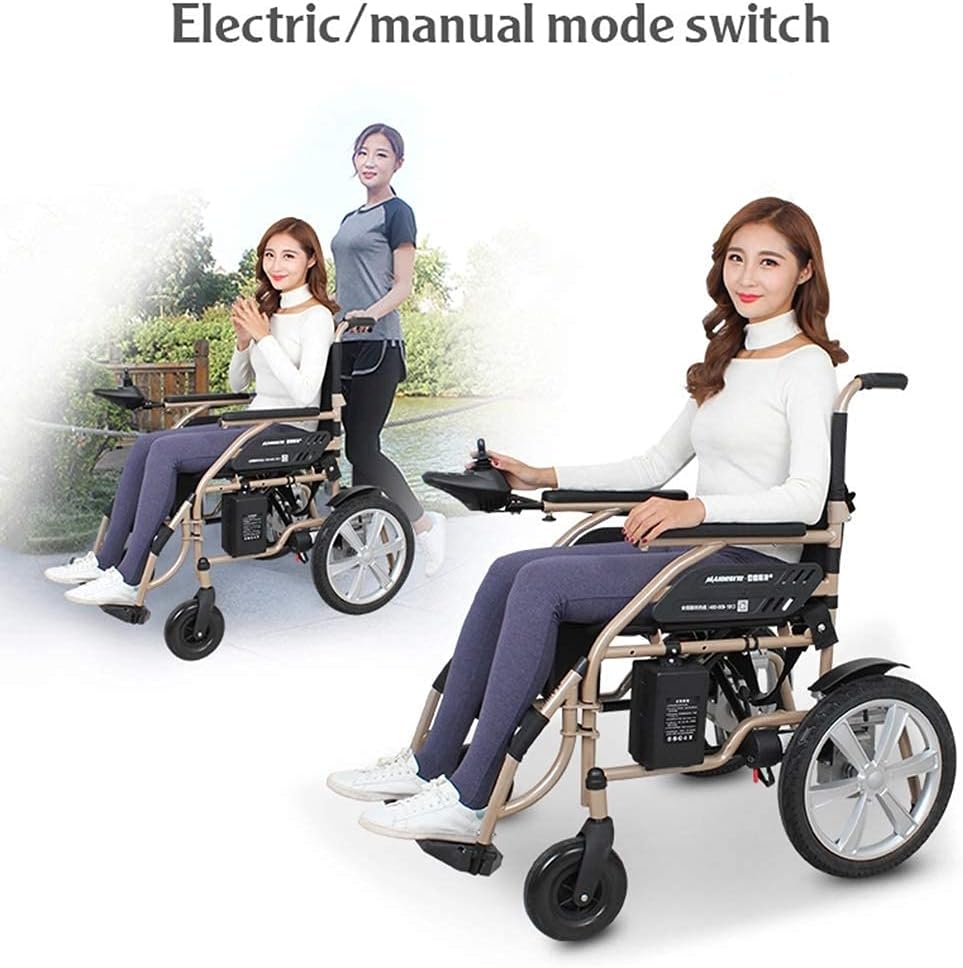
Figure 5.1: Demonstrating the electric and manual modes of the wheelchair.
5.4 Overturn Protection
The wheelchair is equipped with overturn protection features, typically anti-tip wheels at the rear, to enhance stability when ascending or descending slopes. While this feature provides added safety, always exercise caution on inclines and avoid steep gradients.
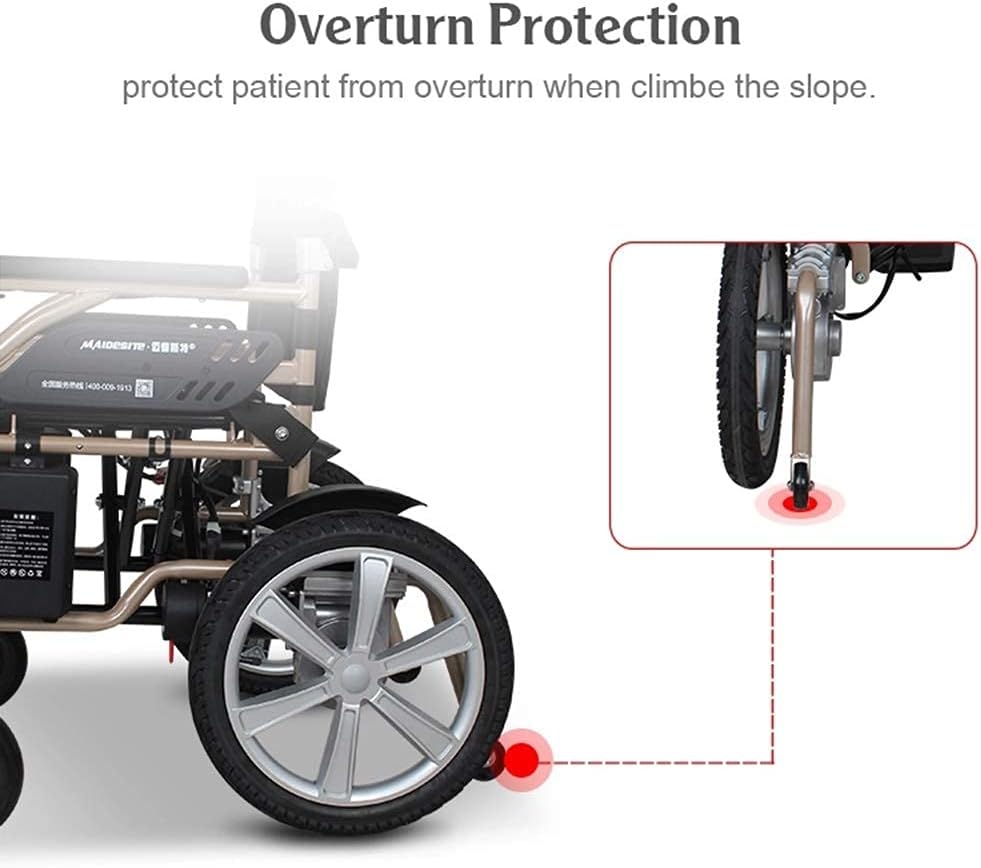
Figure 5.2: Overturn protection mechanism, designed to prevent tipping on slopes.
5.5 Navigating Different Terrains
The Gerrit Electric Wheelchair is designed for versatility across various surfaces. Its robust wheels and powerful motors allow for navigation on:
- Grass land
- Ramp roads
- Muddy roads (with caution)
- Snow roads (with caution)
- Deceleration strip roads
- Brick roads
- Bumpy roads (with caution)
- Floor tiles
Always exercise caution and reduce speed when traversing uneven or slippery surfaces.

Figure 5.3: The wheelchair's adaptability to various road conditions.
6. Maintenance
6.1 Cleaning
- Wipe down the frame and seat with a damp cloth and mild detergent.
- Avoid using abrasive cleaners or solvents.
- Ensure the joystick and electrical components remain dry. The joystick is waterproof, but direct water exposure should be minimized.
6.2 Battery Care
- Charge the battery regularly, even if the wheelchair is not in frequent use, to prolong its lifespan.
- Do not allow the battery to fully discharge for extended periods.
- Store the wheelchair and battery in a cool, dry place.
- Only use the charger provided by Gerrit.
6.3 General Inspection
- Periodically check all bolts and fasteners for tightness.
- Inspect tires for wear and proper inflation (for inflatable rear wheels).
- Ensure the electromagnetic brakes are functioning correctly.
- Check for any frayed cables or damaged wiring.
7. Troubleshooting
| Problem | Possible Cause | Solution |
|---|---|---|
| Wheelchair does not power on. | Battery is low or not connected. Power button not pressed correctly. | Charge the battery. Ensure battery is securely connected. Press and hold the power button firmly. |
| Wheelchair moves slowly or not at all. | Low battery. Speed setting too low. Motors disengaged (manual mode). | Charge the battery. Increase speed setting using the joystick buttons. Ensure motors are engaged for electric mode. |
| Unusual noises during operation. | Loose components. Obstruction in wheels. | Inspect for loose bolts or foreign objects. If noise persists, contact support. |
| Brakes not engaging properly. | Brake mechanism issue. | Do not use the wheelchair. Contact support immediately. |
If you encounter a problem not listed here or if the suggested solutions do not resolve the issue, please contact Gerrit customer support.
8. Specifications
| Feature | Detail |
|---|---|
| Brand | Gerrit |
| Model | Lightweight Foldable Aluminium Power Electric Wheelchair |
| Frame Material | Thickened Aluminium Alloy |
| Controller | Maikong 360° Universal Joystick |
| Motor Type | Brushless Motor (CE Certified) |
| Front Wheels | High quality solid universal wheels |
| Rear Wheels | Inflatable wheels, shock-absorbing |
| Safety Features | Safety Belt, Overturn Protection, Electromagnetic Brake, Reverse Warning |
| ASIN | B0CWGWQ677 |
| Date First Available | February 26, 2024 |
9. Warranty and Support
Gerrit stands behind the quality of its products. This electric wheelchair comes with a standard manufacturer's warranty covering defects in materials and workmanship under normal use. Please refer to your purchase documentation for specific warranty terms and duration.
For technical assistance, warranty claims, or to order replacement parts, please contact Gerrit customer support through your Amazon account's "Your Orders" section or visit the official Gerrit website. Please have your ASIN (B0CWGWQ677) and purchase date available when contacting support.
We are committed to providing excellent service and support for your Gerrit Electric Wheelchair.