
Introduction
This manual provides essential information for the safe and efficient operation, maintenance, and troubleshooting of your Aokia Mini Chainsaw. Please read this manual thoroughly before first use and retain it for future reference.
The Aokia Mini Chainsaw is a portable, battery-powered electric chain saw designed for wood cutting, tree trimming, and general household and garden tasks. Its lightweight and compact design allows for easy one-handed operation.
Safety Instructions
WARNING: Always wear appropriate personal protective equipment (PPE) including safety glasses, gloves, and hearing protection when operating the chainsaw.
- Ensure the security lock is engaged when not in use to prevent accidental activation.
- Always use the blade guard to prevent injury.
- Keep hands and body clear of the chain during operation.
- Do not operate the chainsaw in wet conditions or near flammable liquids/gases.
- Regularly inspect the chain for sharpness and tension. A dull or loose chain can be dangerous.
- Add a few drops of oil to the chain after a few minutes of use to ensure smooth operation and longevity.
- Store the chainsaw and battery in a dry, secure place away from children.
Package Contents
Verify that all items are present in the package:
- Aokia Mini Chainsaw Unit
- 21V 1500 mAh Lithium Battery (1 or 2 depending on variant)
- Fast Charger
- Guide Chain (4-inch)
- Wrench
- Screwdriver
- Oil Bottle (empty)
- Protective Gloves

Image: Aokia Mini Chainsaw with battery, charger, chain, tools, and gloves.
Product Overview
Familiarize yourself with the main components of your Aokia Mini Chainsaw:
- Safety Baffle: Protects against debris.
- Easy-to-Install Knob: For chain adjustment and cover removal.
- Hand Guard: Provides additional hand protection.
- Safety Lock: Prevents accidental starts.
- Battery Capacity Indicator: Shows remaining battery life.
- Flame Retardant Nylon Casing: Durable and safe housing.

Image: Labeled diagram highlighting key safety and functional components of the chainsaw.
Setup
- Battery Charging: Fully charge the lithium battery before first use. Connect the charger to the battery and a power outlet. The indicator light will show charging status. A full charge typically takes 1-2 hours.
- Chain Installation:
- Unscrew the knob to open the lid covering the guide plate.
- Carefully place the chain onto the guide plate, ensuring the cutting direction is correct (refer to markings on the chain and guide plate).
- Install the guide plate with the chain, holding both steady.
- Replace the lid and screw the knob back. Do not overtighten initially.
- Pull the chain slightly to check its tightness. The chain should have a slack of 2-3mm from the guide plate.
- Tighten the knob once the chain tension is correct.
- Lubrication: Apply a few drops of chainsaw chain oil (not included) to the chain before each use and periodically during operation to ensure smooth cutting and prevent wear.
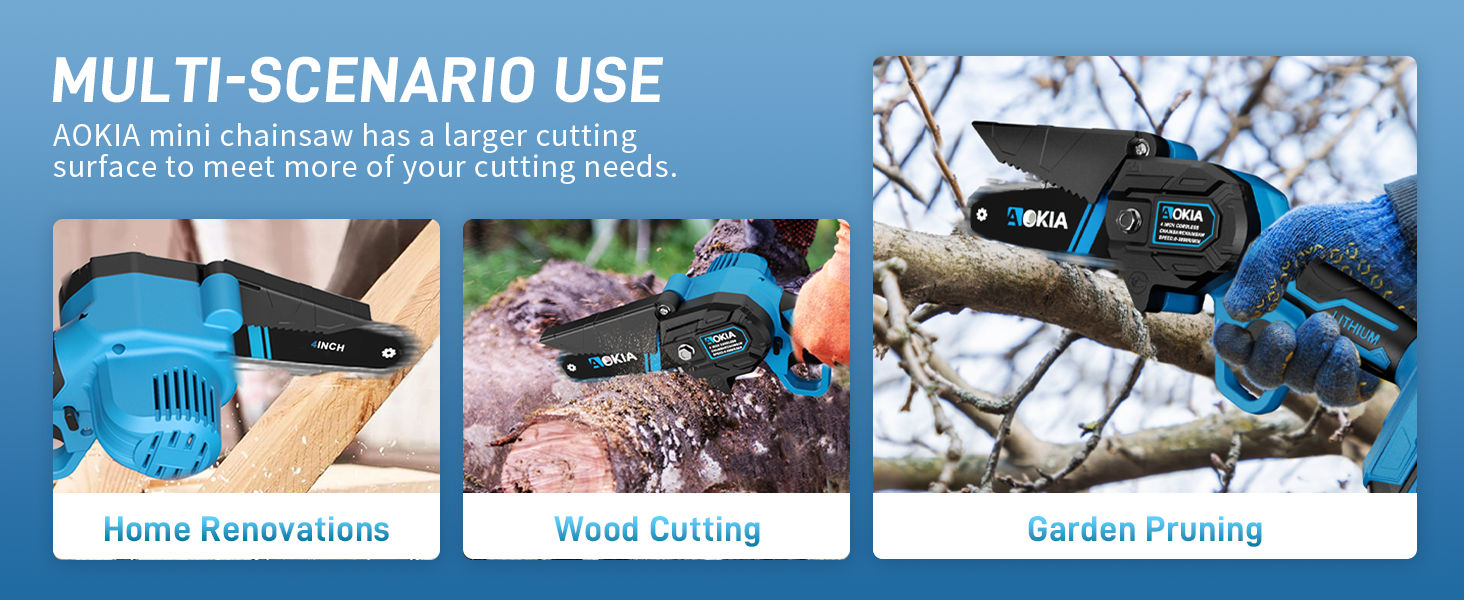
Image: Visual instructions for installing the chain and applying lubricant.
Operating Instructions
- Power On: Insert the charged battery into the chainsaw. Press and hold the safety lock button, then press the trigger to start the chainsaw.
- Cutting: Hold the chainsaw firmly with one hand. Position the chain against the material to be cut. Apply gentle, steady pressure. Allow the chainsaw to do the work; do not force it.
- Cutting Capacity: This 4-inch mini chainsaw is ideal for branches up to 4 inches in diameter. For larger tasks, consider a more powerful tool.
- Power Off: Release the trigger to stop the chain. Engage the safety lock when finished cutting or when moving between tasks.

Image: A person demonstrating the use of the Aokia Mini Chainsaw for cutting wood.
Video: Demonstration of the Aokia Mini Chainsaw's operation, showing how to activate and use the tool.
Maintenance
- Chain Lubrication: As noted in setup, regularly apply chain oil to keep the chain running smoothly and extend its life.
- Chain Sharpening: A dull chain reduces cutting efficiency and increases strain on the motor. Sharpen the chain as needed or replace it.
- Cleaning: After each use, remove debris and sawdust from the chainsaw body, guide bar, and chain. Use a dry cloth or soft brush. Do not use water or harsh chemicals.
- Battery Care: Store batteries in a cool, dry place. Do not expose them to extreme temperatures. Charge them fully before long-term storage.
Troubleshooting
| Problem | Possible Cause | Solution |
|---|---|---|
| Chainsaw does not start | Battery not charged; Safety lock not disengaged; Battery not properly inserted. | Charge battery; Press safety lock and trigger simultaneously; Reinsert battery firmly. |
| Chain not cutting efficiently | Dull chain; Insufficient lubrication; Incorrect chain tension. | Sharpen or replace chain; Apply chain oil; Adjust chain tension. |
| Chain falls off frequently | Chain too loose; Worn chain or guide bar. | Adjust chain tension; Inspect chain and guide bar for wear and replace if necessary. |
| Motor overheats | Overuse; Dull chain; Blocked ventilation. | Allow motor to cool; Sharpen chain; Clear ventilation openings. |
Specifications
- Brand: Aokia
- Model: FHSC-501A
- Power Source: Battery Powered
- Horsepower: 550 Watts
- Item Weight: 2.45 lbs (without battery)
- Product Dimensions: 13.7"L x 7.4"W x 4.7"H
- Chain Length: 4 Inches
- Chain Speed: 6m/s
- Battery: 21V 1500 mAh Lithium Ion (included)
- UPC: 198715931082
Warranty and Support
For warranty information or technical support, please contact Aokia customer service. Refer to the product packaging or the official Aokia website for contact details.
If you encounter any issues when using the mini saw, please contact us directly for assistance.