
1. Introduction
This user manual provides comprehensive instructions for the setup, operation, maintenance, and troubleshooting of your Lemorele Wireless Video Transmitter and Receiver System. This system is designed to provide a seamless, cable-free solution for transmitting high-definition video and audio, enhancing your home entertainment, business presentations, and educational experiences.
What's in the Box:
- 1 x HDMI Wireless Transmitter (TX)
- 1 x HDMI Wireless Receiver (RX)
- 2 x Antennae
- 1 x 25cm HDMI Cable
- 2 x USB-C Charging Cables
- 1 x Fixed Needle (for reset/pairing)
- 1 x User Manual
2. Product Overview
The Lemorele Wireless HDMI kit consists of a Transmitter (TX) and a Receiver (RX), designed for high-quality wireless video and audio transmission. The system supports 1080P HD quality and offers a transmission range of up to 164 feet (50 meters) in optimal conditions. It features 2.4/5G dual-band technology for stable connections and versatile HDMI + VGA dual output options on the receiver.

Figure 2.1: Lemorele Wireless HDMI Transmitter and Receiver Kit.
Key Features:
- Plug-and-Play Convenience: No software installation required for basic operation.
- 1080P HD Quality & 164ft Range: Supports 1080P wireless transmission up to 50 meters with high-performance chips and dual antennas.
- 2.4/5G Dual-Band: Intelligent frequency switching for fast and reliable transmission.
- HDMI + VGA Dual Output: Receiver offers both HDMI single-screen and HDMI+VGA dual-screen outputs.
- Multi-Transmitter Support: Connect up to 8 transmitters to a single receiver for easy switching in collaborative environments.
- Wide Application: Suitable for home entertainment, business presentations, and educational settings.
3. Setup
Follow these steps to set up your Lemorele Wireless Video Transmitter and Receiver System:
- Connect the Receiver (RX):
Connect the Lemorele Receiver (the larger unit with two antennas) to your display device (TV, projector, monitor) using an HDMI cable. Ensure the receiver is powered via the provided USB-C cable connected to a power source (e.g., USB port on your display or a USB power adapter).
- Connect the Transmitter (TX):
Connect the Lemorele Transmitter (the smaller, round unit with an integrated HDMI cable) to your source device (laptop, TV box, Blu-ray player, DVR) via its HDMI connector. Power the transmitter using the provided USB-C cable if your source device's HDMI port does not provide sufficient power.
- Automatic Connection:
The transmitter and receiver are designed for plug-and-play operation. Once both units are powered on and connected, they should automatically establish a wireless connection within seconds. The indicator lights on both devices will confirm a successful connection.
- Driver Installation (First Use for some systems):
For certain computer systems (e.g., Windows or Mac OS), a driver may need to be installed for the first use. When the transmitter is connected to your computer, it may appear as a CD Drive (G:) or similar, containing the necessary UDisplay driver. Double-click to run the installer and follow the on-screen prompts.
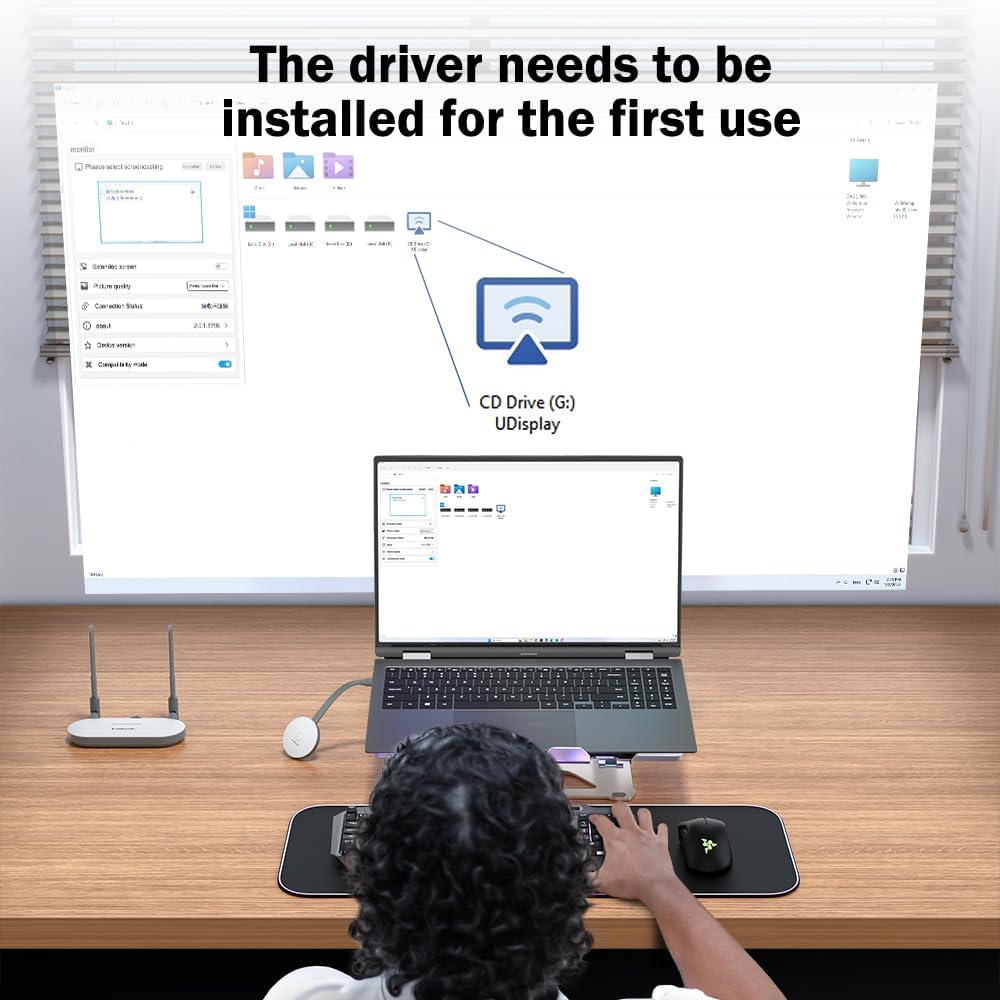
Figure 3.1: Driver installation interface for first-time use on some systems.

Figure 3.2: Connection Diagram showing TX input from various devices and RX output to display devices.
4. Operating Instructions
4.1 Powering On/Off
Both the Transmitter (TX) and Receiver (RX) are powered via USB-C. They will power on automatically when connected to a power source. To power off, simply disconnect the USB-C power cable.
4.2 Wireless Transmission and Range
The system supports 1080P Full HD resolution and can transmit signals up to 164 feet (50 meters) in an open, unobstructed environment. Performance may vary based on environmental factors such as walls, obstacles, and other wireless interference.
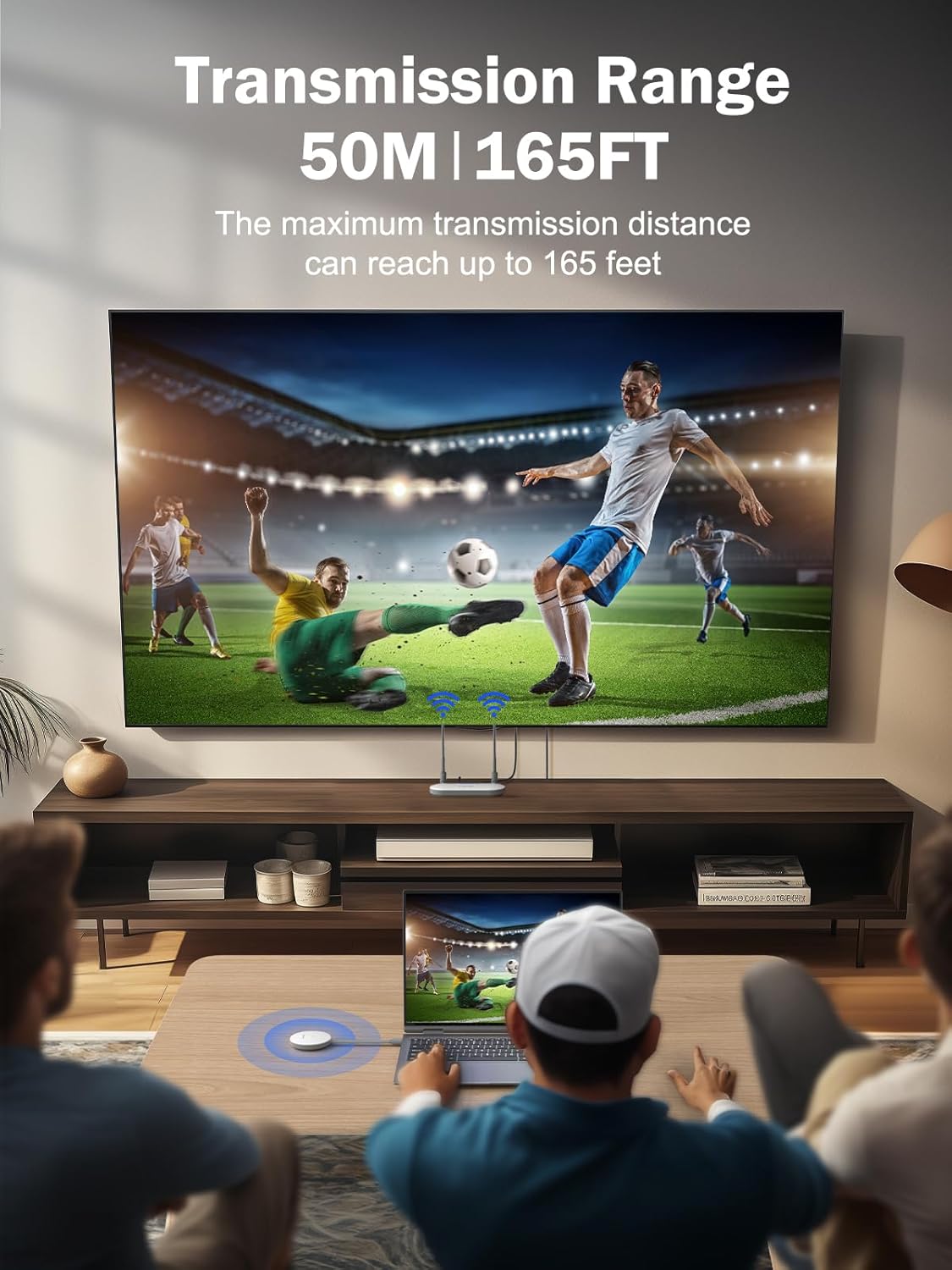
Figure 4.1: Illustration of the 50-meter (164 feet) transmission range.
4.3 Dual-Band Technology (2.4G/5G)
The Lemorele system utilizes intelligent 2.4G and 5G dual-band technology to ensure stable and fast image and video transmission. It automatically selects the optimal frequency band for the best performance.

Figure 4.2: The system supports both 2.4G and 5G wireless transmission for stability.
4.4 HDMI + VGA Dual Output
The Receiver (RX) unit is equipped with both HDMI and VGA output ports, along with an audio output. This allows for flexible display options, including HDMI single-screen output or simultaneous HDMI and VGA dual-screen output, ideal for presentations requiring multiple displays.
4.5 Multiple Transmitters to One Receiver
The Lemorele Wireless HDMI kit supports connecting up to 8 transmitters (TX) to a single receiver (RX). This feature is highly beneficial for business meetings, collaborative discussions, or educational settings, allowing multiple users to easily switch their display to the main screen without re-cabling. Simply press the button on the desired transmitter to switch the active source.

Figure 4.3: Multiple TX units (up to 8) can connect to a single RX for easy content sharing.
5. Maintenance
Proper care and maintenance will ensure the longevity and optimal performance of your Lemorele Wireless Video Transmitter and Receiver System.
- Cleaning: Use a soft, dry cloth to clean the surfaces of the transmitter and receiver. Avoid using liquid cleaners or aerosols, as they may damage the internal components.
- Storage: When not in use for extended periods, store the devices in a cool, dry place away from direct sunlight and extreme temperatures.
- Handling: Handle the devices with care. Avoid dropping them or subjecting them to strong impacts, which can cause internal damage.
- Ventilation: Ensure proper ventilation around the receiver unit, especially during prolonged use, to prevent overheating.
6. Troubleshooting
If you encounter issues with your Lemorele Wireless Video Transmitter and Receiver System, please refer to the following common problems and their solutions:
| Problem | Possible Cause | Solution |
|---|---|---|
| No signal on display. | Incorrect connection, no power, or out of range. |
|
| Flickering or unstable image. | Interference, weak signal, or environmental factors. |
|
| No audio. | Audio settings, cable issue. |
|
| Transmitter not recognized by computer. | Driver not installed or USB power issue. |
|
7. Specifications
| Feature | Detail |
|---|---|
| Product Dimensions | 5 x 2.63 x 0.7 inches (Receiver) |
| Item Weight | 15.5 ounces |
| Model Number | HDMI TX + HDMI RX (G52R1) |
| Connectivity Technology | Wireless HDMI |
| Connector Type | HDMI, VGA, Audio Out |
| Resolution | 1080p |
| Wireless Frequency | 2.4G / 5G Dual-Band |
| Max Transmission Range | 164ft (50 meters) (line of sight) |
| Max Transmitters per Receiver | Up to 8 |
| Power Input | USB-C |

Figure 7.1: Product dimensions of the Lemorele Wireless HDMI Kit components.
8. Warranty and Support
Lemorele stands behind the quality of its products. Your Wireless Video Transmitter and Receiver System comes with the following:
- Warranty: 12 months warranty from the date of purchase.
- Technical Support: Lifetime technical support is provided for this product.
- Customer Service: Professional online service is available 7 days a week, 24 hours a day, for both pre-sales and after-sales inquiries.
For support, please refer to the contact information provided on the product packaging or the official Lemorele website.