
Innopower CKFAN-001
Contents
Innopower 20000mAh Portable Fan User Manual
Model: CKFAN-001 | Brand: Innopower
Introduction
Thank you for choosing the Innopower 20000mAh Portable Fan. This versatile device combines a powerful fan with a large capacity rechargeable battery, a solar charging panel, an LED lantern, and a power bank function. Designed for both indoor and outdoor use, it provides cooling, illumination, and device charging, making it ideal for camping, office, home, and emergency situations. Please read this manual thoroughly before use to ensure proper operation and maintenance.
Safety Instructions
To ensure safe operation and prevent damage, please adhere to the following safety guidelines:
- Do not disassemble, repair, or modify the fan yourself. Contact qualified personnel for service.
- Keep the fan away from water, moisture, and high temperatures.
- Do not insert fingers or foreign objects into the fan grille.
- Ensure the fan is placed on a stable, flat surface when in use.
- Keep out of reach of children and pets.
- Use only the provided USB Type-C cable for charging.
- Avoid prolonged exposure to direct sunlight when not in use to prevent battery degradation.
- Do not cover the fan during operation.
Package Contents
Verify that all items are present in the package:
- 1 x Innopower Portable Fan
- 1 x USB Type-C Cable
- 1 x User Manual
Product Overview and Features
Familiarize yourself with the components and key features of your Innopower Portable Fan.

Figure 1: Front view of the Innopower Portable Fan, showcasing its fan blades, LED light ring, control panel, and integrated solar panel on the back.
- 20000mAh High-Capacity Battery: Provides extended operation time and doubles as a power bank for charging other devices.
- Integrated Solar Panel: Allows for convenient outdoor charging using sunlight.
- 3 Adjustable Fan Speeds: Choose between Low, Medium, and High settings for optimal airflow. Features a brushless motor for quiet operation (less than 28dB).
- Bright LED Lantern: Two brightness settings (100 lumen and 200 lumen) for illumination in various environments.
- Timer Function: Set the fan to automatically turn off after 2, 4, or 8 hours.
- USB-C Charging Port: For fast and efficient charging of the fan.
- USB-A Output Port: Functions as a power bank to charge your mobile devices.
- Built-in Aromatherapy Slot: Add essential oils to a scent pad for a refreshing breeze.
- Foldable Design & Hang Hook: Allows for use as a table fan or hanging fan, with 90° rotation capability.
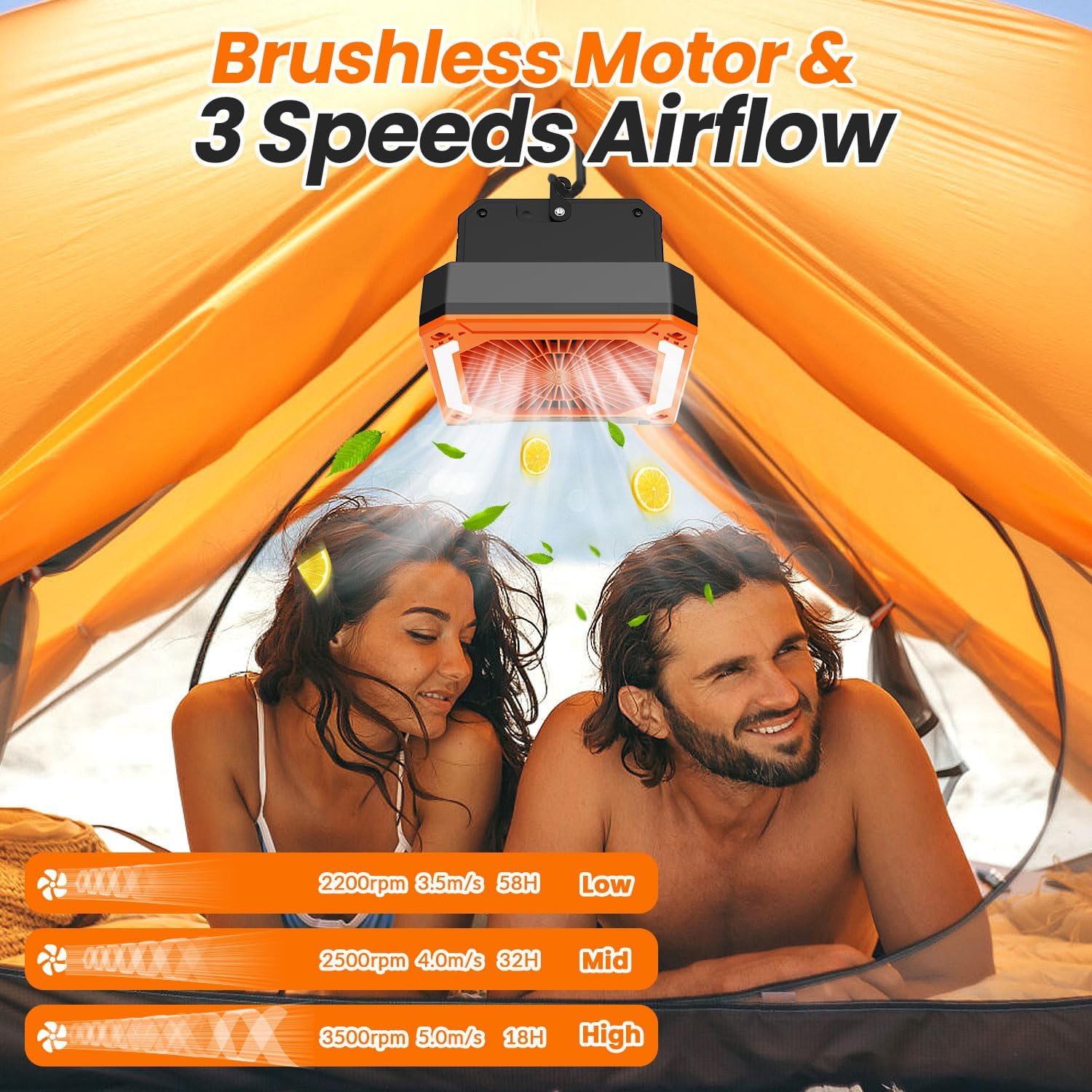
Figure 2: Illustration of the fan's brushless motor and three airflow speeds (Low, Mid, High) with corresponding RPM and air velocity.

Figure 3: The fan demonstrating its hangable hook design, allowing it to be suspended for overhead cooling.
Setup
Before first use, it is recommended to fully charge the fan to activate the battery and ensure optimal performance.
- Initial Charge: Connect the provided USB Type-C cable to the fan's charging port and plug the other end into a 5V/2A USB power adapter (not included). Charge for 8-10 hours for the first use. The battery indicator lights will show charging progress.
- Unfolding the Fan: Gently unfold the fan from its compact storage position to the desired angle for use as a table fan or to access the hanging hook.

Figure 4: Depiction of the fan being charged both by its solar panel under sunlight and via a USB-C cable from a wall adapter.
Operating Instructions
1. Fan Speed Control
- Press the SPEED button once to turn on the fan at Low speed.
- Press again for Medium speed.
- Press a third time for High speed.
- Press a fourth time to turn off the fan.
2. LED Lantern Operation
- Press the LIGHT button once for Low brightness (100 lumen).
- Press again for High brightness (200 lumen).
- Press a third time to turn off the LED lantern.
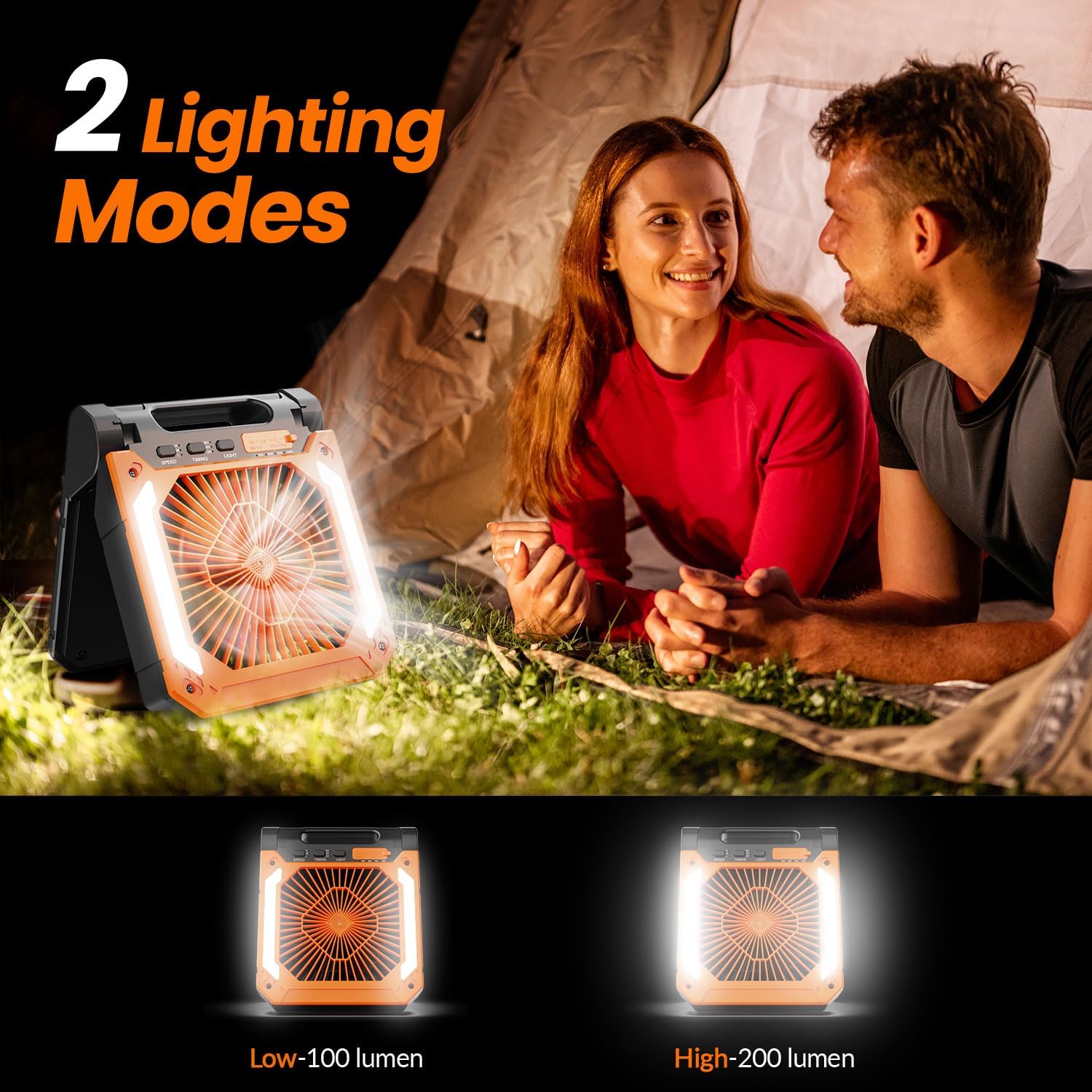
Figure 5: The fan displaying its two LED lighting modes: Low (100 lumen) and High (200 lumen).
3. Timer Function
- While the fan is operating, press the TIMING button.
- Each press cycles through the timer settings: 2 hours, 4 hours, 8 hours, and off.
- The corresponding indicator light will illuminate to confirm the selected timer duration.

Figure 6: The fan showing its essential oil slot and the timer settings (2h, 4h, 8h) for automatic shut-off.
4. Power Bank Functionality
- Locate the USB-A output port on the fan.
- Connect your device's charging cable to this port.
- The fan's internal battery will begin charging your connected device.

Figure 7: The fan acting as a power bank, charging a smartphone via its USB output port.
5. Charging the Fan
- USB-C Charging: Connect the provided USB Type-C cable to the fan's input port and a 5V/2A USB power adapter. A full charge takes approximately 6 hours.
- Solar Charging: Place the fan with its solar panel facing direct sunlight. The solar panel will convert sunlight into energy to charge the internal battery. Solar charging takes approximately 8 hours for a full charge, depending on sunlight intensity.
- The battery indicator lights will show the current charge level.
6. Aromatherapy Function
- Locate the aromatherapy slot on the front of the fan.
- Insert a scent pad (not included) into the slot.
- Add a few drops of your favorite essential oil onto the scent pad.
- As the fan operates, it will diffuse the aroma into the air.
Maintenance
Proper maintenance ensures the longevity and performance of your fan.
- Cleaning: Use a soft, dry cloth to wipe the exterior of the fan. For the fan blades, use a soft brush or compressed air to remove dust. Do not use abrasive cleaners or immerse the fan in water.
- Storage: When not in use for extended periods, store the fan in a cool, dry place, away from direct sunlight and extreme temperatures. Ensure the battery is partially charged (around 50%) before storage to prolong battery life.
Troubleshooting
If you encounter issues with your Innopower Portable Fan, refer to the following table for common problems and solutions.
| Problem | Possible Cause | Solution |
|---|---|---|
| Fan does not turn on. | Battery is depleted. | Charge the fan using the USB-C cable. Ensure the power adapter is working. |
| Fan speed is weak. | Low battery level or fan blades are obstructed. | Recharge the fan. Check for any obstructions around the fan blades and clean if necessary. |
| LED lantern does not light up. | Battery is depleted or light function is not activated. | Charge the fan. Press the LIGHT button to cycle through brightness settings. |
| Solar charging is slow or ineffective. | Insufficient direct sunlight or solar panel is dirty. | Ensure the solar panel is in direct sunlight without obstruction. Clean the solar panel surface. |
| Power bank function not charging devices. | Fan battery is too low or cable/device is incompatible. | Charge the fan fully. Try a different USB cable or device to confirm compatibility. |
Specifications
| Feature | Detail |
|---|---|
| Brand | Innopower |
| Model Name | 20000mAh Rechargeable Solar Powered Portable Fan with Led Lantern |
| Model Number | CKFAN-001 |
| Color | Orange |
| Power Source | Battery Powered |
| Battery Capacity | 20000mAh (1 Lithium Ion battery included) |
| Charging Methods | USB-C, Solar Panel |
| Fan Speeds | 3 (Low, Medium, High) |
| Noise Level | <28 dB |
| LED Lantern Brightness | 100 lumen (Low), 200 lumen (High) |
| Timer Settings | 2h, 4h, 8h |
| Product Dimensions | 6"D x 9"W x 2"H |
| Item Weight | 1.9 pounds (861.83 Grams) |
| Voltage | 5 Volts |
| Wattage | 8 watts |
| Control Method | Touch |
| Indoor/Outdoor Usage | Indoor, Outdoor |
| UPC | 792105976372 |
Warranty and Support
Innopower offers a 12-month Factory Professional Support for this product. For any questions, concerns, or assistance, please reach out to Innopower customer service via Amazon's messaging system. Our 24/7 all-day service team is ready to assist you.
For more information and support, visit the official Innopower store on Amazon: Innopower Store
Documents and downloads
Ask a question about this manual
Ask about setup, troubleshooting, compatibility, parts, safety, or missing instructions. Manuals+ will review the question and use this page’s manual context to help answer it.