
1. Introduction
This manual provides essential instructions for the safe and efficient operation, setup, and maintenance of your Ohaus Adventurer Precision AX4202 balance. Please read this manual thoroughly before using the device to ensure proper functionality and to prevent damage or injury. Retain this manual for future reference.

Figure 1.1: The Ohaus Adventurer Precision AX4202 balance, showing its overall design with the weighing pan, display, and control buttons.
2. Safety Information
Observe the following safety precautions to ensure safe operation and to avoid personal injury or damage to the balance:
- Always operate the balance on a stable, level surface free from vibrations.
- Ensure the balance is connected to a grounded power outlet using the provided AC adapter.
- Do not expose the balance to extreme temperatures, humidity, or direct sunlight.
- Avoid spilling liquids on the balance. If spills occur, disconnect power immediately and clean carefully.
- Do not attempt to open or service the balance yourself. Refer all servicing to qualified personnel.
- Use only the original accessories and power adapter supplied with the balance.
3. Package Contents
Verify that all items listed below are present in the packaging:
- Adventurer Precision Balance (AX4202)
- Weighing Pan (Stainless Steel)
- AC Power Adapter
- User Manual (this document)
4. Setup
4.1 Unpacking and Placement
- Carefully remove the balance and all accessories from the packaging.
- Place the balance on a firm, level, and vibration-free surface. Ensure adequate space around the balance for operation and ventilation.
4.2 Leveling the Balance
Accurate weighing requires the balance to be perfectly level. Use the adjustable feet and the integrated level indicator to level the balance.
- Locate the level indicator (bubble level) on the front of the balance.
- Adjust the two front leveling feet by turning them clockwise or counter-clockwise until the air bubble is centered within the indicator circle.
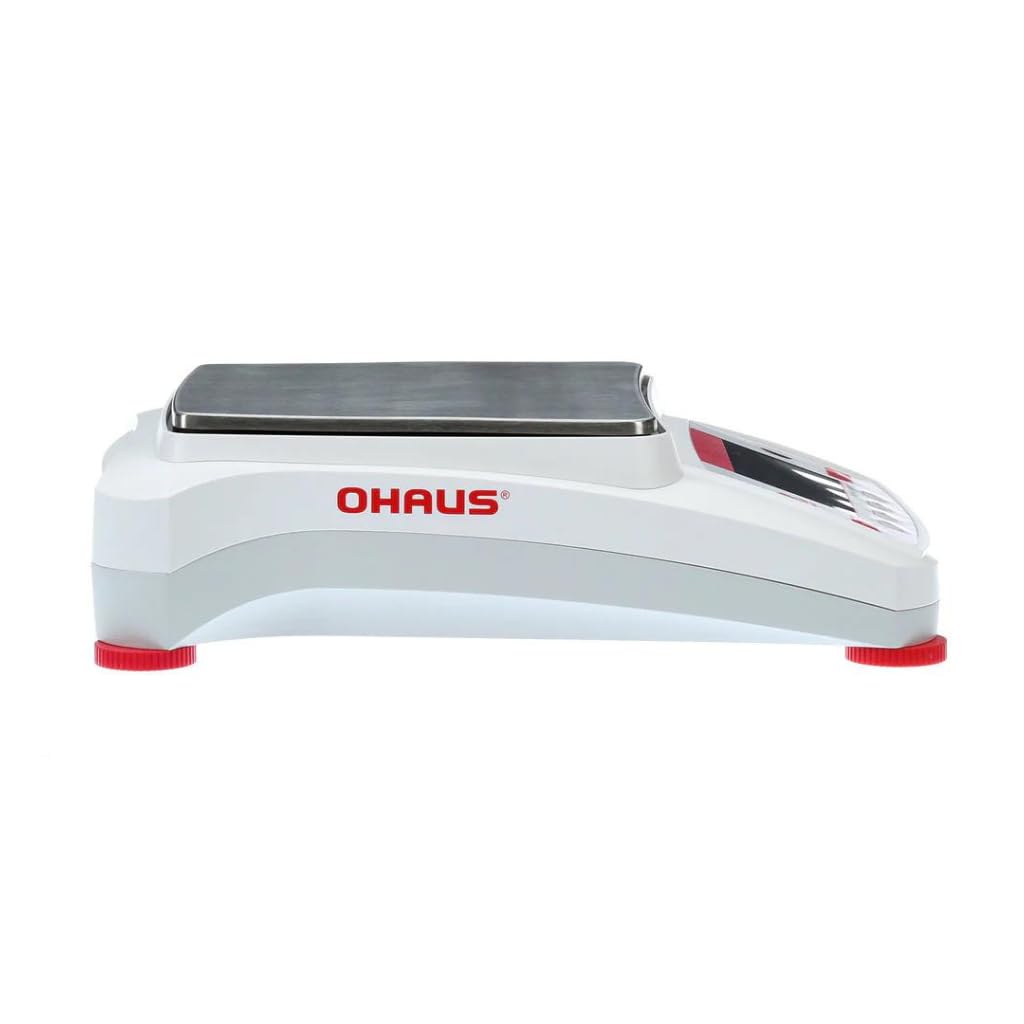
Figure 4.1: Side view of the balance, highlighting the adjustable leveling feet (red) at the base.
4.3 Power Connection
Connect the balance to a power source using the supplied AC adapter.
- Plug the AC adapter into the power inlet located at the rear of the balance.
- Plug the other end of the AC adapter into a suitable grounded electrical outlet.
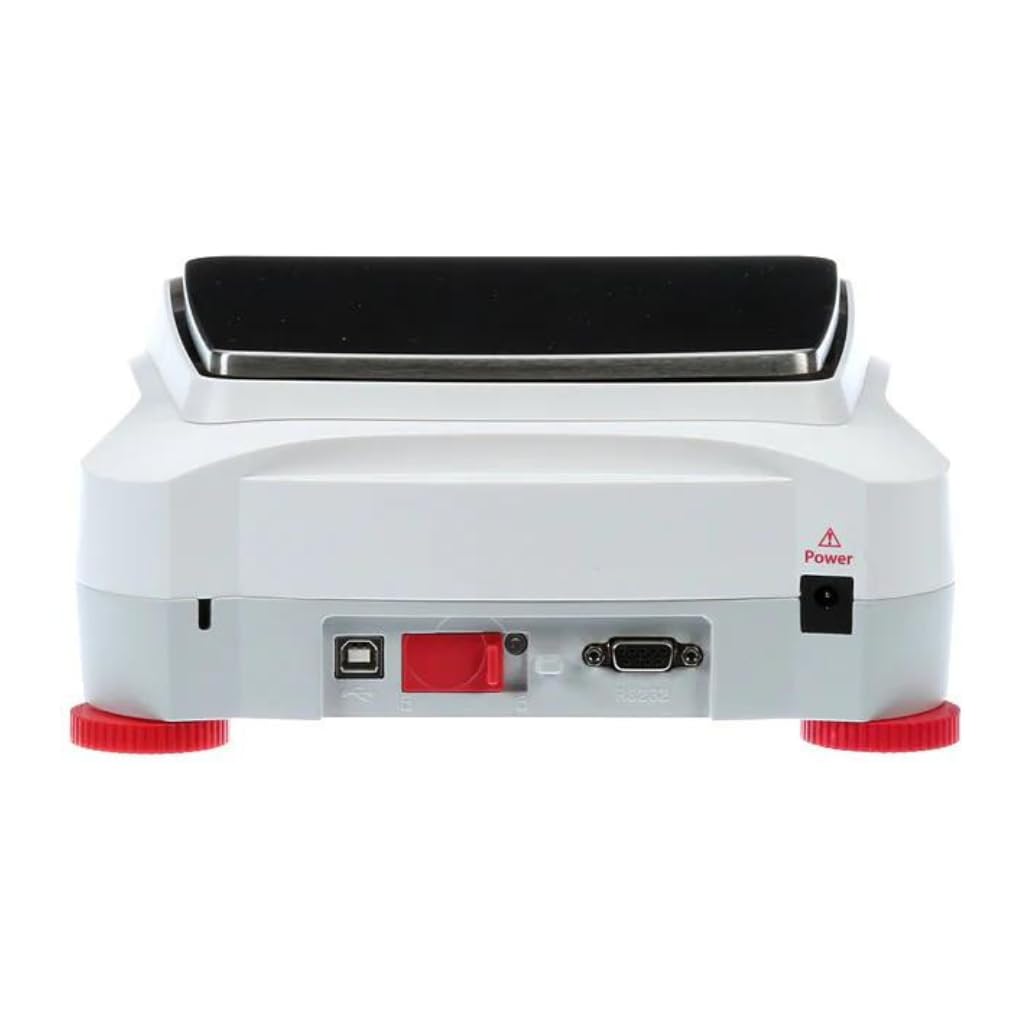
Figure 4.2: Rear view of the balance, indicating the power inlet and various communication ports.
5. Operation
5.1 Display and Interface
The AX4202 features a 4.3-inch full-color VGA graphic touchscreen display with an intuitive icon-based interface. This allows for easy navigation through menu options and settings. Screen brightness can be adjusted for optimal visibility.

Figure 5.1: Front view of the balance, detailing the touchscreen display and control panel.
5.2 Basic Weighing
- Press the ON/OFF button to power on the balance.
- Wait for the balance to complete its self-test and display '0.00g'.
- If using a container, place it on the weighing pan and press the TARE button to zero the display.
- Carefully place the item to be weighed on the center of the weighing pan.
- Read the stable weight displayed on the screen.
5.3 Calibration
The AX4202 supports user-selectable span calibration points. Regular calibration ensures the accuracy of your measurements. Refer to the on-screen menu for detailed calibration procedures.
5.4 Connectivity and Data Management
The balance offers RS232, USB Host, and USB Device ports for data transfer and connectivity. It also includes GLP/GMP data output and a real-time clock for precise measurement tracking and data integrity.

Figure 5.2: Illustration of the balance's rear panel, highlighting the USB and RS232 communication ports for data connectivity.

Figure 5.3: An Ohaus Adventurer Precision balance in a laboratory environment, demonstrating its application in scientific measurements.
6. Maintenance
6.1 Cleaning
To maintain the performance and longevity of your balance, follow these cleaning guidelines:
- Always disconnect the balance from the power supply before cleaning.
- Use a soft, damp cloth with a mild detergent to clean the exterior surfaces. Avoid abrasive cleaners or solvents.
- The stainless steel weighing pan can be removed for thorough cleaning.
- For models with a glass draft shield, clean glass surfaces with a non-abrasive glass cleaner.
- Ensure no liquid enters the balance housing or internal components.
- Dry all surfaces completely before reconnecting power.
6.2 Storage
When not in use, store the balance in a clean, dry environment, away from direct sunlight, dust, and extreme temperatures.
7. Troubleshooting
This section addresses common issues you might encounter. If the problem persists, contact customer support.
| Problem | Possible Cause | Solution |
|---|---|---|
| Balance does not turn on | No power supply; Faulty AC adapter | Check power connection; Try a different outlet; Ensure AC adapter is functional. |
| Inaccurate readings | Not level; Drafts/vibrations; Needs calibration; Overload | Level the balance; Relocate to a stable area; Perform calibration; Ensure load is within capacity. |
| Display shows 'Error' message | Internal fault; Overload | Turn off and restart the balance; Remove any load; If error persists, contact support. |
| No data transfer via USB/RS232 | Incorrect cable; Driver issue; Software settings | Ensure correct cable is used; Install necessary drivers; Check communication settings on balance and computer. |
8. Specifications
Key technical specifications for the Ohaus Adventurer Precision AX4202 balance:
| Feature | Description |
|---|---|
| Model | AX4202 |
| Capacity | 4,200g |
| Readability | 0.01g |
| Display | 4.3" VGA Color Graphic Touchscreen |
| Communication | RS232, USB Host, USB Device |
| Construction Materials | Metal base, ABS top housing, Stainless steel pan, Glass (draft shield) |
| Special Features | GLP/GMP data output, Real-time clock, Selectable environmental filters, Auto-tare, User-selectable span calibration points, Software lockout |
| Manufacturer | Liberty Scales |
| Date First Available | February 23, 2024 |
9. Warranty and Support
For warranty information and technical support, please refer to the documentation provided with your purchase or contact Liberty Scales, Inc. directly. Keep your purchase receipt as proof of purchase for warranty claims.


