1. Important Safety Information
Before operating the Echelon Stride 8S Treadmill, please read and understand all safety instructions. Retain this manual for future reference.
- Always consult with a healthcare professional before starting any new exercise program.
- Ensure the treadmill is placed on a flat, stable surface with adequate clearance around it.
- Keep children and pets away from the treadmill during operation.
- Use the safety stop lanyard at all times. Attach the clip to your clothing before beginning your workout.
- Do not operate the treadmill if it is damaged or malfunctioning.
- Maximum user weight capacity: 300 lbs (136 kg).
2. Product Overview
The Echelon Stride 8S Treadmill is designed for indoor running and walking, featuring a foldable design, an HD touchscreen, and integrated workout programs.

Image 2.1: A user running on the Echelon Stride 8S Treadmill, demonstrating its use during a workout session.
Key Features:
- 22-Inch Class HD Swivel Touchscreen: For interactive workouts and content.
- Trackball Control: Intuitive adjustment for speed and incline.
- Integrated Handlebar Sensors: For heart rate monitoring.
- Foldable Design: For compact storage, folding flat to 10 inches.
- Running Deck: 20 inches x 60 inches with DuraSoft Cushions.
- Motor: 3.75 continuous HP motor for smooth and quiet operation.
- Speed Range: Up to 12.5 MPH.
- Incline Levels: 12 adjustable incline levels (up to 15% maximum incline).
- Connectivity: Bluetooth, HDMI, Auxiliary Audio Jack.
- Convenience: Wireless charging (10-watt), 2-speed cooling fan, 2 water bottle holders, USB charging port.
3. Setup and Assembly
The Echelon Stride 8S Treadmill requires some assembly. Follow these steps carefully.
3.1 Unpacking
- Carefully remove all components from the packaging.
- Inspect all parts for damage. Contact customer support if any parts are missing or damaged.
- Ensure you have all included components: treadmill frame, console, power cord, and any necessary tools.
3.2 Assembly Steps
Assembly is required. The treadmill is designed for straightforward setup. A simple disassembly process involving 2 screws allows it to fold flat for storage.

Image 3.1: An illustration of the Echelon Stride 8S Treadmill highlighting its key features and dimensions, useful for assembly and placement.
- Follow the detailed assembly instructions provided in the separate assembly guide (if applicable) or on the touchscreen during initial setup.
- Connect the power cord to the treadmill and a grounded electrical outlet.
3.3 Initial Power-Up and Connectivity
- Once assembled and plugged in, power on the treadmill.
- The 22-inch HD touchscreen will guide you through the initial setup process, including Wi-Fi connection.
- Download the Echelon Fit App on your smart device and create an account.
- Connect your smart device to the treadmill via Bluetooth to track performance stats and access classes.
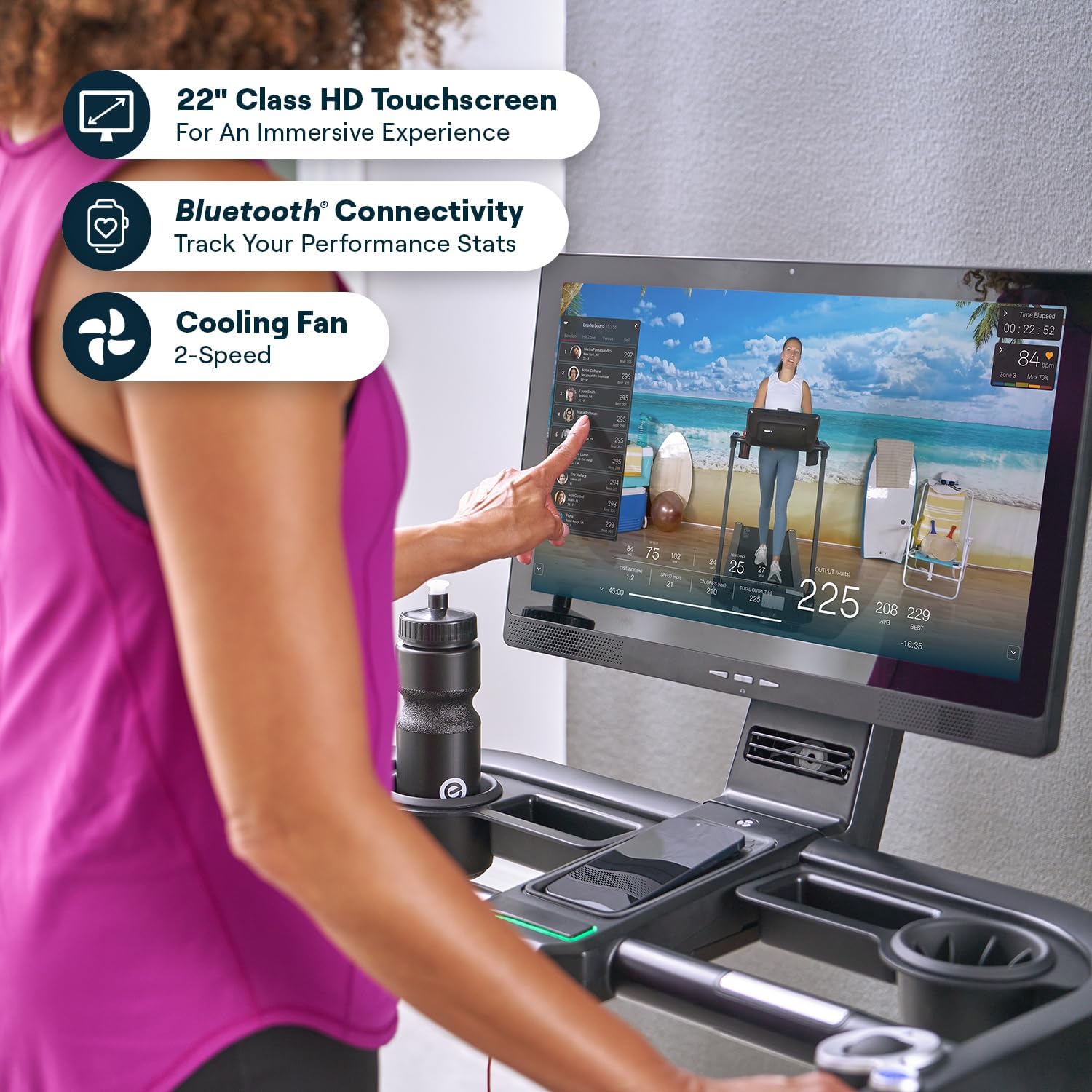
Image 3.2: A close-up view of a hand interacting with the 22-inch HD touchscreen of the Echelon Stride 8S Treadmill, showing the user interface.
4. Operating Instructions
Learn how to effectively use your Echelon Stride 8S Treadmill for your workouts.
4.1 Starting a Workout
- Step onto the treadmill, ensuring your feet are on the side rails.
- Attach the safety stop lanyard clip to your clothing.
- Select a workout from the touchscreen or the Echelon Fit App.
- Press the START button on the console or touchscreen. The belt will begin to move at a low speed.
4.2 Adjusting Speed and Incline
Use the innovative trackball control for precise adjustments.

Image 4.1: A close-up of the trackball control on the Echelon Stride 8S Treadmill, used for adjusting speed and incline during a workout.
- Speed: Roll the trackball forward to increase speed, backward to decrease. The maximum speed is 12.5 MPH.
- Incline: Use the dedicated incline buttons or roll the trackball while holding an incline modifier (if available) to adjust the incline from 0% to 15%.
4.3 Monitoring Heart Rate
Grasp the integrated handlebar sensors to monitor your heart rate during your workout. Your heart rate will display on the touchscreen.
4.4 Using the Echelon Fit App
The Echelon Fit App provides access to thousands of live and on-demand classes, including cardio, strength, and floor exercises. A 30-day Premier Membership is included with your purchase.

Image 4.2: Various screens displaying the Echelon Fit App interface, showcasing the range of classes and workout options available.
4.5 Ending a Workout
- Press the STOP button on the console or touchscreen. The treadmill belt will gradually slow down and stop.
- Alternatively, pull the safety stop lanyard to immediately stop the treadmill in an emergency.
- Step off the treadmill once the belt has completely stopped.
4.6 Folding for Storage
The Stride 8S features a smart auto-fold design for convenient storage.

Image 4.3: The Echelon Stride 8S Treadmill shown with its dimensions, illustrating its compact design when folded.
- Ensure the treadmill is powered off and unplugged.
- Follow the instructions for folding the treadmill flat, which typically involves releasing a latch and folding the deck upwards. The treadmill folds down to a mere 10 inches.
- Use the built-in transport wheels to move the folded treadmill for storage.
5. Maintenance
Regular maintenance ensures the longevity and optimal performance of your treadmill.
- Cleaning: Wipe down the treadmill surfaces with a damp cloth after each use. Avoid abrasive cleaners.
- Belt Tension: Periodically check the running belt tension. If the belt slips or feels loose, refer to the assembly guide for instructions on how to tighten it using the provided tool.
- Belt Lubrication: Consult your assembly guide or Echelon support for recommendations on running belt lubrication frequency and type of lubricant.
- Power Cord: Inspect the power cord regularly for any damage.
6. Troubleshooting
If you encounter issues with your Echelon Stride 8S Treadmill, refer to the following common solutions.
- Treadmill Not Powering On:
- Ensure the power cord is securely plugged into both the treadmill and a working electrical outlet.
- Check the circuit breaker. - Belt Not Moving:
- Verify the safety stop lanyard is correctly engaged.
- Ensure the treadmill is powered on and a workout program is selected. - Screen Not Responding / Software Issues:
- Restart the treadmill by powering it off and on.
- Ensure the treadmill is connected to Wi-Fi for software updates. Check for available updates in the settings menu. - Bluetooth Connectivity Problems:
- Ensure Bluetooth is enabled on your smart device and the treadmill.
- Try unpairing and re-pairing the device. - Unusual Noises:
- Stop the treadmill immediately. Inspect the running belt for any obstructions or damage.
- Check belt tension; a loose belt can cause noise.
If problems persist, contact Echelon Customer Support.
7. Specifications
| Feature | Specification |
|---|---|
| Brand | Echelon |
| Model Name | Stride 8S |
| Color | Black |
| Product Dimensions (Unfolded) | 70.87"D x 37.2"W x 16.34"H |
| Folded Size | 67.2 x 33.6 x 63.8 inches (folds flat to 10 inches) |
| Material | Alloy Steel |
| Maximum Speed | 12.5 Miles per Hour |
| Maximum Incline Percentage | 15% (12 levels) |
| Maximum Horsepower | 3.75 Horsepower (continuous) |
| Maximum Weight Recommendation | 300 Pounds |
| Deck Length | 60 Inches |
| Deck Width | 20 Inches |
| Display Type | LED (22-inch Class HD Touchscreen) |
| Power Source | Corded Electric |
| Connectivity Technology | HDMI, Auxiliary Audio Jack, Bluetooth |
| Input Power | 300 Watts |
| UPC | 810091987230 |
8. Warranty and Support
8.1 Warranty Information
The Echelon Stride 8S Treadmill comes with a full warranty for 1 year from Echelon. Please retain your proof of purchase for warranty claims.
8.2 Customer Support
For technical assistance, warranty claims, or any questions regarding your Echelon Stride 8S Treadmill, please contact Echelon Customer Support. Refer to the official Echelon website for current contact information.
You can also visit the Echelon Store on Amazon for additional product information and support resources.


