
BAOFENG UV25A-3B-10W
Baofeng UV-25 Tri-Band Two Way Radio User Manual
Model: UV25A-3B-10W
1. Introduction
The Baofeng UV-25 is a high-performance tri-band two-way radio designed for reliable communication across various frequency ranges. Featuring a robust 10W output, wireless frequency copy function, and a large color display, it is suitable for a wide range of applications from outdoor activities to professional use. This manual provides detailed instructions for the proper setup, operation, and maintenance of your UV-25 radio.
2. Safety Information
Please read and understand all safety precautions before using the radio. Failure to do so may result in injury or damage to the device.
- Do not operate the radio in explosive atmospheres (e.g., flammable gases, dust particles, metallic powders).
- Do not expose the radio to direct sunlight for extended periods or place it near heating appliances.
- Avoid using the radio if the antenna is damaged, as this may cause minor burns.
- Keep the radio away from medical devices to prevent interference.
- Use only original or approved accessories (battery, charger, antenna) to ensure optimal performance and safety.
- Do not disassemble or modify the radio. Repairs should only be performed by qualified technicians.
- Ensure the radio is not water resistant. Avoid exposure to water or high humidity.
3. Package Contents
Verify that all items are present in your package:
- UV-25 Two-Way Radio x 1
- Li-ion Battery x 1
- Belt Clip x 1
- Power Adapter x 1
- USB Cable x 1
- User Manual x 1

Image: Contents of the standard package, including the UV-25 radio, battery, antenna, power adapter, USB cable, and user manual.

Image: Visual representation of the standard package contents, confirming the inclusion of the radio, battery, adapter, antenna, charger, belt clip, and instruction manual.
4. Product Overview
Familiarize yourself with the components and controls of your Baofeng UV-25 radio.

Image: Detailed diagram illustrating the various parts of the Baofeng UV-25 radio, including the antenna, LED flashlight, power switch/volume knob, PTT button, standard K-style port, speaker/microphone, color LCD screen, and menu key.

Image: An alternative product analysis diagram highlighting key features and ports such as the antenna, LED flashlight, PTT button, power switch/volume knob, standard K-style program and earpiece port, speaker/microphone, color LCD screen, and menu key.
Key Components:
- Antenna: For transmitting and receiving radio signals.
- Power Switch/Volume Knob: Turns the radio on/off and adjusts volume.
- PTT (Push-to-Talk) Button: Press and hold to transmit, release to receive.
- SK1 (Weather forecast/frequency sweep key): Multi-function programmable key.
- SK2 (FM radio switch/monitoring key): Multi-function programmable key.
- SK3 (LED flashlight switch/emergency alarm button): Multi-function programmable key.
- Speaker/Microphone: For audio output and input.
- Color LCD Screen: Displays frequency, channel, battery status, and other information.
- Keypad: For manual frequency input, menu navigation, and function activation.
- Standard K-style port: For connecting external audio accessories like headsets or programming cables.
- Type-C USB Charging Port: For convenient charging.

Image: Close-up views detailing the goose tube antenna connection, the standard K-style program and earpiece port, and the Type-C charging interface, highlighting their locations on the radio.
5. Setup
5.1 Battery Installation
- Align the battery pack with the grooves on the back of the radio.
- Slide the battery upwards until it clicks into place.
- To remove, press the battery release latch (if present) and slide the battery downwards.
5.2 Antenna Attachment
Screw the antenna clockwise into the connector on the top of the radio until it is finger-tight. Do not overtighten.
5.3 Charging the Battery
The UV-25 features a convenient Type-C USB charging port.
- Connect the Type-C USB cable to the radio's charging port.
- Connect the other end of the USB cable to the provided power adapter or any compatible USB power source (e.g., car charger, power bank, laptop).
- The charging indicator on the radio will show the charging status. A full charge typically takes 2 to 5 hours.
Note: Ensure the radio is powered off during charging for optimal battery life.
6. Operating Instructions
6.1 Powering On/Off and Volume Control
- To power on, rotate the Power Switch/Volume Knob clockwise.
- To power off, rotate the Power Switch/Volume Knob counter-clockwise until it clicks.
- Adjust the volume by rotating the same knob.
6.2 Tri-Band Frequency Operation
The Baofeng UV-25 supports operation across three main frequency bands:
- FM: 65-108MHz (Receive only)
- VHF: 136-174MHz (Receive & Transmit)
- 220MHz: 220-260MHz (Receive & Transmit)
- UHF: 400-480MHz (Receive & Transmit)
- UHF: 480-520MHz (Receive only)

Image: The Baofeng UV-25 radio with an overlay highlighting its wireless copy frequency feature and the supported frequency ranges: FM 65-108MHz, 136-174MHz (TX/RX), 220-260MHz (TX/RX), 400-520MHz (TX/RX), and 480-520MHz (RX). Also shows icons for NOAA, 1.7" Large Color Screen, and Long Range.
6.3 Wireless Copy Frequency Function
This feature allows you to quickly copy frequencies from another radio without needing a computer.
- Step 1: Power on your UV-25 radio. Press the "key 1" button. The display will show "SEEK".
- Step 2: On the other radio you wish to copy from, press and hold its transmitting (PTT) button.
- Step 3: On your UV-25, press the "MENU" button to confirm the frequency capture.
- Step 4: Switch your UV-25 to channel mode. The display will now show the copied frequency from the other radio, allowing for immediate communication.

Image: A visual guide to the one-click frequency matching feature, showing two radios wirelessly syncing frequencies, emphasizing that no computer is needed for this process.
6.4 Scanning Function
The UV-25 offers various scanning methods to find active frequencies or channels.
- VFO frequency range can be set for scanning.
- Supports 3 scanning methods: Time, Carrier, and Search.
- Subtone scanning and storage.
- Channel scanning.

Image: A diagram illustrating the scanning function of the UV-25, highlighting that the VFO frequency range can be set, and it supports three scanning methods: subtone scanning and storage, and channel scanning.
6.5 LED Flashlight
The integrated LED flashlight provides illumination in low-light conditions.
- To activate the flashlight, press the dedicated flashlight button (SK3).
- Press again to turn it off.
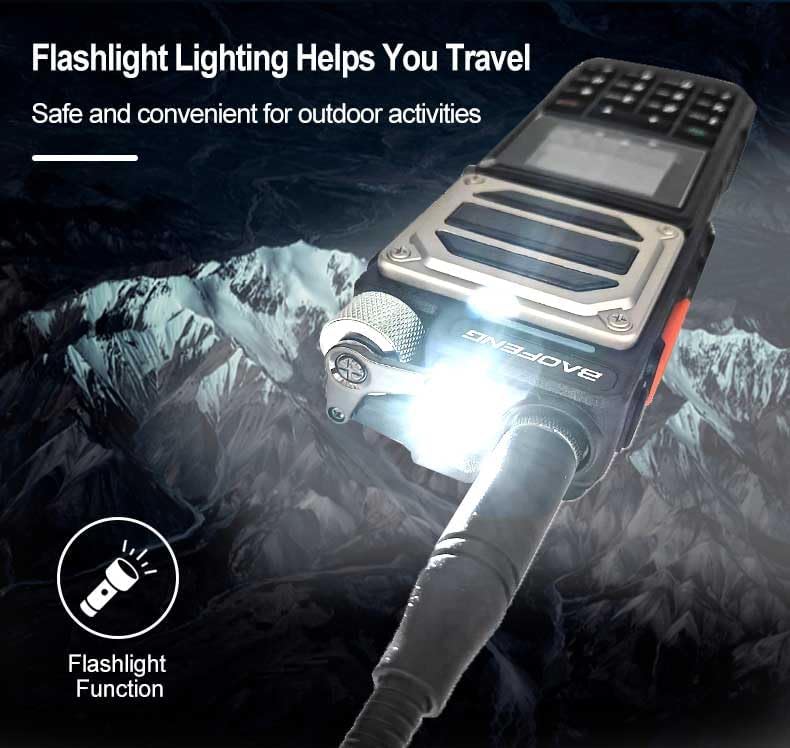
Image: The Baofeng UV-25 radio with its powerful LED flashlight activated, shown in a dark, mountainous setting, emphasizing its utility as a life emergency helper and for outdoor activities.

Image: An illustrative image highlighting the flashlight function of the UV-25 radio, suggesting its use for safe and convenient travel in various environments.
6.6 Other Major Functions
- Calor Large Screen: Provides clear and vibrant display of information.
- Channel Display: Easily view and navigate through programmed channels.
- English Display/Manual: User-friendly interface and documentation in English.
- Menu Actions: Access and configure various radio settings through the intuitive menu system.
- Weather Reception: Receive weather alerts and broadcasts (NOAA).

Image: A graphic displaying six icons representing the key features: Color large screen, Channel display, One click frequency matching, English Display/Manual, Menu Actions, and Weather reception.
7. Maintenance
- Cleaning: Wipe the radio surface with a soft, damp cloth. Do not use harsh chemicals or abrasive cleaners.
- Battery Care:
- Avoid fully discharging the battery frequently.
- Charge the battery regularly, even if not in use, to maintain its capacity.
- Store the battery in a cool, dry place when not in use for extended periods.
- Storage: When storing the radio for a long time, remove the battery and store the radio in a dry, dust-free environment.
8. Troubleshooting
| Problem | Possible Cause | Solution |
|---|---|---|
| Radio does not power on | Battery is low or not installed correctly. | Charge the battery or re-install it securely. |
| Cannot transmit or receive | Incorrect frequency/channel, antenna not attached, or out of range. | Verify frequency/channel settings, ensure antenna is secure, move closer to other radios. |
| Poor audio quality | Low battery, antenna issue, or interference. | Charge battery, check antenna connection, move away from sources of interference. |
| Wireless Copy Frequency fails | Other radio not transmitting, or too far away. | Ensure the other radio is transmitting continuously and is within close proximity. |
9. Specifications
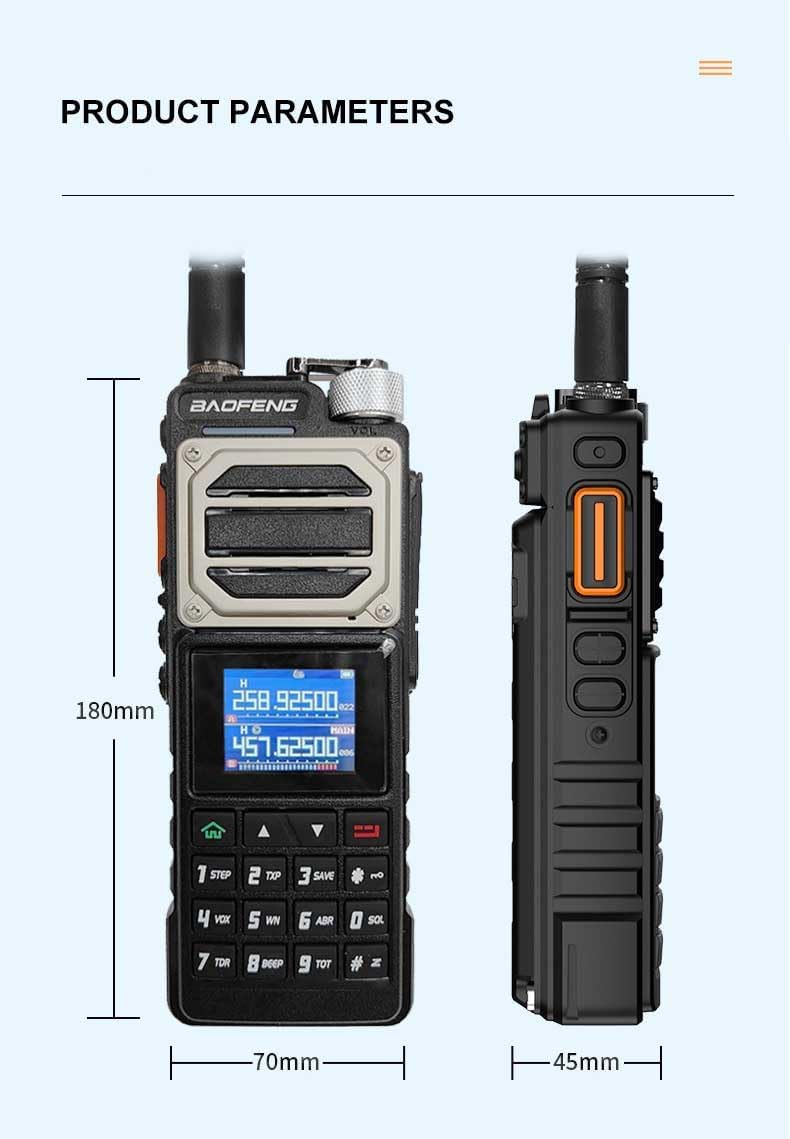
Image: A diagram illustrating the physical dimensions of the Baofeng UV-25 radio, showing its height (180mm), width (70mm), and depth (45mm).

Image: A smaller, alternative diagram detailing the product parameters, including dimensions, for the Baofeng UV-25 radio.
| Feature | Detail |
|---|---|
| Brand | BAOFENG |
| Model Number | UV25A-3B-10W |
| Frequency Range | FM 65-108MHz (RX), 136-174MHz (RX&TX), 220-260MHz (RX&TX), 400-480MHz (RX&TX), 480-520MHz (RX) |
| Number of Channels | 999 |
| Output Power | 10W (approx.) |
| Voltage | 7.4 Volts |
| Connectivity Protocol | Kenwood 2-pin |
| Special Feature | Wireless Copy Frequency |
| Item Weight | 2 pounds |
| Package Dimensions | 9.25 x 8 x 2.25 inches |
| Water Resistance Level | Not Water Resistant |
10. Warranty and Support
The Baofeng UV-25 radio comes with a 6-month warranty from the date of purchase, covering manufacturing defects.
For technical support, warranty claims, or additional information, please contact the seller or visit the official BAOFENG website. Keep your purchase receipt as proof of purchase for warranty services.
Manufacturer: BAOFENG
Related documentsUV25A-3B-10W


Ask a question about this manual
Ask about setup, troubleshooting, compatibility, parts, safety, or missing instructions. Manuals+ will review the question and use this page’s manual context to help answer it.